
CyberPower UT Series Manual
PDF manual · 2 Pages
English



Quick check
Incorrect answer, please try again.
Chat with your CyberPower UT Series manual using AI
Get instant AI answers from your CyberPower UT Series manual
Ask anything about the CyberPower UT Series. Answers come from this manual, with the pages they are based on.
Ask a Question
Do you recommend UT Series?
Yes NoFrequently Asked Questions
It is highly recommended to recharge the battery for at least eight hours before the first use to ensure the battery reaches its maximum charge capacity and provides optimal backup performance.
Is this answer helpful?
No, you should not use this product with laser printers. The startup surge and electromagnetic emissions from laser printers can interfere with the UPS operation or cause damage.
Is this answer helpful?
The CyberPower UT Series works with PowerPanel Personal Edition software. You can download this free tool from the official CyberPower website to monitor battery status and manage automatic computer shutdowns.
Is this answer helpful?
Absolutely not. The manual explicitly warns against using or placing the UPS near aquariums to prevent electrical shock hazards associated with water and electricity.
Is this answer helpful?
Green indicates normal power or ECO mode, yellow signals charging or battery mode, and red warns of low battery, overload, or a fault condition requiring immediate attention.
Is this answer helpful?
Yes, the UT Series features communication protection ports (RJ45) that shield standard telephone, fax, modem, and network cables from voltage spikes and surges entering through wall jacks.
Is this answer helpful?
Advantages and Disadvantages
Advantages

- Comprehensive protection for computers and communication lines including phones and networks
- Free PowerPanel software allows for remote monitoring and safe automated shutdowns
- Clear LED indicators display real-time status including battery level and faults
- Compact tower form factor saves space while providing significant power backup
- Multiple model variants available to match different wattage and outlet requirements
Disadvantages

- Not suitable for medical equipment or life-support systems requiring high reliability
- Requires an initial eight-hour charge period before first full usage
- May cause radio frequency interference in residential environments if not managed
- Cannot be used safely with laser printers or near water sources like aquariums
- Battery replacement requires careful handling and proper disconnection procedures
Product Specification
Type
Tower
Classification
VI (Line-Interactive)
Input
Schuko
Manufacturer Warranty
two years
Product Description
Protect Your Digital Life with the CyberPower UT Series Tower UPS
In an era where data is currency and downtime can be costly, the CyberPower UT Series Tower UPS stands as a reliable guardian for your essential electronics. This line of uninterruptible power supplies is engineered to provide seamless backup power during outages, ensuring that your computers, networking gear, and peripherals remain operational without interruption. Whether you are safeguarding a home office setup or a small business workstation, the UT series delivers peace of mind through robust protection against surges and blackouts.
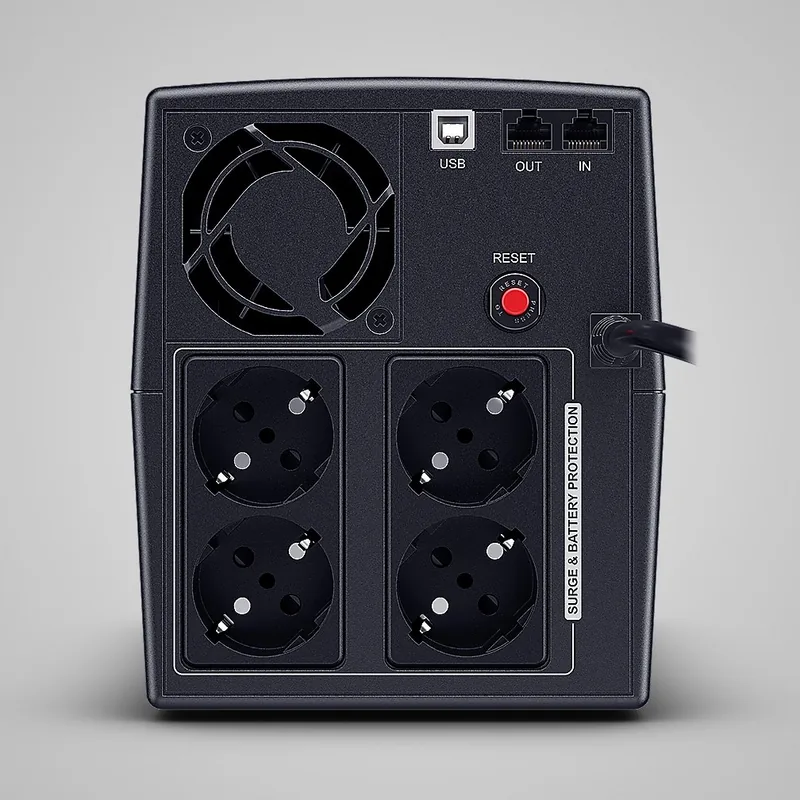
The installation process is designed for user convenience, featuring clear labeling and straightforward connectivity options. Upon receiving your unit, it is recommended to recharge the internal battery for at least eight hours before initial use to ensure maximum capacity. The unit includes a dedicated USB port for connecting to your PC, allowing you to monitor status and manage shutdowns via the free PowerPanel Personal Edition software available on the manufacturer's website. Additionally, the built-in communication protection ports offer critical shielding for telephone lines, modems, fax machines, and network cables, preventing voltage spikes from damaging sensitive equipment connected to these lines.
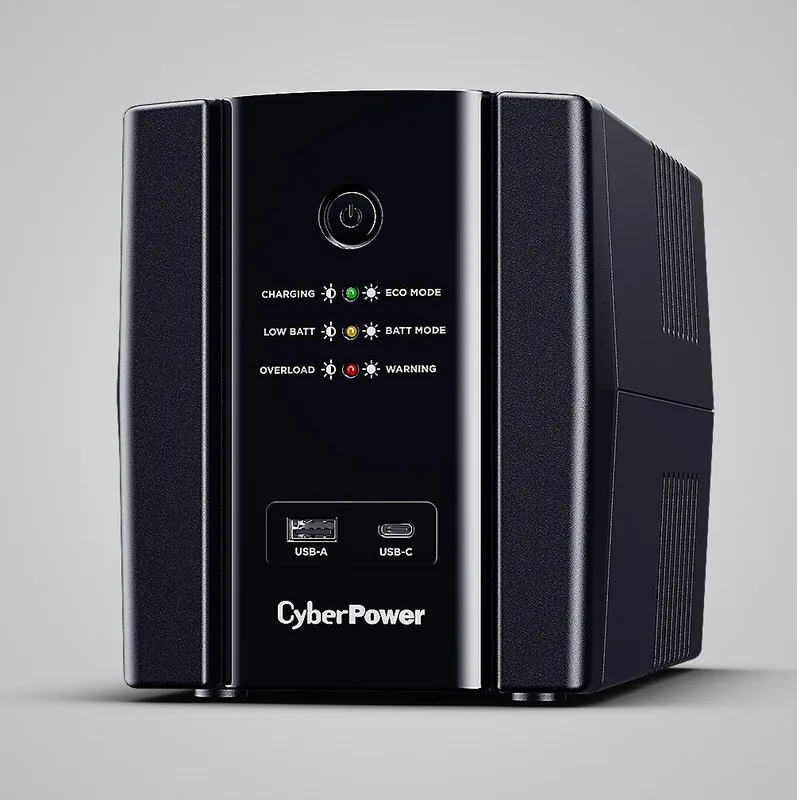
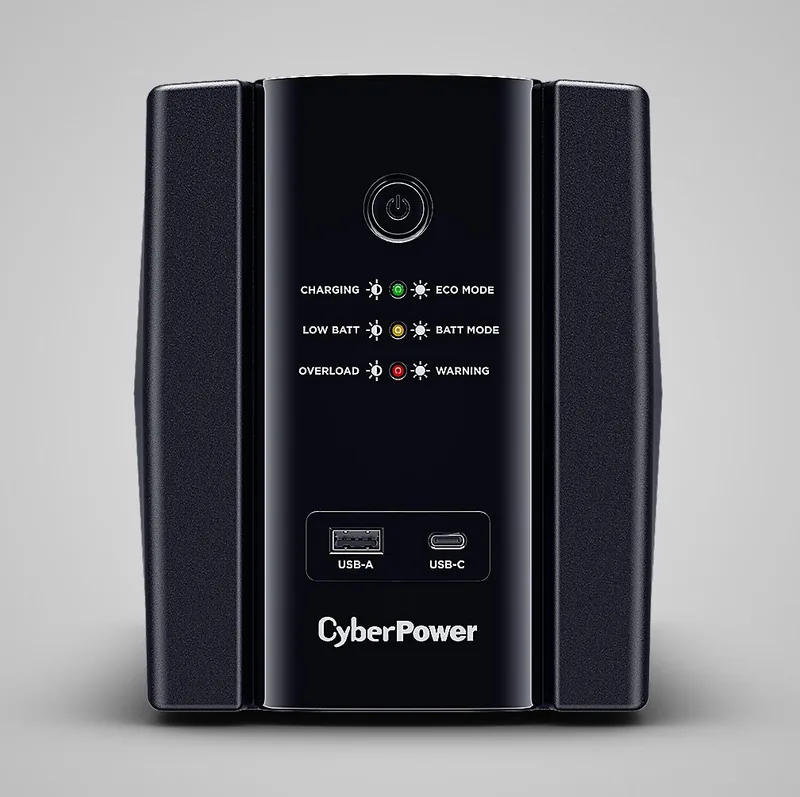
Operating the device is intuitive, with a simple power switch and a comprehensive LED indicator panel. These lights provide immediate visual feedback on the unit's status, distinguishing between normal operation, charging modes, battery-powered operation, low battery warnings, and fault conditions such as overload or internal errors. The Eco Mode feature helps optimize energy efficiency when utility power is stable, reducing noise and power consumption. With models ranging from the UT400EG to the UT850EIG, users can select the capacity that best fits their specific load requirements, all housed in a compact tower design that fits easily under desks or in server racks.
Important Notes
- Do not use this equipment for medical or life support systems.
- Avoid placing the unit near aquariums or laser printers due to potential interference or safety risks.
- Always turn off and unplug the unit before servicing batteries or installing components.
- Ensure the installation environment is indoor, temperature-controlled, and free of conductive contaminants.
Search for 67,706 Manuals online


Type-in Brand or Model