
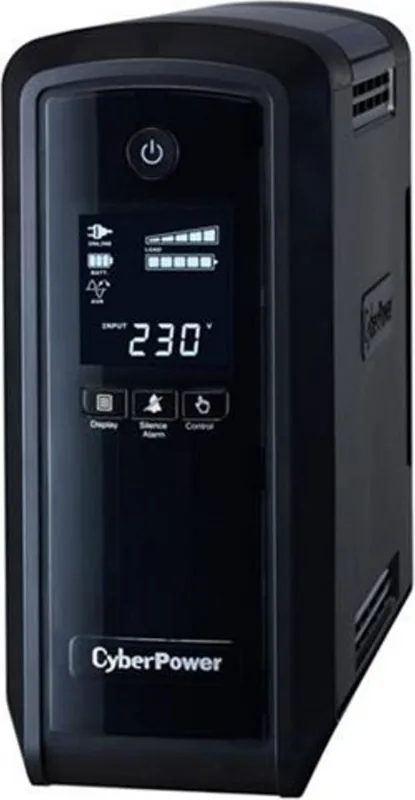
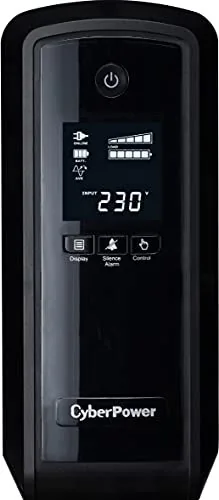
CyberPower PFC Sinewave Series Manual
PDF manual · 2 Pages
English



Quick check
Incorrect answer, please try again.
Chat with your CyberPower PFC Sinewave Series manual using AI
Get instant AI answers from your CyberPower PFC Sinewave Series manual
Ask anything about the CyberPower PFC Sinewave Series. Answers come from this manual, with the pages they are based on.
Ask a Question
Do you recommend PFC Sinewave Series?
Yes NoFrequently Asked Questions
Yes, the CP550/900/1300/1500EPFCLCD series supports High Efficiency power supplies with Active Power Factor Correction (Active PFC). This is required for power supplies over 100 watts to meet Energy Star standards.
Is this answer helpful?
Turn off and unplug the unit. Remove the retaining screw and slide off the bottom cover. Disconnect wires carefully, replace the battery pack, and tighten the screw. Recharge for 8 to 16 hours.
Is this answer helpful?
No. To reduce the risk of fire, do not use with or near aquariums. Condensation from water tanks can contact metal contacts and cause the machine to short out.
Is this answer helpful?
If loads exceed the rated VA/Watt capacity, an overload condition occurs. The unit will trip the circuit breaker or shut down. You must turn off the UPS, wait 10 seconds, reset the breaker, and unplug some devices.
Is this answer helpful?
No. Do not plug a laser printer, paper shredder, copier, space heater, vacuum, or other large electrical devices into the Battery and Surge Protected Outlets. Their power demands may damage the unit.
Is this answer helpful?
Yes, it includes RJ45 Communication protection ports to protect network cables from surge and spikes, ensuring safer connectivity during power events.
Is this answer helpful?
CyberPower systems do not sell products for life support or medical applications. Using this UPS could affect the operation and safety of life support equipment.
Is this answer helpful?
Advantages and Disadvantages
Advantages

- Support for Active PFC power supplies improves efficiency
- Intelligent LCD display shows real time voltage and run time
- Network protection ports safeguard cables from surges and spikes
- GreenPower UPSTM Technology reduces energy costs significantly
- Auto-restart feature allows immediate recovery after power returns
Disadvantages

- Battery replacement requires opening the unit housing carefully
- Some outlets cannot handle high power devices like printers
- Units are heavy and bulky compared to standard adapters
- Battery must recharge for several hours after shipping
- Cannot be used on medical equipment or life support systems
Product Specification
Type
Tower
Classification
VI (Line-Interactive)
Voltage
230V
Input
1x C14
Outputs
6x outlets
Interfaces
USB, serial, 2x USB (2.1A)
Data line protection
2x RJ-45/RJ-11 (1x In/1x Out)
Charge time
8 hours
Features
LCD
Manufacturer warranty
3 years
Product Description
Protect Your Digital Assets with Reliable Power
In today's tech driven world, maintaining an uninterrupted power supply is critical for both home users and businesses. The CyberPower PFC Sinewave Series UPS offers robust protection against voltage fluctuations and sudden outages. By integrating advanced technology, this series ensures your computer systems remain safe even when utility power becomes unstable. Whether you are running sensitive data equipment or gaming rigs, stability is key to preventing hardware failure and data loss. This ensures uninterrupted operation for critical tasks. A reliable power solution is the best investment for sensitive electronics.
Advanced Features for Enhanced Efficiency
One of the standout capabilities of this unit is its support for Active PFC power supplies. Active PFC is used to significantly improve the efficiency of power delivery in modern computers. Many US Energy Star Program Requirements or 80 Plus rated power supplies mandate this feature for units over 100 watts. The UPS manages the current requirements effectively while providing 405 Joules of surge protection for your gear. It keeps the connected equipment safe from surges and spikes that could degrade components. The high resolution LCD display further enhances user experience by showing input voltage, output voltage, and estimated run time. This data helps prevent overloading the unit by monitoring capacity in real time.
Selecting Capacity and Installing the Unit
Users have several capacity options including the 550VA, 900VA, 1300VA, and 1500VA configurations to choose from. Each model varies in wattage output, so calculating total requirements is crucial before purchase. If rated unit capacities are exceeded, an overload condition may occur and cause the UPS unit to shut down. Read the CyberPower PFC Sinewave Series UPS Manual to understand these limits and safety protocols. Installation requires a grounded AC power outlet with fuse or circuit breaker protection. It is critical not to plug the UPS into an outlet that is not grounded. Avoid extension cords and ensure the wall branch outlet is protected by a fuse or circuit breaker.
Safety Guidelines and Battery Care
Proper maintenance ensures long term reliability and user safety. Hazardous live parts inside can be energized by the battery even when the AC input power is disconnected. Users should turn off the unit and unplug it from the AC power source before servicing the battery or installing a computer component. The battery compartment is user replaceable but requires caution. To maintain optimal battery charge, leave the UPS plugged into an AC outlet at all times. Avoid using the unit near aquariums to reduce risks associated with condensation. Furthermore, do not use the unit on any transportation such as airplanes where vibration can cause damage. Following these safety instructions protects equipment and personnel from electrical hazard and potential injury.
Search for 67,706 Manuals online


Type-in Brand or Model