
CyberPower Online S Tower Series Manual
PDF manual · 38 Pages
English



Quick check
Incorrect answer, please try again.
Chat with your CyberPower Online S Tower Series manual using AI
Get instant AI answers from your CyberPower Online S Tower Series manual
Ask anything about the CyberPower Online S Tower Series. Answers come from this manual, with the pages they are based on.
Online S Tower Series Maintenance Schedule
If the UPS is stored for an extended period, recharge the batteries every three months to ensure good battery capacity and long life.
The manual indicates a recommended 3-year maintenance period for battery replacement. Reset the replacement date after service.
The UPS allows setting a Periodic Battery Test interval of 1, 2, 3, or 4 weeks to automatically check battery condition.
Free maintenance reminders
Timed to your purchase date. Always free, unsubscribe anytime.
Ask a Question
Do you recommend Online S Tower Series?
Yes NoFrequently Asked Questions
This unit uses online double-conversion technology, meaning it constantly powers the load from the battery via an inverter. Line-interactive models only switch to battery during an outage, resulting in a brief transfer time, whereas this model offers zero interruption.
Is this answer helpful?
Yes, the OLS series includes connectors for external battery modules. You can daisy-chain multiple modules to significantly increase the total runtime available for your connected equipment during a power failure.
Is this answer helpful?
Absolutely. The CyberPower Online S Tower Series delivers a pure sine wave output, which is required by most servers, network switches, and medical equipment to operate safely and efficiently without overheating or malfunctioning.
Is this answer helpful?
The LCD display will show a 'Service Battery' message when the battery replacement date is reached, typically after three years. You can also check the battery capacity percentage in the status menu or use the manual battery test feature.
Is this answer helpful?
Yes, the unit features an automatic restore function. Once utility power returns and stabilizes within acceptable ranges, the UPS will automatically resume powering your equipment without manual intervention.
Is this answer helpful?
Advantages and Disadvantages
Advantages

- True online double-conversion design provides zero transfer time during power failures.
- Pure sine wave output ensures compatibility with sensitive electronic equipment.
- Intuitive LCD panel allows easy monitoring and configuration of system parameters.
- Supports optional external battery modules for extended runtime capabilities.
- High efficiency rating reduces energy consumption and heat generation.
Disadvantages

- Battery replacement requires qualified personnel due to high voltage risks.
- Initial cost is higher compared to line-interactive UPS models.
- Fan noise may be audible in very quiet office environments during operation.
- Extended runtime requires purchasing additional expensive battery modules.
- Complex setup options may overwhelm inexperienced users without guidance.
Product Specification
Type
Tower
Classification
VFI (On-Line)
Voltage
230V
Interfaces
USB, serial
Data line protection
N/A
Charging time
4h
Features
LCD
Manufacturer warranty
two years
Product Description
CyberPower Online S Tower Serie UPS/USV - Read, Download & Print Free
The CyberPower Online S Tower Series represents a pinnacle in uninterruptible power supply technology, designed specifically for demanding environments where data integrity and equipment safety are paramount. This series of online double-conversion UPS systems ensures that connected devices receive clean, stable power regardless of grid fluctuations. Whether you are protecting a small office server, a network closet, or critical medical imaging equipment, the OLS1000EA through OLS3000EA models offer robust protection against outages, surges, and electrical noise.
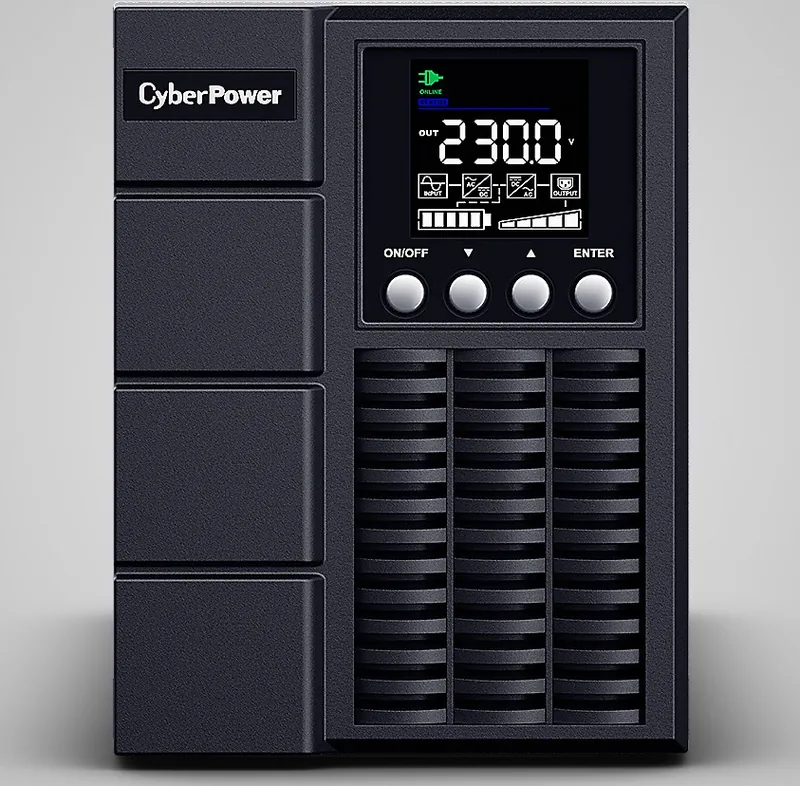
These units operate in true online mode, meaning the load is always powered by the inverter, which constantly conditions the power from the battery. This architecture eliminates transfer time during utility failures, providing zero-interruption power. The front panel features an intuitive LCD interface that displays real-time status, including input voltage, output load, and battery runtime. Users can easily navigate menus to configure settings such as ECO mode for energy efficiency, adjust bypass voltage windows, and manage communication ports via USB or Serial connections.
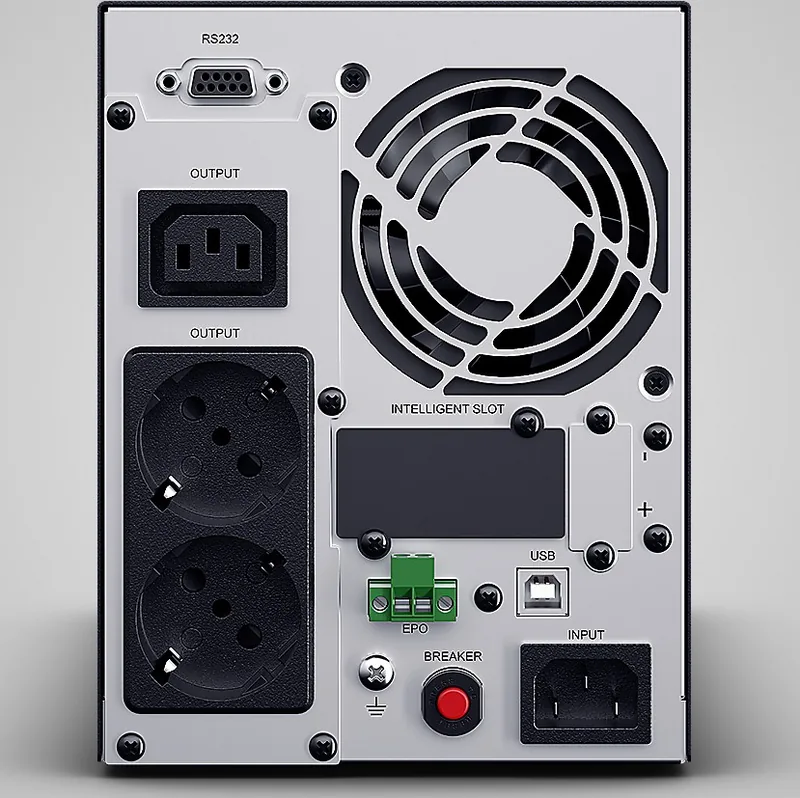
Installation is straightforward, with clear labeling for input and output terminals. The system supports extended runtime through optional external battery modules, allowing users to scale backup capacity as needs grow. Advanced management software like PowerPanel Business Edition enables remote monitoring, automatic shutdowns during prolonged outages, and detailed event logging. Safety features include comprehensive overload protection, thermal shutdown mechanisms, and strict adherence to international standards for electrical safety.
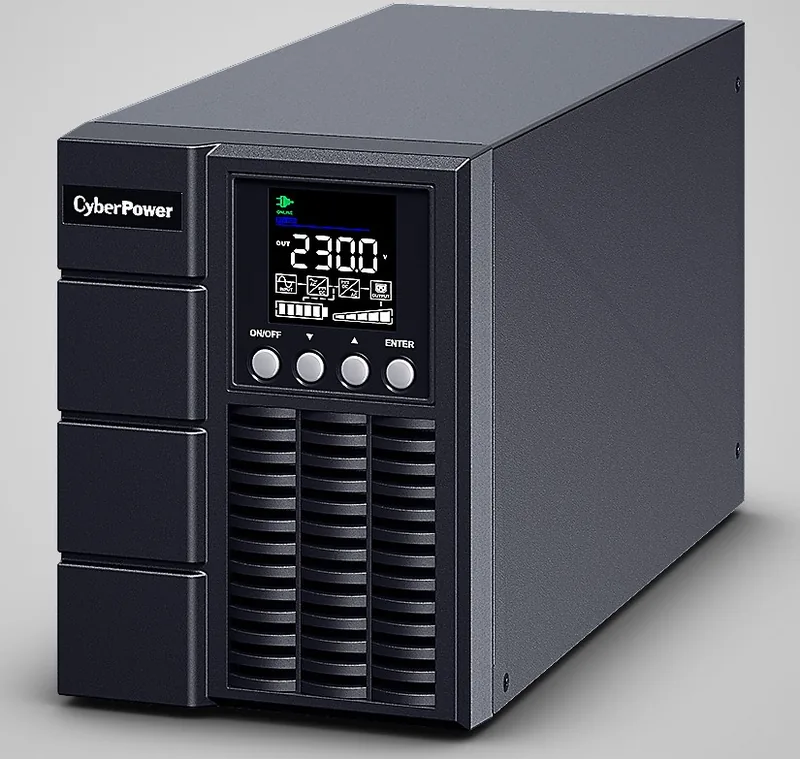
The tower form factor saves valuable floor space while maintaining high performance. With efficiencies exceeding 95% and support for pure sine wave outputs, these UPS units are compatible with sensitive electronics ranging from personal computers to industrial controllers. Regular maintenance is simplified through self-test capabilities and clear indicator lights that alert users to potential issues before they become critical failures.
Key Notes
- Always connect to a grounded outlet to ensure safety.
- Do not use near aquariums due to condensation risks.
- Replace batteries only with certified CyberPower models.
- Keep ventilation openings unobstructed to prevent overheating.
- Use insulated tools when servicing internal components.
Search for 67,706 Manuals online


Type-in Brand or Model