
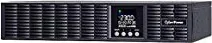
CyberPower Online S Series Manual
PDF manual · 40 Pages
English



Quick check
Incorrect answer, please try again.
Chat with your CyberPower Online S Series manual using AI
Get instant AI answers from your CyberPower Online S Series manual
Ask anything about the CyberPower Online S Series. Answers come from this manual, with the pages they are based on.
Online S Series Maintenance Schedule
If storing the UPS for an extended period, recharge the battery every three months to ensure good capacity and long life.
Replace batteries when the LCD displays Service Battery or after approximately 3 years of maintenance period.
Free maintenance reminders
Timed to your purchase date. Always free, unsubscribe anytime.
Ask a Question
Do you recommend Online S Series?
Yes NoFrequently Asked Questions
The S Series uses online double-conversion topology (AC→DC→AC) to provide continuous, regulated pure sine wave output and near-zero transfer time, ensuring connected equipment remains protected during mains disturbances.
Is this answer helpful?
Yes. The units support both rackmount and vertical tower installations. Rackmount rails, ears, and base stands are provided. The LCD module can be rotated for tower orientation; follow the hardware installation steps and use only supplied mounting hardware.
Is this answer helpful?
Connect via the built-in USB or serial port and install CyberPower PowerPanel Business software for graceful shutdown and monitoring. For network management and SNMP features, install the optional SNMP/HTTP card in the expansion slot to enable IP-based monitoring and alerts.
Is this answer helpful?
Keep the UPS connected to AC to maintain charge, perform periodic battery tests, recharge every three months during storage, and replace batteries at recommended intervals. Use only CyberPower-certified replacement batteries and have qualified personnel perform replacements.
Is this answer helpful?
The S Series includes surge suppression, overload and short-circuit protection, fan and temperature monitoring, and automatic transfer to bypass on certain faults. Event codes and the LCD help diagnose issues; some faults require contacting support and qualified service.
Is this answer helpful?
ECO mode improves efficiency by operating via bypass when mains quality fits configured voltage/frequency windows. If utility power goes outside those windows the UPS reverts to full double-conversion. Bypass behavior and windows are user-configurable to balance efficiency and protection.
Is this answer helpful?
Yes. Avoid connecting high inrush or high-power domestic appliances (printers, heaters, vacuum cleaners) as they may overload the UPS. Use the battery-backed surge-protected outlets for critical equipment only and observe the unit’s rated VA/W limits.
Is this answer helpful?
Advantages and Disadvantages
Advantages

- Online double-conversion architecture delivers pure sine wave output and zero transfer interruption.
- Flexible rackmount or tower installation with removable LCD module and included mounting hardware.
- Scalable runtime via external battery modules and built-in battery management for predictable backup time.
- Comprehensive monitoring: USB/serial ports, SNMP slot, PowerPanel Business integration, and event logging.
- Configurable settings (voltage, frequency, ECO mode, bypass conditions) for varied deployment needs.
Disadvantages

- Battery replacement and hardwiring require qualified personnel; not user-serviceable in all areas.
- Higher initial cost and running losses typical of online double-conversion UPS vs. line-interactive units.
- Physical size and weight (especially higher-capacity models) may limit placements without proper rack space.
- Some advanced features require optional SNMP card or additional software for full remote management.
- ECO/bypass operation depends on utility quality and configured windows, which may risk temporary exposure to mains.
Product Specification
Type
Rackmount
Classification
VFI (On-Line)
Voltage
230V
Interfaces
USB, serial
Data line protection
2x RJ-11/RJ-45
Charging time
4 hr
Rack units
2U
Features
LCD
Product Description
CyberPower Online S Series UPS/USV Manual Overview
The CyberPower Online S Series UPS/USV combines online double-conversion topology with flexible rack/tower form factors to deliver reliable, clean power for servers, network equipment, and sensitive electronics. Designed for medium-density IT environments, the S Series supports models from 1000VA to 3000VA, providing pure sine wave output, high-efficiency ECO mode, and advanced battery management for extended runtime and predictable performance.
Key product highlights
The S Series offers selectable output voltages (208/220/230/240V), configurable output frequency (50/60Hz), and tight regulation with near-zero transfer time. Units include multiple IEC outlets, surge and RJ-11/RJ-45 protection, and options for external battery modules (EBMs) to scale runtime. Built-in USB and serial communications plus an SNMP card slot enable graceful shutdown, remote monitoring, and network management integration via CyberPower PowerPanel Business software.
Installation and use
These UPS units support both 1U/2U rackmount and tower layouts. Rack rails, mounting ears, and removable LCD modules simplify configuration. Safety guidance emphasizes proper grounding, qualified wiring, and battery precautions. Initial setup includes a recommended five-hour charge, connection of load devices to battery-backed outlets, and optional EPO/ROO remote control wiring. The front-panel LCD and navigation buttons provide access to status, setup, event logs, and diagnostic information.
Management, menus and protections
A multifunction LCD shows input/output/battery metrics, load percentages, and event codes. Users can configure output voltage, ECO mode, bypass windows, audible alarms, generator and converter modes, auto-restart, and scheduled battery tests. Event logging stores the last 12 events with codes for quick troubleshooting. Protections include overload and short-circuit handling, input filtering, and fan/temperature monitoring; many fault conditions trigger automatic transfer to bypass with alerts.
Battery and maintenance
Sealed, maintenance-free lead-acid battery packs are standard; replacement and extended runtime modules are supported. Routine maintenance recommendations include keeping the unit charged, performing periodic battery tests, and replacing batteries at the recommended intervals. Proper disposal and handling instructions are provided to mitigate hazards.
Why choose the S Series
The Online S Series is suited for small-to-medium data closets, edge servers, and critical network gear that require continuous, regulated power and remote management. Its mix of configurability, runtime scalability, and comprehensive safety/protection features make it a practical option for administrators seeking predictable uptime and maintenance controls.
Notes
- Charge batteries for several hours before first use and leave the UPS connected to AC to maintain battery health.
- Only qualified personnel should perform hardwiring or battery replacement.
- Use only manufacturer-approved replacement batteries and certified mains cables.
- Enable communication (USB/serial/SNMP) for graceful shutdown and event monitoring.
- Observe recommended environmental limits for temperature and humidity.
Search for 67,706 Manuals online


Type-in Brand or Model