
CyberPower BRICs LCD Manual
PDF manual · 2 Pages
English



Quick check
Incorrect answer, please try again.
Chat with your CyberPower BRICs LCD manual using AI
Get instant AI answers from your CyberPower BRICs LCD manual
Ask anything about the CyberPower BRICs LCD. Answers come from this manual, with the pages they are based on.
Ask a Question
Do you recommend BRICs LCD?
Yes NoFrequently Asked Questions
It is designed to keep small electronics running during outages and to protect them from power problems. Typical uses include desktop computers, routers, modems, fax lines, and other home-office equipment.
Is this answer helpful?
The battery should be charged for at least 8 hours. This helps the UPS reach maximum charge capacity and improves readiness before you depend on it for backup power.
Is this answer helpful?
Yes. The UPS includes a USB port for PC connection. That allows you to use compatible software for monitoring and for more controlled shutdown behavior during power loss.
Is this answer helpful?
Yes. It includes communication-line protection ports that can help protect telephone, modem, fax, and network cables by routing them through the UPS.
Is this answer helpful?
It should not be used with medical equipment, life-support devices, aquariums, or laser printers. The manual also warns against use in unsuitable environments or near conductive contaminants.
Is this answer helpful?
Common included items are the UPS unit, a quick start guide, a USB cable, a telephone communication cable, and a cable collector. Availability can vary by package or region.
Is this answer helpful?
Advantages and Disadvantages
Advantages

- Clear LCD readout makes it easy to check power and battery status at a glance.
- Battery backup helps protect computers, routers, and other small office devices during outages.
- USB connectivity supports monitoring software and safer shutdown management.
- RJ45-style line protection helps guard phone, fax, modem, and network cables.
- Useful extras like USB charging and cable management improve desk organization.
Disadvantages

- Not suitable for medical or life-support equipment.
- Not recommended for use near aquariums or with laser printers.
- Needs an initial battery charge of about 8 hours before full use.
- Designed for controlled indoor environments, not harsh or conductive spaces.
- Focused on small electronics, so it is not meant for high-power or industrial loads.
Product Specification
Type
Power strip with integrated UPS
Classification
VI (Line-Interactive)
Voltage
230V
Input
Schuko
Outputs
8x Schuko
Interfaces
USB
Data line protection
2x RJ-11/RJ-45
Charging duration
8h
Dimensions (WxHxD)
11.34x4.65x6.54in
Special features
LCD
Manufacturer's warranty
two years
Product Description
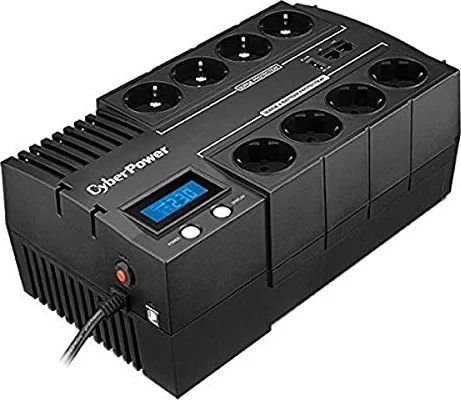
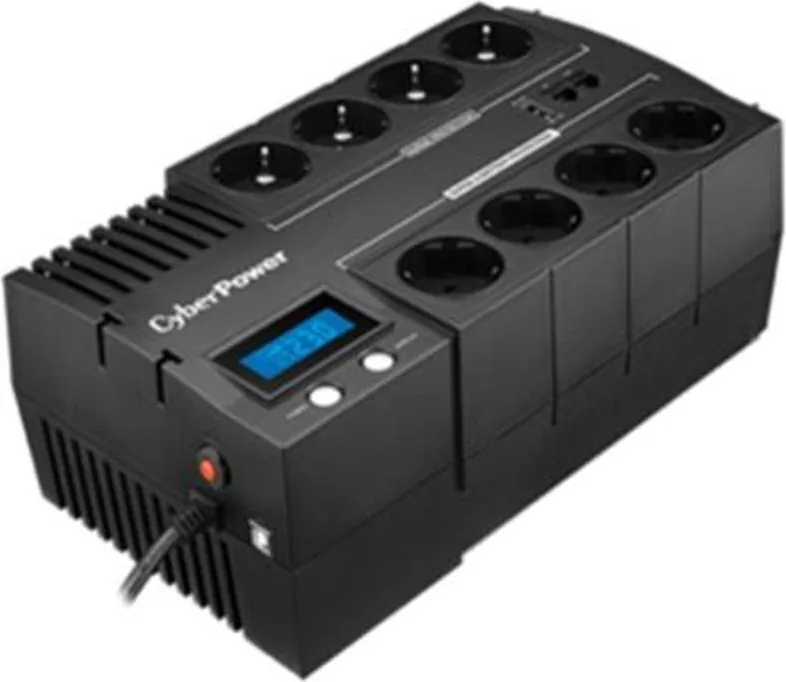
CyberPower BRICs LCD Desktop UPS with LCD Display
The CyberPower BRICs LCD Desktop UPS with LCD display Manual points to a compact backup-power solution built for everyday office and home setups. It is part of the BR700ELCD, BR1000ELCD, and BR1200ELCD family, offering a practical mix of battery backup, surge protection, and clear LCD status feedback. For anyone protecting a desktop PC, modem, router, or small workstation, this UPS is designed to keep essential devices running when the power becomes unstable.
One of its most useful features is the front LCD screen. Instead of guessing what the unit is doing, users can quickly check power status, battery condition, and other operational details with a simple toggle switch. That makes the unit approachable for first-time buyers while still being helpful for anyone who wants a fast snapshot of system health. The design also includes a dedicated USB port for connecting to a computer, which opens the door to software monitoring and more controlled shutdowns.
The CyberPower BRICs line is also built with convenience in mind. A USB charging port can power small devices, while the cable collector helps keep the desk tidier. Communication-line protection adds another layer of value by helping shield telephone, fax, modem, or network connections from power disturbances. In daily use, that means the UPS can do more than just keep the lights on for a few minutes; it can help preserve the connectivity that modern work depends on.
Setup is straightforward, but the manual emphasizes a few smart habits. Charge the battery for at least 8 hours before relying on it fully. Connect the USB cable if you plan to use monitoring software, and route phone or network cables through the IN and OUT ports for added protection. The unit should be used indoors in a temperature- and humidity-controlled space, and it is not meant for medical equipment, aquariums, or laser printers.
That balance of protection and visibility is what makes this UPS appealing. It is not trying to be a heavy industrial power system; instead, it focuses on the essentials that matter most to a small setup: clean backup power, easy monitoring, and simple connection protection. For users who want dependable everyday uptime, it feels like a smart, desk-friendly safeguard.
Notes
- Best for home offices, desktop PCs, and networking gear.
- The LCD and software support make status checks easier.
- Follow the initial charging time for better battery performance.
- Keep it away from unsupported equipment and harsh environments.
Search for 67,706 Manuals online


Type-in Brand or Model