
CyberPower Automatic Transfer Switch Manual
PDF manual · 40 Pages
English



Quick check
Incorrect answer, please try again.
Chat with your CyberPower Automatic Transfer Switch manual using AI
Get instant AI answers from your CyberPower Automatic Transfer Switch manual
Ask anything about the CyberPower Automatic Transfer Switch. Answers come from this manual, with the pages they are based on.
Ask a Question
Do you recommend Automatic Transfer Switch?
Yes NoFrequently Asked Questions
The primary function is to provide redundant power sources using dual inputs. It automatically switches to a backup source if the preferred source becomes unstable or unavailable, ensuring continuous power to connected devices with minimal downtime.
Is this answer helpful?
Yes. You can manage it via a web interface, Telnet, SSH, or SNMP protocols. You can also use local management through the LCD panel to configure settings and monitor status information in real-time.
Is this answer helpful?
Up to four ATS PDUs can be connected together using the daisy-chain function. They will be recognized as Host and Guest units, allowing you to monitor and control them from one central IP address.
Is this answer helpful?
Only sine wave AC power sources are compatible. Simulated sine wave AC power sources are explicitly noted as not compatible with this automatic transfer switch to prevent operational failures.
Is this answer helpful?
You can upgrade firmware using USB flash drives, FTP network connection, Secure Copy (SCP), or the Upgrade and Configuration Utility software. A reboot will occur during the process.
Is this answer helpful?
For USA and Canada, there is a 3-year limited warranty provided to the original purchaser. Other regions have varying terms and require contacting the local sales team.
Is this answer helpful?
Advantages and Disadvantages
Advantages

- Dual input power sources provide critical redundancy for uninterrupted operations
- Remote management options include Web, SNMP, SSH, and Telnet for flexibility
- Daisy-chain function allows up to four units monitored via single IP
- Integrated LCD panel displays real-time voltage, load, and frequency data
- Compatible with standard 19-inch racks for versatile deployment options
Disadvantages

- Requires sine wave power sources; simulated waves are incompatible
- Maximum limit of four units allowed within a single daisy-chain setup
- Initial network configuration requires specific IP address knowledge
- Firmware updates involve rebooting the LCD display during process
- Specific amperage circuit breakers required depending on model selection
Product Specification
Outputs
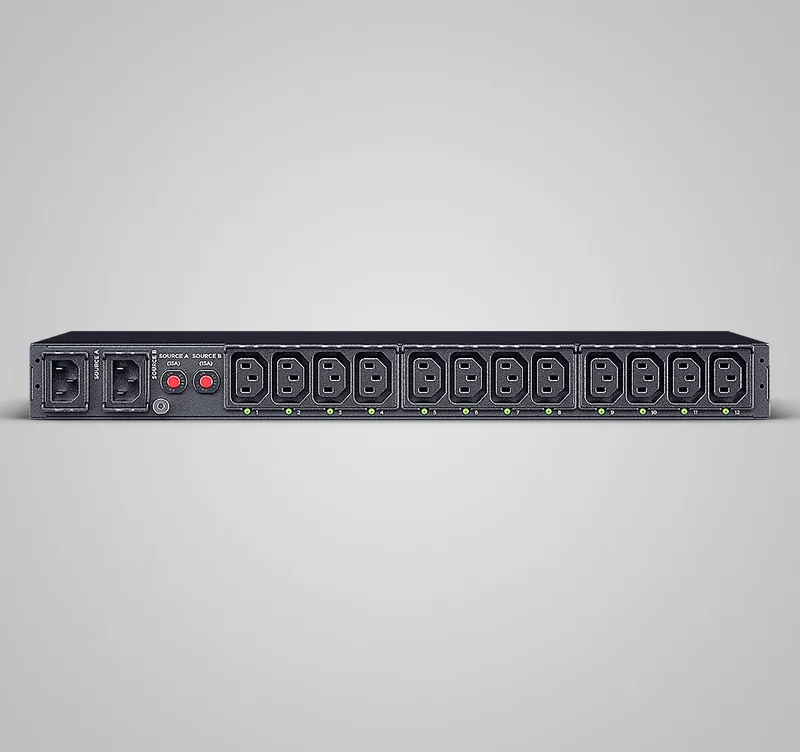
12x C13
Input
2x C14 (10A)
Input Voltage
240V
Additional Ports
1x USB-A, 3x RJ-45, 1x serial (RJ-45)
Cable Length
9.84 ft
Dimensions (WxHxD)
17.05 x 1.73 x 8.46 in
Weight
8.16 lbs
Features
PDU, LCD, rack-mountable
Manufacturer Warranty
3 years
Product Description
Securing Critical Infrastructure Uptime
Understanding Power Redundancy Needs
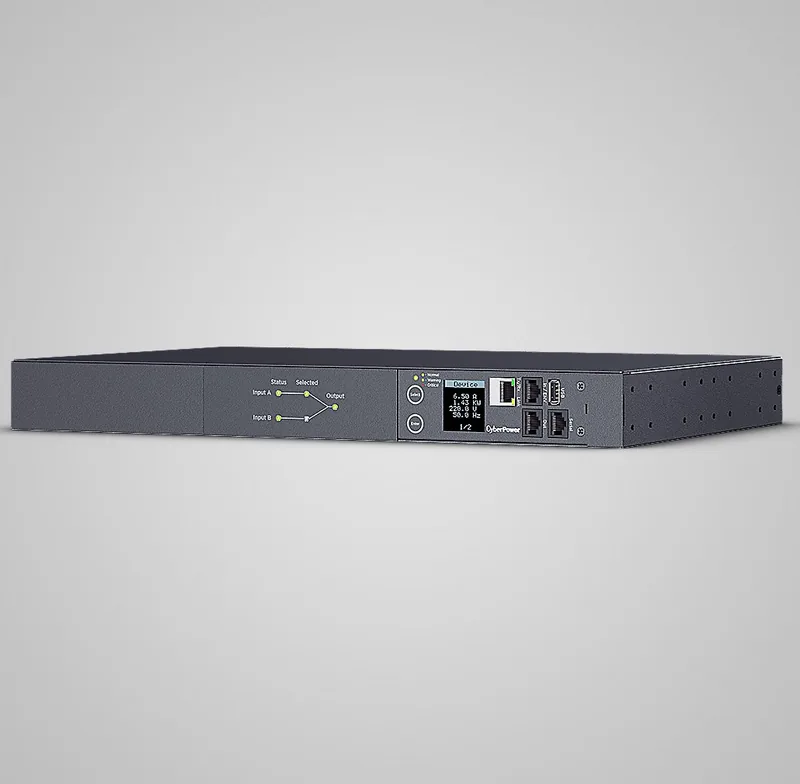
Maintaining continuous power supply is absolutely vital for modern data centers and critical server rooms. Downtime results in lost revenue and damaged reputations for enterprises relying on digital services. The CyberPower Automatic Transfer Switch PDU offers a robust engineering solution designed specifically to minimize downtime through intelligent power source management capabilities. By utilizing dual input power feeds labeled Source A and Source B, this device ensures that all connected equipment receives constant electricity even if one primary source fails unexpectedly. Users define their preferred input, allowing seamless fallback mechanisms during utility outages or maintenance windows.
Advanced Management Capabilities Explained
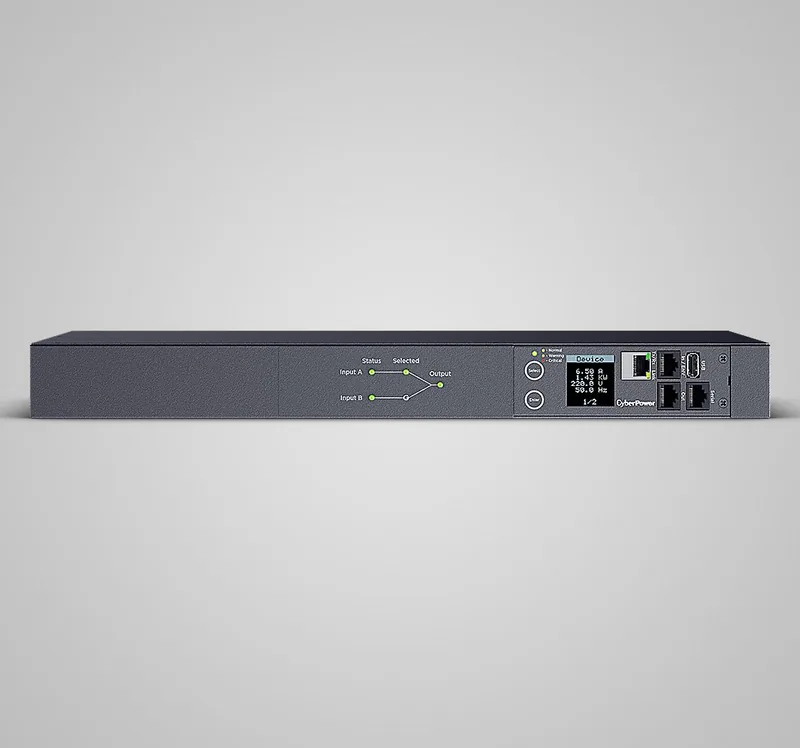
System operators can easily monitor real-time power status via an integrated multifunction LCD interface. This visual feedback displays critical voltage, frequency, and load conditions instantly upon demand without needing external tools. For extensive remote administration tasks, the unit supports comprehensive web-based control alongside secure shell access protocols. Network administrators gain significant flexibility by configuring the device via standard industrial protocols such as SNMP v1 and v3. These powerful tools allow dedicated IT teams to oversee complex power distribution networks from any remote location without requiring physical proximity to the server rack itself.
Flexible Deployment and Configuration Options
Physical installation remains straightforward with standardized provisions for both front and rear mounting in standard 19-inch racks. The system accommodates various amperage ratings ranging from fifteen amps to thirty-two amps suitable for different computational workload densities. Advanced features support daisy-chaining functions, enabling up to four specific units to connect together under a single logical IP address for simplified centralized monitoring operations. This impressive scalability makes the product highly suitable for expanding IT environments where operational efficiency matters most globally across diverse sectors.
Safety Guidelines and Compatibility Requirements
Users must strictly adhere to recommended safety guidelines regarding power source compatibility types available in the field. Only pure sine wave AC power sources are fully compatible with the automated transfer switch functionality described here in detail. Simulated sine wave AC power sources are strictly noted as not compatible which may lead to improper switching behaviors potentially causing service interruptions for clients. Always ensure proper grounding compliance before initial installation to prevent serious electrical hazards during any routine maintenance procedures performed later by technicians.
Maintenance and Support Overview
Regular firmware updates ensure security patches remain current protecting against evolving cyber threats within your facility infrastructure over time. The system allows upgrades via USB flash drives or secure copy commands directly through the network interface for convenience. Should issues arise, troubleshooting guides assist in identifying common causes like tripped breakers or overload warnings displayed clearly on screen for quick resolution. Backed by limited warranties covering three years for North American customers, peace of mind is standard with every purchase made today ensuring longevity.
Search for 67,706 Manuals online


Type-in Brand or Model