
Corsair Crystal Series 570X Manual
PDF manual · 38 Pages
English



Quick check
Incorrect answer, please try again.
Chat with your Corsair Crystal Series 570X manual using AI
Get instant AI answers from your Corsair Crystal Series 570X manual
Ask anything about the Corsair Crystal Series 570X. Answers come from this manual, with the pages they are based on.
Ask a Question
Do you recommend Crystal Series 570X?
Yes NoFrequently Asked Questions
No, polarity does not matter for the power and reset headers. It is only important for the LED headers.
Is this answer helpful?
You should visit corsair.force.com and request an RMA so that we can replace the damaged parts.
Is this answer helpful?
Fan mount locations include the front, top, and rear of the chassis. Front supports 3x120mm or 2x140mm. Top supports 2x140mm or 120mm. Rear supports 120mm.
Is this answer helpful?
The maximum GPU length supported is 419mm. Ensure your graphics card does not exceed this limit.
Is this answer helpful?
Yes, the Crystal Series 570X RGB model comes with an included RGB Fan Controller and SP120 RGB fans for lighting integration.
Is this answer helpful?
Advantages and Disadvantages
Advantages

- Immaculate tempered glass enclosure showcases all components for a stunning aesthetic.
- Multiple fan and radiator mounting locations support superior airflow solutions.
- Removable fan trays facilitate easier installation of radiators outside the chassis.
Disadvantages

- Tempered glass panels require careful handling during removal to prevent damage.
- Dust filters need regular cleaning to maintain optimal air intake performance.
- Some installations may require manual adjustment of the front I-O connectors.
Product Specification
External
N/A
PCI Slots
7
Fans (Front)
3x 4.72 in (RGB illuminated) or 2x 5.51 in (optional)
Fans (Rear)
1x 4.72 in (optional)
Fans (Left)
N/A
Fans (Right)
N/A
Fans (Top)
2x 5.51 in (optional)
Fans (Bottom)
N/A
Fans (Other)
N/A
Motherboard
Up to ATX (10.71 in wide)
Power Supply
ATX
PSU Position
Bottom
CPU Cooler
Max. 6.69 in height
Graphics Cards
Max. 14.57 in
Volume
2.03 cu. ft.
Case Type
Mid-Tower
Product Description
Experience Premium with the Corsair Crystal Series 570X
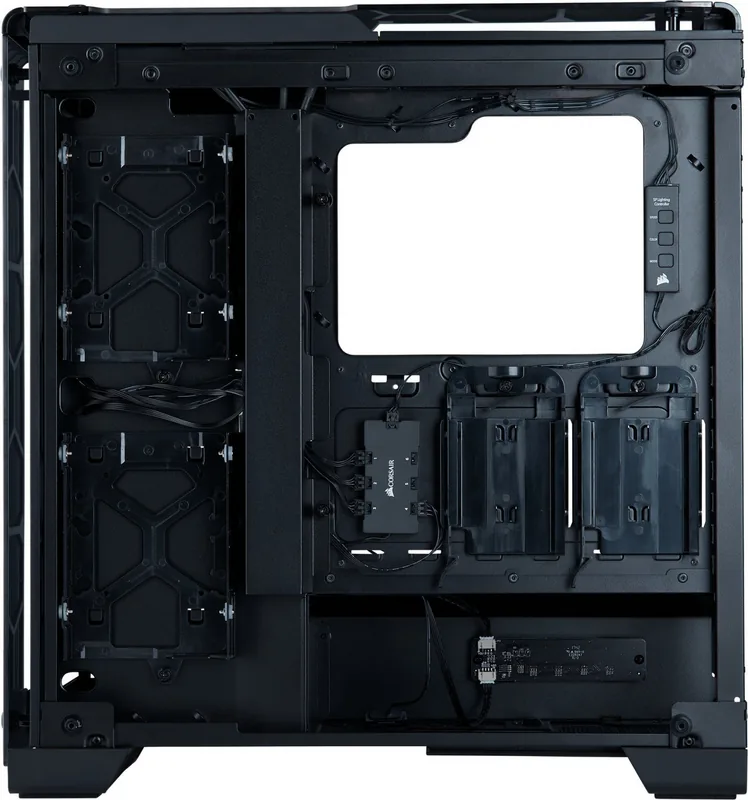
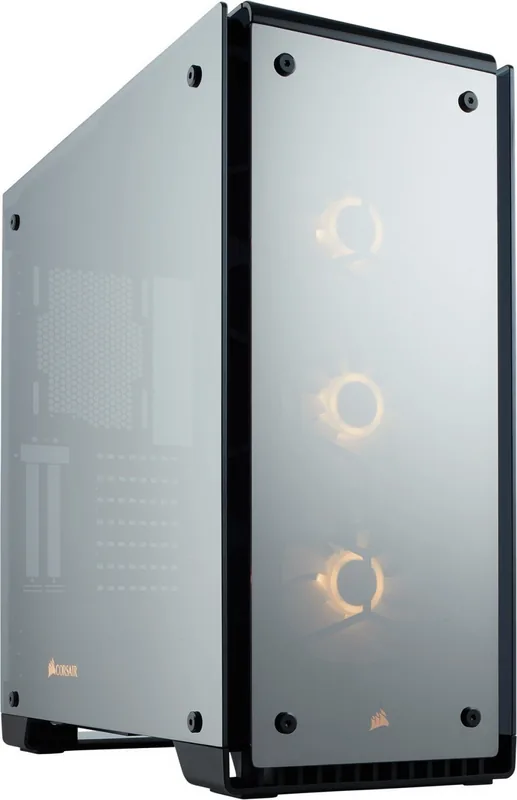
Building a high-performance PC is about more than just powerful components. It is about designing a machine that looks as stunning as it performs. The Corsair Crystal Series 570X brings this vision to life with exquisite craftsmanship and modern features. This mid-tower case is defined by its immaculate tempered glass enclosure. When you look at the front panels, side panels, and top panels, you are greeted by a sleek, minimalist design that highlights the hardware inside.
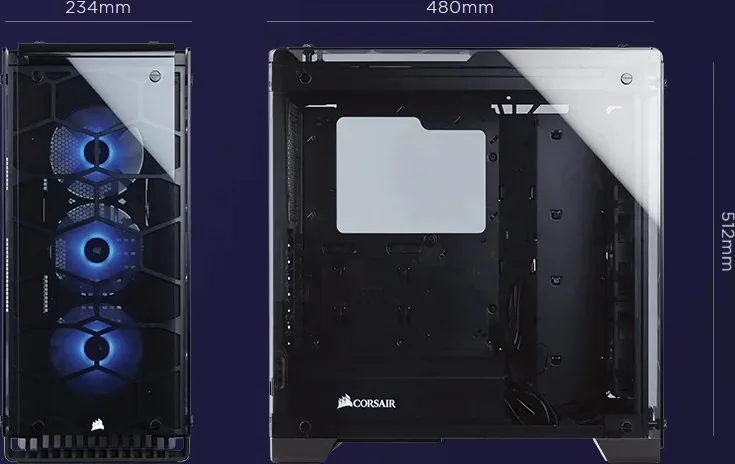
The specifications of this chassis are impressive for enthusiasts. The maximum GPU length of 419mm ensures even the longest graphics cards fit easily inside. CPU cooler height reaches up to 165mm, accommodating large towers. For power supplies, the case supports lengths up to 220mm. The dimensions are 511mm in length, 231mm in width, and 479mm in height. This generous volume provides plenty of breathing room for cables and components, a critical factor often highlighted in the Corsair Crystal Series 570X Manual for first-time builders.
Airflow and cooling are prioritized with multiple fan mounting locations. The front section can accommodate three 120mm or two 140mm fans, while the top supports two 140mm or two 120mm units. A single 120mm fan mounts at the rear. Radiator compatibility is robust, with support for 360mm radiators in the front. If you opt for the RGB version, the package includes three SP120 fans to kickstart a cooling solution immediately. An included RGB Fan Controller simplifies lighting management, allowing users to customize effects across their setup effortlessly.
Installation is designed to be user-friendly. Removable fan trays allow for easy radiator installation outside the chassis for a clean look. The drive bays accommodate both HDDs and SSDs securely. Cable management is streamlined with space in the back and included cable ties. Even the screws for fans and drives are organized into distinct categories for long and short mounting needs. Connecting the front I-O connectors is simple, though you should consult your motherboard manual for header pin locations.
Durability is key for long-term use. The case comes with dust filters to keep internal components clean from debris. These filters are located at key intake points, ensuring airflow remains unobstructed over time. It is a testament to Corsair's commitment to quality in the PC hardware market.
Notes on the build:
- Always remove thumbscrews before lifting panels to avoid damage.
- Align standoffs properly before installing the motherboard.
- Check compatibility with your specific GPU length before final assembly.
Search for 67,706 Manuals online


Type-in Brand or Model