
Corsair Crystal Series 280X Manual
PDF manual · 16 Pages
English



Quick check
Incorrect answer, please try again.
Chat with your Corsair Crystal Series 280X manual using AI
Get instant AI answers from your Corsair Crystal Series 280X manual
Ask anything about the Corsair Crystal Series 280X. Answers come from this manual, with the pages they are based on.
Ask a Question
Do you recommend Crystal Series 280X?
Yes NoFrequently Asked Questions
The 280X supports Micro-ATX (mATX) and Mini-ITX (ITX) motherboards. Standoffs and mounting points are provided for secure installation of both form factors.
Is this answer helpful?
Fan mount locations include front: 2x 120/140mm; top: 2x 120/140mm; bottom: 2x 120/140mm; right: 1x 120/140mm. This enables flexible cooling arrangements including radiators in front or top positions.
Is this answer helpful?
Power down before install, connect the mini-USB to the Lighting Node PRO and the 9-pin end to an internal USB 2.0 header, and wire fan LED cables to the fan hub in strict serial order (1→2→3…). Any fan out of order can break RGB communication.
Is this answer helpful?
No, the power and reset header polarity does not matter. However, LED header pins are polarity-sensitive and must be connected correctly to function.
Is this answer helpful?
The 280X includes removable SSD trays and an HDD cage, allowing multiple SSD and HDD installations and straightforward reconfiguration or maintenance.
Is this answer helpful?
Contact Corsair support at support.corsair.com to request an RMA. Provide purchase and damage details so Corsair can arrange replacement parts or repairs as needed.
Is this answer helpful?
Yes, dust filters are provided (including a PSU dust filter) to help keep internals cleaner and simplify maintenance.
Is this answer helpful?
Advantages and Disadvantages
Advantages

- Tempered glass side panel provides premium aesthetics and component visibility.
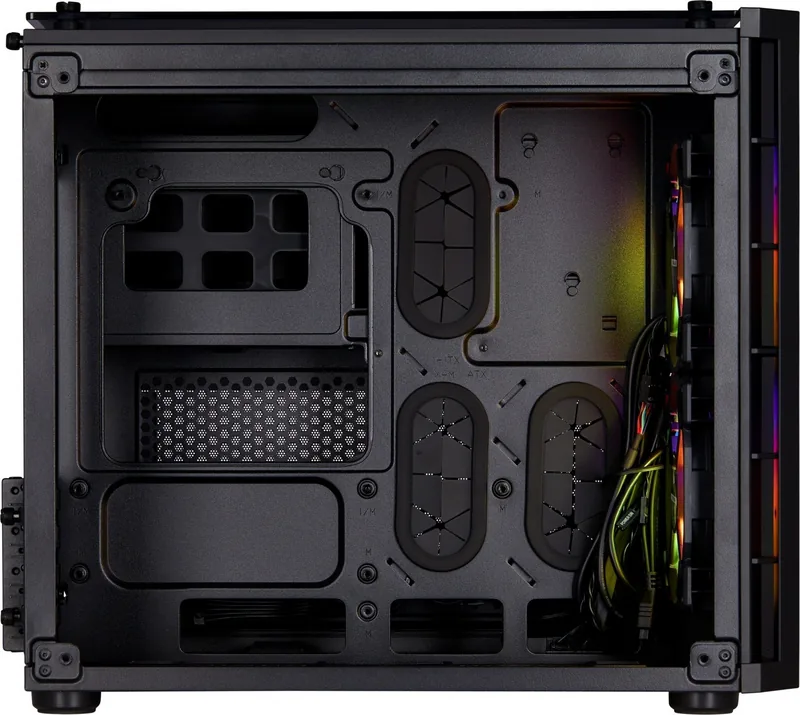
- Dual-chamber layout separates PSU and storage for cleaner cable management and airflow.
- Supports multiple fan/radiator configurations: front, top, bottom, and right-side mounts.
- Removable SSD trays and HDD cage allow flexible storage setups and easy maintenance.
- Lighting Node PRO support (RGB model) enables synchronized RGB control with a fan hub.
Disadvantages

- Compact size can limit clearance for very long GPUs or large air coolers—verify dimensions.
- RGB setup requires strict serial ordering of LED fan cables to avoid lighting failure.
- Smaller chassis may require careful cable routing and component selection for optimal fit.
- Limited internal space compared to full towers can make some multi-GPU or expansive cooling builds difficult.
- Some users may prefer more preinstalled fans—additional purchases might be needed for desired airflow.
Product Specification
External
N/A
Internal
2x 3.5" (transverse, drive rails), 3x 2.5" (transverse, drive rails)
Ports
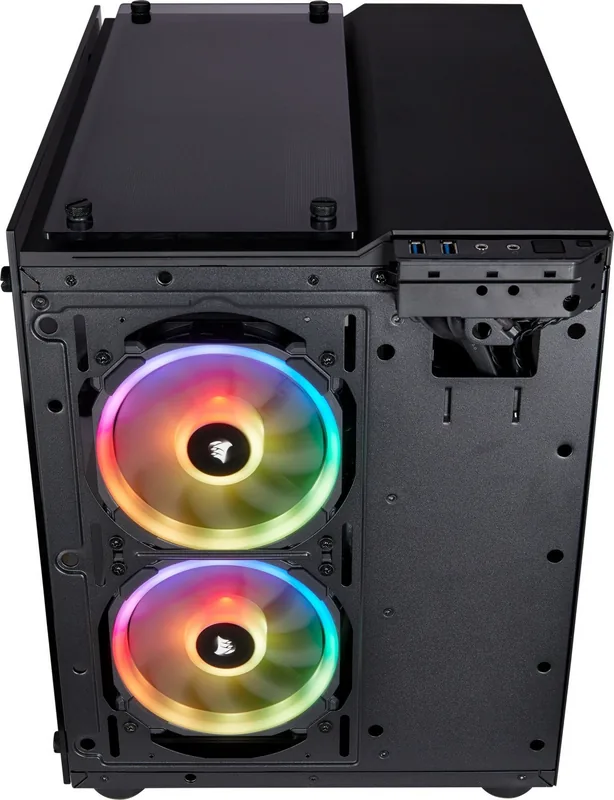
2x USB-A 3.0 (5Gb/s), 1x 3.5mm jack (Line-Out), 1x 3.5mm jack (Line-In)
PCI Slots
4
Fan (rear)
N/A
Fan (left)
N/A
Fan (right)
N/A
Fan (bottom)
2x 5.51in (optional)
Fan (other)
N/A
Radiator sizes
4.72/5.51/9.45in front, 4.72/5.51/9.45/11.02in top
Motherboard
up to µATX
Supported Motherboards
µATX (9.6"x9.6")
Power supply
ATX
Power supply position
bottom (vertical)
CPU cooler
max. 5.91in height
Graphics cards
max. 11.81in
Dimensions (WxHxD)
10.87x13.82x15.67in (standing)
Volume
10.19 gal
Case type
Mini-Tower
Front
closed, ventilation slots on the side
Top
closed, ventilation slots on the side, dust filter
Bottom
partially closed, partially fan grille, external dust filter
Left
closed, glass, front ventilation slots
Right
partially closed, bottom fan grille, external dust filter
Rear
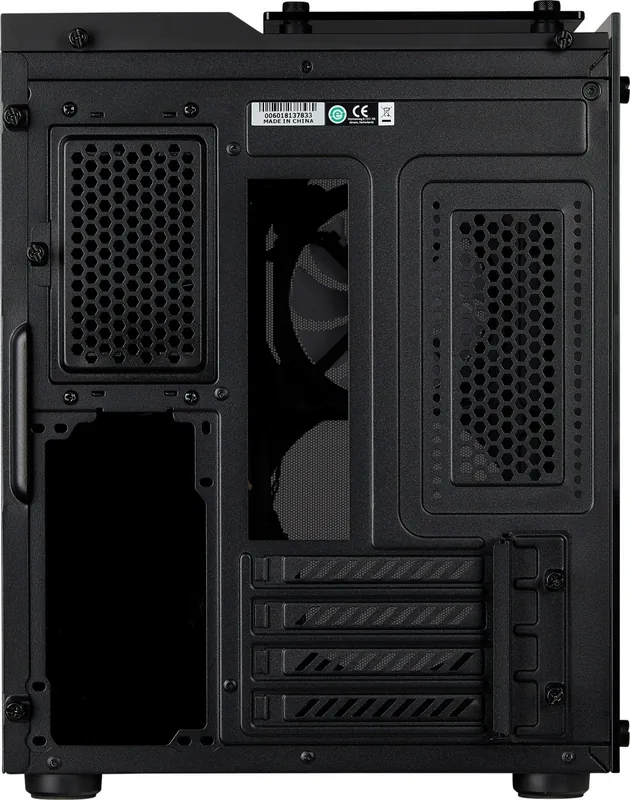
partially closed, right ventilation slots, left ventilation slots, PCI slots bottom (4x horizontal)
Front I/O Position
Case side: top, Height: Front, Position: right
Motherboard orientation
Motherboard orientation: with case orientation standing: to the left; with case orientation lying: upwards
USB notation
Link
Product Description
Corsair Crystal Series 280X — Compact, Stylish, and Builder-Friendly
The Corsair Crystal Series 280X is a Micro-ATX / Mini-ITX compact chassis that blends premium aesthetics with practical functionality. Its dual-chamber layout and tempered glass side panels make it a standout for builders who want a clean, high-end look without sacrificing cooling potential. Designed to accommodate mainstream high-performance components in a small footprint, the 280X supports multiple fan and radiator configurations while offering thoughtful cable management and versatile storage options.
Key design and build highlights
The 280X features tempered glass on the side to showcase your components and a solid opposite panel for tidy cable routing. The front and top bezels are removable, helping with easier fan or radiator installation. Internally, the case uses a dual-chamber layout to separate power and storage from the primary build area, keeping airflow unobstructed and presenting a neater interior.
Storage flexibility is strong: removable SSD trays and an HDD cage let you mix and match drives while maintaining clean routing. Dust filters protect the PSU and other intake areas, helping reduce maintenance. The case ships with multiple mounting points for fans: two 120/140mm at the front, two 120/140mm at the top, two 120/140mm at the bottom, and one 120/140mm on the right side, enabling diverse cooling setups including front or top radiators.
RGB and Lighting Node Pro (RGB model)
For the RGB variant, Corsair includes support for Lighting Node PRO. Installation notes emphasize powering down before setup, connecting the mini-USB and internal 9-pin USB header, and wiring fan LED cables in strict serial order (1→2→3→…) to avoid communication issues. A fan hub is used for RGB distribution, and the Lighting Node PRO integrates with the fan hub and controller for coordinated lighting effects.
Installation and usability
The case provides clear, builder-friendly features: removable panels for easy access, labeled screws and accessory kit contents, and standard motherboard standoffs for mATX and ITX boards. Front I/O includes USB 3.0 and HD audio connectors with clearly noted polarity requirements (LED headers are polarity-sensitive). Corsair provides support channels and RMA processes for damaged parts, underscoring trustworthy post-purchase support.
Closing notes
The Corsair Crystal Series 280X is ideal for anyone wanting a compact showcase build with flexible cooling and storage options. Its tempered glass styling and practical internal layout make it a strong candidate for small-form-factor gaming rigs, streaming systems, or stylish desktop workstations.
Notes:
- Ensure RGB fan cables are connected in correct serial order when using Lighting Node PRO.
- Check radiator and GPU clearance before finalizing component choices.
- Use included dust filters and removable SSD trays for easier maintenance.
Search for 67,706 Manuals online


Type-in Brand or Model