
Corsair Carbide Series 275R Airflow Manual
PDF manual · 44 Pages
English



Quick check
Incorrect answer, please try again.
Chat with your Corsair Carbide Series 275R Airflow manual using AI
Get instant AI answers from your Corsair Carbide Series 275R Airflow manual
Ask anything about the Corsair Carbide Series 275R Airflow. Answers come from this manual, with the pages they are based on.
Ask a Question
Do you recommend Carbide Series 275R Airflow?
Yes NoDo you recommend Carbide Series 275R Airflow?
Yes NoFrequently Asked Questions
No, only the LED headers require specific polarity. The power and reset headers are not polarized.
Is this answer helpful?
Contact support at corsair.com and request an RMA to replace the damaged parts.
Is this answer helpful?
Maximum GPU length is 370mm and maximum CPU height is 170mm for compatibility.
Is this answer helpful?
You can mount fans at the front, top, and rear sections supported by 120mm or 140mm sizes.
Is this answer helpful?
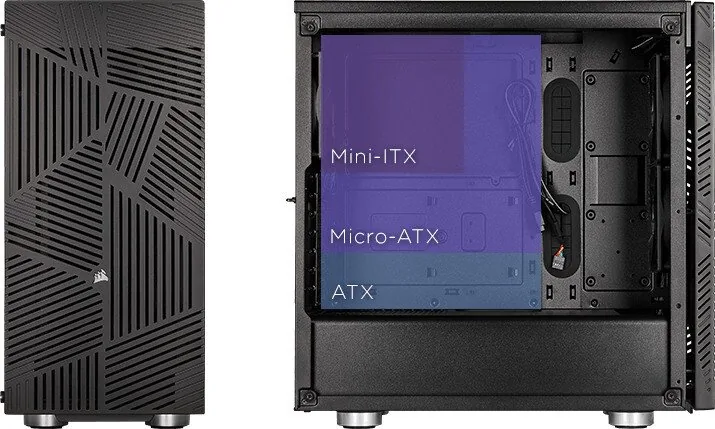
The case supports ATX, Micro ATX, and ITX motherboards based on the mounting hole patterns.
Is this answer helpful?
The power supply unit length must not exceed 180mm to fit correctly inside the case.
Is this answer helpful?
Refer to the installation guide on the product page to find instructions on bezel removal.
Is this answer helpful?
Advantages and Disadvantages
Advantages

- Supports multiple fan configurations for superior airflow management and cooling efficiency.
- Includes tempered glass side panel to showcase internal components and aesthetics nicely.
- Removable dust filters prevent debris accumulation and help maintain system cleanliness.
- Generous interior space accommodates large graphics cards and high-profile coolers easily.
- Comes with essential mounting hardware including fan screws and standoffs for assembly.
Disadvantages

- Fans are not included in the package so users must purchase them separately for ventilation.
- Only one rear fan mount is included limiting rear exhaust options compared to front intake.
- Bottom dust filter is not available reducing filtration options for intake air sources.
- Accessory kit contents are small and require careful organization during the installation process.
- No fan controller included in the box for managing fan speeds without motherboard headers.
Product Specification
External
N/A
Internal
2x 2.5"/3.5" (horizontal, drive rails), 4x 2.5"
Ports
2x USB-A 3.0 (5 Gb/s), 1x 3.5mm Jack (Line-Out), 1x 3.5mm Jack (Line-In)
PCI Slots
9 (2x Riser Card)
Fan (Rear)
1x 4.72 in
Fan (Left)
N/A
Fan (Right)
N/A
Fan (Top)
2x 5.51 in (optional)
Fan (Bottom)
N/A
Other Fans
N/A
Radiator Sizes
11.02/14.17 in front, 9.45 in top, 4.72 in rear
Motherboard
up to ATX
Supported Motherboards
Mini-ITX (6.7"x6.7")/Micro-ATX (9.6"x9.6")/ATX (12"x9.6")
Power Supply
ATX (max. 7.09 in deep)
Power Supply Position
bottom
CPU Cooler
max. 6.69 in height
Graphics Cards
max. 14.57 in
Lighting
without lighting
Dimensions (WxHxD)
8.50x17.91x18.00 in
Volume
2740.58 cu in
Weight
15.21 lbs
Chassis Type
Mid-Tower
Front
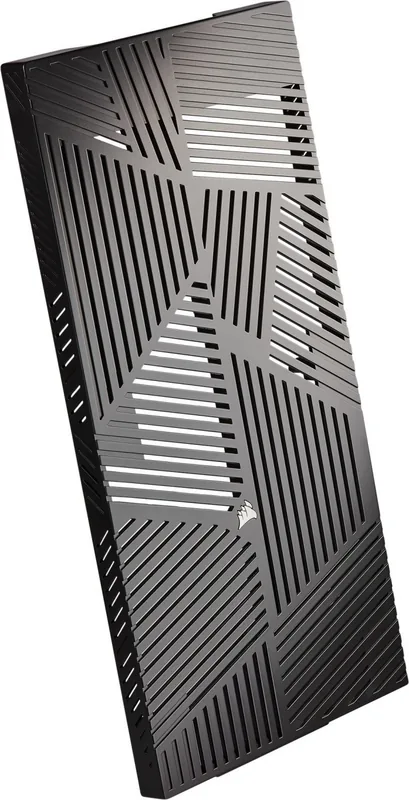
partially closed, mostly ventilation vents, internal dust filter
Top
partially closed, mostly fan grill, external dust filter
Bottom
partially closed, fan grill at rear, external dust filter
Left
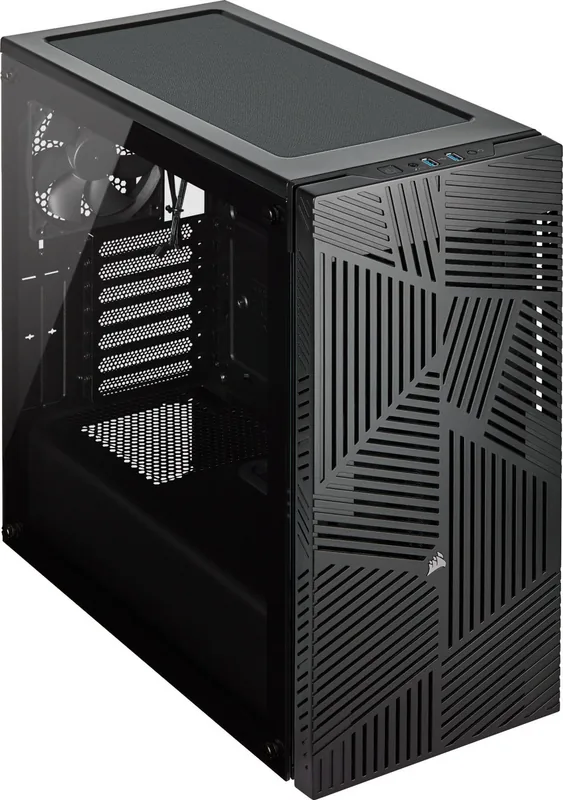
closed, Glass
Right
closed
Rear
partially closed, fan grill top right, PCI-Slots (7x horizontal, 2x vertical)
Front I/O Position
Chassis Side: Top, Height: Front, Position: Center
Features
Cable management, Dust filter, Vertical GPU mounting, Glass view window
USB Labeling
Left
Product Description
Experience Superior Cooling with the Corsair Carbide Series 275R Airflow
Building a powerful gaming rig requires more than just high-end components. It demands a chassis designed to manage heat effectively while offering ample space for customization. The Corsair Carbide Series 275R Airflow stands out as a mid-tower gaming case engineered specifically for enthusiasts who prioritize thermal performance and airflow optimization. This case brings together robust construction and intelligent ventilation design to keep your system running cool under heavy loads.
Spacious Design and Precise Fitment
Measuring 457 millimeters in length and 455 millimeters in height, this chassis accommodates standard ATX motherboards without significant spatial issues. Inside, you have plenty of room for a dedicated graphics card up to 370 millimeters long. Large air coolers with heights up to 170 millimeters fit comfortably within the interior, ensuring you can use high-performance CPU cooling solutions. Power supply units measuring up to 180 millimeters are easily secured in the designated compartment beneath the motherboard tray, maintaining a clean routing path.
Advanced Cooling Capabilities
Airflow is the defining feature of this series. The front panel accepts three 120 millimeter fans or two larger 140 millimeter options for maximum air intake potential. Additional ventilation is available on the top panel with mounts specifically designed for two 120 millimeter or one 140 millimeter fan. The rear exhaust is equipped with a standard 120 millimeter mount to expel hot air efficiently. Radiator compatibility extends the range of cooling options significantly to include water cooling loops with front mounts for 360 or 280 millimeter radiators.
Build Features and Accessories
Construction includes a premium tempered glass side panel that showcases your internal components. A solid side panel is also included for those preferring a traditional opaque look. Dust filters are provided and are removable to maintain cleanliness inside the system. Installation is straightforward with removable SSD trays. The front I/O panel offers two USB 3.0 ports and HD audio connectivity for user convenience.
Support and Compliance
If any damage occurs, support is available via the official website. Users should return outdated equipment to designated collection points rather than domestic waste bins to adhere to electronic waste regulations. This ensures responsible recycling practices.
Overall, the Corsair Carbide Series 275R Airflow provides a versatile foundation for gaming builds. Its balanced approach to cooling and space makes it a compelling choice for builders seeking reliability in a mid-tower volume.
Search for 67,732 Manuals online


Type-in Brand or Model