

Free Coollaboratory Manuals – Read, Download & Print
1 Manuals
Manuals
Categories

Coollaboratory Manuals
Introduction
Coollaboratory manuals provide comprehensive guidance on the proper handling, application, and optimization of Coollaboratory thermal interface materials (TIMs). These manuals are essential resources for PC enthusiasts, system builders, overclockers, and professionals seeking peak thermal performance from processors, GPUs, and other heat-generating components. They cover product specifications, preparation techniques, application methods, compatibility notes, maintenance, troubleshooting, and safety considerations. Well-written manuals help users achieve maximum thermal conductivity, maintain long-term stability, and minimize risks associated with improper usage.
Overview of Coollaboratory Products
Product Range
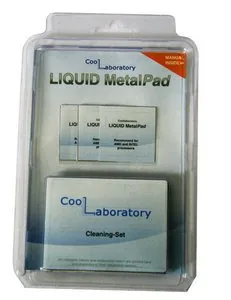
Coollaboratory offers a variety of thermal interface solutions including liquid metal pastes, conductive pads, and specialized thermal compounds tailored for specific thermal challenges. The most notable products include liquid metal formulations that deliver exceptionally low thermal resistance between surfaces. Manuals typically list available variants, their intended use cases, thermal conductivity ratings, viscosity, and compatibility with different metallurgies and surface finishes.
Key Properties
- Thermal conductivity and thermal resistance metrics.
- Electrical conductivity or insulation notes (important for liquid metals that are electrically conductive).
- Viscosity and spreadability characteristics.
- Recommended service temperature range and long-term stability data.
- Shelf life, storage conditions, and packaging information.
Preparation and Safety
Work Area Setup
Creating a clean, static-free workspace is essential. Manuals recommend grounding yourself with an anti-static wrist strap, working on a non-conductive mat, and ensuring adequate lighting and ventilation. They also instruct users to power down and fully disconnect systems before disassembly.
Personal Protective Equipment (PPE)
Depending on the product, PPE guidance may include wearing nitrile gloves to prevent contamination and skin contact, safety glasses to guard against accidental splashes, and ensuring adequate ventilation to avoid inhalation of vapors during prolonged handling.
Safety Precautions
Coollaboratory manuals emphasize the electrically conductive nature of some liquid metal compounds. Users receive explicit warnings to avoid contact with exposed circuitry, pins, or connections, and to prevent short circuits. The manuals often provide first-aid steps for accidental skin contact or eye exposure and disposal recommendations in line with local regulations.
Surface Preparation
Cleaning Procedures
Effective surface preparation is critical for optimal thermal transfer. Manuals provide step-by-step cleaning instructions for CPU/IHS, GPU dies, heat spreaders, and heatsink bases. Recommended cleaning agents typically include isopropyl alcohol (90%+), acetone for stubborn residues where safe, and lint-free wipes or microfibre cloths. The guides caution against abrasive cleaning methods that can scratch mating surfaces.
Removing Old Thermal Interface Material
For systems with previous TIM, manuals outline safe removal techniques using dedicated TIM removers or alcohol-based solvents. They describe gentle scraping with plastic tools for bulk removal and final cleaning with alcohol to ensure a residue-free surface. For liquid metal specifically, instructions stress careful removal to avoid contaminating contacts and long-term damage to aluminum components.
Surface Inspection
After cleaning, manuals advise inspecting surfaces for corrosion, pitting, or micro-scratches that can impede thermal contact. They recommend replacing severely damaged components rather than attempting to compensate with additional TIM.
Application Techniques
Liquid Metal Application
Liquid metal TIM requires precise handling. Manuals typically describe the following methods:
- Micro-dot method: applying a controlled small dot of liquid metal to the CPU die or heatsink surface, then mounting the cooler to spread the compound evenly.
- Brush/spread method: using a supplied or recommended applicator to spread a thin, uniform layer across the mating surface.
For both methods, the emphasis is on applying the minimum effective quantity to avoid overflow onto PCB traces or socket pins. Manuals include step-by-step images or diagrams illustrating the correct amount and the final appearance of a properly applied layer.
Non-Conductive Thermal Compounds and Pads
When dealing with non-conductive pastes or pads, manuals explain techniques such as the pea/dot, thin line, cross, or full-spread methods, noting which approach works best depending on CPU size and cooler design. For pads, they provide alignment tips and surface adhesion guidance to ensure flat, full-contact installation.
Reassembly and Torque Specifications
Coollaboratory manuals detail recommended mounting pressures and screw-torque sequences for various cooler types to ensure even clamping and optimal contact. They caution against overtightening fasteners which can deform components or squeeze out too much TIM.
Compatibility Considerations
Material Compatibility
A crucial section addresses compatibility between liquid metal and common material choices: aluminum, copper, soldered heat spreaders, and nickel plating. Since many liquid metal compounds are gallium-based and can corrode aluminum, manuals clearly state which surfaces are safe and which require barrier coatings, nickel-plated components, or alternative TIMs.
Socket and Cooler Designs
Manuals note potential risks when using liquid metal on LGA pins, bare-die GPUs, or coolers with exposed circuitry. They provide guidance for insulating vulnerable areas with non-conductive barriers or recommend using non-conductive compounds where insulation cannot be guaranteed.
Performance Optimization
Achieving Lowest Temperatures
To extract maximum performance, manuals discuss minimizing the TIM layer thickness and ensuring smooth, flat mating surfaces. They provide tips for delidding CPUs (where appropriate and within warranty/legal considerations), reflowing and seating methods that encourage optimal spread, and verifying contact uniformity.
Testing and Verification
After application, manuals recommend running controlled thermal tests to confirm improvements. Typical steps include monitoring idle and load temperatures using standardized benchmarks, recording delta-T between ambient and junction temperatures, and comparing results before and after TIM replacement. They also advise allowing thermal cycling to seat the interface fully before taking final measurements.
Maintenance and Reapplication
Expected Lifespan
Manuals outline typical service intervals and signs that reapplication is needed: rising temperatures, visible drying or separation of the compound, or physical displacement. For most high-performance compounds, periodic inspection every 1–3 years is suggested, while liquid metals may require more frequent checks depending on operating conditions and contact materials.
Safe Removal and Reapplication
When reapplying, the manuals reiterate safe removal steps and recommend complete cleaning of both mating surfaces before fresh application. They provide disposal guidance for used TIMs and recommend replacing incompatible or degraded components rather than attempting patch repairs.
Troubleshooting
Common Issues and Solutions
- Elevated temperatures: verify even contact, correct mounting pressure, and sufficient TIM coverage.
- Electrical shorts or corrosion: inspect for liquid metal migration, clean contacts, and replace corroded parts as necessary.
- CPU or GPU instability: confirm thermal paste type and ensure no conductive contamination is present on sockets or VRM areas.
Diagnostics
Manuals include flowcharts or checklists to systematically diagnose thermal issues, including verifying fan curves, heatsink alignment, and coolant flow in liquid-cooling setups.
Legal, Warranty, and Ethical Considerations
Warranty Implications
Using non-standard materials such as liquid metal can void manufacturer warranties on some CPUs or coolers. Manuals advise users to check warranty terms before modification, and in many cases recommend professional or manufacturer-approved services for warranty-sensitive systems.
Environmental and Disposal Guidance
Proper disposal of TIMs, used wipes, and contaminated materials is covered. Manuals encourage compliance with local hazardous-waste regulations for electrically conductive or chemically active substances.
Appendices and Resources
Application Templates and Visual Aids
Many manuals include diagrams for common CPU and GPU die sizes, recommended TIM quantities, and photos demonstrating correct versus incorrect applications. These visual aids reduce guesswork and help ensure consistent results.
Technical Data Sheets (TDS)
A technical data sheet accompanies product manuals with detailed specifications: thermal conductivity, specific heat, density, recommended operating temperatures, and storage conditions. Manuals often direct users to the TDS for scientific comparison and advanced application planning.
Customer Support and Community Resources
Coollaboratory manuals provide contact details for customer support, warranty claims, and links to community forums where users share application tips, benchmark results, and modification experiences. These community insights often supplement official guidance with real-world outcomes.
Conclusion
Coollaboratory manuals are indispensable for anyone aiming to maximize thermal performance while minimizing risk. They combine technical specifications with practical, step-by-step procedures: cleaning and surface prep, precise application techniques, safety precautions regarding electrical conductivity, compatibility warnings, and ongoing maintenance. By following these manuals, users can achieve superior cooling results, extend component lifespans, and avoid common pitfalls associated with high-performance thermal interface materials.
Search for 67,706 Manuals online


Type-in Brand or Model