
Cooler Master StreamEnjin Manual
PDF manual · 65 Pages
English


Quick check
Incorrect answer, please try again.
Chat with your Cooler Master StreamEnjin manual using AI
Get instant AI answers from your Cooler Master StreamEnjin manual
Ask anything about the Cooler Master StreamEnjin. Answers come from this manual, with the pages they are based on.
Ask a Question
Do you recommend StreamEnjin?
Yes NoFrequently Asked Questions
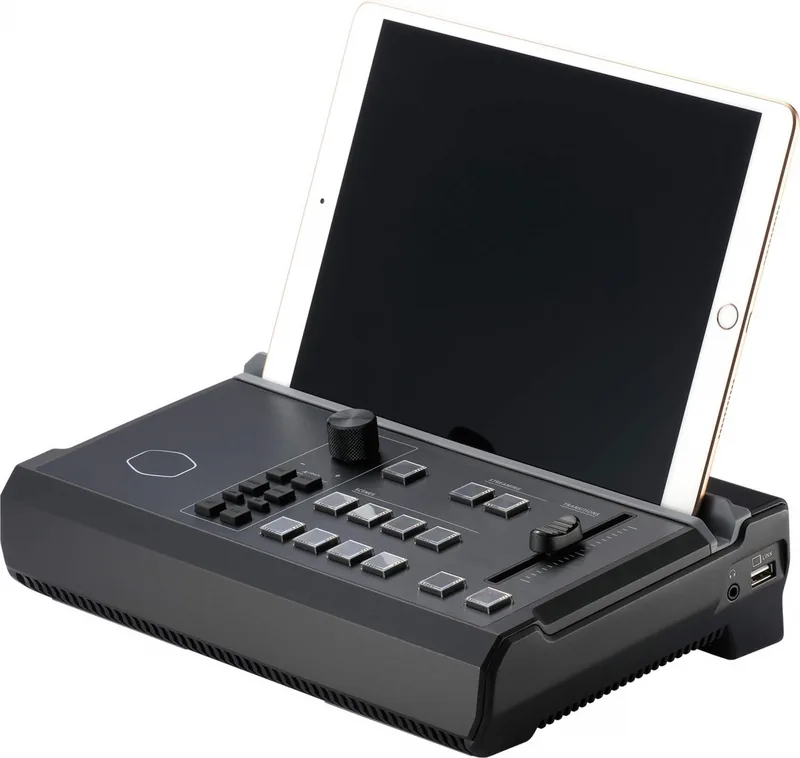
The device requires an iPad running iOS 11 or later. It works with various iPad models including the iPad Pro, iPad Air, and standard iPad series.
Is this answer helpful?
Yes, the StreamEnjin supports dual-stream encoding, allowing you to enable Server 1 and Server 2 to broadcast to two different CDN platforms at the same time.
Is this answer helpful?
While the device accepts 4K HDMI inputs, it processes and streams video at a maximum resolution of 1080p. It does not output 4K video streams.
Is this answer helpful?
You can record streams by connecting a USB 3.0 or later external hard drive or flash drive with at least 32GB of space. The device will format the drive if necessary for MP4 recording.
Is this answer helpful?
No, the StreamEnjin only supports RTMP and RTMPS protocols. It does not support the Real Time Streaming Protocol (RTSP).
Is this answer helpful?
No, the StreamEnjin is software-free and operates independently. You can configure all settings directly through the companion app on your iPad.
Is this answer helpful?
Advantages and Disadvantages
Advantages

- All-in-one design integrates video switching, audio mixing, and encoding without needing a PC
- Fanless operation ensures silent performance suitable for sensitive audio environments
- Intuitive iPad app allows for real-time scene management and overlay customization
- Supports dual HDMI inputs and simultaneous streaming to two platforms
- Portable form factor with built-in stand makes it easy to transport
Disadvantages

- Requires an iPad to function as the primary control interface
- Does not support RTSP protocol for streaming connections
- External storage must be formatted specifically by the device for recording
- Limited to 1080p output despite accepting 4K input signals
- Custom USB cables are required for iPad connectivity instead of standard ones
Product Specification
Compression
H.264
Resolution
1920x1080p, 3840x2160p
Inputs
3x HDMI, 1x Composite Audio, 1x 6.5mm Jack
Outputs
2x HDMI, 1x 3.5mm Jack
Interface
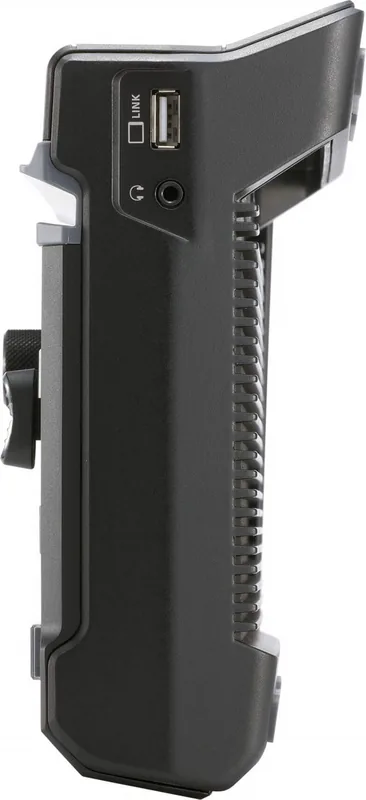
1x USB-A 3.0, 1x USB-A 2.0, 1x Gb LAN
Dimensions
11.36x7.48x3.80 in
Weight
4.17 lbs
Features
Standalone Device
Manufacturer Warranty
two years
Product Description
Cooler Master StreamEnjin AIO Livestream Mixer - The Ultimate Streaming Companion
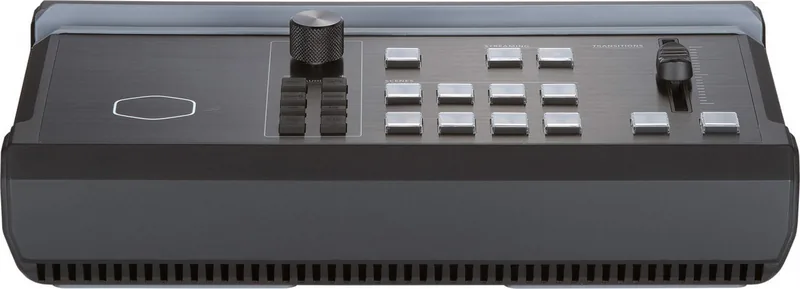
The Cooler Master StreamEnjin AIO Livestream Mixer is a revolutionary, all-in-one device designed to simplify the complex world of live broadcasting. This compact unit integrates high-definition video capture, professional video switching, audio mixing, and streaming encoding into a single portable box. It eliminates the need for multiple pieces of hardware and a dedicated PC, allowing users to broadcast directly from their iPad with ease.
Designed for both entry-level streamers and experienced broadcasters, the StreamEnjin supports 1080p video resolution and connects seamlessly to major content delivery networks like YouTube, Facebook, and Twitch. Its intuitive app interface provides full control over scene editing, picture-in-picture layouts, text overlays, and audio levels. With features like dual HDMI inputs, a built-in mixer, and support for external storage recording, it offers a robust solution for creating professional-quality streams without the clutter of traditional setups.
Key Features and Capabilities
The StreamEnjin excels in portability and performance. Its fanless design ensures quiet operation, making it ideal for home studios or on-location events. Users can manage up to eight pre-set scenes, switch between them instantly using the physical T-bar or touch controls, and add custom graphics to enhance viewer engagement. The device also includes advanced audio controls such as gain adjustment, compression, and balance settings to ensure crystal clear sound.
Getting Started
Setting up the StreamEnjin is straightforward. Simply connect your video sources via HDMI, link your microphone or audio gear, and connect an Ethernet cable for internet access. Pairing with an iPad allows you to control every aspect of the stream through the dedicated application. Whether you are gaming, hosting webinars, or covering live events, this mixer adapts to your workflow effortlessly.
Important Notes
- Ensure your iPad runs iOS 11 or later for optimal compatibility.
- Use the included USB-C or Lightning adapter for a stable connection.
- Always verify voltage settings before powering on the unit to prevent damage.
Search for 67,706 Manuals online


Type-in Brand or Model