
Cooler Master RGB LED Controller Manual
PDF manual · 11 Pages
English



Quick check
Incorrect answer, please try again.
Chat with your Cooler Master RGB LED Controller manual using AI
Get instant AI answers from your Cooler Master RGB LED Controller manual
Ask anything about the Cooler Master RGB LED Controller. Answers come from this manual, with the pages they are based on.
Ask a Question
Do you recommend RGB LED Controller?
Yes NoFrequently Asked Questions
It is used to manage compatible RGB lighting components such as fans and LED strips. The controller helps users organize lighting control in one place and create a cleaner-looking PC build.
Is this answer helpful?
Download the software from Cooler Master’s official website, unzip the file, run the installer, and finish the installation steps. After that, the RGB controller software is ready to use.
Is this answer helpful?
Use Cooler Master’s official website only. This helps ensure you get the correct version and reduces the risk of downloading outdated or unsafe files.
Is this answer helpful?
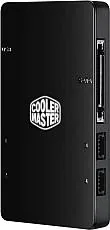
The labels shown reference USB, power, ground, and RGB-related terminals, plus optional fan and LED strip connections. This suggests the controller is meant for compatible lighting hardware and specific wiring layouts.
Is this answer helpful?
Yes, the connection layout indicates support for optional fans and LED strips. That makes it useful for users who want to coordinate multiple lighting pieces within the same build.
Is this answer helpful?
Cooler Master provides regional support contacts in Asia Pacific, China, South America, Europe, and North America, along with an online support portal. Those channels are the best place to look for product assistance or updates.
Is this answer helpful?
Advantages and Disadvantages
Advantages

- Simple software installation from the official Cooler Master website.
- Clear connector labeling helps reduce setup confusion.
- Supports organized RGB control for compatible fans and LED strips.
- Backed by wide regional support and official contact channels.
Disadvantages

- Software must be installed separately before use.
- Compatibility seems tied to specific RGB and voltage standards.
- The setup may feel technical for first-time builders.
- The available information gives limited detail about advanced features.
Product Specification
Special features
4 Port
Product Description
Cooler Master RGB Controller: Clean Lighting, Simple Control
The Cooler Master RGB Controller is built for PC users who want to manage lighting in a tidy, centralized way. It brings together compatible RGB elements such as fans and LED strips, helping builders create a more polished look without turning the inside of a system into a tangle of loose cables. The clearly marked connections suggest a product designed for practical customization as much as visual appeal, making it especially useful for people who care about both performance and presentation.
Easy Setup for Everyday Builders
One of the most attractive parts of this controller is how direct the setup process appears to be. Users are guided to download the software from Cooler Master’s official website, unzip the package, launch the installer, and complete the installation. That workflow keeps the process simple and approachable, even for users who do not want to spend a lot of time configuring accessories. Once installed, the software becomes the main tool for managing lighting behavior and giving the system a more personal style.
The connection layout also adds to its appeal. Labels referencing USB, power, ground, color channels, and voltage make the system feel organized and intentional. For PC builders, that kind of structure can reduce confusion during installation and help ensure that RGB components are connected correctly. It also hints at a product that values compatibility and stability, which are important when working with lighting hardware that needs to stay synchronized.
Why It Stands Out
Beyond the hardware itself, the support structure around the product adds confidence. Cooler Master lists regional contact options across Asia Pacific, China, South America, Europe, and North America, showing that the company maintains a broad international presence. The official website and support portal also suggest that users can look for updated information, which is useful for software-based accessories that may need ongoing guidance or future improvements.
For gaming PCs, showcase builds, or everyday desktops with a bit of flair, the Cooler Master RGB Controller offers a focused way to shape the lighting experience. It does not try to overwhelm the user with complexity. Instead, it aims to make RGB management more organized, more accessible, and easier to maintain over time. That balance makes it a solid choice for builders who want a clean look and dependable control.
Notes
- Download the software only from Cooler Master’s official site.
- Check connector labels carefully before attaching lighting components.
- Keep the software updated for the best compatibility and control.
Search for 67,706 Manuals online


Type-in Brand or Model
Paul Edwards
10 months ago
Do I need to install software to control the RGB controller, and is the setup straightforward?
Manual.ly
10 months ago
You do not need complicated setup: the RGB controller can be used as intended without installing any software, and it will run its lighting functions reliably. Reviews also mention that the basic operation is straightforward and requires little effort. If you choose to use the accompanying software for additional options or extended control, it may feel a bit unfamiliar at first, so expect a short learning period. Overall, it is designed for simple, direct control rather than complex configuration.