
Cooler Master MasterMouse MM730 Manual
PDF manual · 6 Pages
English



Quick check
Incorrect answer, please try again.
Chat with your Cooler Master MasterMouse MM730 manual using AI
Get instant AI answers from your Cooler Master MasterMouse MM730 manual
Ask anything about the Cooler Master MasterMouse MM730. Answers come from this manual, with the pages they are based on.
Ask a Question
Do you recommend MasterMouse MM730?
Yes NoFrequently Asked Questions
The mouse weighs approximately 59 grams, making it one of the lightest gaming mice available on the market today.
Is this answer helpful?
Yes, they provide a crisp, instant actuation with a satisfying tactile feedback that is distinct from traditional mechanical switches.
Is this answer helpful?
Absolutely. You can change the color, brightness, and animation modes of the LED lighting through the dedicated software.
Is this answer helpful?
Yes, the ergonomic design accommodates various hand sizes, including large palms, ensuring comfort during extended use.
Is this answer helpful?
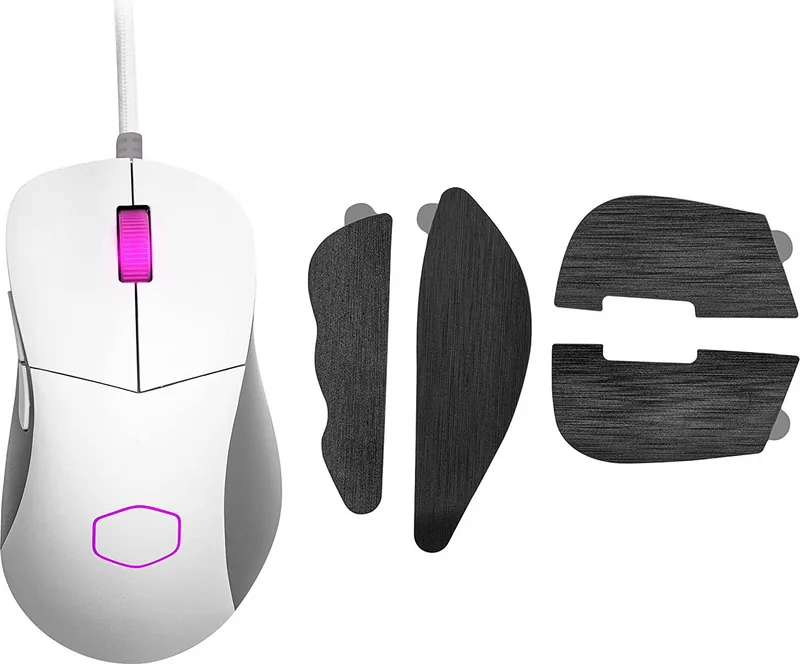
Yes, the package includes grip tape to improve traction and prevent slipping during intense gaming sessions.
Is this answer helpful?
Battery life depends on usage and lighting settings but typically lasts up to 70 hours on a single charge without RGB active.
Is this answer helpful?
Advantages and Disadvantages
Advantages

- Extremely lightweight at 59 grams for reduced fatigue
- Optical switches prevent double-clicking issues
- Fully programmable side buttons for versatility
- Customizable RGB LED lighting effects
- Includes grip tape for enhanced control
Disadvantages

- Battery life may vary under heavy RGB usage
- Software learning curve for new users
- Price point higher than basic wired mice
- No built-in charging dock included
- Limited color options for grip tape
Product Specification
Suitability
right hand
Keys
6 (total), 2 (main), 1 (top), 2 (left), 1 (scroll wheel click)
Scroll Wheel
1x 2-way
Tracking
LED red/IR
Resolution
16000dpi, reducible to 6400/3200/1600/1200/800/400dpi
Sensor
PixArt PMW 3389
Switches
mechanical-optical switches, A4Tech/Bloody LK Optic 2.0 70M, 70 million clicks
Polling Rate
1000Hz, adjustable to 500/250/125Hz (wired USB)
Lighting
RGB
Connection
wired (7.1ft), USB-A 2.0
Power Supply
USB
Dimensions (WxDxH)
2.72x1.54x4.81in
Approximate Volume
5.25in³ (approximate shape)
Weight
1.69oz (without cable)
Features
Onboard memory, fabric cable
Product Description
Cooler Master MasterMouse MM730: Lightweight Precision for Gamers
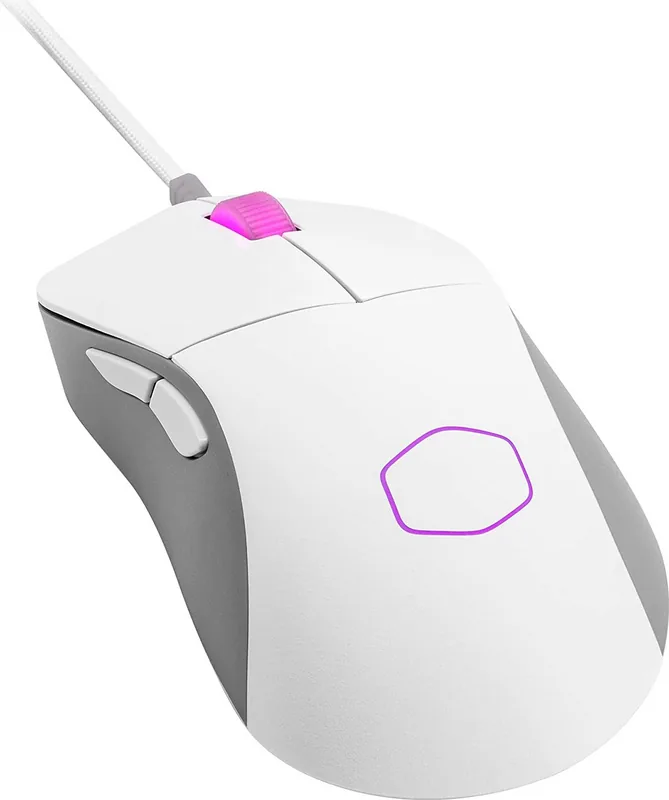
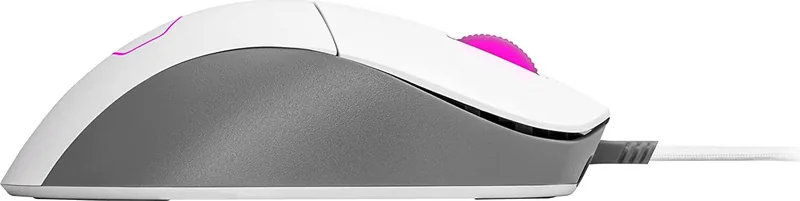
The Cooler Master MasterMouse MM730 stands out as a top-tier lightweight gaming mouse designed for enthusiasts who demand speed and precision. Weighing in at just 59 grams, this device redefines the balance between portability and performance. Its sleek ergonomic design fits comfortably in various hand sizes, ensuring that long gaming sessions do not lead to fatigue. The optical switches are a game-changer, offering instant actuation and eliminating the risk of double-clicking issues common with mechanical switches.
One of the standout features is the fully customizable button layout. Users can program side buttons for forward and backward navigation, making it ideal for both gaming and productivity tasks. The DPI cycle button allows for quick sensitivity adjustments on the fly, while the LED lighting system offers extensive color and mode customization to match any setup aesthetic. With a robust build quality and a focus on user experience, the MM730 delivers a seamless connection between player intent and on-screen action.
The package includes grip tape to enhance control during intense matches, ensuring that sweat or moisture does not compromise your grip. Whether you are engaging in fast-paced shooters or strategic MOBAs, the MM730 provides the responsiveness needed to secure victory. Its wireless connectivity ensures zero lag, allowing gamers to move freely without being tethered by cables.
Key Highlights
This mouse is engineered for those who value every gram saved. The optical technology ensures durability over thousands of clicks, making it a reliable companion for competitive play. The software integration allows for deep customization of profiles, enabling users to switch settings instantly based on the game being played.
Important Notes
- Ensure drivers are updated for optimal performance.
- Charge the battery regularly for uninterrupted wireless use.
- Clean the sensor frequently to maintain tracking accuracy.
Search for 67,706 Manuals online


Type-in Brand or Model