
Cooler Master MasterAir MA620M Manual
PDF manual · 20 Pages
English



Quick check
Incorrect answer, please try again.
Chat with your Cooler Master MasterAir MA620M manual using AI
Get instant AI answers from your Cooler Master MasterAir MA620M manual
Ask anything about the Cooler Master MasterAir MA620M. Answers come from this manual, with the pages they are based on.
Ask a Question
Do you recommend MasterAir MA620M?
Yes NoFrequently Asked Questions
The MA620M supports a wide range of Intel and AMD sockets, including Intel LGA 2066/2011-v3/2011/1366/115x/775 and AMD AM4/AM3+/AM3/AM2+/AM2/FM2+/FM2/FM1, making it compatible with most modern desktop CPUs.
Is this answer helpful?
The cooler uses a 3-pin addressable RGB header and is compatible with ASUS Aura Sync, ASRock Polychrome Sync, Gigabyte Fusion, and MSI Mystic Light. Verify your motherboard has a 5V 3-pin ARGB header to enable full lighting control.
Is this answer helpful?
The MA620M is a tall dual-tower cooler. Check your case's CPU cooler clearance and motherboard layout for potential RAM interference. It's best suited to mid-tower and larger cases; compact or small-form-factor cases may not accommodate its height.
Is this answer helpful?
Yes, the package includes mounting brackets, screws, and accessories to support the listed Intel and AMD sockets. Cooler Master also provides updated installation guides and support resources on their website if you need assistance.
Is this answer helpful?
The dual-tower design combined with dual high-static-pressure fans offers strong thermal performance for heavy loads while aiming to keep noise levels reasonable. Actual results depend on case airflow, fan curves, and CPU TDP; tuning fan profiles can balance cooling and noise.
Is this answer helpful?
Depending on the motherboard and RAM heatspreader height, the cooler's large twin towers could interfere with very tall RAM modules. Check clearance specifications or use low-profile RAM to avoid fitment issues.
Is this answer helpful?
For the latest compatibility, manuals, and support, visit Cooler Master's official website and support portal. Region-specific contact details are available through Cooler Master's support pages.
Is this answer helpful?
Advantages and Disadvantages
Advantages

- Strong cooling from dual-tower heatsink and dual high-static-pressure fans.
- Wide socket support including Intel LGA 2066/2011/1366/115x/775 and AMD AM4/AM3+/AM2+/FM2+.
- Addressable RGB compatibility with ASUS Aura, ASRock Polychrome, Gigabyte Fusion, MSI Mystic Light.
- Includes mounting hardware for multiple platforms and clear installation options.
- Good balance of airflow and acoustic performance for gaming and productivity.
Disadvantages

- Dual-tower height may cause clearance issues in compact or small-form-factor cases.
- Tall design can interfere with very large RAM modules on some motherboards.
- Requires a 3-pin addressable RGB header for full lighting control; limited without compatible motherboard.
- Heatsink weight may stress some lightweight motherboards if not secured correctly.
- Installation is more involved than low-profile coolers, potentially challenging for first-time builders.
Product Specification
Type
Tower cooler (Dual-Tower)
Dimensions with fan
4.92x6.50x5.31in (WxHxD)
Fan
1x 4.72x4.72x0.98in, 650-2000rpm, 57.33 CFM, 57.32 CFM, 8-30dB(A)
Weight with fan
3.57 lbs
Connection
4-Pin PWM, 3-Pin ARGB (+5V/DATA/GND)
AMD Socket
AM4, AM2/AM2+/AM3/AM3+, FM1/FM2/FM2+
Intel Socket
2011-0/2011-1/2011-3/2066, 1150/1151/1155/1156/1200
Intel Socket Note
Socket 1700 mounting kit available commercially
Lighting
RGB
Special features
6 Heatpipes, black heatsink
Manufacturer warranty
5 years
Product Description
Cooler Master MasterAir MA620M Manual
Overview
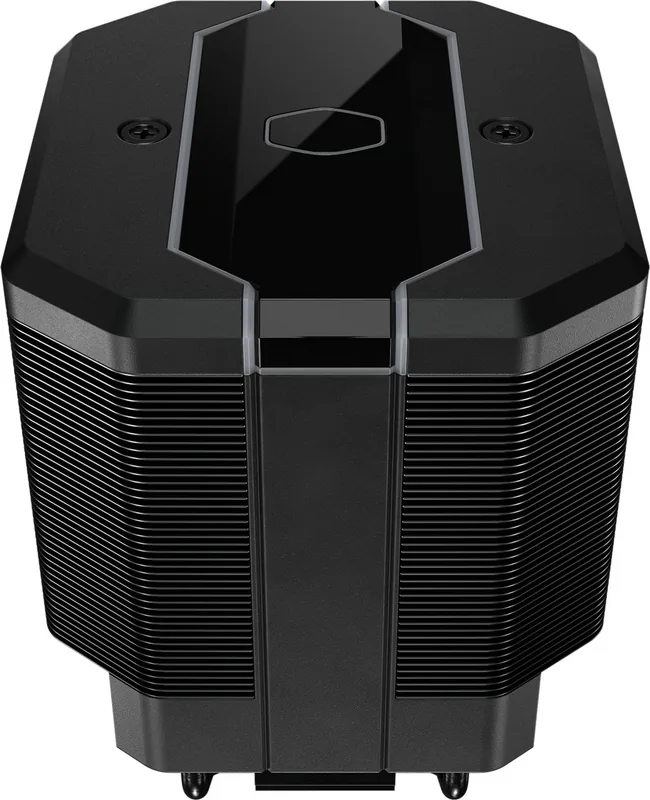
The Cooler Master MasterAir MA620M is a high-performance dual-tower air CPU cooler designed for enthusiast builds. It combines a robust heatsink, dual fans, and addressable RGB lighting compatibility to deliver efficient cooling for both Intel and AMD platforms. The cooler supports a wide range of sockets including modern Intel LGA (2066/2011-v3/2011/1366/115x/775) and AMD AM4/AM3+/AM3/AM2+/AM2/FM2+/FM2/FM1, ensuring broad compatibility for desktop systems.
Design and Cooling Performance
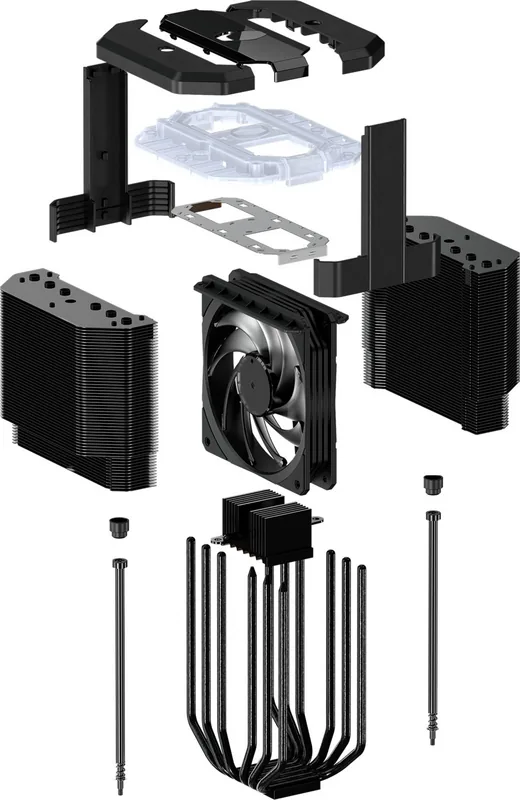
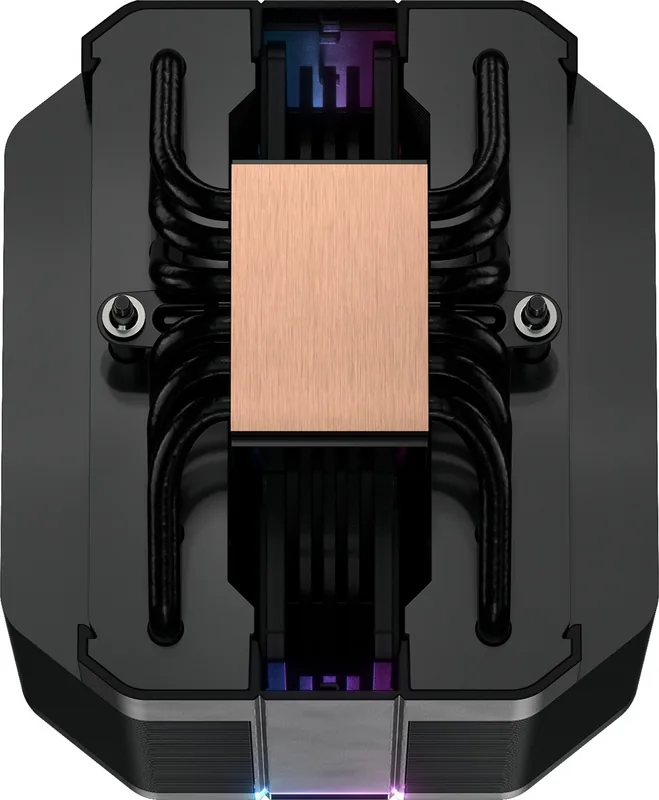
The MA620M features a dense fin stack and multiple heat pipes arranged to optimize heat transfer from the CPU. Dual high-static-pressure fans provide strong airflow through the fins while minimizing noise, making it suitable for both gaming rigs and productivity workstations. The dual-tower design increases surface area for heat dissipation, helping maintain lower CPU temperatures under sustained load.
Compatibility and Installation
Installation supports numerous Intel and AMD mounting brackets and comes with the necessary hardware to fit many sockets. The package includes mounting brackets for legacy and current platforms, and the cooler is designed to align with typical motherboard layouts without blocking RAM slots in most setups. Addressable RGB headers are supported for ASUS Aura Sync, ASRock Polychrome, Gigabyte Fusion, and MSI Mystic Light, enabling synchronized lighting with compatible motherboards.
RGB and Control
The MasterAir MA620M offers 3-pin addressable RGB connectivity and is compatible with the popular motherboard lighting ecosystems. Users can connect the RGB header to supported headers on ASUS, Gigabyte, ASRock, and MSI motherboards to control lighting effects through the respective software. This makes it easy to match system aesthetics while maintaining strong thermal performance.
Practical Notes
The cooler arrives with all mounting hardware, screws, and brackets needed for common Intel and AMD sockets. Cooler Master provides technical support resources and updated compatibility information on their official website and support portal. While the cooler fits most mainstream builds, check clearance for tall RAM modules and smaller form-factor cases before purchase.
Notes
- Verify motherboard header type for addressable RGB (3-pin) before connecting.
- Check case CPU cooler clearance; dual-tower design is tall and may not fit compact cases.
- Use Cooler Master's support site for the latest compatibility and installation guides.
Search for 67,706 Manuals online


Type-in Brand or Model