
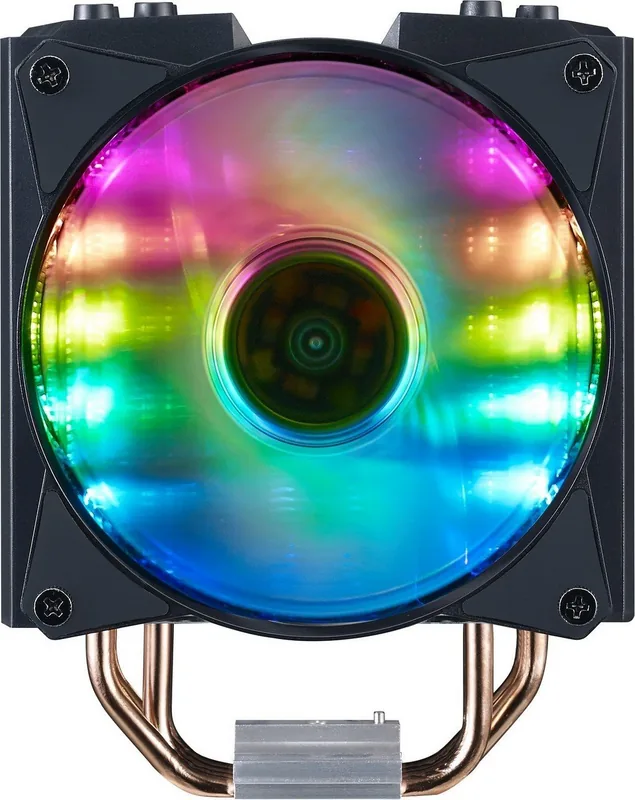
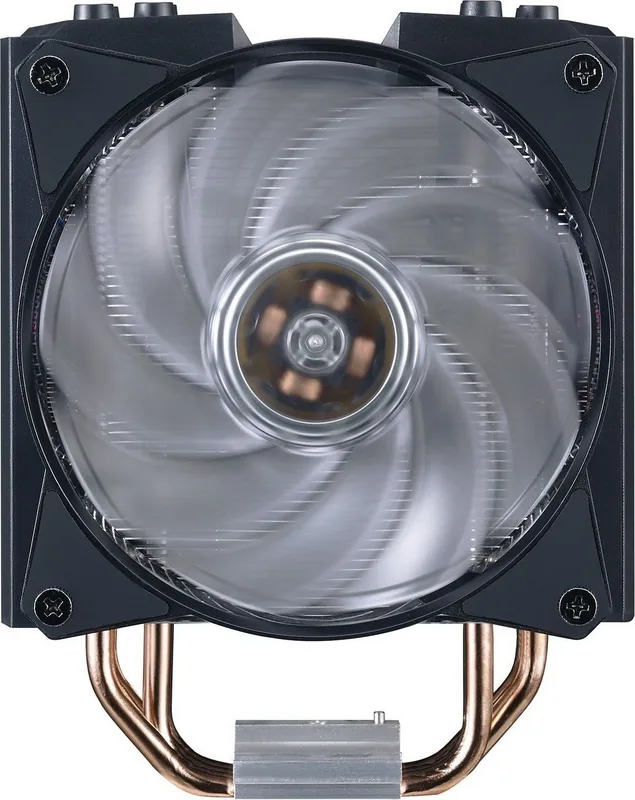

Cooler Master MasterAir MA410M Manual
PDF manual · 16 Pages
English



Quick check
Incorrect answer, please try again.
Chat with your Cooler Master MasterAir MA410M manual using AI
Get instant AI answers from your Cooler Master MasterAir MA410M manual
Ask anything about the Cooler Master MasterAir MA410M. Answers come from this manual, with the pages they are based on.
Ask a Question
Do you recommend MasterAir MA410M?
Yes NoFrequently Asked Questions
It is an air CPU cooler designed to provide flexible compatibility and dependable cooling for a wide range of Intel and AMD systems. It is a practical option for builders who want one cooler that can fit many platforms.
Is this answer helpful?
The listed support includes several Intel families such as LGA 775, 115x, 1366, 2011, 2011-v3, and 2066. This broad coverage makes it useful for both older and newer Intel-based systems.
Is this answer helpful?
The cooler supports a wide AMD range, including AM4, AM3+, AM3, AM2+, AM2, FM2+, FM2, and FM1. That makes it adaptable for many AMD desktop builds.
Is this answer helpful?
Yes. The MA410M is listed as compatible with major RGB ecosystems such as ASUS Aura Sync, ASRock Polychrome Sync, Gigabyte Fusion Ready, and MSI Mystic Light Sync, depending on the board and header type.
Is this answer helpful?
Yes. Its broad socket support makes it a strong candidate for users upgrading a PC or moving the cooler into a different system later. It offers more flexibility than many single-platform coolers.
Is this answer helpful?
You should confirm your CPU socket type, verify the correct mounting hardware, and make sure your motherboard has the right RGB header if you plan to use lighting sync. Careful setup helps avoid compatibility issues.
Is this answer helpful?
Advantages and Disadvantages
Advantages

- Wide Intel and AMD socket support makes it flexible for many builds.
- RGB sync compatibility helps it match popular motherboard lighting systems.
- Suitable for both new builds and upgrade projects across multiple platforms.
- Includes mounting guidance and platform-specific support for easier installation.
Disadvantages

- The compatibility chart is dense and can be confusing at first glance.
- Multiple socket options may require careful bracket selection during setup.
- The text provides limited detail about raw cooling performance.
- RGB support depends on having the correct motherboard header and software.
Product Specification
Design
Tower cooler
Dimensions with fan
5.16x6.50x4.41in (WxHxD)
Fan
2x 4.72x4.72x0.98in, 650-1800rpm, 90.69m³/h, 53.37 CFM, 6-31dB(A)
Weight with fan
1.81lb
Connection
4-Pin PWM, 3-Pin ARGB (+5V/DATA/GND)
AMD Socket
AM4, AM2/AM2+/AM3/AM3+, FM1/FM2/FM2+
Intel Socket
2011-0/2011-1/2011-3/2066, 1356/1366, 1150/1151/1155/1156/1200
Note on Intel Socket
Socket 1700 mounting kit commercially available
TDP Rating
150W
Lighting
RGB
Features
4 Heatpipes (6mm), Heatpipe Direct Touch, black heatsink
Manufacturer's Warranty
5 years
Product Description
Cooler Master MasterAir MA410M: A Flexible Air Cooler for Modern Builds
The Cooler Master MasterAir MA410M Manual highlights one of the cooler’s biggest strengths: versatility. The MasterAir MA410M is positioned as an air-cooling solution built for a wide range of systems, making it a practical choice for builders who want reliable cooling without locking themselves into a single platform. From the outside, it fits the familiar Cooler Master style—clean, functional, and designed with both performance and presentation in mind.
One of the most notable points is its broad socket compatibility. The cooler supports a long list of Intel and AMD platforms, including older and newer generations alike. That makes it especially appealing for users upgrading a system or reusing a trusted cooler across different builds. Instead of forcing a replacement with every motherboard change, the MA410M is designed to adapt.
Another standout feature is RGB ecosystem support. The MA410M is built to work with major motherboard lighting platforms such as ASUS Aura Sync, ASRock Polychrome Sync, Gigabyte Fusion, and MSI Mystic Light Sync. For users who care about visual harmony inside the case, this means the cooler can blend into a coordinated lighting setup rather than standing apart as a mismatched component.
The manual also suggests a product focused on practical installation. With its included mounting hardware and compatibility options, the MA410M is aimed at making setup straightforward for Intel and AMD users. While the text is mostly technical and compact, it points to a cooler that values flexibility, clear platform support, and ease of integration.
For everyday PC enthusiasts, that combination matters. The MasterAir MA410M is a good fit for builders who want dependable thermal management, a clean look, and broad motherboard support in one package. It may not be the most flashy product in Cooler Master’s lineup, but it offers the kind of balanced design that makes a build easier to plan and maintain.
Notes
- Check your exact socket before installation.
- Match the RGB connector type with your motherboard headers.
- Keep the mounting parts organized during setup.
- Review the support list if you are upgrading an older system.
Search for 67,706 Manuals online


Type-in Brand or Model
Katie Thomas
8 months ago
Will the Cooler Master MA410M RGB sync with ASUS Aura Sync, and will it fit my case/RAM without a lot of trouble?
Manual.ly
8 months ago
The MA410M includes an onboard RGB controller for its lighting effects, so full motherboard RGB sync (e.g., ASUS Aura Sync) is not supported unless your setup uses the matching compatible integration. For fit, you should measure before installing: some builds can be tight around the RAM height and depending on case clearance. A few users report that mounting can require extra steps (sometimes even temporarily moving components) to avoid clearance issues. If you check CPU cooler height, RAM clearance, and fan/cable space in your specific case, installation is typically manageable and cooling performance is strong for non-overclocked use.