
Cooler Master Hyper H410R RGB Manual
PDF manual · 20 Pages
English



Quick check
Incorrect answer, please try again.
Chat with your Cooler Master Hyper H410R RGB manual using AI
Get instant AI answers from your Cooler Master Hyper H410R RGB manual
Ask anything about the Cooler Master Hyper H410R RGB. Answers come from this manual, with the pages they are based on.
Ask a Question
Do you recommend Hyper H410R RGB?
Yes NoFrequently Asked Questions
This cooler supports multiple Intel platforms including LGA 2066, 2011-v3, 2011, 1366, and the 115x series sockets. It also works with the older LGA 775 standard for legacy systems. Users should verify the specific motherboard model to ensure compatibility.
Is this answer helpful?
No, the installation is designed to be straightforward. The package includes all necessary screws and a backplate. Mounting brackets accommodate most standard sockets without requiring complicated modifications or additional tools beyond a screwdriver.
Is this answer helpful?
Yes, the RGB features are typically designed to sync with motherboard control software. This allows users to adjust colors and lighting modes remotely. Ensure your motherboard has a compatible header for the connection.
Is this answer helpful?
The cooler supports AMD AM4, AM3+, AM3, AM2, FM2+, FM2, and FM1 sockets. This covers a wide range of desktop processors from budget to high-end enthusiast models available over recent years.
Is this answer helpful?
Use compressed air to blow dust out of the heatsink fins and fan blades. Do not use liquids or press too hard on the fins. Cleaning ensures proper airflow and prevents overheating over the long term.
Is this answer helpful?
You can visit the official Cooler Master website to download the most updated manuals and drivers. Support contacts are also listed on their site for international regions including Asia Pacific, Europe, and North America.
Is this answer helpful?
Noise levels depend on the fan speed settings. At lower speeds, it is quiet. At higher speeds, noise will increase but cooling improves. Adjusting fan curves allows you to balance silence with temperature needs.
Is this answer helpful?
Advantages and Disadvantages
Advantages

- Wide compatibility with Intel and AMD socket types including legacy options
- Integrated RGB lighting provides customizable visual appeal for builds
- Includes necessary backplate and mounting hardware for easy installation
- Reasonable pricing for budget builds requiring reliable cooling
- Effective heat pipe design for maintaining safe CPU temperatures
Disadvantages

- Large profile may not fit inside small computer cases
- Fan noise may be audible at higher rotational speeds
- Does not support extreme overclocking as well as liquid solutions
- Requires manual fan speed adjustment for optimal quiet operation
- Lighting features may limit motherboard compatibility without specific ports
Product Specification
Type
Tower Cooler
Dimensions with Fan
4.02x5.35x3.28 in (WxHxD)
Fan
1x 92x92x25mm (3.62x3.62x0.98 in), 600-2000rpm, 57.9m3/h (34.13 CFM), 6-29dB(A), 1.79mmH2O
Weight with Fan
1.19 lbs
Connection
4-Pin PWM, 4-Pin RGB (+12V/G/R/B)
AMD Socket Support
AM5 (Note important), AM4, AM2/AM2+/AM3/AM3+, FM1/FM2/FM2+
Intel Socket Support
2011-0/2011-1/2011-3/2066, 1356/1366, 1150/1151/1155/1156/1200
AMD Socket Note
AM5 mounting kit may not be included, contact manufacturer for AM5 mounting kit, AM5 mounting kit available through retailers
Lighting
RGB
Features
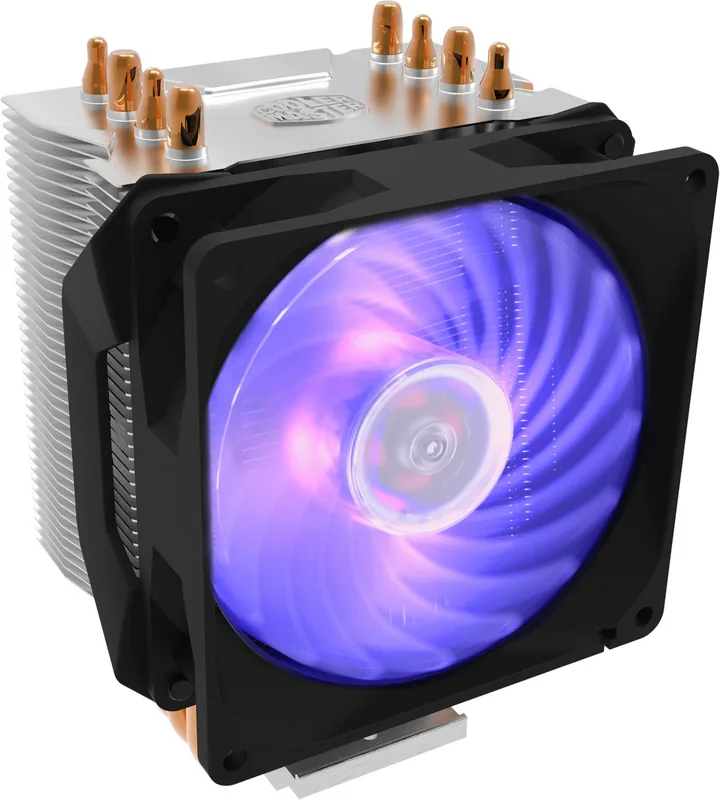
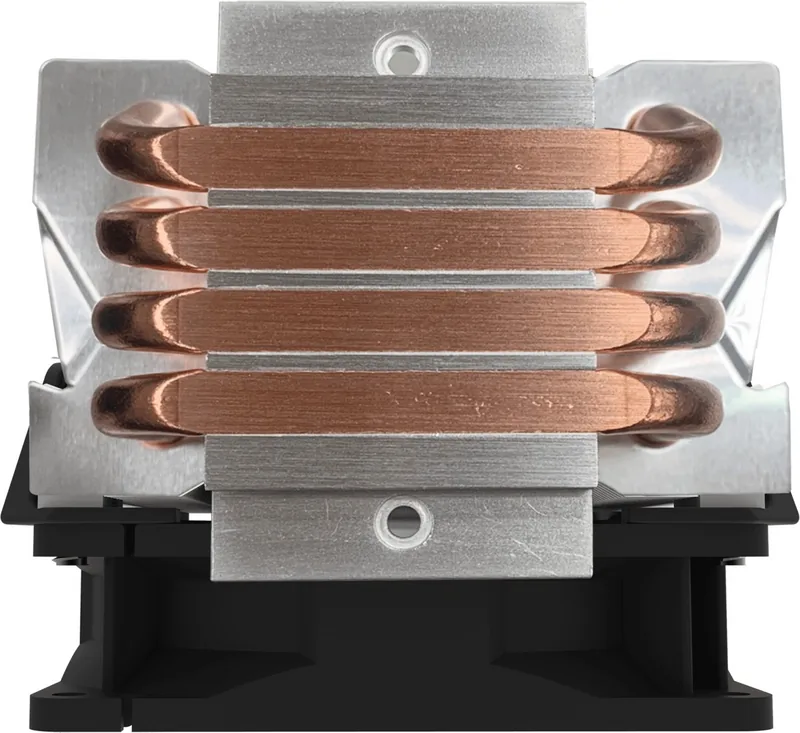
4 heat pipes (6mm), Direct Touch Heatpipe
Manufacturer Warranty
2 Years
Product Description
Comprehensive Review of the Cooler Master Hyper H410R RGB
Introduction to Thermal Solutions
The Cooler Master Hyper H410R RGB offers a compelling mix of performance and aesthetics for modern gaming systems. It is designed to keep the central processing unit cool while adding vibrant lighting to the computer case. Users appreciate this combination because it addresses both functional needs and visual preferences without requiring significant financial investment. The product fits well within budget builds that still demand reliability and high uptime. It serves as a gateway for users entering custom PC assembly for the first time.
Compatibility with Processor Types
This cooler supports a vast array of computer architectures to ensure widespread usage. Intel users benefit from support for LGA sockets including the 2011 v3 and 115x series. Older standards like 775 and 1366 are also listed as compatible for legacy desktops. AMD users can utilize it with AM4 or AM3 plus configurations without issue. This broad support ensures that the hardware remains relevant for both older machines and new builds alike. The flexibility reduces the need to search for specialized replacements for older computer platforms constantly.
Design and Installation Process
Installation involves securing the heat sink to the motherboard using provided screws and brackets. A backplate is included to protect the substrate from damage during the procedure. This design minimizes the risk of warping or stress marks on the board. The cooling solution utilizes heat pipes to transfer thermal energy efficiently away from the chip. Fans are mounted to ensure adequate airflow across the fin stacks for maximum efficiency.
RGB Lighting Integration
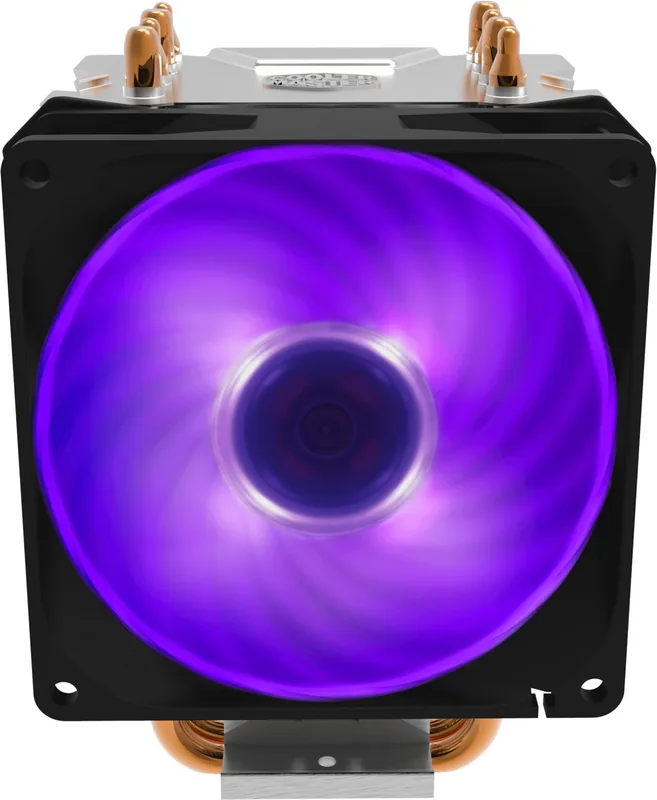
Aesthetic customization is a key feature for this specific product model in the market. RGB lighting strips illuminate the cooler during operation to add visual flair. This allows synchronization with motherboard software for unified control across all components. Brightness settings can be adjusted to suit the environment or user preference easily. It eliminates the need for separate light controllers in many cases which saves space.
Performance Expectations
Air cooling is generally effective for standard daily tasks and moderate gaming loads. However, extreme overclocking might require more advanced liquid cooling methods instead. For stock operations, this unit maintains temperatures within safe limits consistently. Long-term use benefits from proper airflow management within the chassis to keep cool. Regular cleaning prevents dust accumulation that could hinder heat dispersal over time.
Conclusion and Resources
This cooling solution stands as a solid choice for many enthusiasts seeking value. It balances price and effectiveness well in the current marketplace. Users are encouraged to refer to the Cooler Master Hyper H410R RGB Manual for specific technical data. Checking system clearance is recommended before the final assembly to avoid fitment issues. Proper maintenance ensures the hardware lasts for years without performance degradation.
Final Technical Notes
The fan noise levels are generally acceptable for most home environments. Voltage is supplied through standard motherboard headers for power connection. Ensure the power supply is adequate for all system components to ensure stability. This ensures stability under heavy load conditions. The package content lists all required mounting clips and hardware for assembly.
Search for 67,706 Manuals online


Type-in Brand or Model