
Cooler Master GM27-CFX Manual
PDF manual · 19 Pages
English



Quick check
Incorrect answer, please try again.
Chat with your Cooler Master GM27-CFX manual using AI
Get instant AI answers from your Cooler Master GM27-CFX manual
Ask anything about the Cooler Master GM27-CFX. Answers come from this manual, with the pages they are based on.
Ask a Question
Do you recommend GM27-CFX?
Yes NoFrequently Asked Questions
The monitor supports up to 1920 x 1080 at 240 Hz through either its DisplayPort 1.2 input or its HDMI 2.0 inputs. The connected computer, graphics hardware, cable, and display settings must also support that mode.
Is this answer helpful?
Yes. Adaptive-Sync is supported at 1920 x 1080 up to 240 Hz through HDMI 2.0 and DisplayPort 1.2. It can be enabled or disabled in the on-screen menu. The product notes that variable graphics output can sometimes cause flickering.
Is this answer helpful?
Gaming options include Gamer 1, Gamer 2, FPS 1, FPS 2, RTS, and MOBA modes. Gamer profiles support personalized settings, while the genre presets are intended to optimize visibility and image presentation for their respective game types.
Is this answer helpful?
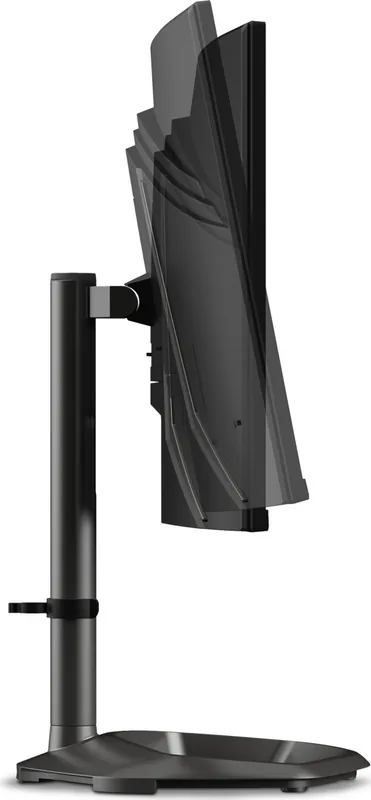
Yes. The stand supports up to 130 mm of height adjustment, tilt from -5 to 20 degrees, and 15 degrees of swivel to the left or right. The monitor arm is detachable for users who prefer another mounting solution.
Is this answer helpful?
Yes. It supports a 100 x 100 mm VESA mounting pattern. The mounting guidance specifies M4 x 10 mm screws. Choose a compatible mount that can safely support the monitor and follow the mount manufacturer's installation instructions.
Is this answer helpful?
The monitor has one DisplayPort 1.2 input, two HDMI 2.0 inputs, and one headphone output. It also includes two 2 W speakers. Volume and mute controls are available through the monitor's on-screen audio settings.
Is this answer helpful?
Advantages and Disadvantages
Advantages

- 240 Hz Full HD refresh rate is supported through both DisplayPort 1.2 and HDMI 2.0.
- 0.5 ms MPRT with Motion Clearness helps improve perceived clarity during fast gameplay.
- Adaptive-Sync, overdrive, frame-rate display, and a customizable crosshair support gaming use.
- Ergonomic stand offers 130 mm height adjustment, -5 to 20 degree tilt, and 15 degree swivel.
- VESA 100 x 100 mounting, two HDMI ports, DisplayPort, headphone output, and 2 x 2 W speakers add flexibility.
Disadvantages

- Full HD resolution may offer less workspace and image detail than QHD or 4K alternatives.
- The 0.5 ms figure depends on Motion Clearness being enabled rather than representing every mode.
- Adaptive-Sync may produce side effects such as flickering with fluctuating graphics-card output.
- Built-in speakers are limited to 2 W per channel and may not suit users seeking powerful audio.
- Maximum swivel is limited to 15 degrees in each direction.
Product Specification
Function
Monitor (desktop)
Diagonal
27 in
Resolution
1920x1080 (FHD), 16:9, 82 ppi
Panel
VA, Quantum Dot
Backlight
LED, blue light filter, flicker-free
Brightness
400 cd/m2 (typical)
Contrast
3,000:1 (static)
HDR
VESA DisplayHDR 400
Response Time
0.5 ms (MPRT)
Refresh Rate
240 Hz (1920x1080)
Variable Synchronization
Adaptive Sync, AMD FreeSync Premium
Signal Frequency
53-183 kHz (H) / 48-165 Hz (V)
Ports
2x HDMI 2.0 (240 Hz@1920x1080), 1x DisplayPort 1.2 (240 Hz@1920x1080), 1x 3.5 mm jack (line-out), 1x DC-in barrel jack (power connection)
Shape
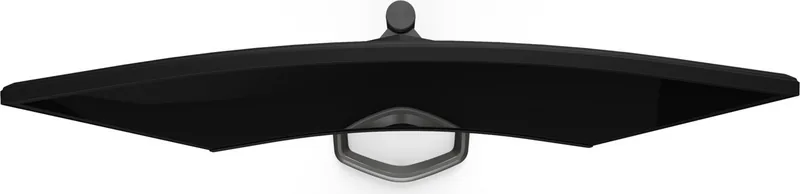
curved, 1500R / 4.92 ft
Viewing Angle
178 degrees / 178 degrees
Coating
non-glare (matte)
Color Depth
8-bit (16.7 million colors)
FRC
unknown
sRGB
125%
DCI-P3
98%
Speakers
Speakers (2x 2 W)
Controls
mechanical buttons
Ergonomics
with stand, height-adjustable (5.12 in), pivot N/A, swivel (+/-15 degrees), tilt (+20 degrees / -5 degrees)
VESA
100x100 (occupied)
Power Consumption
48 W (maximum), 34 W (typical), 0.5 W (standby)
Special Features
Security lock (Kensington Security Slot), slim bezel
Screen-to-Body Ratio
90.81% (calculated)
Dimensions
24.04x16.93x10.78 in (WxHxD) with stand compressed, 24.04x14.27x3.32 in (WxHxD) without stand
Color
black (display frame) / black (bottom bezel) / black (stand) / black (rear)
Weight
11.07 lb (with stand), 7.45 lb (without stand)
Power Supply
external
Warranty
two years
USB Notation
Link
Product Description
Cooler Master GM27-CFX Curved Gaming Monitor 27 - Read, Download & Print Free
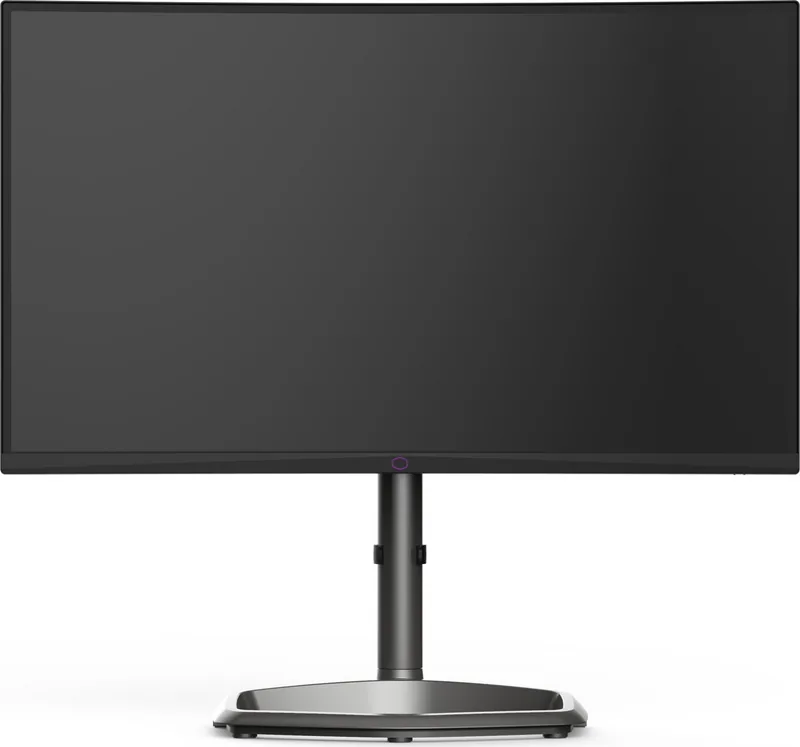
The Cooler Master GM27-CFX Curved Gaming Monitor 27 is built for players who want fast, focused Full HD performance with practical everyday flexibility. Its 27-inch display combines a 1920 x 1080 resolution with a 240 Hz refresh rate, creating a smooth visual experience for competitive games, rapid camera movement, and responsive desktop use. With support for Adaptive-Sync through both HDMI 2.0 and DisplayPort 1.2, the monitor is designed to help reduce tearing and keep action looking more consistent.
A 0.5 ms MPRT response time, available when Motion Clearness is enabled, supports clearer fast-motion visuals. The display also offers 400 nits typical brightness, a 3000:1 typical contrast ratio, and 178-degree viewing angles. These specifications give the GM27-CFX a strong foundation for gaming, streaming, and general entertainment, especially for users who value fluid motion over higher-resolution workloads.
Built Around Personal Control
Cooler Master includes a wide selection of on-screen adjustments to match different games and viewing habits. Presets include Standard, Movie, Web, Text, MAC, and User modes, along with dedicated Gamer 1, Gamer 2, FPS 1, FPS 2, RTS, and MOBA options. Black Stabilization can brighten darker areas, while the blue light filter supports more comfortable extended sessions. Color Weakness settings add red and green filter options for tailored visibility.
Further controls cover brightness, contrast, color temperature, six-axis color adjustment, gamma, color space, HDR modes, sharpness, aspect ratio, and overscan. Gamers can also use overdrive modes, a customizable crosshair, and an on-screen frame rate notice. These tools make it easier to tune the image for a specific genre, source device, or room environment.
Flexible Desk Setup
The included stand supports height adjustment up to 130 mm, tilt from -5 to 20 degrees, and 15-degree swivel in either direction. A detachable arm and 100 x 100 mm VESA mounting support give users extra options for clean, ergonomic setups. Connectivity includes two HDMI 2.0 ports, one DisplayPort 1.2 connection, a headphone output, and dual 2 W speakers.
Note: Use shielded cables for compliant connections, avoid pressing on the LCD panel, and clean the screen with a soft cloth and solvent-free solution. For the best 240 Hz experience, confirm that the selected input, cable, computer, and graphics settings all support 1920 x 1080 at 240 Hz.
The Cooler Master GM27-CFX Curved Gaming Monitor 27 - Read, Download & Print Free keyword highlights a monitor aimed at high-speed gameplay, detailed customization, and adaptable placement without unnecessary complexity.
Search for 67,706 Manuals online


Type-in Brand or Model