


Cooler Master Devastator 3 RGB Manual
PDF manual · 6 Pages
English



Quick check
Incorrect answer, please try again.
Chat with your Cooler Master Devastator 3 RGB manual using AI
Get instant AI answers from your Cooler Master Devastator 3 RGB manual
Ask anything about the Cooler Master Devastator 3 RGB. Answers come from this manual, with the pages they are based on.
Ask a Question
Do you recommend Devastator 3 RGB?
Yes NoFrequently Asked Questions
Press and hold the FN + E combination keys for five seconds to restore all settings to their original values immediately.
Is this answer helpful?
Combining FN and F1 enables quick pick mode which cycles through eight available color presets for the lighting effects.
Is this answer helpful?
Yes use FN plus F2 for Red F3 for Green and F4 for Blue to set levels between zero and five intensity steps.
Is this answer helpful?
No physical damage caused by fluids spills or moisture will void the warranty terms regardless of the situation.
Is this answer helpful?
Forward and backward buttons act as side mice clicks enabling easy navigation forward or backward during web browsing tasks.
Is this answer helpful?
You receive the RGB Keyboard RGB Mouse and a Quick Start Guide along with necessary connecting cables.
Is this answer helpful?
Advantages and Disadvantages
Advantages

- Six-zone RGB illumination allows for vibrant multi-color customization
- Dedicated media keys provide quick volume and playback control
- Adjustable DPI settings adapt to various gaming genres easily
- Function key macros simplify lighting effect direction and speed
- Robust build quality supported by manufacturer warranty programs
Disadvantages

- Warranty becomes void if unauthorized modifications are made to the device
- Consumer typically bears return shipping costs for claim processing
- Third party components installed on the product lack coverage protection
- Liquid or moisture damage resulting from accidents is not covered
- Software drivers are not explicitly mentioned alongside function keys
Product Specification
Package Contents
Mouse, Keyboard
Layout
German
Connection
Wired (5.91 ft), USB 2.0
Sensor Resolution (Mouse)
Red LED IR 4800 dpi, adjustable to 4000/3200/1600/1200/800/400 dpi
Features
6 Multimedia keys, Numpad, Backlit (RGB, 5 zones)
Product Description
Elevate Your Gaming Experience with Superior Precision
Welcome to the future of interactive entertainment where performance meets aesthetic appeal. The Cooler Master Devastator 3 RGB Gaming Combo embodies excellence for players demanding reliability and style simultaneously. This detailed guide explores the core functionalities embedded within the Cooler Master Devastator 3 RGB Gaming Combo Manual to help users unlock full potential. Expect a premium experience crafted for competitive environments and creative workspaces alike.
Keyboard construction features rapid response keys ideal for fast-paced action titles. Six independent zones of RGB backlighting offer customizable illumination across the surface. Command centers allow users to reset factory settings or cycle through eight distinct colors effortlessly. Separate media controls grant immediate access to volume and track navigation without breaking concentration. Adjusting brightness levels and animation speeds tailors visibility to any lighting condition. Tuning red green and blue hues individually provides granular control from minimal to maximum saturation.
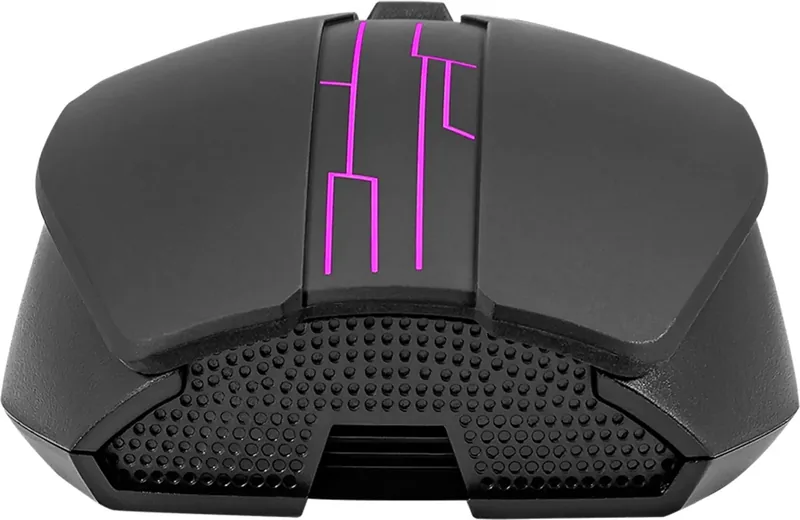
Mouse design prioritizes accuracy with adjustable sensor sensitivity for diverse play styles. Forward and backward side buttons streamline web browsing and application switching efficiently. Scroll wheels respond precisely to minimize fatigue during extended sessions. Both peripherals synchronize lighting dynamics to create cohesive visual presentations for broadcasts. Secure locking modes prevent unintended Windows key triggers protecting active gameplay integrity. Directional adjustments for beam movement enhance streaming setups with dynamic backgrounds.
Adhering to maintenance schedules preserves device longevity and protects your investment effectively. Coverage applies to manufacturing errors occurring under standard operating conditions. Modifications or exposure to liquids void protection agreements immediately. Return shipping expenses typically fall upon the buyer unless specified otherwise locally. Regional differences exist for warranty duration and claim processing procedures globally. Contact support teams via authorized portals to resolve issues swiftly and professionally. Verify invoice records before initiating any service requests to confirm eligibility status.
Packaging includes the primary keyboard unit paired with the matching optical mouse accessory. Cables facilitate plug-and-play connection using standard USB interfaces found on modern computers. Firmware versions update periodically to improve stability and feature sets over time. International users should check local laws for consumer rights protections applicable to their region. Regular cleaning prevents dust accumulation in switches ensuring consistent tactile feedback forever. Committing to responsible usage habits guarantees sustained performance throughout the lifecycle.
Search for 67,706 Manuals online


Type-in Brand or Model