

Cooler Master Devastator 3 2022 Manual
PDF manual · 6 Pages
English



Quick check
Incorrect answer, please try again.
Chat with your Cooler Master Devastator 3 2022 manual using AI
Get instant AI answers from your Cooler Master Devastator 3 2022 manual
Ask anything about the Cooler Master Devastator 3 2022. Answers come from this manual, with the pages they are based on.
Ask a Question
Do you recommend Devastator 3 2022?
Yes NoFrequently Asked Questions
Use FN plus PG UP or PG DN keys on the keyboard to increase or lower the intensity levels as needed for your environment.
Is this answer helpful?
Refer to Table A in the official documentation for specific product terms and check your warranty for exact coverage duration.
Is this answer helpful?
No, accidental damage and misuse are not covered under the warranty terms and will not be repaired under service program.
Is this answer helpful?
Press FN and the Win key simultaneously to secure the Windows function and prevent access during gameplay sessions.
Is this answer helpful?
The consumer pays return shipping costs initially while Cooler Master pays return shipping after repair if bought directly.
Is this answer helpful?
The Devastator 3 and Devastator 3 Plus are the main variations supported by the manufacturer for purchase.
Is this answer helpful?
No, accessories like cables and power cords are specifically excluded from the warranty protection list entirely.
Is this answer helpful?
Advantages and Disadvantages
Advantages

- Customizable RGB lighting with multiple modes and brightness adjustments
- Dedicated hardware shortcut keys for Windows and full keyboard lockout
- DPI cycling button on the mouse for instant sensitivity changes
- Comprehensive warranty coverage for original purchasers against defects
- Multi-language support for keyboard shortcuts and controls available
Disadvantages

- Shipping fees for returning faulty goods fall on the consumer initially
- Warranty voids if unauthorized repairs or modifications are performed
- Coverage excludes damages from accidents, misuse, or natural disasters
- Accessories like cables and power cords are excluded from warranty coverage
- Liability is limited to repair or replacement costs excluding other damages
Product Specification
Package Contents
Mouse, Keyboard
Layout
German
Connection
Wired (5.91 ft), USB 2.0
Resolution (Mouse)
Red LED/IR 4800dpi, adjustable down to 4000, 3200, 1600, 1200, 800, 400dpi
Features
6 Multimedia buttons, Numeric keypad, Backlit (7 colors)
Product Description
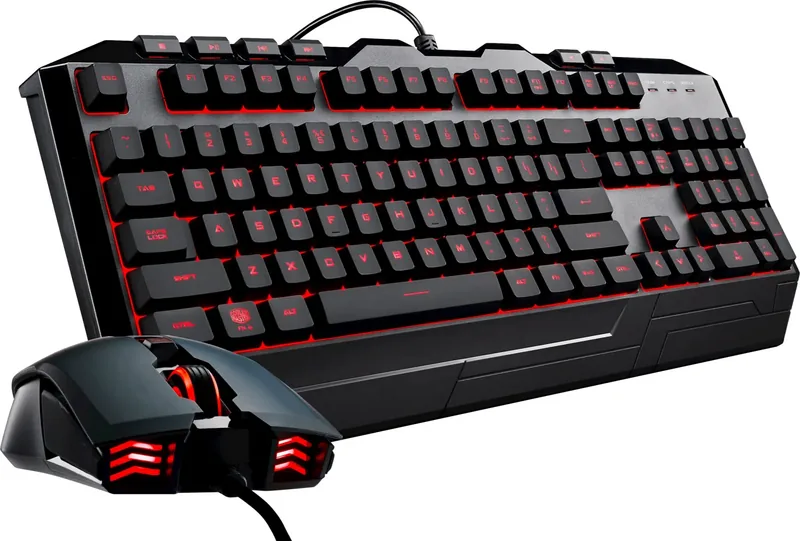
Experience Precision Gaming with the Cooler Master Devastator 3 2022 Gaming Combo
Gaming peripherals play a crucial role in determining your success during intense battle royale matches or competitive shooters. The Cooler Master Devastator 3 2022 Gaming Combo delivers high-performance features aimed at serious players. Owners often consult the Cooler Master Devastator 3 2022 Gaming Combo Manual to understand the full range of capabilities hidden within the devices. This comprehensive set enhances your setup with vibrant lighting and responsive controls designed for optimal performance during long sessions.
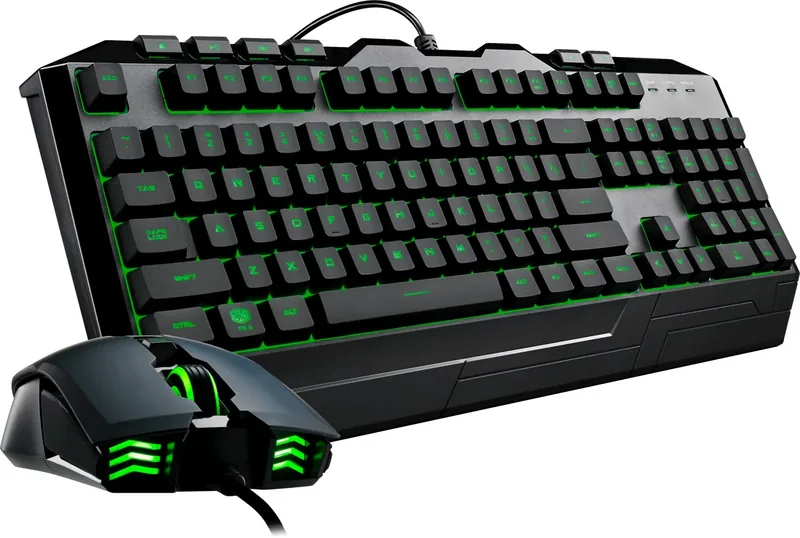
The keyboard provides extensive customization options for your visual preferences. You can adjust the LED pulsate speed and brightness using simple function key commands. Changing the LED mode allows you to select a style that fits your personality profile. The color adjustment feature ensures your lighting blends seamlessly with other parts of your computer gaming station. Full key lock functionality prevents accidental presses during critical moments in the game. Windows key locking adds an extra layer of security for competitive gameplay sessions.
The included mouse brings precision handling to the table with advanced button layouts and reliable tracking. You can cycle through DPI settings without software interference using the dedicated cycle button located on the side. Forward and backward navigation buttons improve web browsing and level switching efficiency in complex games. The LED lighting direction can be altered to direct illumination exactly where you need it most. These features work together to reduce latency and increase your overall reaction times significantly.
Important Usage Notes
Keep your purchase invoice safe for potential warranty services and repairs. Do not attempt unauthorized repairs as this voids the product protection plan completely. Check regional support contacts before making international claims or requests. Avoid liquid exposure to prevent permanent damage to internal electronic components. Warranty covers manufacturing defects but excludes physical damage from accidents.
Support and Warranty Information
Protection for your hardware is essential for long lasting usage of the device. The warranty protects original purchasers from manufacturing defects during the valid period of time. Claims require a valid invoice and should be processed through the original distributor store. Unauthorized modifications will invalidate this coverage immediately upon discovery by service staff. Cooler Master reserves the right to replace products with service units at their discretion.
Region specific support exists for North America, Europe, China, and Asia Pacific markets fully. Contact details are provided for each territory to streamline communication lines quickly. Third party components installed on the product are not covered under this agreement strictly. Repair costs might vary depending on the nature of the defect found during detailed inspection. Accessories like cables and power cords are specifically excluded from the warranty protection list entirely.
Package Expectations
The unboxing experience is straightforward with everything needed included in the box. You will receive the keyboard and the mouse within the packaging box. A quick start guide helps you get going immediately. Visit the official website for further software updates or driver downloads. This ensures your devices run optimally with the latest updates.
Search for 67,706 Manuals online


Type-in Brand or Model