
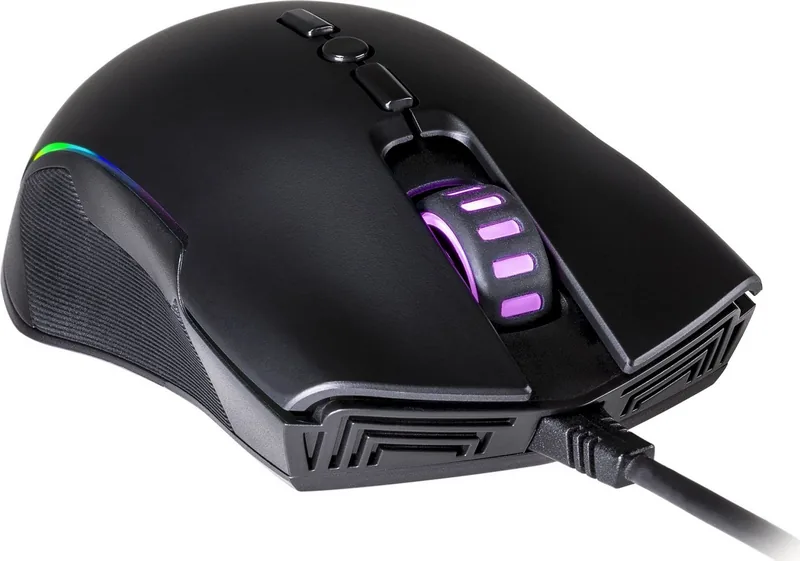
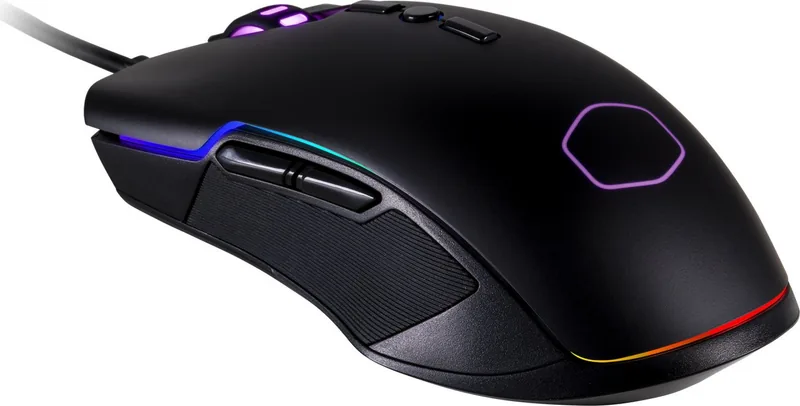
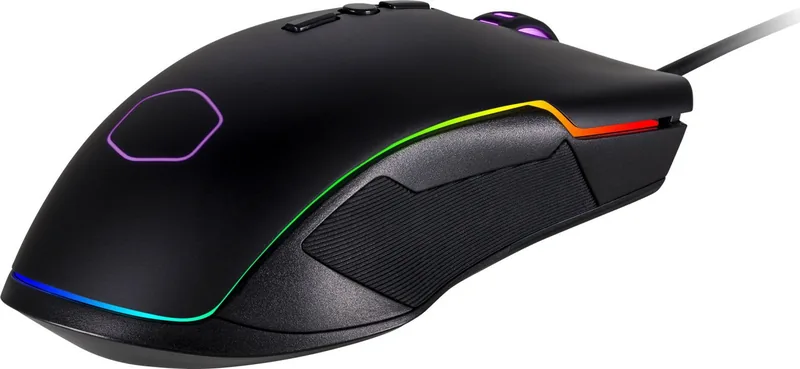
Cooler Master CM310 Manual
PDF manual · 2 Pages
English



Quick check
Incorrect answer, please try again.
Chat with your Cooler Master CM310 manual using AI
Get instant AI answers from your Cooler Master CM310 manual
Ask anything about the Cooler Master CM310. Answers come from this manual, with the pages they are based on.
Ask a Question
Do you recommend CM310?
Yes No
Bonita Luettgen
4 months ago
Are there any plans for software support to customize DPI and color independently?
Frequently Asked Questions
The Cooler Master CM310 RGB supports a maximum DPI of 10,000, providing high precision for sensitive movements.
Is this answer helpful?
This mouse comes equipped with five different RGB lighting modes to suit various aesthetic preferences.
Is this answer helpful?
Yes, the switches are rated for 30 million clicks, ensuring long-term reliability for heavy users.
Is this answer helpful?
The included braided cable measures 1.8 meters, offering ample reach for most desk configurations.
Is this answer helpful?
Yes, the product includes a standard two-year warranty covering manufacturing defects and hardware issues.
Is this answer helpful?
It utilizes the Pixart A33257 sensor known for accurate tracking and low latency performance.
Is this answer helpful?
Advantages and Disadvantages
Advantages

- High polling rate of 1000 Hz for instant response
- Wide DPI range from 500 to 10000 for versatility
- Durable 30 million click lifespan rating
- Flexible rubber side grips for comfort
- Five customizable RGB lighting modes
Disadvantages

- Fixed wired connection limits mobility
- Weight might be slightly heavy for ultra-light enthusiasts
- No wireless charging option available
- Basic software customization compared to premium models
- Cable may feel stiff initially until broken in
Product Specification
Suitability
right hand
Keys
8 (total), 2 (main), 3 (top), 2 (left), 1 (scroll wheel click)
Scroll Wheel
1x 2-way
Scanning
LED red/IR
Resolution
10000dpi, reducible to 5000/4000/3000/2000/1000/500dpi
Sensor
PixArt PMW 3325
Polling Rate
1000Hz (wired USB)
Lighting
RGB
Connection
wired (7.1ft), USB
Power Supply
USB
Dimensions (WxHxD)
2.83x1.57x5.00in
Approximate Volume
5.86cu in (approximate shape)
Weight
4.76oz
Color
solid, black
Features
thumb rest, non-slip surface (sides)
Product Description
Elevate Your Gaming with the Cooler Master CM310 RGB Mouse
The Cooler Master CM310 RGB Gaming Mouse is a versatile peripheral designed to enhance your gaming experience through precision and style. This device features the Pixart A33257 sensor, offering an impressive range of DPI settings from 500 up to 10,000. Whether you are navigating desktop interfaces or engaging in fast-paced competitive matches, the ability to adjust sensitivity ensures optimal control. The mouse supports a polling rate of 1000 Hz, delivering a response time of just 1 ms for fluid cursor movement.
One of the standout features of this mouse is its customizable RGB lighting system. With five distinct modes, users can personalize their setup to match their aesthetic preferences or team colors. The lighting adds a vibrant touch to any desk arrangement without compromising performance. Durability is another key focus, as the mouse boasts click switches rated for 30 million actuations. This longevity ensures that the device remains reliable even after extensive daily use.
Ergonomics play a crucial role in long gaming sessions, and the CM310 addresses this with flexible rubber grips on the sides. These grips provide a secure hold, reducing hand fatigue during extended play. The cable length is substantial at 1.8 meters, allowing for freedom of movement across various desk setups. Despite its robust feature set, the mouse maintains a lightweight profile, weighing approximately 100 grams without the USB connector and 135 grams including it. The compact dimensions of 127 mm by 71.5 mm by 39.5 mm make it suitable for both palm and claw grip styles.
Backed by a two-year warranty, the Cooler Master CM310 RGB offers peace of mind alongside its high-performance capabilities. It represents a solid choice for gamers seeking a balance between affordability, functionality, and visual appeal. The inclusion of a user manual further simplifies the setup process, ensuring that users can quickly access all features without confusion.
Important Notes
- Ensure drivers are updated for best sensor performance.
- Clean the rubber grips regularly to maintain traction.
- Adjust DPI settings based on specific game requirements.
Search for 67,706 Manuals online


Type-in Brand or Model
Teagan Taylor
5 months ago
Is it possible to change the color without changing the DPI settings?
Manual.ly
5 months ago
Currently, the device links specific colors to standard DPI values. To adjust the DPI, you must also select a different color preset. There is no software available to decouple these settings or allow independent color changes.