
Colbor CL100 Manual
PDF manual · 2 Pages
English



Quick check
Incorrect answer, please try again.
Chat with your Colbor CL100 manual using AI
Get instant AI answers from your Colbor CL100 manual
Ask anything about the Colbor CL100. Answers come from this manual, with the pages they are based on.
Ask a Question
Do you recommend CL100?
Yes NoFrequently Asked Questions
Customers receive free repair or replacement within 30 days for quality defects. Original products get a 12-month limited warranty starting from the first user purchase date covering material or technological problems.
Is this answer helpful?
No, never touch the hot COB surface directly when the unit is active to prevent burns. Always let it cool down before handling the light engine component to avoid injury.
Is this answer helpful?
Select wireless connection in the settings menu and look for the icon to confirm pairing. The icon stays on if paired successfully and disappears if pairing fails or is unpaired.
Is this answer helpful?
Yes, provided there is no direct exposure to rain or damp conditions since it is not waterproof. Protect the fixture from weather elements to avoid mechanical damage or corrosion.
Is this answer helpful?
The effective distance is approximately ten meters for transmitter or receiver modes. Use the repeater function to extend the signal range if operating further than the standard limit allows.
Is this answer helpful?
Access the settings list using the adjustment dial and scroll to the reset option. Select the reset function to restore the product to its original factory status immediately.
Is this answer helpful?
The unit requires a DC power supply input within 15 to 24 volts range. Ensure the adapter provides sufficient amperage around 6.32A for optimal performance and safety.
Is this answer helpful?
Advantages and Disadvantages
Advantages

- High color rendering index ensures accurate skin tones.
- Wireless app control allows remote adjustments easily.
- Bowens mount offers compatibility with standard reflectors.
- Smart fan mode reduces noise during quiet recording sessions.
- 100 watts of constant power provides reliable illumination output.
Disadvantages

- Unit is not waterproof, so rain and moisture are risks.
- Fan noise may become noticeable at high power settings.
- Warranty excludes damage from unauthorized modifications or misuse.
- Wireless range is limited to ten meters without repeater.
- COB surface becomes extremely hot during operation.
Product Specification
Illuminance
2,998 Lux (3.28 ft), 10,123 Lux (3.28 ft with Reflector)
Color Temperature
2,700-6,500K
Power
100W
Base
No
Features
LED, Shade Holder
Dimensions
4.57x7.95x4.61in (WxHxD)
Weight
2.43 lbs
Product Description
Exploring the Colbor CL100 Lighting Capabilities
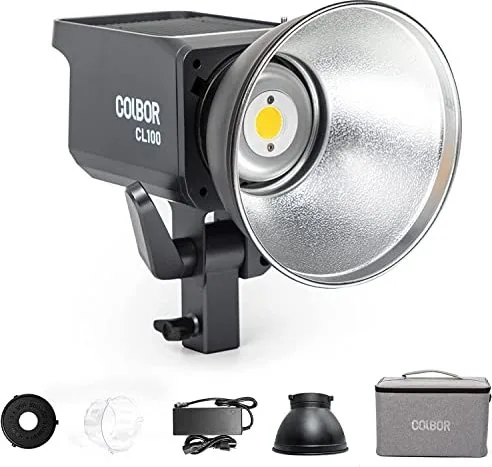
Understanding the Colbor CL100 Manual empowers creators to unlock the full potential of this versatile video light. This device features a robust build designed for professional studios and on-location shoots. The adjustable color temperature ranges from 2700K to 6500K, ensuring warm or cool tones match any scene perfectly. Brightness control spans from zero to full power, offering precise dimming without flickering.
Control and Connectivity
The interface includes an LED display screen and an adjustment dial for intuitive operation. Users can switch between CCT and EFF modes effortlessly. Wireless connectivity allows pairing via a mobile application, indicated by icons that show connection status or group configurations. The repeater function extends the signal range beyond ten meters when needed. Smart fan modes adjust noise levels based on internal temperature, keeping quiet during interviews or aggressive when cooling is required.
Important Usage Notes
Safety is paramount when operating high-intensity fixtures. Always remove the protective cover before powering on the COB surface. Do not block ventilation openings to prevent overheating. Avoid touching hot surfaces immediately after use. The unit is not waterproof, so protect it from moisture. Disconnect from power when idle to ensure longevity. Warranty coverage applies to manufacturing defects but excludes damage from misuse or unauthorized modifications.
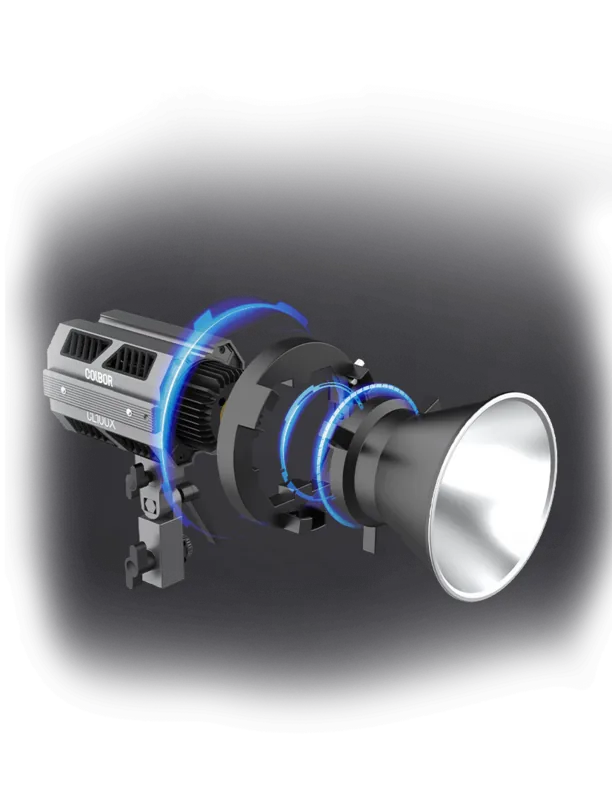
This setup requires a standard Bowens mount for reflector attachment. The included power adapter supports DC 15-24V input. For optimal performance, register the product online within the warranty period. Follow the instruction set regarding group control to manage multiple units simultaneously. This approach ensures seamless synchronization across a lighting rig during production. Configuration options include reset, language selection, and response curve adjustments. Users can select between sharp or smooth responses for fading effects. Maintaining the product involves keeping the COB lens clean and avoiding impact damage. Storage should be in a dry place within the operating temperature range of minus ten to 50 degrees Celsius.
Key Operational Safety Notes
Understanding these operational guidelines helps avoid common pitfalls like blown fuses from voltage errors. The display panel provides real-time feedback on power levels. Status icons clarify connection states and overheating alerts. Firmware updates might unlock new features. This dedication supports a growing ecosystem of compatible accessories. Ultimately, proper utilization of the Colbor CL100 Manual leads to better creative outcomes. Consistent light output is crucial. The included standard reflector provides a focused beam angle. The package list ensures all necessary mounts and cables arrive together for immediate deployment. Adhering to safety protocols guarantees peace of mind while achieving professional visual results in diverse environments.
Search for 67,706 Manuals online


Type-in Brand or Model