
Club 3D SenseVision USB 3.0 4-Port Hub Manual
PDF manual · 11 Pages
English



Quick check
Incorrect answer, please try again.
Chat with your Club 3D SenseVision USB 3.0 4-Port Hub manual using AI
Get instant AI answers from your Club 3D SenseVision USB 3.0 4-Port Hub manual
Ask anything about the Club 3D SenseVision USB 3.0 4-Port Hub. Answers come from this manual, with the pages they are based on.
Ask a Question
Do you recommend SenseVision USB 3.0 4-Port Hub?
Yes No
Toby Owen
5 months ago
Does this hub interfere with WiFi or Bluetooth signals on laptops?
Frequently Asked Questions
Yes, the Club 3D SenseVision USB Hub supports Battery Charge 1.2 fast charging and Apple Charging protocols, allowing compatible devices to charge much faster than standard USB ports.
Is this answer helpful?
Absolutely. This hub is fully compatible with Mac OS X as well as Windows 7, 8, 8.1, and 10, ensuring broad usability across different platforms.
Is this answer helpful?
The hub supports Super-speed data rates up to 5 Gbps, which is ideal for quickly moving large files like videos and backups between connected devices.
Is this answer helpful?
Basic functionality is plug-and-play, but installing the included drivers is recommended to unlock all features such as specific charging optimizations and stability improvements.
Is this answer helpful?
Yes, the included power adapter provides sufficient DC 5V/2.5A or 5V/4A output to reliably power external SSDs and HDDs without causing disconnections.
Is this answer helpful?
The casing is constructed from durable aluminum, giving it a premium look while helping to dissipate heat generated during high-speed data transfers.
Is this answer helpful?
Advantages and Disadvantages
Advantages

- Super-speed 5 Gbps data transfer capability
- Includes external power adapter for stable voltage
- Slim aluminum design for better heat management
- Compatible with Windows and Mac operating systems
- Supports Battery Charge 1.2 fast charging function
Disadvantages

- Requires separate power adapter connection
- No USB-C ports available for modern laptops
- Cable length may be limited depending on setup
- Drivers needed for specific advanced features
- Not suitable for extremely power-intensive devices
Product Specification
Type
USB Hub
Form Factor
1x external wired (cable not detachable)
Connection
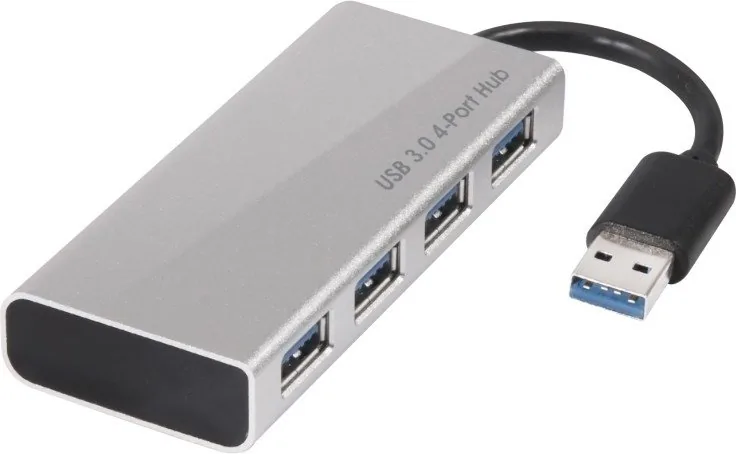
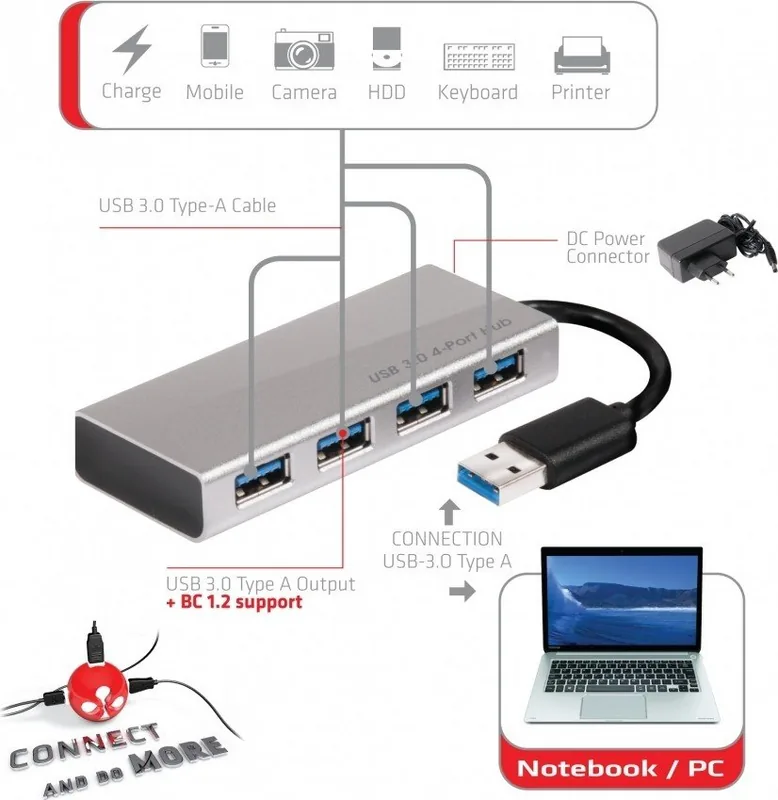
1x USB-A 3.0 (connector via cable, 5Gbps, 10cm cable length)
Interface
4x USB-A 3.0 (port)
Transfer
3x USB-A 3.0 (port, 5Gbps), 1x USB-A 3.0 (port, 5Gbps, USB BC 1.2, Fast Charge, Apple Charging)
Power Supply
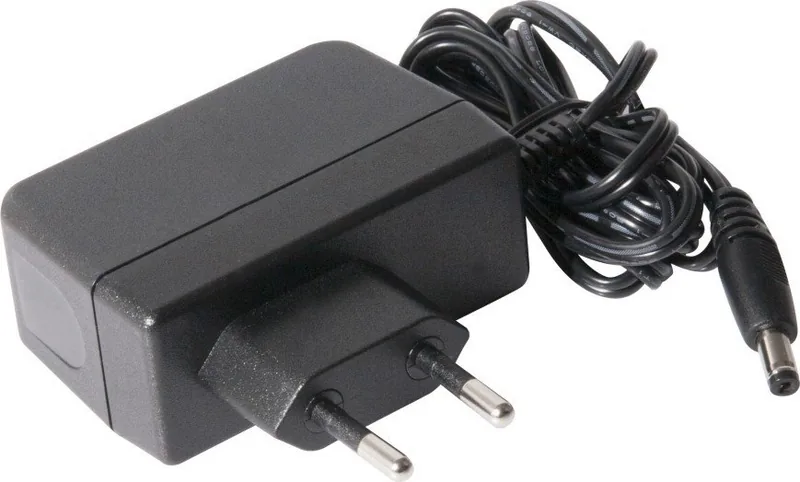
Power supply also via connection (max. 500mA), mains connection (1x barrel jack), external power adapter possible and included (1x barrel jack 5V/4A)
Dimensions
1.61x0.63x3.58in (WxDxH)
Weight
2.47oz
Case Color
silver
Compatibility
universal
Features
metal case
USB Spelling
Link
Product Description
Enhance Your Connectivity with the Club 3D SenseVision USB Hub
The Club 3D SenseVision USB Hub transforms how you manage peripheral connections on your desktop or laptop. Designed for users who demand speed and reliability, this device offers four high-speed USB-A 3.0 ports that allow you to connect multiple devices simultaneously without the clutter of tangled cables. Whether you are transferring large video files or charging modern smartphones, this hub delivers consistent performance.
One of the standout features is its slim aluminum casing which not only provides a sleek aesthetic but also aids in heat dissipation during heavy usage. The hub intelligently switches between AC power and bus power modes, ensuring optimal energy efficiency. It includes a dedicated switching power adapter with outputs of DC 5V/2.5A or 5V/4A, making it perfect for powering power-hungry external hard drives and SSDs. This eliminates the common issue of insufficient power from a single computer port.
Speed is at the core of this product. Supporting Super-speed data rates up to 5 Gbps, it is fully compatible with USB 3.0 standards while remaining backward compatible with USB 2.0 devices. You can seamlessly connect printers, tablets, memory sticks, and solid-state drives. The inclusion of Battery Charge 1.2 fast charge functionality means your mobile devices charge significantly faster than through standard ports. It works effortlessly across Windows 7, 8, 8.1, 10, and Mac OS X systems, requiring no complex driver installations for basic operation.
Why Choose This Hub?
Simplifying your workspace has never been easier. By consolidating four ports into one compact unit, you free up valuable space on your laptop or workstation. The robust build quality ensures longevity, while the plug-and-play nature makes setup intuitive for both tech enthusiasts and casual users. If you rely on multiple peripherals daily, this hub is an essential upgrade for your digital workflow.
Key Notes
- Supports BC1.2 fast charging protocols.
- Aluminum body prevents overheating.
- Includes power cable and USB A splitter.
Search for 67,706 Manuals online


Type-in Brand or Model
myrtice43
4 months ago
Is the USB cable long enough for desktop use?
Manual.ly
4 months ago
Thank you for your inquiry. The included USB 3.0 cable is designed to provide adequate connectivity for most setups. However, some users with larger desk configurations may find it beneficial to purchase an extension cable separately to ensure optimal positioning of the hub.