
Club 3D SenseVision CSV-3242HDA Manual
PDF manual · 6 Pages
English



Quick check
Incorrect answer, please try again.
Chat with your Club 3D SenseVision CSV-3242HDA manual using AI
Get instant AI answers from your Club 3D SenseVision CSV-3242HDA manual
Ask anything about the Club 3D SenseVision CSV-3242HDA. Answers come from this manual, with the pages they are based on.
Ask a Question
Do you recommend SenseVision CSV-3242HDA?
Yes NoFrequently Asked Questions
It supports Windows 10, 8.1, 8, and 7 (both 32-bit and 64-bit), as well as Mac OS X versions 10.6 through 10.10. Users must install the appropriate DisplayLink drivers for their specific OS.
Is this answer helpful?
Yes, the CSV-3242HDA supports dual external monitors using HDMI, DVI, or VGA outputs. It allows you to extend your desktop or mirror your main display across two screens.
Is this answer helpful?
The device is equipped with five USB 3.0 downstream ports, allowing you to connect multiple peripherals like mice, keyboards, and external drives simultaneously.
Is this answer helpful?
Yes, it includes a Gigabit Ethernet port for reliable wired network connectivity. You can verify the connection status in the Device Manager after installation.
Is this answer helpful?
Yes, it works with Mac OS X 10.6 to 10.10. You will need to download or install the DisplayLink driver specifically designed for macOS to enable functionality.
Is this answer helpful?
The unit features a slim design measuring 372mm in length, 49mm in width, and 24mm in height, making it highly portable and space-efficient.
Is this answer helpful?
Advantages and Disadvantages
Advantages

- Supports dual external monitors via HDMI, DVI, or VGA for expanded productivity
- Features five USB 3.0 ports for high-speed data transfer and device charging
- Includes Gigabit Ethernet port for stable wired internet connectivity
- Compact aluminum design with dimensions of 372 x 49 x 24 mm saves desk space
- Built-in SD/TF card reader facilitates quick file transfers from cameras
Disadvantages

- Requires DisplayLink software installation which may need driver updates
- Performance depends on the processing power of the host computer
- Screen may flash or go black briefly during driver installation
- Resolution settings may be limited when using mirror mode
- Mac OS support requires specific drivers not always included on the CD
Product Specification
Power Supply
external
Dimensions
14.65x1.89x0.94 in
Features
Card reader (SD/SDHC/SDXC)
Product Description
Club 3D SenseVision CSV-3242HDA: The Ultimate Docking Solution
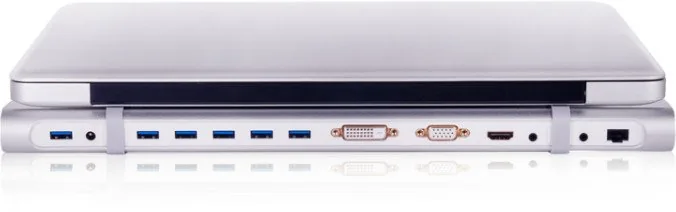
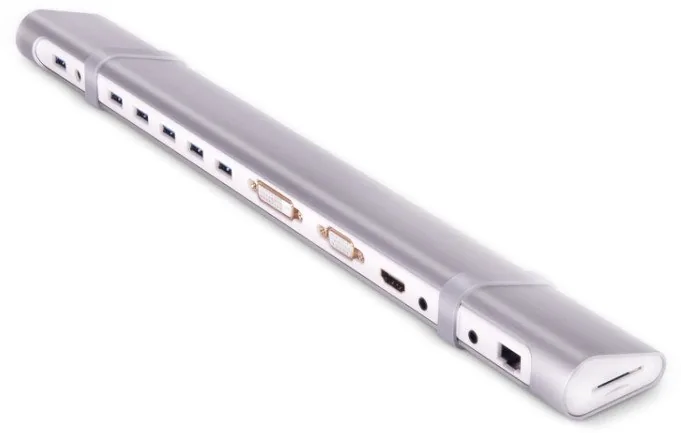
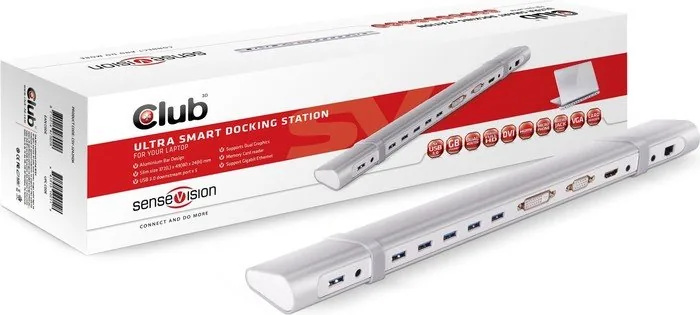
The Club 3D SenseVision CSV-3242HDA transforms any laptop into a powerful workstation with its ultra-smart docking station design. Built for professionals who demand versatility, this device features a sleek aluminum bar design that measures just 372mm in length, ensuring it fits seamlessly on any desk without clutter. The compact form factor belies its robust connectivity capabilities, offering a comprehensive suite of ports to handle all your peripheral needs.
At the heart of this station is the ability to support dual external monitors via HDMI, DVI, or VGA connections. This feature allows users to expand their workspace significantly, boosting productivity by providing ample screen real estate for multitasking. Whether you are managing complex spreadsheets, editing video, or coding, the ability to extend your desktop across multiple screens is invaluable. The unit supports Full HD 1080p resolution, ensuring crisp and clear visuals for demanding applications.
Connectivity is further enhanced with five USB 3.0 downstream ports, enabling fast data transfer speeds and the ability to charge multiple devices simultaneously. A built-in Gigabit Ethernet port ensures stable and high-speed internet access, eliminating reliance on wireless connections when stability is paramount. Additionally, the integrated card reader supports SD and TF cards, making it easy to transfer photos or documents directly from cameras and mobile devices. Audio needs are met with dedicated 3.5mm jacks for both microphone input and audio output, facilitating seamless communication during calls or media consumption.
Installation is straightforward, utilizing DisplayLink technology which is compatible with a wide range of Windows operating systems including Windows 10, 8.1, 8, and 7, as well as various Mac OS versions. The included driver CD simplifies the setup process, allowing users to get up and running quickly. Once configured, the system offers flexible display options such as extending the desktop, mirroring content, or rotating screens to suit specific workflow requirements. This docking station stands out as an essential accessory for modern mobile professionals seeking a reliable and efficient connection hub.
Search for 67,706 Manuals online


Type-in Brand or Model