
Club 3D SenseVision CSV-3242HD Manual
PDF manual · 34 Pages
English



Quick check
Incorrect answer, please try again.
Chat with your Club 3D SenseVision CSV-3242HD manual using AI
Get instant AI answers from your Club 3D SenseVision CSV-3242HD manual
Ask anything about the Club 3D SenseVision CSV-3242HD. Answers come from this manual, with the pages they are based on.
Ask a Question
Do you recommend SenseVision CSV-3242HD?
Yes NoFrequently Asked Questions
The docking station supports Microsoft Windows 7, Windows 8, and Windows 8.1, as well as Apple Mac OS 10.9.
Is this answer helpful?
Yes, the Dual Display Model supports both HDMI and DVI outputs, allowing you to connect two external monitors for extended or mirrored viewing.
Is this answer helpful?
Yes, it is crucial to install the provided driver from the CD before connecting the docking station to your computer to ensure proper functionality.
Is this answer helpful?
Yes, it features a Gigabit Ethernet RJ45 port that provides high-speed network access directly through the dock.
Is this answer helpful?
The CSV-3242HD is a self-powered device and requires an external DC power adapter for operation, not just the USB connection.
Is this answer helpful?
You can switch modes using the DisplayLink utility in the system tray or through the Windows display settings menu by selecting duplicate or extend options.
Is this answer helpful?
The device supports video resolutions up to 2048x1152 pixels at 60Hz refresh rate for both HDMI and DVI connections.
Is this answer helpful?
Advantages and Disadvantages
Advantages

- Supports dual displays with high resolution up to 2048x1152
- Includes Gigabit Ethernet for fast network connectivity
- BC 1.2 charging capability for compatible devices
- Compatible with Windows and Mac operating systems
- Simple installation process with dedicated utility software
Disadvantages

- Requires driver installation prior to first connection
- Video playback performance may degrade in extended mode
- Limited to specific operating system versions like Windows 7/8/8.1
- Physical size adds bulk to the desk setup
- Driver uninstallation requires manual steps on some systems
Product Specification
Compatibility
USB-B 3.0
Connections
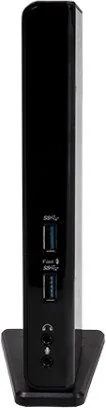
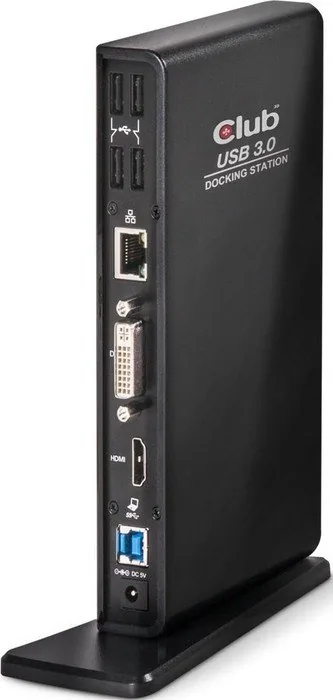
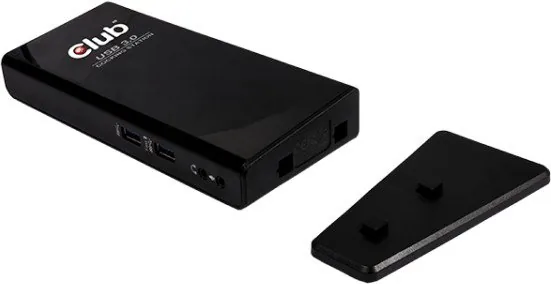
1x DVI-I, 1x HDMI, 2x USB-A 3.0 (1x charging port), 4x USB-A 2.0, 1x Gb LAN, 2x jack
Power supply
20W, external
Dimensions
3.74x1.93x1.73 inches
Weight
9.16 oz
Product Description
Elevate Your Workspace with the Club 3D SenseVision CSV-3242HD
The Club 3D SenseVision CSV-3242HD is a robust USB 3.0 Dual Display Docking Station designed to meet the high connectivity demands of modern professionals and enthusiasts. This versatile accessory transforms a single laptop or desktop into a powerful multi-monitor workstation, allowing users to extend their desktop or mirror screens effortlessly. By connecting via one single USB cable, the device manages extra connections for USB peripherals, Gigabit Ethernet networks, audio speakers, and microphones, significantly reducing cable clutter on your desk.
Equipped with advanced video output capabilities, this model supports both DVI and HDMI ports, enabling resolutions up to 2048x1152 pixels. Whether you need to view multiple applications simultaneously in extended mode or display identical content on two screens in mirror mode, the CSV-3242HD delivers clear and stable visuals. The inclusion of BC 1.2 charging support ensures that compatible mobile devices can be charged while connected. Its stylish appearance complements any home or office environment, making it an essential tool for productivity.
Installation is straightforward on Windows 7, 8, 8.1, and Mac OS 10.9 systems using the provided driver CD. Users can easily configure display settings through the intuitive utility software located in the system tray, allowing for screen rotation, resolution adjustments, and monitor arrangement. The docking station also features a built-in audio configuration that automatically switches to the USB audio device when connected, ensuring seamless sound playback for multimedia tasks. With its self-powered design and comprehensive port selection, the Club 3D SenseVision CSV-3242HD stands out as a reliable solution for expanding your digital workspace without compromising performance.
Key Highlights
This docking station supports dual monitors, Gigabit Ethernet, and high-speed data transfer. It is compatible with various operating systems and offers flexible display modes including extended, mirror, and primary monitor settings. The device includes specific drivers for both Windows and Mac environments to ensure optimal functionality.
Important Notes
- Always install the driver before connecting the device to your computer.
- Video playback quality may vary in extended mode; use the primary monitor for best results.
- Ensure your power adapter is connected for full functionality.
Search for 67,706 Manuals online


Type-in Brand or Model