
Club 3D SenseVision CSV-1545 Manual
PDF manual · 2 Pages
English



Quick check
Incorrect answer, please try again.
Chat with your Club 3D SenseVision CSV-1545 manual using AI
Get instant AI answers from your Club 3D SenseVision CSV-1545 manual
Ask anything about the Club 3D SenseVision CSV-1545. Answers come from this manual, with the pages they are based on.
Ask a Question
Do you recommend SenseVision CSV-1545?
Yes NoFrequently Asked Questions
It is used to expand one video source into a multi-monitor setup through MST. This is helpful for productivity, multitasking, presentations, and gaming workflows that benefit from more screen space.
Is this answer helpful?
No. The hub is designed for plug-and-play use, so setup is simple. In most cases, you connect the source and monitors, then the system handles the displays automatically.
Is this answer helpful?
Yes. It supports clone streaming, which allows the same video signal to be shown on multiple outputs at the same time. That is useful for demos, training, and shared viewing.
Is this answer helpful?
The source device must support DisplayPort Alternate Mode over USB-C. Without that feature, the hub cannot pass video through the USB-C connection properly.
Is this answer helpful?
Resolution depends on how many screens are connected and the bandwidth available. A single display can reach higher resolutions, while multi-screen setups may use lower settings to stay within limits.
Is this answer helpful?
Yes, especially if you want a wider visual setup or multiple displays for game tools and streaming controls. It is best to check your monitor count and resolution needs before buying.
Is this answer helpful?
Advantages and Disadvantages
Advantages

- Supports MST-based multi-monitor expansion from a single source, making desktop setups more efficient.
- Plug-and-play operation keeps installation simple with no extra software required.
- Can mirror or extend displays, which suits productivity, presentations, and gaming.
- Offers strong resolution support, including 4K on a single screen in supported configurations.
Disadvantages

- USB-C use requires DisplayPort Alternate Mode support on the source device.
- Higher monitor counts can reduce resolution and refresh-rate performance.
- DP 1.1 systems may work, but MST features and flexibility are limited.
- Some setups may need compatible adapters or careful display matching to work well.
Product Specification
Input
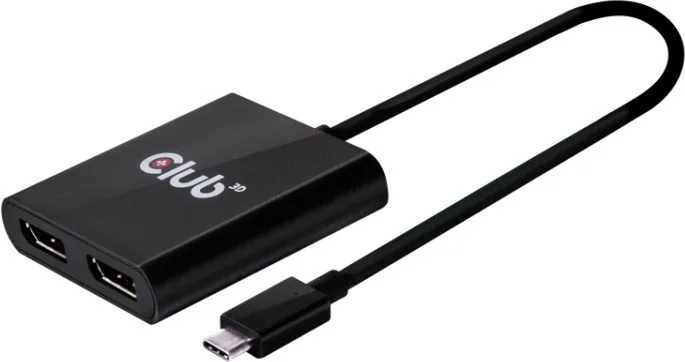
USB-C
Output
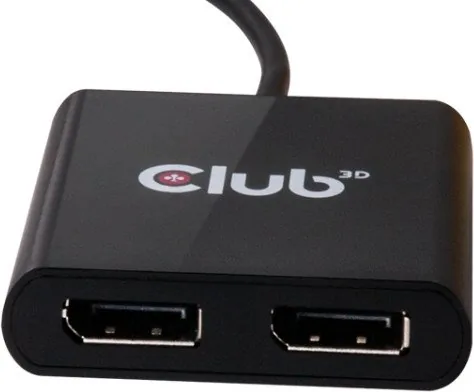
2x DisplayPort 1.2
Resolution
max. 3840x2160@60Hz
Product Description
Club 3D SenseVision CSV-1545: Multi-Monitor Expansion Made Practical
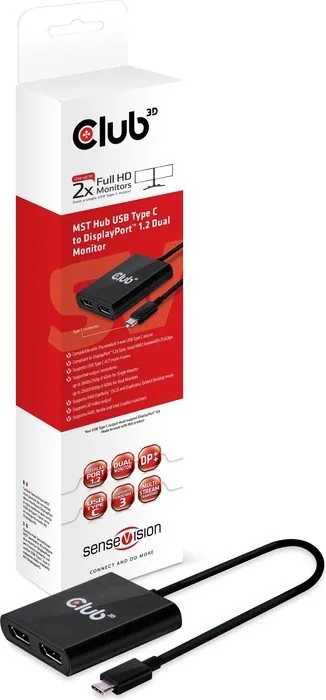
The Club 3D SenseVision CSV-1545 is built for people who want more screen space without adding unnecessary complexity. Using Multi-Stream Transport (MST), it helps a single DisplayPort or USB-C source feed multiple displays, turning one video output into a more flexible workspace. For anyone searching for the Club 3D SenseVision CSV-1545 Manual, the big idea is straightforward: this hub is designed to make multi-monitor setups easier, cleaner, and more productive.
What makes the CSV-1545 appealing is how naturally it fits into both work and play. On a compatible USB-C system with DisplayPort Alternate Mode, the hub can carry video through one connection and distribute it to external monitors. That makes it a handy choice for laptops, compact workstations, and users who need a quick way to expand their desk without relying on bulky docking solutions. It can mirror the same content across displays or extend the desktop for a more efficient workflow.
The hub is also attractive for users who care about image quality. It supports high resolutions, including 4K on a single display, while still offering flexible multi-screen combinations depending on the setup. That means you can use it for detailed spreadsheets, coding, editing, presentations, or gaming environments where a wider visual field improves the experience. The plug-and-play design keeps setup simple, and the scan button adds convenience when displays need to be refreshed.
Another strength of the CSV-1545 is its balance between speed and compatibility. MST technology helps distribute video signals efficiently, while support for clone streaming makes it easy to duplicate content across multiple monitors. In practice, that creates a reliable solution for offices, classrooms, trading desks, and home users who want a more organized and capable display arrangement. It is not flashy, but it is purpose-built and effective.
Notes
- USB-C use depends on DisplayPort Alt Mode support from the source device.
- Adding more displays can reduce available resolution and refresh options.
- DP 1.1 sources may work, but MST functionality becomes more limited.
- Best results come from matching monitor count and resolution to the hub’s bandwidth.
Search for 67,706 Manuals online


Type-in Brand or Model