
Club 3D SenseVision CSV-1430 Manual
PDF manual · 5 Pages
English



Quick check
Incorrect answer, please try again.
Chat with your Club 3D SenseVision CSV-1430 manual using AI
Get instant AI answers from your Club 3D SenseVision CSV-1430 manual
Ask anything about the Club 3D SenseVision CSV-1430. Answers come from this manual, with the pages they are based on.
Ask a Question
Do you recommend SenseVision CSV-1430?
Yes NoFrequently Asked Questions
No, the adapter is bus-powered and draws all necessary electricity directly from the USB port, eliminating the need for an external power supply.
Is this answer helpful?
Yes, the device supports Mac OS X and includes specific drivers on the provided CD for easy installation on Apple systems.
Is this answer helpful?
The adapter supports Windows XP, Vista, 7, 8, 8.1, 10, and various versions of Mac OS X as detailed in the installation guide.
Is this answer helpful?
Absolutely. The dual-function design allows you to connect to a gigabit network while using all three USB 3.0 ports for other devices at the same time.
Is this answer helpful?
A green Link LED on the adapter will light up when a proper physical connection is established between the device and the network switch or router.
Is this answer helpful?
Yes, the device supports the Wake-on-LAN function, enabling remote wake-up capabilities for your connected computer over the network.
Is this answer helpful?
Advantages and Disadvantages
Advantages

- Combines USB 3.0 hub and gigabit Ethernet in one slim device
- Bus-powered design requires no external AC adapter
- Supports Wake-on-LAN and Energy Efficient Ethernet standards
- Compatible with both Windows and macOS operating systems
- Check Sum Offload Engine reduces CPU usage during data transfer
Disadvantages

- Requires driver installation via CD which may be difficult on newer laptops
- Limited to three USB ports for peripheral expansion
- Ethernet speed capped at gigabit rather than 2.5G or higher
- No built-in storage or additional audio ports included
- Driver installation process varies slightly between OS versions
Product Specification
Type
LAN adapter, USB hub
Form factor
1x external wired (cable not detachable)
Connection
1x USB-A 3.0 (plug via cable, 5Gb/s, 2.4 inch cable length)
Interface
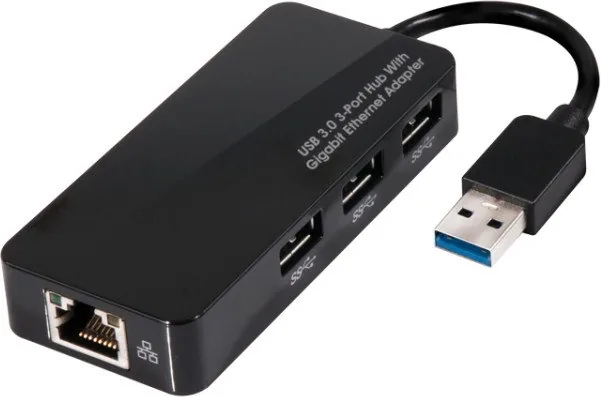
1x RJ-45, 3x USB-A 3.0 (port)
Transmission
1x RJ-45 (10/100/1000Base-T), 3x USB-A 3.0 (port, 5Gb/s)
Power supply
Power supply only via connection
Dimensions
1.61x0.63x3.58 inches (WxHxD)
Weight
1.8 oz
Case color
black
Compatibility
universal
Features
Wake on LAN
USB spelling
Link
Product Description
Enhance Your Connectivity with the Club 3D SenseVision Multiport Adapter
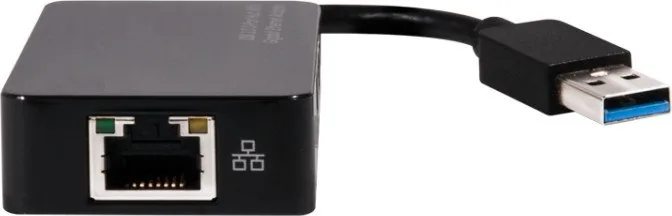
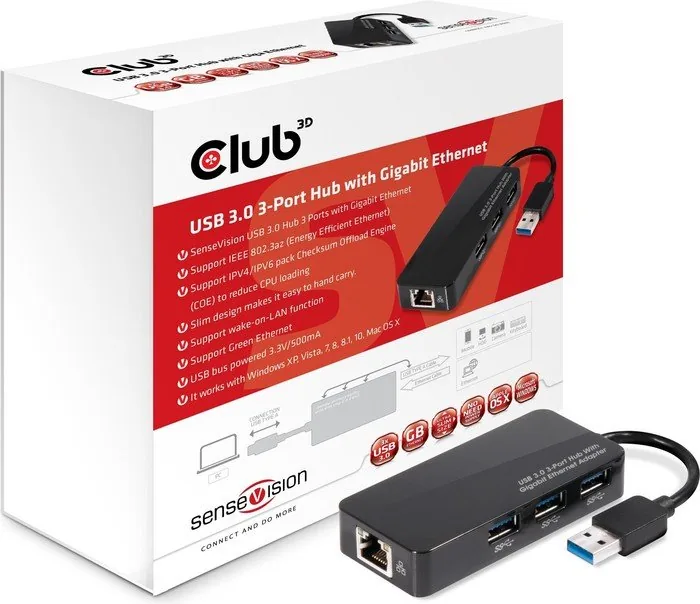
The Club 3D SenseVision Multiport Adapter RJ-45 USB-A 3.0 Connector is a sleek and powerful solution designed for modern users who demand high-speed data transfer and reliable network connectivity on the go. This compact device seamlessly combines a three-port USB 3.0 hub with a gigabit Ethernet adapter, allowing you to expand your laptop or desktop capabilities without needing an external power supply. Its ultra-slim design makes it incredibly portable, fitting easily into any bag or pocket.
Powerful Performance in a Small Package
Equipped with USB 3.0 technology, this adapter ensures lightning-fast data speeds while maintaining backward compatibility with USB 2.0 devices. The integrated gigabit Ethernet port supports IEEE 802.3az Energy Efficient Ethernet standards, which helps reduce power consumption when the network link is idle. Additionally, the built-in Checksum Offload Engine (COE) significantly reduces CPU loading by handling packet processing tasks efficiently. Whether you are transferring large files or connecting to a stable wired network, this adapter delivers consistent performance.
Versatile Compatibility and Features
One of the standout features of this product is its broad operating system support. It works flawlessly with Windows XP through Windows 10 and various versions of Mac OS X. The bus-powered nature of the device means you can plug it directly into a USB port and start working immediately without worrying about extra cables or adapters. It also supports Wake-on-LAN functionality, allowing remote management and wake-up commands for your computer. The stylish, slim form factor ensures that it does not clutter your workspace while providing essential connectivity options.
Installation Made Simple
Setting up the adapter is straightforward. For Windows users, simply insert the provided CD, run the setup.exe file from the driver folder, and follow the on-screen instructions. Remember to install the driver before connecting the Ethernet cable to ensure proper recognition. Mac users can launch the AX88179.pkg installer from the disc and follow the prompts to complete the installation. Once the software is ready, connecting the Ethernet cable will activate the network connection instantly.
Important Notes
Ensure you do not connect the Ethernet cable before installing the drivers on Windows systems to avoid detection issues. Always verify that your network cables are securely connected if the Link LED does not illuminate green upon connection.
Search for 67,706 Manuals online


Type-in Brand or Model