
Club 3D SenseVision CSV-1370 Manual
PDF manual · 4 Pages
English



Quick check
Incorrect answer, please try again.
Chat with your Club 3D SenseVision CSV-1370 manual using AI
Get instant AI answers from your Club 3D SenseVision CSV-1370 manual
Ask anything about the Club 3D SenseVision CSV-1370. Answers come from this manual, with the pages they are based on.
Ask a Question
Do you recommend SenseVision CSV-1370?
Yes NoFrequently Asked Questions
It lets you connect up to four HDMI source devices to one display, so you can switch between them without unplugging cables. It is useful for TVs, monitors, and projectors in home or professional setups.
Is this answer helpful?
Yes. It supports resolutions up to 4096 x 2160 at 60Hz, which is suitable for modern 4K displays. For the best results, use HDMI cables rated for 4K 60Hz and 18Gbps bandwidth.
Is this answer helpful?
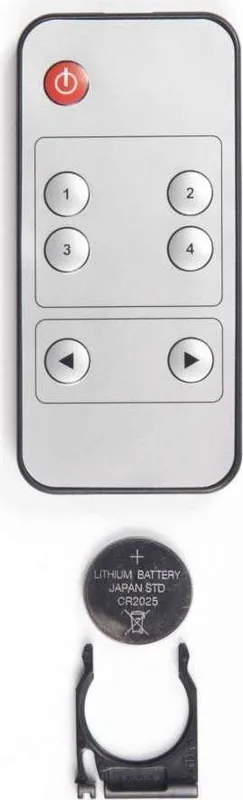
Yes. The unit includes an IR remote control, allowing you to change sources from a distance. You can also switch manually using the button on the device.
Is this answer helpful?
It supports compressed audio formats such as DTS Digital and Dolby Digital. This helps preserve a good audio experience when switching between connected devices.
Is this answer helpful?
Yes. It supports intelligent switching, which can automatically select an active source device. This is helpful when one device is turned on and others are off or in standby.
Is this answer helpful?
Make sure the power adapter is connected, the HDMI source devices are plugged into the input ports, and the output is connected to your display. Also confirm that your cables support 4K 60Hz for stable performance.
Is this answer helpful?
Advantages and Disadvantages
Advantages

- Supports 4K UHD up to 4096 x 2160 at 60Hz for sharp modern video output.
- Four HDMI inputs make it easy to connect multiple source devices at once.
- IR remote and automatic switching improve everyday convenience.
- Compact and sturdy design fits well in home, office, or presentation setups.
Disadvantages

- Requires a separate power adapter, so it is not a fully cable-only solution.
- Best performance depends on using high-quality 4K 60Hz HDMI cables.
- No advanced smart-app control, so switching is limited to button, remote, or auto mode.
- Works best in HDMI-based setups, which may not suit users with mixed connection types.
Product Specification
Video Inputs
4x HDMI 2.0 In
Video Outputs
1x HDMI 2.0 Out
Resolutions up to
4096x2160@60Hz
Dimensions
4.80x0.79x1.97in (WxHxD)
Weight
0.33 lb
Product Description
Club 3D HDMI 2.0 UHD Switch Box 4 Ports: A Compact Way to Manage 4K Sources
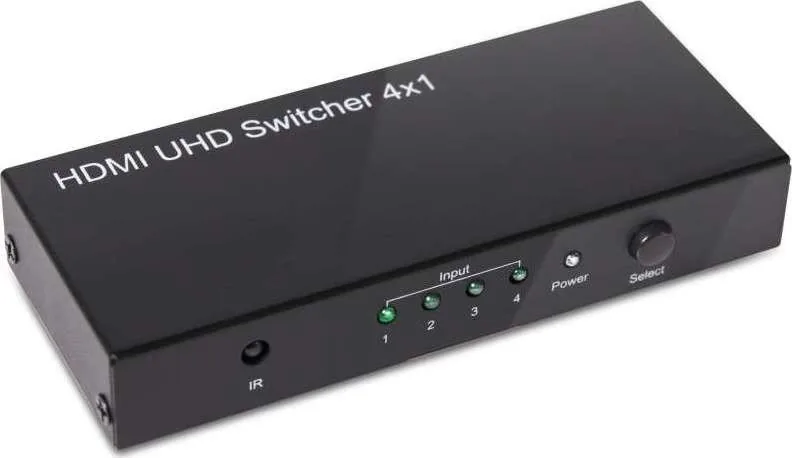
The Club 3D HDMI 2.0 UHD Switch Box 4 Ports is designed for anyone who wants to connect multiple HDMI devices to a single screen without constantly swapping cables. With four input ports and one HDMI output, it is a practical choice for home theaters, office setups, classrooms, and presentation spaces where convenience and performance both matter.
Built for modern displays, this switch box supports resolutions up to 4096 x 2160 at 60Hz, making it a strong match for 4K televisions, monitors, and projectors. It also supports full 3D, HDCP pass-through, CEC functionality, and compressed audio formats such as DTS Digital and Dolby Digital. That means it is not only about video switching, but about keeping the full audiovisual experience intact.
One of its biggest strengths is flexible operation. It supports both mechanical switching through a button on the unit and intelligent switching that can detect active devices automatically. An included IR remote adds even more convenience, allowing users to change inputs from across the room. This makes it especially useful when devices are placed out of easy reach or when quick source changes are needed during work or entertainment.
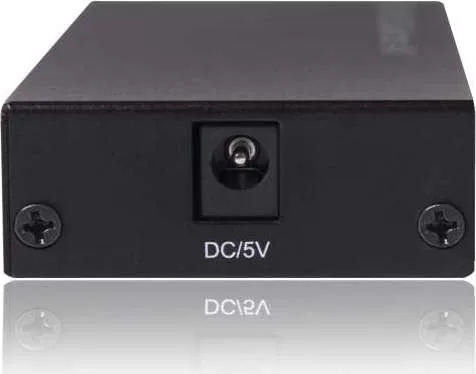
The compact body adds to its appeal. It is sturdy, small, and easy to place beside a TV stand, desk, or projector setup without creating clutter. The package also includes a power adapter and manual, which helps simplify the initial setup. If you are looking through the Club 3D HDMI 2.0 UHD Switch Box 4 Ports Manual, you will find straightforward guidance for connecting source devices, powering the unit, and choosing the active input.
For best results, the switch box should be paired with HDMI cables rated for 4K 60Hz and 18Gbps bandwidth. That detail matters, because the quality of the cables can affect stability and overall picture performance. When used correctly, this switcher offers a clean, reliable way to manage several devices while preserving sharp image quality and smooth signal handling.
Notes
- Use certified 4K 60Hz HDMI cables for optimal performance.
- Place the unit where the IR remote can easily reach the sensor.
- Ideal for users who frequently switch between consoles, media players, and PCs.
Search for 67,706 Manuals online


Type-in Brand or Model