
Club 3D CSV-7210 Manual
PDF manual · 2 Pages
English



Quick check
Incorrect answer, please try again.
Chat with your Club 3D CSV-7210 manual using AI
Get instant AI answers from your Club 3D CSV-7210 manual
Ask anything about the Club 3D CSV-7210. Answers come from this manual, with the pages they are based on.
Ask a Question
Do you recommend CSV-7210?
Yes NoFrequently Asked Questions
The Club 3D CSV-7210 supports output resolutions up to 4Kx2K at 60Hz, depending on the input source capabilities.
Is this answer helpful?
Yes, the device supports HDMI displays. It can output via DisplayPort or HDMI, though DisplayPort takes precedence if both are connected.
Is this answer helpful?
You can switch by moving your mouse to the far right edge of the screen for two seconds, using the included IR remote, or programming hotkeys.
Is this answer helpful?
Yes, it features 3.5mm microphone and stereo output jacks to share audio from the active computer to your speakers or headset.
Is this answer helpful?
The front USB Gen1 ports allow you to connect peripherals like printers, scanners, or flash drives for immediate access regardless of the active PC.
Is this answer helpful?
Yes, the device has a USB-B detection feature that automatically switches to a newly connected computer without manual intervention.
Is this answer helpful?
Advantages and Disadvantages
Advantages

- Supports 4K resolution at 60Hz for crystal clear visuals
- Includes IR remote and mouse-edge switching for easy operation
- Features automatic detection and hot-plug capability
- Provides shared USB ports for printers and storage devices
- Handles both DisplayPort and HDMI inputs and outputs
Disadvantages

- Hotkey function requires specific keyboard configurations
- Maximum cable length for DisplayPort output is limited to 2 meters
- Requires external 5V power adapter which adds to cable count
- Automatic switching interval defaults may need manual adjustment
- Only supports two computer inputs limiting expansion options
Product Specification
Type
KVM Switch
Ports
2
Monitor
DisplayPort
Keyboard/Mouse
USB
Audio
2x 3.5mm Jack
LAN
N/A
Resolution
4096x2160@60Hz (DisplayPort), 3840x2160@60Hz (DisplayPort)
Product Description
Master Dual Display Control with the Club 3D CSV-7210 KVM Switch
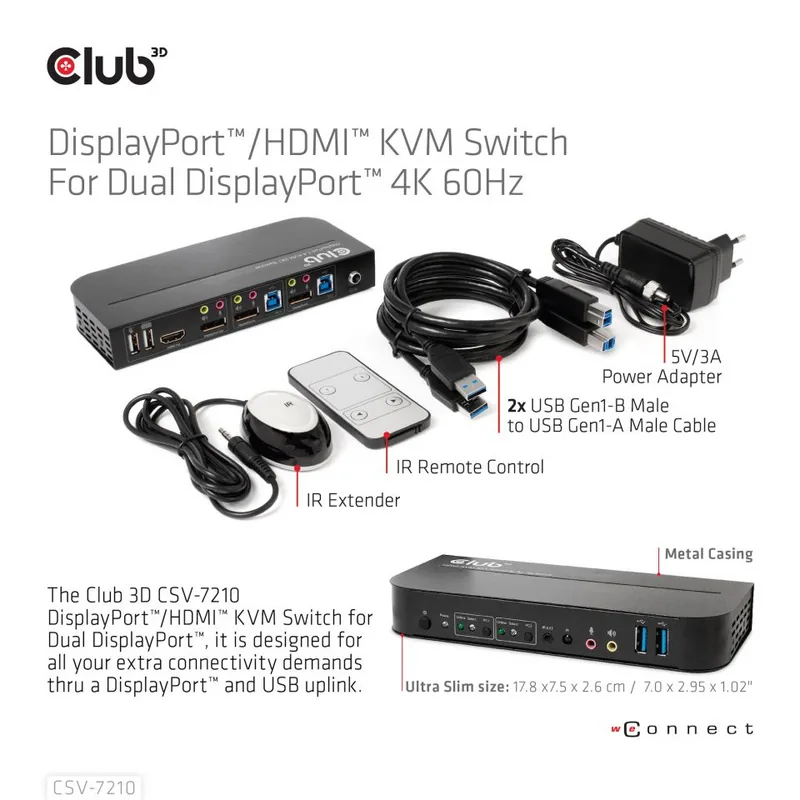
Managing multiple computers in a single workspace can quickly become a cluttered and inefficient experience. The Club 3D DisplayPort/HDMI KVM Switch for Dual DisplayPort 4K 60Hz, model CSV-7210, offers a sleek solution to streamline your workflow. This high-performance device allows you to control two separate PCs using a single monitor, keyboard, mouse, and audio setup. By consolidating your hardware, you save valuable desk space while maintaining full access to both systems.
The switch supports ultra-high resolution outputs up to 4K at 60Hz, ensuring that your visual experience remains crisp and smooth whether you are editing video or managing complex data. It features versatile connectivity options, accepting input from either DisplayPort or HDMI sources on the receiving end while offering dual DisplayPort inputs for your computers. This flexibility makes it an ideal choice for modern workstations that utilize the latest display standards.
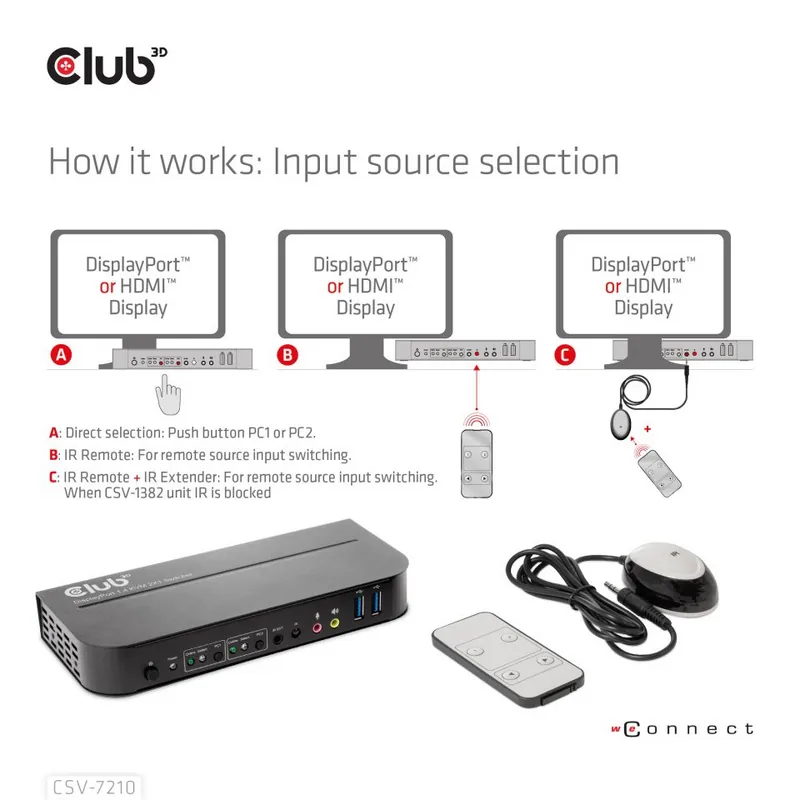
Beyond simple video switching, the CSV-7210 includes intelligent features designed for convenience. You can switch between PC1 and PC2 using the physical buttons on the front panel, a dedicated infrared remote control, or even by moving your mouse to the edge of the screen. The unit also supports hot-plug functionality, automatically detecting when a new computer is connected and switching to it instantly. For users who prefer advanced control, programmable hotkeys allow for rapid port switching without touching the hardware.
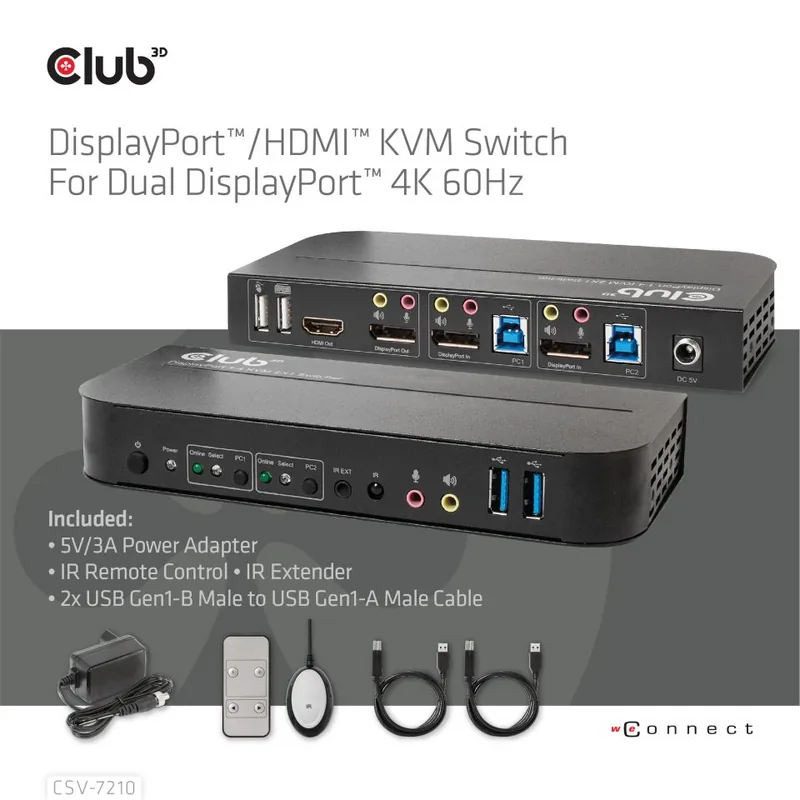
Audio management is equally robust, with built-in 3.5mm microphone and stereo output jacks that allow you to route sound from your selected computer directly to your speakers or headphones. Additionally, the front panel includes USB Gen1 ports, enabling you to connect peripherals like printers, scanners, or external drives without needing to switch cables every time you change computers. This all-in-one approach ensures that your productivity never stalls due to connection issues.
Search for 67,706 Manuals online


Type-in Brand or Model