
Club 3D CSV-1595 Manual
PDF manual · 1 Pages
English


Quick check
Incorrect answer, please try again.
Chat with your Club 3D CSV-1595 manual using AI
Get instant AI answers from your Club 3D CSV-1595 manual
Ask anything about the Club 3D CSV-1595. Answers come from this manual, with the pages they are based on.
Ask a Question
Do you recommend CSV-1595?
Yes NoFrequently Asked Questions
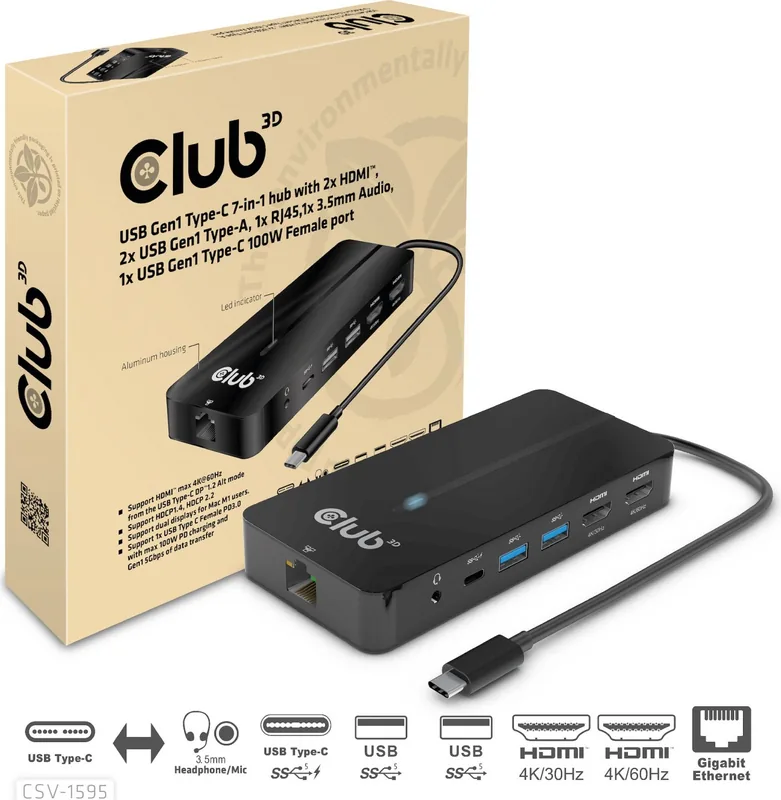
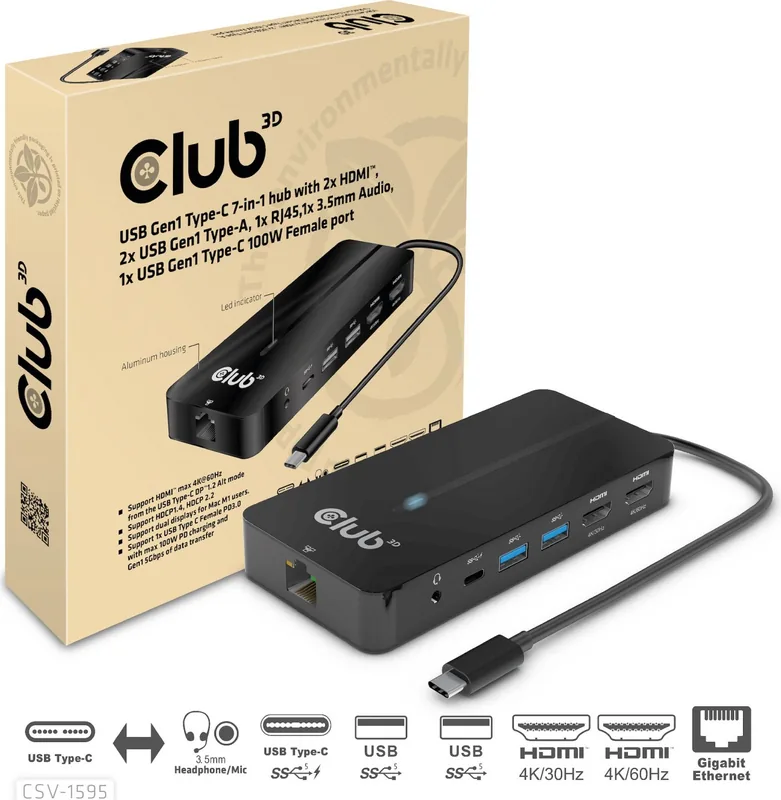
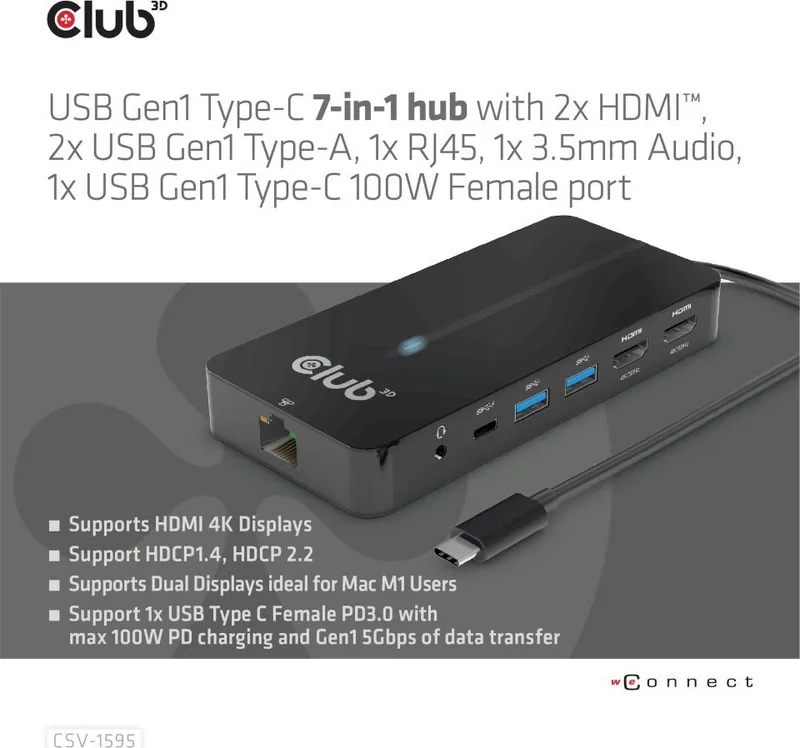
It includes two HDMI outputs, two USB Gen1 Type-A ports, one Gigabit Ethernet RJ45 port, one 3.5 mm audio jack, and one USB-C port for Power Delivery and USB Gen1 data. The hub connects to the host through its integrated USB-C cable.
Is this answer helpful?
Yes. It supports two HDMI displays simultaneously. One HDMI connection supports up to 4K at 60 Hz through DisplayPort Alt Mode, and the other supports up to 4K at 30 Hz through the integrated chipset. Final output depends on the host and displays.
Is this answer helpful?
Yes, DisplayPort 1.4 Alt Mode is required to access the hub's highest display capabilities, including the HDMI output rated up to 4K at 60 Hz. Check the USB-C specifications of the computer before purchasing or connecting the hub.
Is this answer helpful?
The USB-C port supports PD 3.0 pass-through charging up to 100 W. Connect a compatible USB-C power adapter to the hub to charge the host while using connected peripherals. Charging behavior also depends on the host and adapter.
Is this answer helpful?
The RJ45 port supports 10 Mbps, 100 Mbps, and 1000 Mbps Gigabit Ethernet. Its LEDs show network status: orange indicates a connection, while blinking green indicates data transfer activity.
Is this answer helpful?
Drivers may be needed for the HDMI function provided by the integrated chipset. Club 3D specifically advises Mac M1 users to install the driver from the CSV-1595 product page for dual-display support. Updated graphics drivers can also improve display compatibility.
Is this answer helpful?
Advantages and Disadvantages
Advantages

- Seven connections combine dual HDMI, USB-A, Ethernet, audio, and USB-C Power Delivery in a compact hub.
- One HDMI output supports up to 4K at 60 Hz when the USB-C host supports DisplayPort 1.4 Alt Mode.
- Two USB-A ports and the USB-C port support USB Gen1 transfers up to 5 Gbps.
- Gigabit Ethernet provides a wired 10/100/1000 Mbps network option.
- USB-C PD 3.0 pass-through supports host charging up to 100 W with a compatible power adapter.
Disadvantages

- Maximum video performance depends on host support for DisplayPort 1.4 Alt Mode.
- The second HDMI output is limited to up to 4K at 30 Hz.
- Driver installation is required for chipset-based display functionality, including dual displays on Mac M1.
- A USB-C power adapter is not listed as included.
- Actual display modes can vary with the computer, monitor, graphics driver, and available bandwidth.
Product Specification
Type
LAN adapter, USB hub, video adapter
Form factor
1x external wired (connection cable non-removable)
Connection
1x USB-C 3.0 (plug via cable, 5 Gb/s, USB-C with DisplayPort 1.4, USB PD 3.0 max. 100 W, 9.84 in cable length)
Ports
1x RJ-45, 1x USB-C 3.0 (socket), 2x USB-A 3.0 (socket), 1x HDMI 2.0 (socket), 1x HDMI 1.4 (socket), 1x audio jack (socket, 0.14 in)
Data transfer
1x RJ-45 (10/100/1000Base-T), 1x USB-C 3.0 (socket, 5 Gb/s, USB PD 3.0 max. 100 W), 2x USB-A 3.0 (socket, 5 Gb/s, USB BC 1.2 5 V/1.5 A/7.5 W), 1x HDMI 2.0 (socket, max. 3840x2160@60 Hz), 1x HDMI 1.4 (socket, max. 3840x2160@30 Hz), 1x audio jack (socket, 0.14 in)
Power supply
Power supply also via connection, power input (1x USB-C socket USB PD 3.0, max. 20 V/5 A/100 W, 100 W passthrough), external power adapter possible but not included
Dimensions
1.77 x 0.55 x 7.48 in (W x H x D)
Weight
7.41 oz
Case color
black
Compatibility
universal
Features
HDCP 2.2
USB notation
Link
Note
Maximum simultaneous monitors: 2 (max. 2x 3840x2160@60 Hz)
Product Description
Club 3D 7in1 Hub, USB-C 3.0 [Plug] Manual: Expand a Single USB-C Connection
The Club 3D CSV-1595 is a compact 7-in-1 USB-C hub designed to turn a compatible USB-C port into a practical desktop or mobile workstation. It combines dual HDMI outputs, two USB-A data ports, Gigabit Ethernet, a 3.5 mm audio jack, and a USB-C Power Delivery port in one portable unit. For users seeking guidance around the Club 3D 7in1 Hub, USB-C 3.0 [Plug] Manual, the key consideration is host compatibility: the connected computer needs DisplayPort 1.4 Alt Mode to use the highest video capabilities.
Dual-display connectivity for work and entertainment
The hub provides two HDMI connections with different operating methods. One HDMI output can deliver up to 4K at 60 Hz through USB-C DisplayPort Alt Mode, while the other can reach up to 4K at 30 Hz through the hub's integrated chipset. This setup is useful for extending a laptop across two monitors, presenting content on a larger screen, or creating a more organized workspace. Actual display resolution and refresh rate depend on the host computer, monitor, graphics driver, and available bandwidth.
Mac M1 users can use dual displays with the required driver installed from Club 3D. HDCP support is included, with HDCP 2.2 available on the HDMI output using Alt Mode. Keeping graphics and display firmware current can help ensure reliable operation at supported resolutions.
Data, networking, audio, and charging in one hub
Two USB Gen1 Type-A ports offer data transfer speeds of up to 5 Gbps per port, making them suitable for accessories such as storage devices, keyboards, mice, and other USB peripherals. They also support downstream charging up to 7.5 W in total conditions specified by the product. The RJ45 port adds stable wired networking with 10/100/1000 Mbps Gigabit Ethernet support, while status lights indicate connection and data activity.
A 3.5 mm audio port supports headphone output and microphone input with digital audio up to 48 kHz/16-bit sampling. The USB-C port supports both USB Gen1 data transfer up to 5 Gbps and PD 3.0 pass-through charging up to 100 W. This allows a compatible USB-C power adapter to power the hub while charging the connected host device.
Portable design and practical setup
Measuring approximately 14 x 6.5 x 1.9 cm and weighing 210 g, the CSV-1595 is easy to place on a desk or carry between home, office, and travel locations. Its integrated host cable is approximately 25 cm long. Connect the hub to a compatible USB-C host, attach displays and peripherals, then connect a USB-C power adapter when host charging is needed.
Note: Install the relevant driver for chipset-based video functions, especially on Mac M1 systems. Verify that the host supports DP 1.4 Alt Mode for the best display performance.
Search for 67,706 Manuals online


Type-in Brand or Model