
Chieftec Compact IX-01B Manual
PDF manual · 9 Pages
English



Quick check
Incorrect answer, please try again.
Chat with your Chieftec Compact IX-01B manual using AI
Get instant AI answers from your Chieftec Compact IX-01B manual
Ask anything about the Chieftec Compact IX-01B. Answers come from this manual, with the pages they are based on.
Ask a Question
Do you recommend Compact IX-01B?
Yes NoFrequently Asked Questions
The primary function is to serve as a chassis for building a compact computer system using the Chieftec Compact IX-01B design.
Is this answer helpful?
The company is located in Ratingen, Germany, ensuring local support availability for customers within the European region.
Is this answer helpful?
The DC-DC power cable is color-coded black and yellow to simplify identification during the build process significantly.
Is this answer helpful?
You fix the HDD with four screws first, connect the SATA power and data cables carefully, and mount the holder as shown.
Is this answer helpful?
Chieftec is a registered trade mark, ensuring quality components and standards for your system build.
Is this answer helpful?
Email support inquiries to [email protected] for assistance regarding the product or installation process.
Is this answer helpful?
The listed specifications may be altered at any point in time without any pre-notice according to the manufacturer policies.
Is this answer helpful?
Advantages and Disadvantages
Advantages

- Compact Chassis Design for Small Builds
- Color Coded Power Cables Improve Speed
- Trusted Manufacturer Brand for Quality
- Included Accessories Reduce Cost
- Clear Grounding Instructions Enhance Safety
Disadvantages

- Specs May Change Without Notice Period
- Manual Has Repetitive Header Information
- Step Numbering Is Inconsistent In Text
- Contact Info Is Repeated Often
- Limited Storage Expansion Slots Included
Product Specification
External
1x 5.25" Slimline (optional)
Connectors
N/A
PCI Slots
N/A
Fan (left)
N/A
Fan (right)
N/A
Fan (top)
2x 1.97" (optional)
Fan (bottom)
N/A
Fan (other)
N/A
Radiator Sizes
N/A
Motherboard
up to Mini-ITX
Supported Motherboards
Mini-ITX (6.7"x6.7")
Power Supply
external
Power Supply Position
external
Graphics Cards
N/A
Lighting
No Lighting
Dimensions (WxHxD)
2.48x7.76x8.66" (upright)
Volume
2.73 L
Weight
3.31 lbs
Case Type
ITX/DTX
Product Description
Chieftec Compact IX-01B Overview
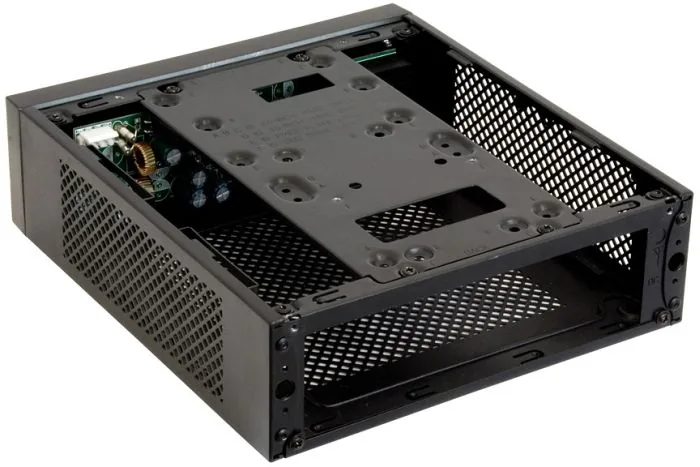
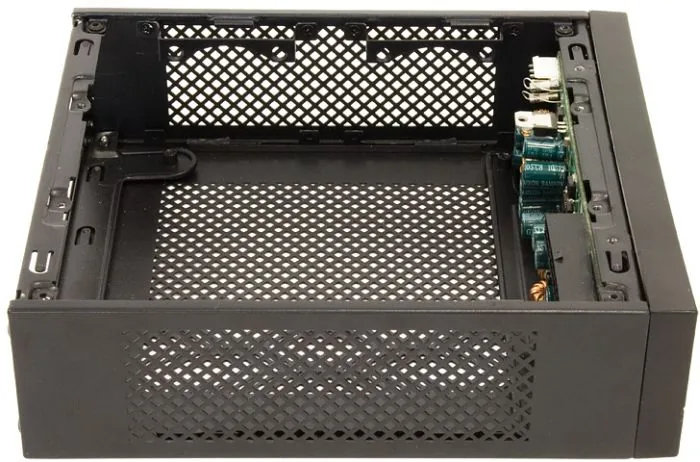
Building a compact computer has never been easier with the Chieftec Compact IX-01B chassis. This guide helps you navigate the installation process seamlessly. Whether you are a novice or an expert, understanding the layout is key. Chieftec is a registered trade mark ensuring quality components for your system.
Installation Overview
Start by opening the chassis carefully to access the interior space. You will need to install the I/O shield and locate the specific DC-DC power cable provided. This cable is often color-coded black and yellow, which simplifies identification during the build significantly. Arena Electronic GmbH is the manufacturer supporting this device with professional standards.
Power Management
The DC-DC board plays a vital role in power distribution management for the entire system. Screw it securely on each side of the chassis interior space carefully. Connect the 4-pin DC-DC power cable to this board immediately. Grounding is essential, so link the DC-DC grounding cable with the mainboard screw point. Finally, connect the 24-pin power cable to both the mainboard and the DC-DC board. Ensure a tight connection for stability.
Storage Solutions
Mounting your 2.5-inch HDD is straightforward but requires care and attention to detail. Fix it with four screws first before proceeding. Connect the SATA power and data cables carefully to the drive. Then, mount the HDD holder as shown in the manual pages. Close and screw the chassis securely to finalize the assembly. You are done and ready to power up.
Final Thoughts
This manual ensures your build follows safety standards effectively and efficiently. Chieftec Compact IX-01B Manual is your best resource for setup instructions. Enjoy your new mini ITX experience with confidence. Trust the process and have fun with your new build project. In this case you can trust the quality standards provided by the team. All other brands and logos are property of the respective owners. Email [email protected] for support inquiries. The company is located in Ratingen, Germany. This ensures local support availability for customers within the European region.
Search for 67,706 Manuals online


Type-in Brand or Model