
Chieftec Chieftronic M1 Manual
PDF manual · 10 Pages
English



Quick check
Incorrect answer, please try again.
Chat with your Chieftec Chieftronic M1 manual using AI
Get instant AI answers from your Chieftec Chieftronic M1 manual
Ask anything about the Chieftec Chieftronic M1. Answers come from this manual, with the pages they are based on.
Ask a Question
Do you recommend Chieftronic M1?
Yes NoFrequently Asked Questions
The chassis supports Mini ITX and Micro ATX motherboards, making it suitable for compact builds.
Is this answer helpful?
Yes, the included remote control and DF-908 hub allow you to adjust RGB modes without software.
Is this answer helpful?
No, an ATX power supply is optional and must be purchased separately for this model.
Is this answer helpful?
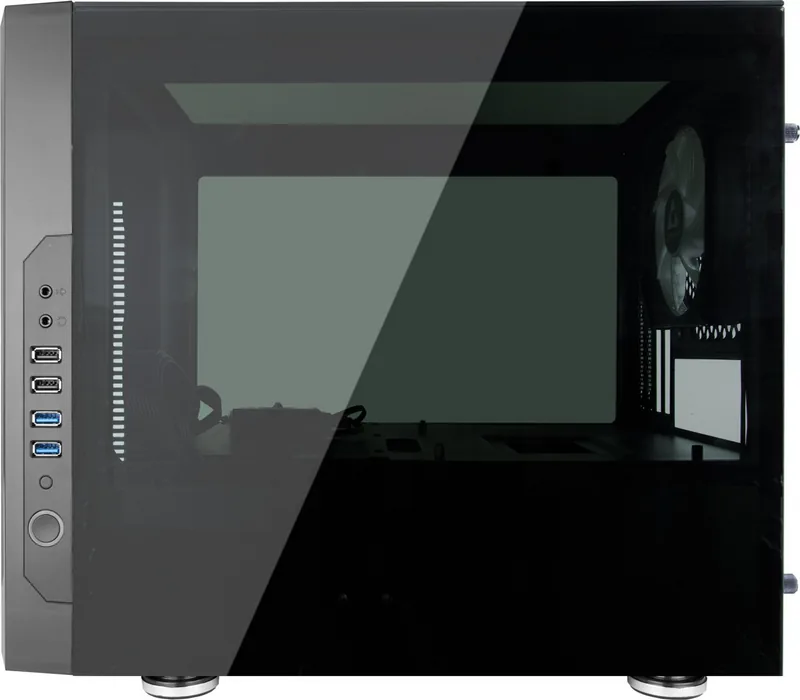
There are two USB 3.0 ports and two USB 2.0 ports available on the front I/O panel.
Is this answer helpful?
You can install 120mm or 140mm fans, or a 280mm radiator for liquid cooling solutions.
Is this answer helpful?
Advantages and Disadvantages
Advantages

- Includes DF-908 hub for RGB and fan control convenience.
- Pre-installed 120mm RGB fan provides immediate cooling solution.
- Compatible with major motherboard RGB sync technologies.
- Supports various fan sizes and radiator up to 280mm.
- Includes remote control for manual lighting adjustments.
Disadvantages

- ATX power supply is not included in the package.
- Drive bay limits may restrict large storage expansion plans.
- Form factor requires Mini ITX or Micro ATX motherboard
- No water cooling pump included with radiator support.
- Cable management may require extra patience for tight fit
Product Specification
External
N/A
Internal
2x 2.5"/3.5", 2x 2.5"
Connectors
2x USB-A 3.0 (5Gb/s), 2x USB-A 2.0 (480Mb/s), 1x 3.5mm Jack (Line-Out), 1x 3.5mm Jack (Line-In)
PCI Slots
4
Fan (front)
2x 5.51 inches (optional)
Fan (rear)
1x 4.72 inches (RGB illuminated)
Fan (left)
N/A
Fan (right)
N/A
Fan (top)
N/A
Fan (bottom)
N/A
Fan (other)
N/A
Radiator Sizes
4.72/5.51/9.45/11.02 inches front
Motherboard
up to uATX
Supported Motherboards
Mini-ITX (6.7"x6.7")/uATX (9.6"x9.6")
Power Supply
ATX (max. 7.09 inches deep)
Power Supply Position
bottom
CPU Cooler
max. 7.09 inches height
Graphics Cards
max. 12.60 inches
Color
black, inside black
Lighting
RGB Header 3-Pin ARGB (+5V/DATA/GND), integrated LED controller (DF-908), integrated RGB LED lighting, illuminated fans
Dimensions (WxHxD)
10.63x13.58x15.75 inches
Volume
2273.74 in3
Weight
16.47 lbs
Chassis Type
Mini-Tower
Front
closed, side vents
Top
closed, glass
Bottom
partially closed, fan grille at rear, dust filter outside
Left
closed, glass
Right
closed, glass
Rear
partially closed, fan grille left top, PCI Slots (4x vertical), 2x tubing/pipe fittings right top
Front I/O Position
Chassis side: right, Height: middle, Position: Front
Motherboard Orientation
Motherboard Orientation: up; Connectors: rear connectors
Features
inc. fan controller, remote control, cable management, dust filter, glass viewing window
USB Arrangement
Left
Product Description
Unlocking Gaming Performance with the Chieftec Chieftronic M1
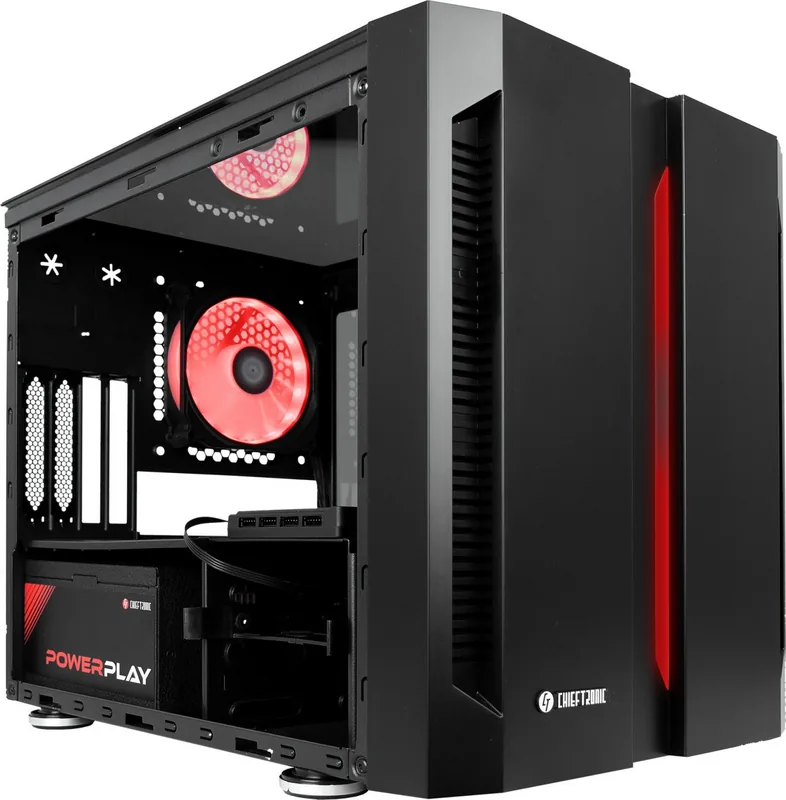
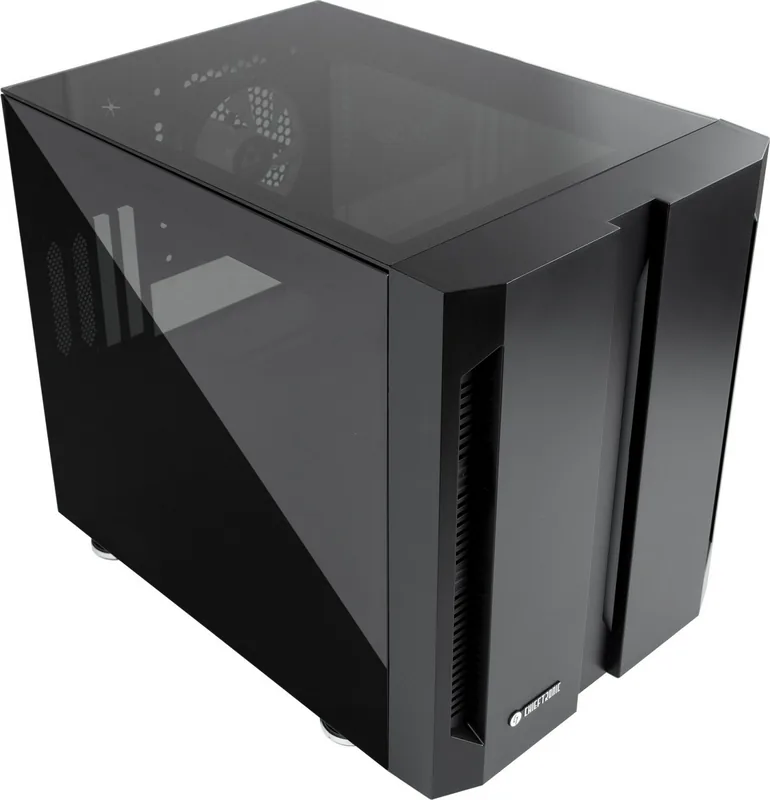
Building a custom PC is an exciting journey for enthusiasts seeking performance and style. The Chieftec Chieftronic M1 offers a compelling solution for gamers. This compact case supports Mini ITX and Micro ATX motherboards efficiently. Its sleek design features a Glass Window for an excellent view of components. It is a perfect centerpiece for modern gaming setups. Attention to detail ensures builders can access necessary ports with ease during assembly.
Cooling and Storage Options
Cooling is a major priority for system builders. The M1 provides versatile fan mounting options for different thermal requirements. Users can install 120mm or 140mm fans, or a 280mm radiator for liquid cooling. A 120mm fan is pre-installed at the rear for airflow. This flexibility allows optimization for specific processor and graphics card needs. Storage supports two 3.5-inch drives alongside two 2.5-inch drives, or four 2.5-inch drives. This supports various storage configurations for gaming.
RGB Customization and Control
Lighting customization shines here. It includes a DF-908 multifunction hub for RGB effects and fan speeds. This hub connects to the +5V addressable RGB header, ensuring compatibility with major brands like ASUS AURA and MSI Mystic Light Sync. If you prefer not to rely on motherboard software, the included remote control provides full independence. You can select from dynamic lighting modes and static lighting modes via the interface. The remote has buttons to adjust fan speeds in three distinct steps.
Assembly and Features
The included Chieftec Chieftronic M1 Glass Window Manual offers helpful insights for assembly. Front I/O connectivity is convenient with two USB 3.0 ports and two USB 2.0 ports at the top. Audio jacks and power controls are integrated into the front panel. The packaging includes essential accessories such as a screw set, a SATA power connector, and a removable dust filter located at the bottom. This attention to detail ensures a smooth building process.
Remote Operation and Durability
The remote control unit features fourteen distinct buttons designed for easy operation. These controls allow users to pause lighting effects or switch between white and RGB color schemes instantly. Blue, red, and green constant lighting modes are accessible with a single press. The MCU board switches between light effect modes and motherboard modes seamlessly. This level of control empowers users to change the atmosphere without entering BIOS.
Durability is another selling point. The case maintains structural integrity while keeping weight low. The ATX power supply is optional, allowing for a smaller footprint. Cable management is aided by the screw set. Overall, this chassis strikes a balance between aesthetics, functionality, and price. For anyone seeking a reliable foundation for a gaming PC, this stands out.
Search for 67,706 Manuals online


Type-in Brand or Model
Markus Schmidt
5 months ago
Is the airflow sufficient for a high-end build, and what is the maximum power supply depth supported by this case?
Manual.ly
5 months ago
We appreciate the question. Airflow is somewhat restricted by the glass panels, and several users recommended removing front filters or modifying the case for better ventilation. The power supply compartment accommodates units up to 16cm in depth. Rear mounting is not possible. Please confirm your hardware dimensions match these limits before installation to avoid issues.