
Chieftec Chieftronic G1 Manual
PDF manual · 10 Pages
English



Quick check
Incorrect answer, please try again.
Chat with your Chieftec Chieftronic G1 manual using AI
Get instant AI answers from your Chieftec Chieftronic G1 manual
Ask anything about the Chieftec Chieftronic G1. Answers come from this manual, with the pages they are based on.
Ask a Question
Do you recommend Chieftronic G1?
Yes NoFrequently Asked Questions
It supports Mini ITX, micro-ATX, and ATX motherboards. That gives builders flexibility to choose a smaller layout or a larger board with more expansion options.
Is this answer helpful?
The case supports two 120 mm or two 140 mm fans in front, three 120 mm fans on the bottom, and one 120 mm fan at the rear. The rear fan is already installed.
Is this answer helpful?
Yes. It comes with one 120 mm RGB fan, two RGB LED strips, a remote control, and the DF-908 multifunction hub for lighting and fan control.
Is this answer helpful?
Yes. The DF-908 hub supports +5V addressable RGB motherboard headers and works with common platforms such as ASUS AURA, ASRock RGB Sync, Gigabyte RGB Fusion, and MSI Mystic Light Sync.
Is this answer helpful?
It supports either two 3.5-inch drives and four 2.5-inch drives, or one 3.5-inch drive and five 2.5-inch drives. This makes it flexible for mixed SSD and HDD builds.
Is this answer helpful?
No, the ATX power supply is optional. You will need to choose and install a compatible PSU separately when building the system.
Is this answer helpful?
Advantages and Disadvantages
Advantages

- Supports Mini ITX, micro-ATX, and ATX builds for broad compatibility.
- Includes RGB fan, LED strips, remote, and a multifunction hub.
- Flexible fan mounting options help improve airflow around powerful parts.
- Glass window design makes the build look premium and easier to display.
Disadvantages

- ATX power supply is not included and must be purchased separately.
- Only the rear fan is preinstalled, so extra cooling may need to be added.
- RGB control can feel complex if you do not want to use a hub or sync software.
- Best visual results depend on careful cable management and component placement.
Product Specification
External
N/A
Internal
1x 2.5"/3.5" (HDD cage), 1x 3.5" (HDD cage), 4x 2.5"
Ports
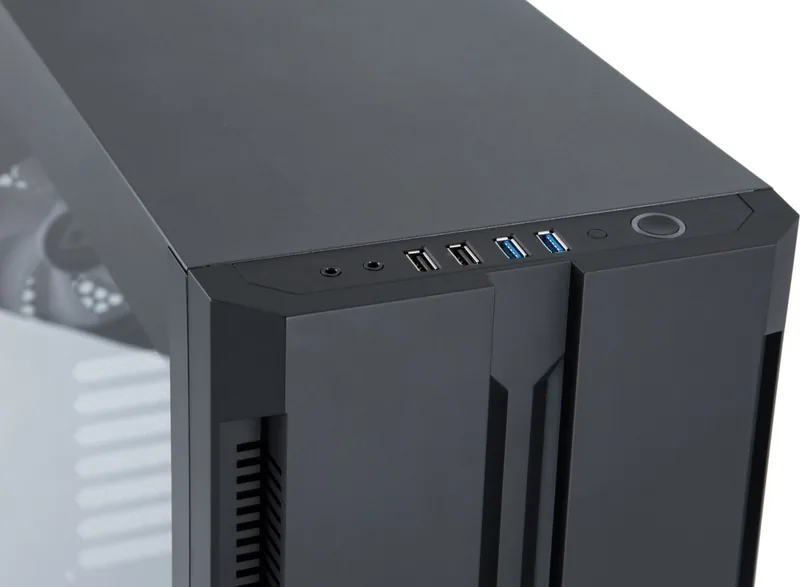
2x USB-A 3.0 (5Gb/s), 2x USB-A 2.0 (480Mb/s), 1x 0.14in jack (Line-Out), 1x 0.14in jack (Line-In)
PCI slots
7
Fan (front)
2x 5.51in (optional)
Fan (rear)
1x 4.72in (RGB illuminated)
Fan (left)
N/A
Fan (right)
N/A
Fan (top)
N/A
Fan (bottom)
3x 4.72in (optional)
Fan (other)
N/A
Radiator sizes
4.72/5.51/9.45/11.02in front, 4.72/9.45/14.17in bottom
Motherboard
up to ATX
Supported motherboards
ATX (12"x9.6")
Power supply
ATX (max. 7.87 in deep)
Power supply position
top
CPU cooler
max. 6.30 in height
Graphics cards
max. 15.75 in
Color
black, interior black
Lighting
RGB-Header 3-Pin ARGB (+5V/DATA/GND), integrated LED control, integrated RGB LED lighting, illuminated fans
Dimensions (WxHxD)
8.27x18.74x19.76in
Volume
1.77 cu ft
Weight
17.64 lb
Case type
Midi-Tower
Front
closed, ventilation slots on the side
Top
closed
Bottom
partially closed, mostly fan grille, dust filter outside
Left
closed, glass
Right
closed
Rear
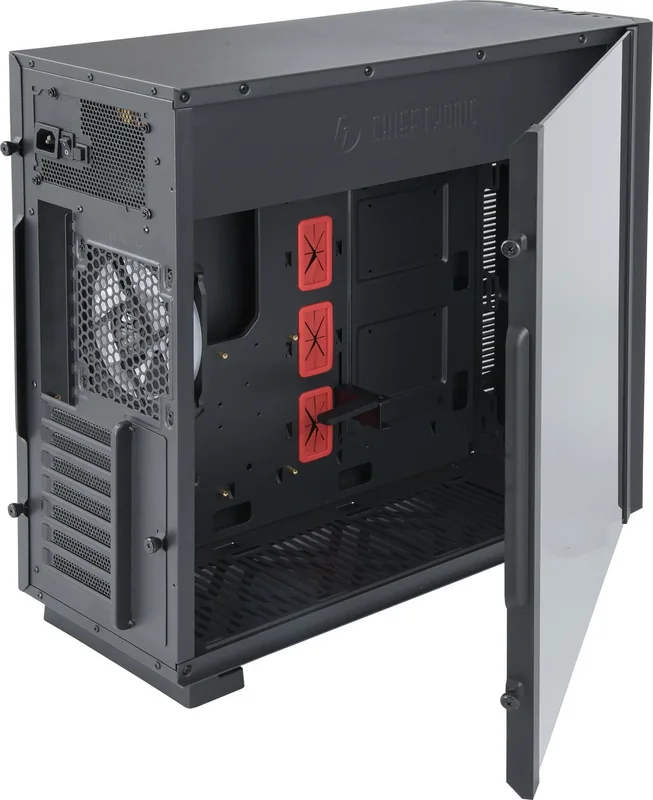
partially closed, fan grille right in the middle, PCI slots at the bottom (7x horizontal)
Front I/O Position
Case side: top, Height: Front, Position: middle
Special features
incl. fan control, remote control, cable management, dust filter, graphics card holder, glass side panel
Note
Bottom radiator only in conjunction with µATX motherboard.
USB notation
Link
Product Description
Chieftec Chieftronic G1 Glass Window: Style, Airflow, and RGB Flexibility
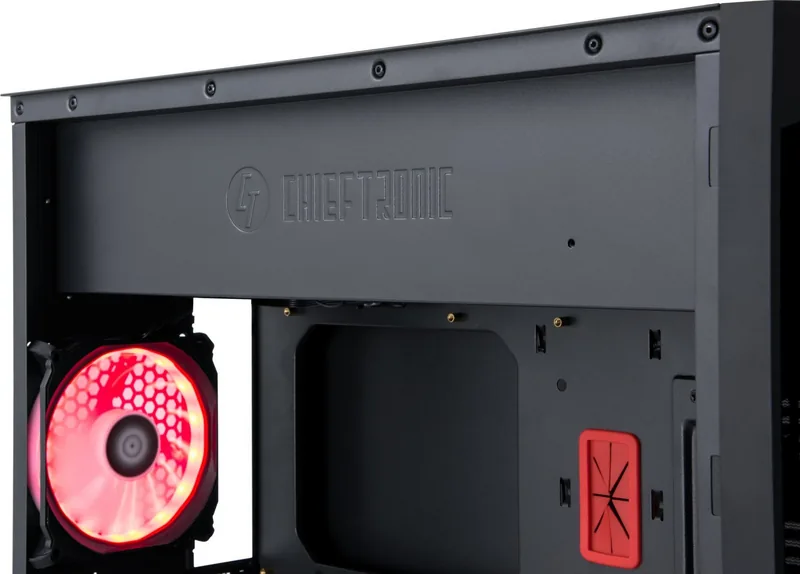
The Chieftec Chieftronic G1 Glass Window is a case that aims to combine a clean gaming look with practical interior space. It supports Mini ITX, micro-ATX, and ATX boards, so it can serve as the base for a compact everyday machine or a larger performance build. The glass side panel adds a premium feel, making it easier to show off components, lighting, and cable work inside the chassis.
Built for adaptable cooling
Airflow is one of the strongest points of this design. The front area can accept two 120 mm or two 140 mm fans, while the bottom section offers room for up to three 120 mm fans. A 120 mm rear fan comes preinstalled, which helps builders get started quickly. This layout gives users several ways to shape airflow around a hot graphics card or a modern multi-core processor. The removable dust filter at the bottom also helps keep the interior cleaner with less effort.
Storage and everyday usability
The G1 also offers practical drive support. Depending on the setup, it can handle either two 3.5-inch drives and four 2.5-inch drives, or one 3.5-inch drive and five 2.5-inch drives. That makes it flexible enough for mixed storage builds, whether the goal is fast SSDs, larger archival drives, or a combination of both. The front panel keeps everyday connections close, including USB 3.0, USB 2.0, microphone input, audio output, power, and reset controls.
RGB features that stand out
For users who enjoy lighting effects, the package is especially appealing. It includes a 120 mm RGB fan, two RGB LED strips, a remote control, and the DF-908 multifunction hub. The hub supports addressable 5V motherboard sync and works with popular lighting ecosystems such as ASUS AURA, ASRock RGB Sync, Gigabyte RGB Fusion, and MSI Mystic Light Sync. It also provides fan connections and lets users manage lighting modes and speed directly.
The Chieftec Chieftronic G1 Glass window Manual highlights a system that is easy to personalize without making the build feel complicated. The remote offers convenient control over lighting effects and fan speed, so users can switch modes even when they do not want to rely on motherboard software.
Notes
- The ATX power supply is optional, so it must be selected separately.
- The included RGB hub is useful for both synchronized and standalone control.
- This case is a good fit for builders who want a showcase look with flexible hardware support.
- Cooling and storage choices should be planned before assembly to get the best layout.
Search for 67,706 Manuals online


Type-in Brand or Model