
Canton Smart Sub 12 Manual
PDF manual · 28 Pages
English



Quick check
Incorrect answer, please try again.
Chat with your Canton Smart Sub 12 manual using AI
Get instant AI answers from your Canton Smart Sub 12 manual
Ask anything about the Canton Smart Sub 12. Answers come from this manual, with the pages they are based on.
Ask a Question
Do you recommend Smart Sub 12?
Yes NoFrequently Asked Questions
Turn on the soundbar and open its menu using the remote. Navigate to Wireless Setup (WIS) → Wireless Pairing (WSP), select SUB, confirm pairing, then plug the Smart Sub 12 into the mains. The status should change to Connected (CON) within 10–20 seconds.
Is this answer helpful?
The input selector offers WIRELESS [POWER AUTO] for automatic wireless operation, WIRED [POWER ON] for permanent on-state with RCA connection, and WIRED [POWER AUTO] for RCA connection with automatic standby/wake behavior synced to the master device.
Is this answer helpful?
Yes. In Smart Wired mode you can transmit audio via cable while retaining wireless control (on/standby, volume, etc.) from a compatible Canton smart soundbar or sounddeck by setting the speaker to wired mode and the sub to WIRED [POWER AUTO].
Is this answer helpful?
The sub accepts 100–120 V or 220–240 V at 50/60 Hz, standby power <0.5 W and max 200 W. Operate only indoors between 5 °C and 35 °C, avoid moisture, strong temperature swings and direct sunlight, and keep at least 5 cm clearance around the unit.
Is this answer helpful?
A green LED indicates normal operation (connected and active). If the paired wireless master is switched off, the sub’s LED turns red. LED feedback also helps during pairing and troubleshooting.
Is this answer helpful?
Active devices like the Smart Sub 12 typically have a 2-year guarantee from Canton. Keep the original packaging and proof of purchase for warranty claims; follow the manual’s guidance to avoid exclusions such as improper use or transport damage.
Is this answer helpful?
Yes. Place the sub on a level surface away from water and heat sources, do not place it on elevated ledges or stairs, avoid magnetic-sensitive items near the unit, and allow qualified service for repairs. Do not open the housing to prevent electric shock.
Is this answer helpful?
Advantages and Disadvantages
Advantages

- Reliable 5.8 GHz wireless link for low-latency, loss-free subwoofer pairing
- Flexible input modes: wireless, wired with auto or permanent power options
- Compact footprint with robust build: 38 × 45.5 × 38 cm and 22.2 kg
- Low standby power consumption (<0.5 W) and multi-range power supply
- Straightforward pairing process with LED status feedback (10–20s connect)
Disadvantages

- Indoor use only; not suitable for outdoor or high-humidity environments
- Requires Canton smart master device for wireless pairing and full control
- Heavier than many compact subs (22.2 kg), may complicate placement
- No user-serviceable internal parts—repairs require qualified service
- Limited analogue input level (max. 2.0 V RMS) may need level adjustment
Product Specification
Woofer
1x 12"
Amplification
active
Design
Downfire
Enclosure Principle
closed
Frequency Range
25Hz-150Hz
Power
220W RMS
Features
Wireless digital
Dimensions (WxHxD)
14.96x17.72x15.75in
Weight
49.38 lb
Product Description
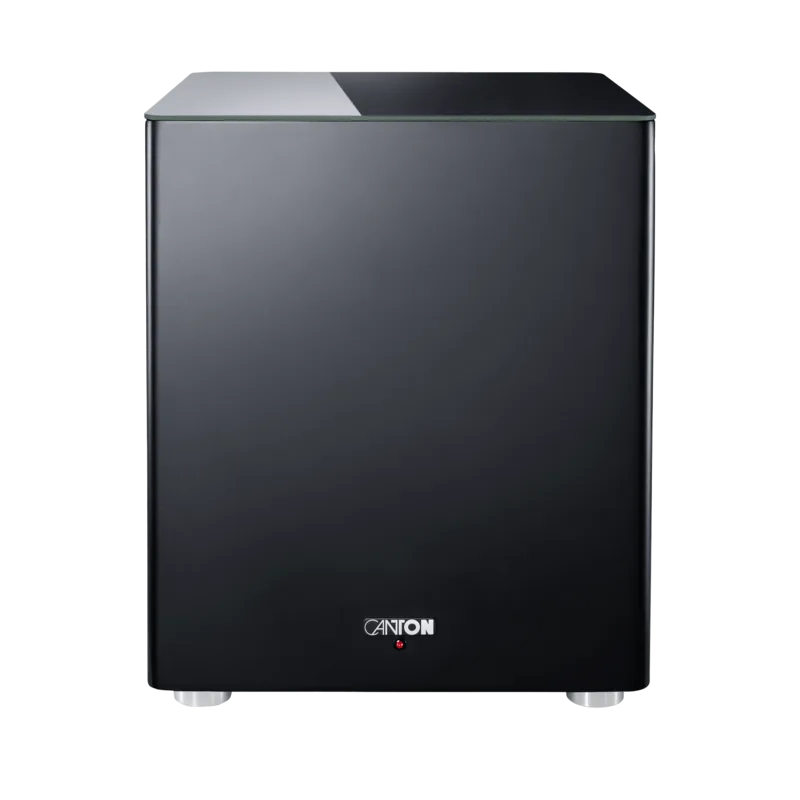
Canton Smart Sub 12 — Powerful, Smart Bass for Home Audio
The Canton Smart Sub 12 is a closed, active subwoofer designed to deliver deep, controlled bass for modern home audio systems. Equipped with a 5.8 GHz wireless link and an analogue SUB IN, it offers flexible connection options for smart soundbars, sounddecks, soundboxes and multi-speaker setups. Compact yet substantial (38 × 45.5 × 38 cm, 22.2 kg), the Smart Sub 12 pairs robust hardware with user-friendly setup routines to integrate seamlessly into living-room systems.
Key features and usage
The Smart Sub 12 supports both wireless and wired operation. Wireless pairing uses a high-end 5.8 GHz transmission for low-latency, loss-free audio between the subwoofer and Canton smart speakers. In wired mode you can connect via RCA to maintain a direct audio feed while optionally retaining wireless control from a smart soundbar or deck (Smart Wired). The input selector offers three modes: WIRELESS [POWER AUTO], WIRED [POWER ON] and WIRED [POWER AUTO], allowing automatic sleep/wake behavior or permanent on-state as needed.
Setup is straightforward: place the subwoofer indoors on a level surface, connect power, choose the input mode, and follow the speaker’s pairing menu to register the SUB channel. Pairing typically completes within 10–20 seconds after powering the sub. LEDs indicate status: green for normal operation and red when the paired master is off.
Design and safety
Built for indoor use, the Smart Sub 12 includes a multi-range switching power supply and complies with relevant EU directives (radio equipment, low voltage, RoHS, WEEE, ecodesign). Canton provides clear safety guidance: keep the unit dry, allow at least 5 cm clearance, avoid heat sources and strong sunlight, and do not open the housing. The manual covers unpacking, placement, terminal descriptions, and environmental/disposal instructions.
Performance and specs
The sub runs on 100–120 V or 220–240 V at 50/60 Hz, consumes under 0.5 W in standby and up to 200 W maximum. The analogue input accepts up to 2.0 V (RMS). Operating temperatures range from 5 °C to 35 °C. The heft and cabinet design ensure solid low-frequency reproduction suited for music and home cinema.
Notes
- Maintain at least 5 cm clearance around the unit and avoid placing on elevated ledges or near stairs.
- Use the original packaging for warranty claims and keep the manual for pairing and safety instructions.
- The device contains permanent magnets; keep magnetically sensitive items away.
Search for 67,706 Manuals online


Type-in Brand or Model