
Brydge 10.2 Manual
PDF manual · 8 Pages
English



Quick check
Incorrect answer, please try again.
Chat with your Brydge 10.2 manual using AI
Get instant AI answers from your Brydge 10.2 manual
Ask anything about the Brydge 10.2. Answers come from this manual, with the pages they are based on.
Ask a Question
Do you recommend 10.2?
Yes NoFrequently Asked Questions
Yes, you must remove any non-Brydge screen protectors before attaching the keyboard. This ensures a perfect fit and prevents unnecessary pressure on your iPad screen when inserted into the hinges.
Is this answer helpful?
Press and hold the battery key until the LED flashes three times. The color indicates the level. If the battery is below 15 percent, the backlight will turn off to conserve power.
Is this answer helpful?
When you close both devices like a laptop, the Brydge automatically enters sleep mode to save battery. Press any key to wake it up immediately.
Is this answer helpful?
No, all Brydge warranties are non-transferable. They are only available to the original end-user who purchased the product from an authorized vendor.
Is this answer helpful?
A full charge can take up to three hours. A solid red LED indicates it is charging, and the light turns off when fully charged.
Is this answer helpful?
This keyboard dock is specifically designed for the Apple iPad 10.2-inch model from 2019, also known as the 7th generation iPad.
Is this answer helpful?
Advantages and Disadvantages
Advantages

- Secure hinge design prevents screen damage when properly installed
- Full-sized QWERTY layout with integrated trackpad enhances productivity
- Intelligent sleep mode saves battery life during inactivity
- LED indicators provide clear feedback on battery and connection status
- One-year limited warranty covers hardware defects for original buyers
Disadvantages

- Requires removal of existing third-party screen protectors for proper fit
- Charging time can take up to three hours for a full cycle
- Backlighting disables automatically if battery drops below 15 percent
- Warranty is non-transferable and void if bought from unauthorized sellers
- Specific compatibility limited to the 2019 10.2-inch iPad model only
Product Specification
Layout
US
Compatibility
Apple iPad 10.2 (9th Gen / 2021), Apple iPad 10.2 (8th Gen / 2020), Apple iPad 10.2 (7th Gen / 2019)
Type
Bluetooth Keyboard and Case
Material
Aluminum
Dimensions
9.76x6.77x0.27 in
Weight
1.15 lbs
Features
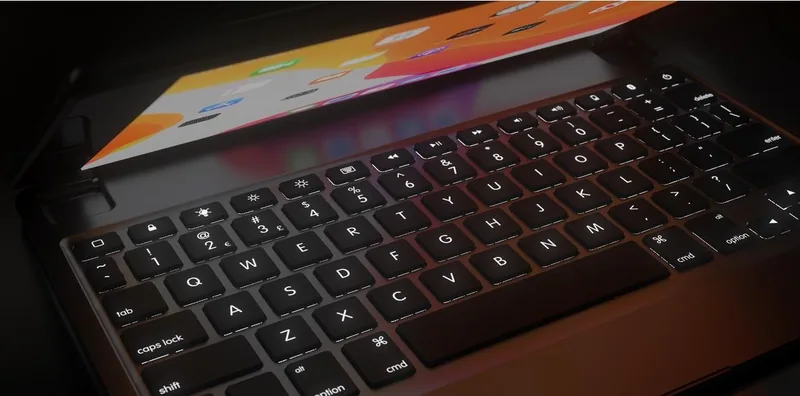
Stand function, built-in battery, Chiclet layout, backlit keyboard (US)
Manufacturer Warranty
One year
Product Description
Elevate Your iPad Experience with the Brydge 10.2 Keyboard Dock
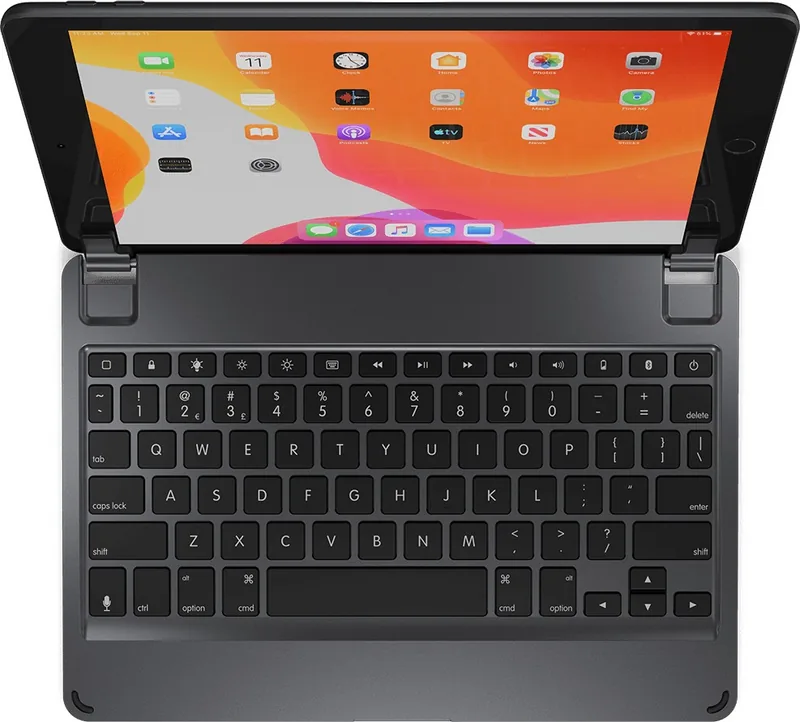
The Brydge 10.2 Keyboard Dock for Apple iPad 10.2 from 2019 transforms your tablet into a versatile laptop alternative. Designed in sleek Space Gray, this accessory offers a premium typing experience that seamlessly integrates with your workflow. Whether you are drafting documents, coding, or managing emails, the full-sized keyboard and trackpad provide the efficiency you need without sacrificing portability.
Installation is straightforward and secure. The device features robust hinges that rotate to 90 degrees, allowing you to insert your iPad firmly while protecting the screen. A critical step for optimal performance is removing any non-Brydge screen protectors before attachment to ensure a perfect fit and prevent pressure on the display. Once installed, the Bluetooth connection pairs instantly, enabling you to switch between apps effortlessly using intuitive shortcuts like Command + Tab or Option + D for the Dock.
Power management is intelligent and user-friendly. The keyboard automatically enters sleep mode after 20 minutes of inactivity or when closed like a traditional laptop. You can easily check battery levels via LED indicators, which also signal charging status. A full charge takes approximately three hours, ensuring long-lasting productivity throughout your day. Even at low battery levels below 15%, the system conserves power by disabling backlighting while maintaining core functionality.
This dock comes with a one-year limited hardware warranty for the original end-user, covering defects under normal use. It is compatible specifically with the iPad 7th generation (10.2-inch model) released in 2019. For support or warranty claims, users can visit the official Brydge website with proof of purchase. This product represents a significant upgrade for iPad owners seeking a desktop-like environment on the go.
Important Usage Notes
- Always remove third-party screen protectors before installation.
- Ensure the iPad home button faces right during insertion.
- Use only authorized vendors for warranty validity.
- Charge fully before first use for best battery calibration.
Search for 67,732 Manuals online


Type-in Brand or Model