
Bresser WiFi Comfort Weather Center 7in1 Manual
PDF manual · 64 Pages
English



Quick check
Incorrect answer, please try again.
Chat with your Bresser WiFi Comfort Weather Center 7in1 manual using AI
Get instant AI answers from your Bresser WiFi Comfort Weather Center 7in1 manual
Ask anything about the Bresser WiFi Comfort Weather Center 7in1. Answers come from this manual, with the pages they are based on.
WiFi Comfort Weather Center 7in1 Maintenance Schedule
When the low battery icon is displayed on the console for outdoor or channel sensors, replace with a new set of recommended batteries.
Remove screws to access shields. Clean dirt/insects from sensor and fan (do not wet internals). Wash shields with water and reinstall only when fully dry.
Rotate collector 30 degrees counter-clockwise to remove. Clean out debris or insects. Reinstall only when clean and fully dried.
Gently clean the UV sensor cover lens with a damp micro-fiber cloth to ensure precise measurement.
Ask a Question
Do you recommend WiFi Comfort Weather Center 7in1?
Yes NoFrequently Asked Questions
Press the SENSOR/WIFI key on the console to enter sync mode, then press reset on the sensor to pair them together. The console will register up to seven additional thermo-hygro sensors.
Is this answer helpful?
Yes, the console connects via WiFi to services like Weather Underground, Weathercloud, and AWEKAS for automated data sharing and public viewing of your local weather station.
Is this answer helpful?
The wireless 7-in-1 sensor uses three AA size 1.5V batteries, with lithium batteries recommended for low temperature operation. Backup AAA batteries are needed for the console.
Is this answer helpful?
The device sends data at a low power radio frequency from up to 150 meters or 450 feet away in line of sight to the console.
Is this answer helpful?
Calibration is generally not required except for Relative Pressure, which must be calibrated to sea-level to account for altitude effects on measurements.
Is this answer helpful?
Yes, you can set alerts for outdoor temperature highs and lows, humidity levels, wind speed, pressure drops, and rain rates via the alert setting menu.
Is this answer helpful?
Connect the console to WiFi and access the web interface from a PC browser to download and upload the latest firmware version for improved functionality.
Is this answer helpful?
Advantages and Disadvantages
Advantages

- Comprehensive 7-in-1 sensor measures multiple weather variables accurately
- Wireless data transmission eliminates complex wiring requirements for installation
- Cloud connectivity allows sharing data with popular online weather platforms
- Vibrant LCD display shows history trends and current readings clearly
- Alarm functions notify users of extreme temperatures or precipitation events
Disadvantages

- Console unit requires constant external power source for operation
- Outdoor sensor must face north for optimal wind direction accuracy
- Initial setup involves creating accounts on third-party cloud services
Product Specification
Type
digital
Temperature
Indoor and Outdoor
Humidity
Indoor and Outdoor
Weather Forecast
Symbols
Forecasting Technology
Internet
Other Displays
Time, Date, Day of Week, Moon Phases, Rain Amount, Wind Speed, Wind Direction, stored min./max. Temperature, stored min./max. Humidity, stored min./max. Values
Alarms
programmable weather warnings (temperature, frost), programmable temperature alarm, wake-up time, snooze function
Connectable Outdoor Sensors
up to 7 (Range max. 492.13 ft)
Outdoor Temperature Range
-40°F to +140°F
Placement
Tabletop unit, wall mounting possible
Power Supply
3x AA batteries, Mains power
Color
black
Package Contents
1 outdoor sensor, wind sensor, rain sensor
Product Description
Welcome to Precision Weather Tracking with the Bresser WLAN Comfort 7in1 Professional Weather Forecast Center Digital Gray
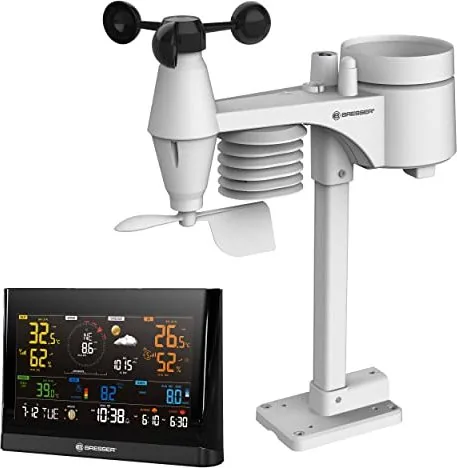
Homeowners often seek reliable ways to track local climate conditions. The Bresser WLAN Comfort 7in1 Professional Weather Forecast Center Digital Gray offers a robust solution for personal meteorology right in your backyard. This system combines precise outdoor sensing with smart digital connectivity to deliver comprehensive data at your fingertips. Unlike basic thermometer setups, this device provides a detailed overview of atmospheric changes affecting your immediate environment. Understanding weather patterns requires equipment beyond simple temperature checks.
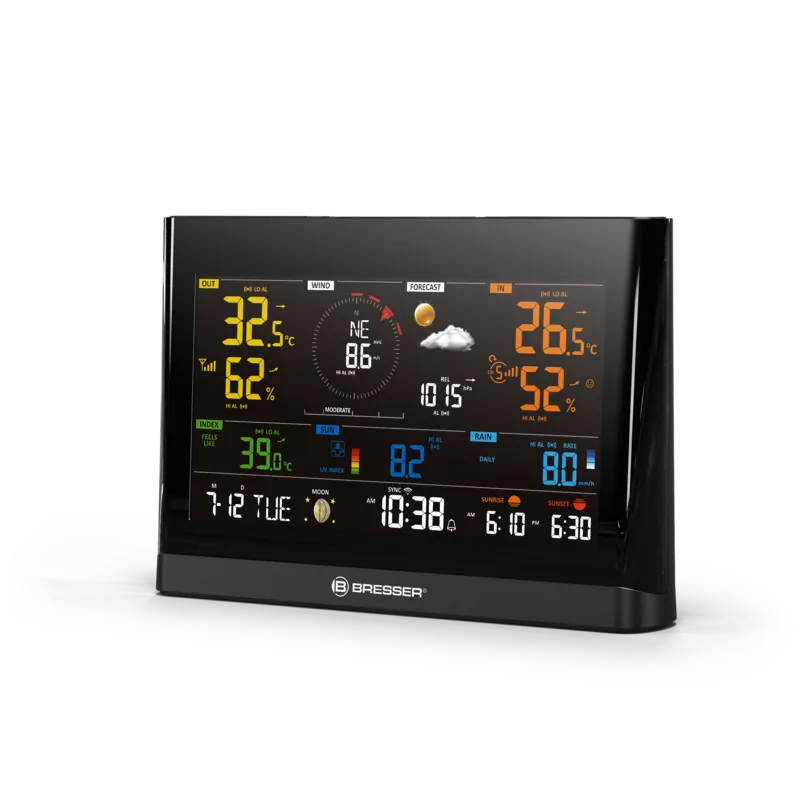
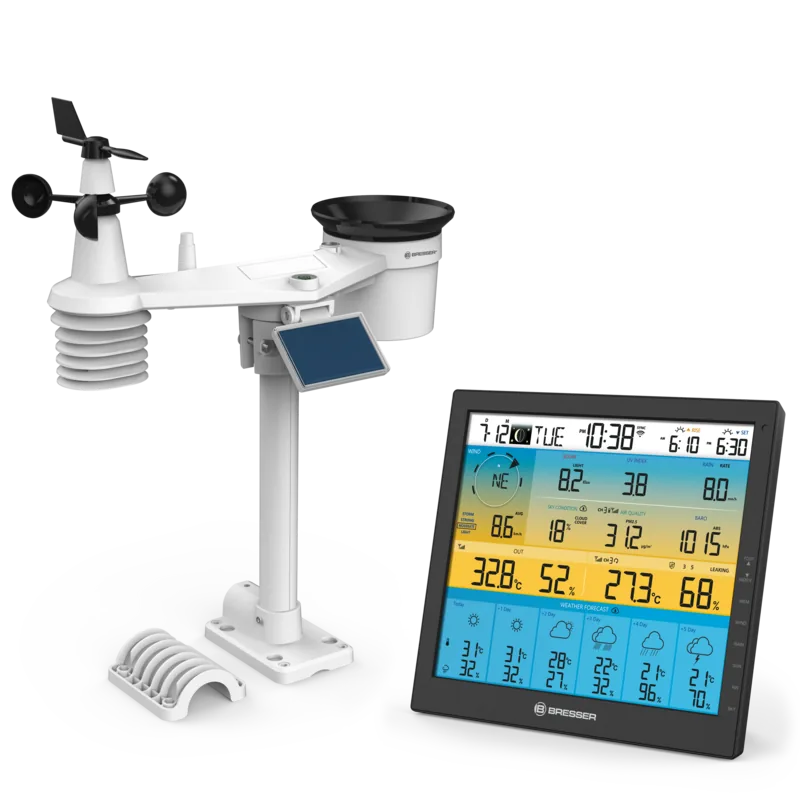
The heart of this system lies in the wireless 7-in-1 sensor unit installed outside. It captures critical parameters including wind speed and direction, rainfall accumulation, ultraviolet levels, light intensity, temperature, and humidity. By transmitting this information wirelessly to the central console, users receive real-time updates without complex wiring installations. The console features a vibrant color LCD display capable of showing historical data trends alongside current readings. You can monitor maximum and minimum values recorded over the past twenty-four hours to understand daily variations effectively.
Connectivity is where this weather station truly shines. Through a standard home WiFi router, the console syncs automatically with popular online weather services. This allows you to share your data globally or access enhanced forecasting capabilities via web interfaces. The setup process involves creating accounts on these platforms and entering specific station identifiers provided by the device. Once configured, your private weather station becomes part of a global network of observers contributing valuable localized information to science communities worldwide.
Practical features abound within the console design. Users can set alarms for temperature thresholds or precipitation events directly on the device. The backlight adjusts automatically based on ambient light conditions, ensuring visibility day or night. Calibration options are available through a web interface to maintain long-term accuracy across different pressure ranges. Whether tracking storm severity or monitoring garden soil moisture with optional add-on sensors, this versatile hub handles various needs efficiently. Maintenance tasks remain straightforward with clear indicators for low battery power alerts on all components involved in the collection cycle.
Maintaining precision requires adhering to mounting guidelines. The outdoor sensor should sit at least one meter above ground level in an unobstructed area facing north for optimal wind detection. Regular cleaning ensures rain collectors function correctly without debris blockages interfering with tipping mechanisms. While primarily designed for residential use, its professional-grade sensors appeal to hobbyists seeking data quality comparable to official stations. Integrating accurate local observations helps refine regional weather understanding beyond national averages provided by mainstream news sources.
With support materials derived from the Bresser WLAN Comfort 7in1 Professional Weather Forecast Center Digital Gray Manual, owners can quickly navigate setup hurdles from pairing to firmware management. From battery replacement protocols to internet time synchronization, maintenance is straightforward. Embracing this technology empowers individuals to make informed decisions regarding outdoor activities, clothing choices, or property protection against impending weather systems. It transforms passive observation into active participation in local environmental science today.
Search for 67,706 Manuals online


Type-in Brand or Model