
Bresser WiFi Colour Weather Station 5in1 Manual
PDF manual · 20 Pages
English



Quick check
Incorrect answer, please try again.
Chat with your Bresser WiFi Colour Weather Station 5in1 manual using AI
Get instant AI answers from your Bresser WiFi Colour Weather Station 5in1 manual
Ask anything about the Bresser WiFi Colour Weather Station 5in1. Answers come from this manual, with the pages they are based on.
WiFi Colour Weather Station 5in1 Maintenance Schedule
Always replace weak or empty batteries with a new, complete set of full capacity. Change batteries in main unit and all remote units together to re-establish connection.
Disconnect the device from the power supply by pulling the power plug before starting any work on maintenance and cleaning.
Ask a Question
Do you recommend WiFi Colour Weather Station 5in1?
Yes NoFrequently Asked Questions
Enable Access Point mode on the base station first. Use a smartphone or tablet to find the network named PWS-XXXXXX. Open your browser and enter 192.168.1.1. Follow the settings menu to select your home router and enter the password. The device will then reconnect to your network for live data updates.
Is this answer helpful?
This unit measures wind speed, wind direction, rainfall, indoor temperature, outdoor temperature, humidity both indoors and outdoors, and atmospheric pressure. It also tracks rainfall SINCE a specific time and records maximum and minimum values for historical review.
Is this answer helpful?
Yes, the device supports integration with Weather Underground and weathercloud. You must create an account on their websites first to get a Station ID and Key. Enter these details in the Wi-Fi configuration menu of the base station to enable automatic uploads.
Is this answer helpful?
The remote sensor operates using three 1.5V AA batteries. It also includes a solar panel as an auxiliary power source to extend battery life, but the batteries remain the primary requirement for operation. The base station requires a DC 5V power adapter.
Is this answer helpful?
Yes, the system includes an outdoor temperature alarm that detects frost conditions. When the temperature drops below a set threshold, the base station will trigger an alert. You can adjust this alarm setting directly on the device to suit your local climate risks.
Is this answer helpful?
The RF transmission range is up to 150 meters in ideal conditions. However, building materials can significantly reduce this distance. It is recommended to place the sensor and base station within line of sight or closer to maintain a stable signal connection.
Is this answer helpful?
Advantages and Disadvantages
Advantages

- 5-in-1 sensor measurements for complete tracking
- Wi-Fi internet connectivity for remote access
- Color display with weather trend visuals
- Frost and temperature alarm warnings
- Integration with Weather Underground service
Disadvantages

- Outdoor sensor requires battery replacement
- Wi-Fi setup requires smartphone configuration
- Radio range reduces significantly with walls
- Solar panel is only auxiliary power source
Product Specification
Type
digital
Temperature
indoor and outdoor
Humidity
indoor and outdoor
Weather Forecast
Symbols
Forecast Technology
Internet
Other Displays
Time (radio clock), Date, Day of Week, Moon Phases, Rain Amount, Wind Strength, Wind Direction, Stored min./max. values
Alarms
programmable weather warnings (Temperature, Frost), programmable temperature alarm, Alarm time, Snooze function
Connectable Outdoor Sensors
up to 7
Outdoor Temperature Range
-40 F to +140 F
Installation
Desktop device, Wall mounting possible
Power Supply
3x AA battery, 1x CR2032 button cell
Color
white
Package Contents
1 Multi-outdoor sensor, Stand
Product Description
Welcome to Advanced Home Weather Monitoring
Precision at Your Fingertips
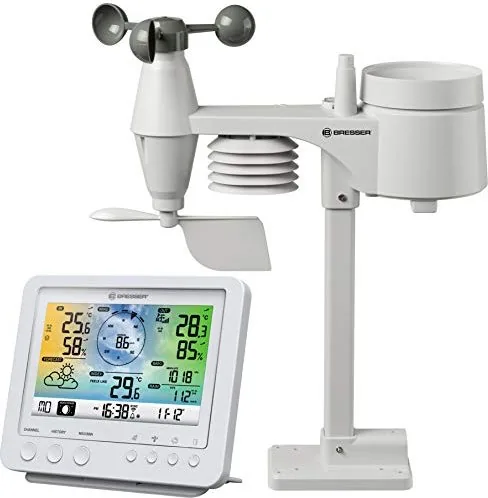
Weather patterns affect daily life significantly. The Bresser WLAN Color Weather Center Pro Sensor 5-in-1 Digital Wireless Weather Station offers an excellent solution for tracking atmospheric changes. This device integrates advanced technology to provide accurate readings for rainfall, wind speed, wind direction, and temperature. It is perfect for enthusiasts who want detailed insights into their local climate. Homeowners and hobbyists alike benefit from having reliable data right in their living room.
Comprehensive Data Tracking
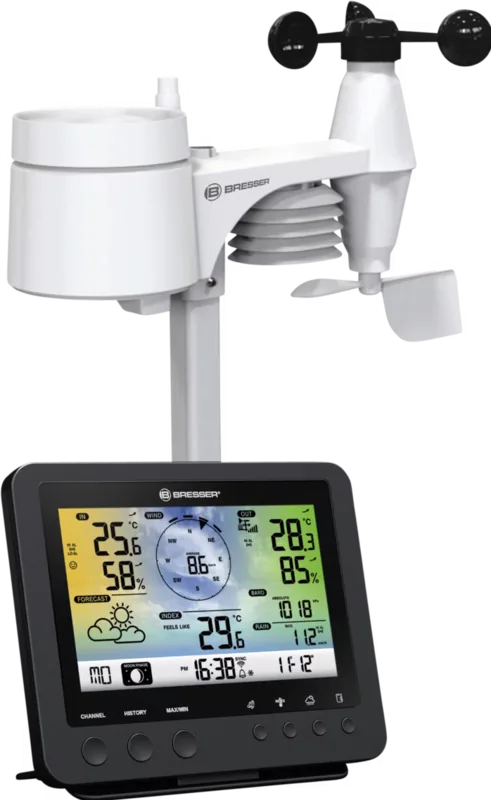
The multi-function outdoor sensor captures essential data points that define local conditions. You can monitor rainfall accumulation with a dedicated rain gauge sensor. Wind metrics include both speed and direction, helping you predict gales or gentle breezes before they happen. Indoor and outdoor temperatures are displayed in Celsius or Fahrenheit depending on your preference. Humidity levels for both locations ensure you manage comfort levels effectively to protect your home.
Seamless Connectivity
One of the standout features is the Wi-Fi capability. You can connect the base station to your home network to access data remotely from anywhere. Integration with services like Weather Underground is available for sharing. This allows you to share your personal data with a global network of weather observers. The device uses Access Point mode for initial setup, making configuration straightforward via smartphone or tablet.
User-Friendly Display
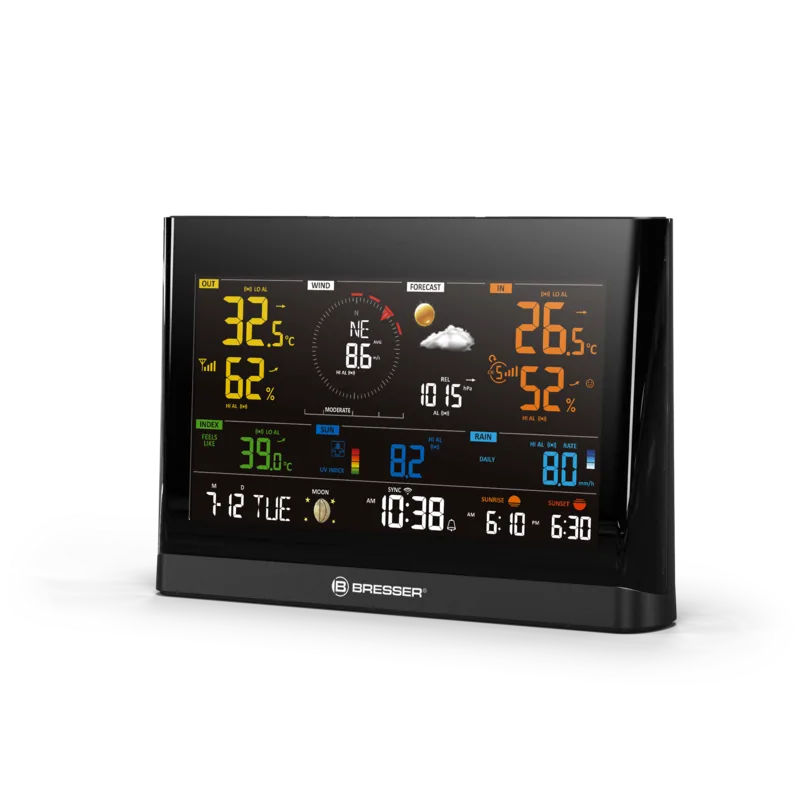
The base station features a vibrant color display that is easy to read. It shows not only current values but also graphical weather trend displays visually. Moon phases and time are synchronized automatically via internet time servers for precision. Security features include frost warnings that can protect your indoor plants or pipes. The backlight ensures visibility in dim environments during evening hours. You can also view historical max and min values.
Installation and Maintenance
Setting up the system requires placing the sensor outdoors and the base station indoors within range. The sensor should be mounted at least 1.5 meters off the ground for accurate wind readings. Batteries power the outdoor unit, while the base station connects to mains power. Safety instructions emphasize keeping batteries away from children and avoiding water exposure to electronics. Regular maintenance ensures reliable performance over many years of usage.
Key Takeaways
This system combines ease of use with robust functionality for every user. Whether you are tracking gardening conditions or simply curious about the weather, this station delivers. The Wi-Fi integration modernizes traditional weather stations significantly for modern families.
Search for 67,706 Manuals online


Type-in Brand or Model