
Bresser Weather Center 5-in-1 Colour Manual
PDF manual · 20 Pages
English



Quick check
Incorrect answer, please try again.
Chat with your Bresser Weather Center 5-in-1 Colour manual using AI
Get instant AI answers from your Bresser Weather Center 5-in-1 Colour manual
Ask anything about the Bresser Weather Center 5-in-1 Colour. Answers come from this manual, with the pages they are based on.
Weather Center 5-in-1 Colour Maintenance Schedule
Always replace weak or empty batteries with a new complete set of full capacity. Remove old batteries from the device if it has not been used for a long time.
Rotate the rain collector 30 degrees anticlockwise to remove it. Clean and remove any debris or insects, then reinstall when fully clean and dried.
Unscrew the two screws at the bottom of the radiation shield and pull it out. Remove dirt or insects from the casing and shield without letting internal sensors get wet.
Ask a Question
Do you recommend Weather Center 5-in-1 Colour?
Yes NoFrequently Asked Questions
The sensor can transmit data wirelessly up to approximately 150 meters in a direct line of sight. Physical obstructions like walls or metal structures may reduce this effective range.
Is this answer helpful?
If the signal is lost, try moving the base station closer to the sensor or removing obstacles. You may need to manually pair them again by holding the SCAN button and pressing RESET on the sensor.
Is this answer helpful?
No, it is recommended to use only the specified battery types (AA for sensor, CR2032 backup) and avoid mixing brands or capacities to prevent malfunction or damage.
Is this answer helpful?
Yes, the base station receives DCF radio signals to automatically set the correct time and date daily at 2:05 AM, provided the signal reception is strong enough.
Is this answer helpful?
Rotate the rain collector 30 degrees counter-clockwise to unlock it, remove it gently, clean debris and insects, then reinsert it securely once dry.
Is this answer helpful?
Yes, you can set HI/LO alarms for indoor and outdoor temperatures, humidity, and wind speed, including a specific frost warning that triggers below -3°C.
Is this answer helpful?
Advantages and Disadvantages
Advantages

- Comprehensive 5-in-1 sensor measuring wind, rain, temp, humidity, and pressure
- Wireless transmission range up to 150 meters for flexible installation
- Customizable LCD display with color changes based on temperature
- Built-in 12-hour weather forecast using barometric trends
- Includes Max/Min memory and 24-hour history logging
Disadvantages

- Effective range may be reduced by thick building materials or interference
- No automatic battery charging; requires AA batteries for sensor
- Rainfall measurement requires manual cleaning of collector occasionally
- Initial setup requires manual pairing after battery replacement
- Display color change feature consumes slightly more power
Product Specification
Type
digital
Temperature
indoor and outdoor
Humidity
indoor and outdoor
Weather Forecast
icons
Forecasting Technology
barometer
Other Displays
Time (radio clock), date, day of week, rainfall amount, wind speed, wind direction, stored min/max values, 24-hour atmospheric pressure trend
Alarms
programmable weather warnings (temperature, frost), programmable temperature alarm, alarm time, snooze function
Connectable Outdoor Sensors
up to 1 (range max. 492 ft)
Outdoor Temperature Measurement Range
-40°F to +176°F
Installation
tabletop device, wall mounting possible
Power Supply
mains operation, 3x AA battery
Color
black
Package Contents
1 multi-outdoor sensor, wind sensor
Product Description
Discover the Bresser Profi 5in1 Weather Forecast Center Digital Black
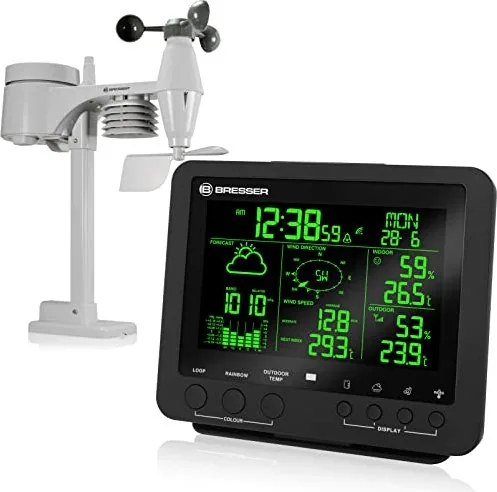
The Bresser Profi 5in1 Weather Forecast Center Digital Black is a comprehensive meteorological station designed for homeowners who demand precision and reliability in their weather monitoring. This sophisticated device combines a sleek black digital base station with a robust 5-in-1 outdoor sensor, offering a complete suite of environmental data at your fingertips. Whether you are a gardening enthusiast, a sailing hobbyist, or simply curious about atmospheric changes, this unit provides the insights needed to plan your day effectively.
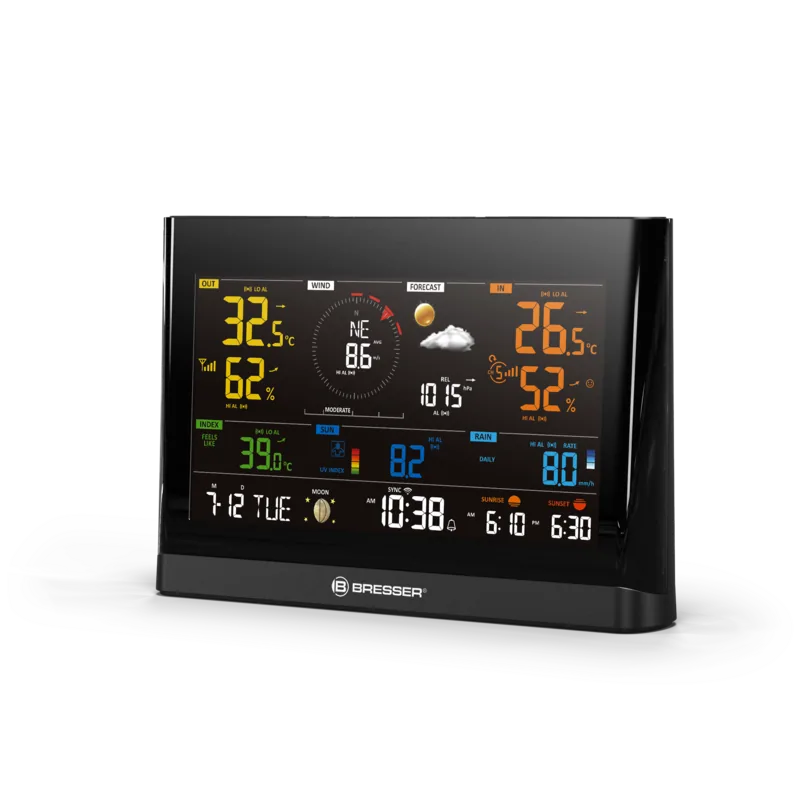
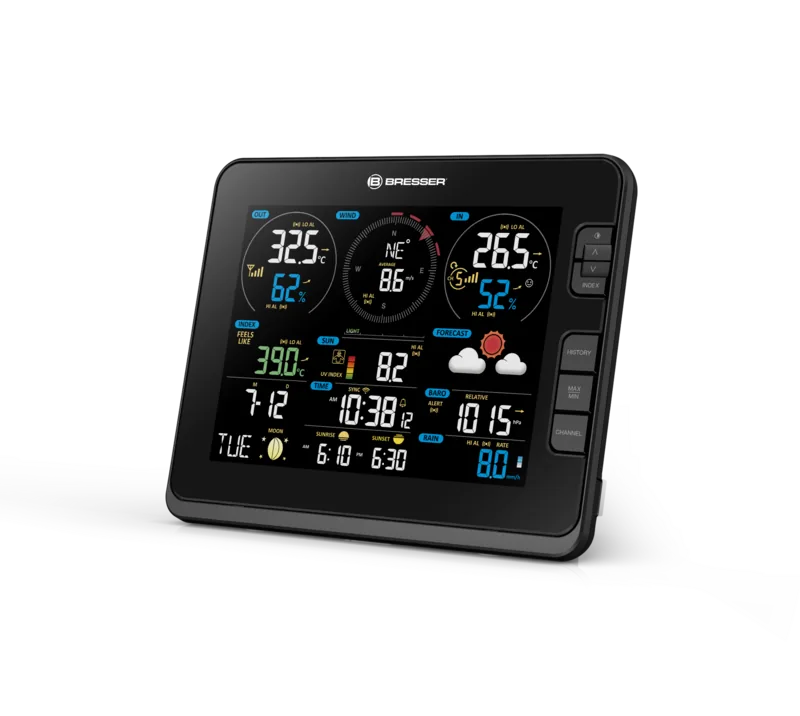
At the heart of this system lies the advanced 5-in-1 outdoor sensor, which simultaneously measures wind speed and direction, rainfall accumulation, ambient temperature, and relative humidity. The wireless transmission capability allows for flexible placement up to 150 meters away from the main unit, ensuring accurate readings without cable clutter. The base station features a vibrant LCD display with a customizable backlight that can change colors based on outdoor temperature, adding a modern aesthetic touch to any room.
Beyond basic metrics, the Bresser Profi 5in1 calculates critical comfort indicators such as the Heat Index, Wind Chill, and Dew Point. These values help users understand how the weather feels rather than just what the numbers say. The built-in barometer tracks atmospheric pressure trends to generate a reliable 12-hour weather forecast, displaying icons for conditions ranging from sunny and clear to stormy and snowy. Users can also set custom alarms for extreme temperatures or high wind speeds, ensuring they never miss important weather warnings.
The device includes extensive historical data logging, storing measurements from the last 24 hours for detailed review. Max/Min memory functions track the highest and lowest recorded values for various parameters, resetting easily when needed. Installation is straightforward, with mounting options for poles, railings, or walls, and the sensor includes a spirit level to ensure perfect alignment for accurate wind and rain data. With a five-year warranty and multi-language support, this weather center stands out as a premium choice for domestic meteorology.
Search for 67,706 Manuals online


Type-in Brand or Model