
Bresser Thermo Hygro Quadro NLX Manual
PDF manual · 88 Pages
English



Quick check
Incorrect answer, please try again.
Chat with your Bresser Thermo Hygro Quadro NLX manual using AI
Get instant AI answers from your Bresser Thermo Hygro Quadro NLX manual
Ask anything about the Bresser Thermo Hygro Quadro NLX. Answers come from this manual, with the pages they are based on.
Ask a Question
Do you recommend Thermo Hygro Quadro NLX?
Yes NoFrequently Asked Questions
You can connect and operate up to three remote wireless sensors simultaneously. Each sensor must be set to a different channel to ensure proper communication with the base station.
Is this answer helpful?
Yes, the base station and all remote sensors require batteries. However, the base unit also comes with an AC adapter for permanent operation. Note that only standard alkaline batteries should be used, not rechargeable ones.
Is this answer helpful?
No, the manual brightness adjustment feature is disabled when the device is powered by batteries. In this mode, pressing the light button will only temporarily boost the backlight for ten seconds.
Is this answer helpful?
The station calculates a 12-hour weather trend forecast by analyzing changes in atmospheric pressure. It displays icons indicating whether conditions are likely to improve, stay steady, or worsen.
Is this answer helpful?
If the automatic time signal is not received, the date and time will not update automatically. You can manually set the time using the buttons on the base station following the specific menu sequence.
Is this answer helpful?
Yes, the remote sensors are designed to be weather-resistant. However, they should still be placed away from direct sunlight, heavy rain, or snow to ensure longevity and accurate readings.
Is this answer helpful?
Advantages and Disadvantages
Advantages

- Supports up to three separate wireless sensors for multi-zone monitoring
- Provides a 12-hour weather trend forecast based on atmospheric pressure
- Features automatic radio-controlled time synchronization for accuracy
- Includes dual power options with battery backup to retain settings during outages
- Offers adjustable display brightness and a convenient snooze alarm function
Disadvantages

- Wireless range may be significantly reduced by thick concrete walls or metal structures
- Display brightness cannot be manually adjusted when running solely on batteries
- Requires non-rechargeable AA batteries as rechargeables do not provide correct voltage
- Signal reception can be lost if sensors and base are separated too far apart
- Initial setup requires careful channel selection to avoid interference between sensors
Product Specification
Type
digital
Temperature
indoor and outdoor
Humidity
indoor and outdoor
Weather forecast
icons
Forecasting technology
barometer
Other displays
time (radio clock), date, day of week
Alarms
alarm time, snooze function
Connectable outdoor sensors
up to 3 (range max. 98 ft)
Outdoor temperature range
-40°F to 158°F
Placement
tabletop, wall mount possible
Power supply
mains power, 2x AAA batteries
Color
black
Package contents
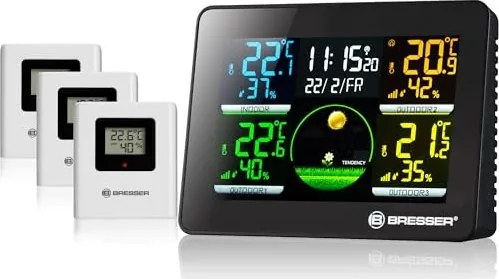
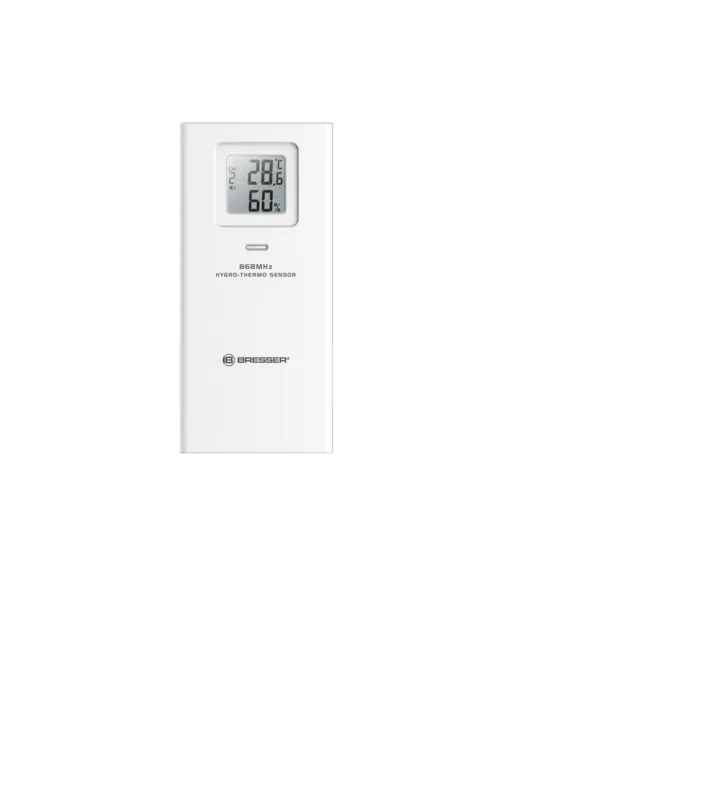
3 outdoor sensors
Product Description
Discover the Bresser Thermo Hygro Quadro NLX Funkwetterstation Digital
Monitoring your home environment has never been more precise with the Bresser Thermo Hygro Quadro NLX Funkwetterstation Digital. This advanced weather station combines elegant design with powerful functionality, allowing you to track indoor and outdoor conditions effortlessly. Whether you are a gardening enthusiast, a health-conscious individual monitoring humidity levels, or simply someone who appreciates accurate local weather data, this device serves as an essential tool for your daily life.
The system features a large, easy-to-read display that presents current time, temperature, and humidity levels at a glance. One of its standout capabilities is the ability to connect up to three remote wireless sensors. This means you can place sensors in different rooms, a greenhouse, or various outdoor locations to get a comprehensive view of your microclimates. The base station automatically receives these readings and displays them alongside a 12-hour weather forecast graph based on pressure trends.
Beyond simple measurements, the station offers practical features like a built-in alarm clock with a snooze function and adjustable display brightness. For permanent operation, it supports both mains power via an AC adapter and battery backup, ensuring you never lose your settings during a power outage. The radio-controlled time setting keeps your clock perfectly synchronized without manual intervention, provided there is a signal within range. Safety is paramount, with clear instructions on handling batteries and electrical components to prevent accidents. This digital weather station is not just a gadget; it is a reliable companion for understanding the world around you.
Search for 67,706 Manuals online


Type-in Brand or Model