
Bresser T-REX Manual
PDF manual · 68 Pages
English



Quick check
Incorrect answer, please try again.
Chat with your Bresser T-REX manual using AI
Get instant AI answers from your Bresser T-REX manual
Ask anything about the Bresser T-REX. Answers come from this manual, with the pages they are based on.
Ask a Question
Do you recommend T-REX?
Yes NoFrequently Asked Questions
No, you can print directly using an SD card or USB connection without needing a Wi-Fi connection. However, Wi-Fi allows for wireless file transfers if you prefer that setup.
Is this answer helpful?
The printer supports ABS, PLA, Conductive PLA, and Flexible Filament. Users should ensure the filament diameter is 1.75 mm and store it properly to prevent damage from moisture.
Is this answer helpful?
The warranty period is five years from the day of purchase. You must keep the proof of purchase receipt. Defective units are accepted by the local dealer or sent in for repair.
Is this answer helpful?
Yes, the print can be paused to change filament. The system allows you to unload and load filaments from either extruder while the machine is in the Tools menu section safely.
Is this answer helpful?
The build volume is 227 x 148 x 150 mm. This size accommodates a wide variety of project scales, from small detailed models to larger functional parts.
Is this answer helpful?
Advantages and Disadvantages
Advantages

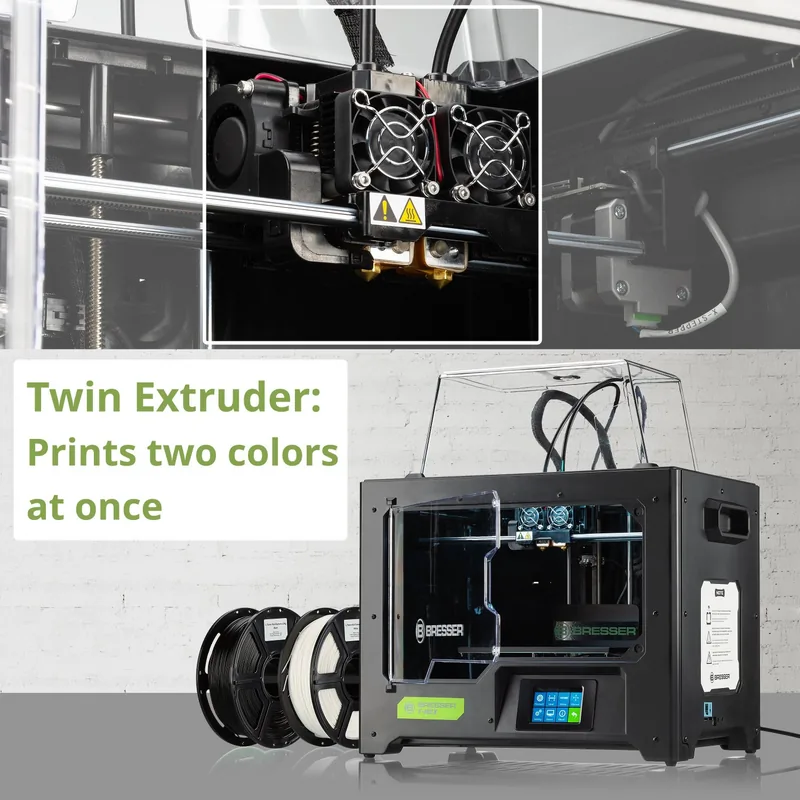
- Twin extruder setup allows for multi-colored printing
- Wi-Fi connectivity enables remote file transfers
- 5 inch color IPS touch screen for easy navigation
- Five-year warranty ensures long-term reliability
- Supports multiple filament types including PLA and ABS
Disadvantages

- Requires careful bed leveling calibration for best results
- Heavy weight of 18.8 kg makes movement difficult
- Plastic filament is sensitive to humidity levels
- Software may have a learning curve for beginners
- Requires grounded power outlet for safety
Product Specification
Process
Fused Filament Fabrication (FFF)
Configuration
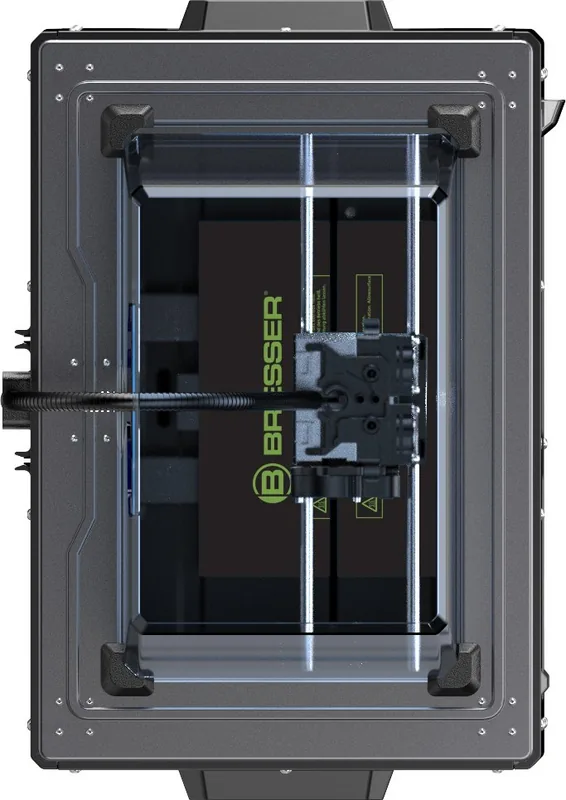
1x movable print head (forward/backward, left/right), 1x movable print bed (up/down)
Design
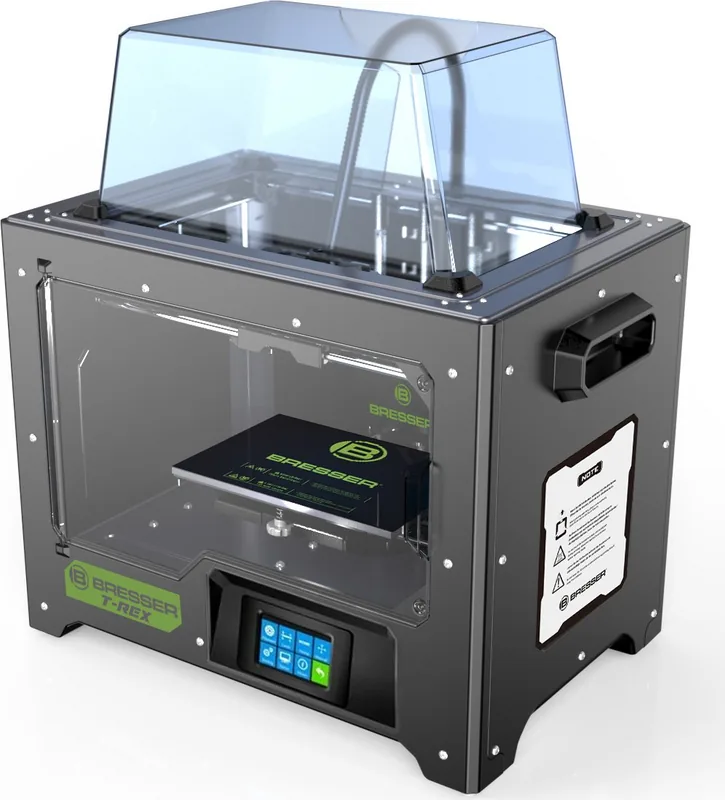
Complete system, closed print chamber (removable lid, front door with window), control in unit, integrated filament holder
Recommended Materials
0.07 inch Filament, open system, ABS, ASA, PETG/PET, PLA, TPC, TPE, TPU, Flex, Metal, Stone, Wood
Build Volume
8.94x5.91x5.83 inches (WxHxD)
Extruder System
1x Print Head (2x Nozzle each with mono-feed, 0.02 inch, Brass, replaceable, 122-464 F), 2x Direct Extruders
Layer Height
0.004-0.016 inches
Accuracy X
0.0004 inches
Accuracy Y
0.0004 inches
Accuracy Z
0.0001 inches
Print Speeds
1.18-3.94 in/s
Print Bed
Rectangular, Metal, heated (32-248 F)
Interfaces
USB-A 2.0, Card Reader (SD Card), Wi-Fi
Display
Color, Touchscreen
Control
Touchscreen, optional via PC, optional via Cloud
Sound Pressure
50dB(A)
Power Supply
100-240V, 330W
Operating Environment
59-86 F
Dimensions
20.71x15.87x14.17 inches (WxHxD)
Weight
32.63 lbs
Color
Black
Included Items
1x Printer, 2x 2.20 lbs PLA Filament, Tool Set, Cleaning Set, SD Card
Features
Print chamber lighting, Print chamber ventilation
Manufacturer Warranty
5 Years
Product Description
Welcome to Precision Printing with the Bresser T-REX
Discover the Power of Dual Extrusion
The Bresser T-REX WIFI 3D printer represents a significant leap forward in home fabrication technology. Designed for enthusiasts and professionals alike, this machine combines robust hardware with intuitive controls. The defining feature is undoubtedly the twin extruder setup, which allows for multi-colored prints or the use of support materials during complex object creation. This capability transforms standard modeling tasks into versatile projects that were previously limited to industrial machines. Users can switch between filaments easily during a print if configured in the software settings to create intricate details and strong structural supports.
Connectivity and Ease of Use
Operating this device is streamlined through a 3.5 inch color IPS touch screen. Users can navigate the main menu without needing a connected computer for basic operations like loading or unloading material wirelessly. Wireless connectivity via Wi-Fi enables remote printing and file transfers. This connectivity removes the hassle of tangled cables and allows monitoring from other devices on the local network. The built-in interface supports multiple languages, ensuring accessibility for users across the globe. Security settings protect your local network during data transmission to keep your workflow efficient and secure.
Software Integration
The accompanying REXprint software offers a comprehensive suite of tools for slicing and preparation. It supports various file formats including STL, OBJ, and 3MF efficiently. Users can visualize their models in three dimensions before printing to ensure accuracy of the layout. The software interface provides detailed control over layer height, infill density, and print speed parameters. Advanced features like automatic support generation save time during the preparation phase significantly. Customizable temperature settings adapt to different plastic types for optimal adhesion on the build plate surface.
Build Quality and Specifications
With a build volume of 227 x 148 x 150 mm, this printer handles a wide range of project sizes easily. The frame stability ensures high precision during operation, with positioning accuracy fine-tuned for detailed work. Compatible materials include PLA, ABS, and flexible filaments for diverse needs. Safety protocols are embedded in the design, including thermal guards and grounding requirements to prevent accidents. A five-year warranty provides long-term confidence in the product reliability and durability. Environmental conditions like temperature and humidity must be managed for best results during operation.
Ready to Start Your Journey
Unpacking is straightforward with included tools and a red PLA filament spool ready to use. Initial setup takes under thirty minutes for most users once the extruder is mounted securely. Once calibrated, the device offers consistent printing results suitable for prototypes and functional parts. Whether for hobbyist creativity or small business production, this Bresser model delivers exceptional value and performance without compromising on quality standards. Service support is available via email or phone for troubleshooting common issues if they arise.
Search for 67,706 Manuals online


Type-in Brand or Model