
Bresser Meteo Champ HD Manual
PDF manual · 111 Pages
English



Quick check
Incorrect answer, please try again.
Chat with your Bresser Meteo Champ HD manual using AI
Get instant AI answers from your Bresser Meteo Champ HD manual
Ask anything about the Bresser Meteo Champ HD. Answers come from this manual, with the pages they are based on.
Meteo Champ HD Maintenance Schedule
Rotate the rain collector 30 degrees anti-clockwise, remove it, clean debris or insects, and reinstall when fully dried.
Remove radiation shield screws, pull out shield, gently remove dirt or insects from sensor without wetting it, and clean shield with water.
Gently clean the UV sensor cover lens with a damp micro-fibre cloth to ensure precision measurement.
Free maintenance reminders
Timed to your purchase date. Always free, unsubscribe anytime.
Ask a Question
Do you recommend Meteo Champ HD?
Yes NoFrequently Asked Questions
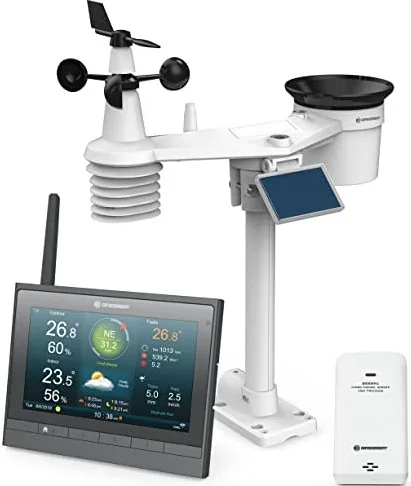
The base unit comes with a wireless 7-in-1 outdoor sensor array measuring wind, rain, temperature, humidity, and UV levels. It also includes a separate wireless thermo-hygrometer sensor for indoor use. Optional additional sensors can be paired for up to seven channels total.
Is this answer helpful?
In an open area without obstacles, the transmission range reaches approximately one hundred meters. Real-world distances may vary depending on building materials like concrete or metal walls which can block signals significantly.
Is this answer helpful?
Yes, you can share data for free to compatible public servers like Weather Underground or ProWeatherLive by registering an account. Remote viewing relies on these third-party platforms hosting your station data publicly.
Is this answer helpful?
Yes, the console supports USB flash drives to store local CSV data logs even without Wi-Fi connectivity. This ensures you retain weather history regardless of network availability.
Is this answer helpful?
Access the setting menu on the display console to adjust offsets for temperature, humidity, pressure, and other parameters. Compare readings against certified reference instruments and enter the difference manually.
Is this answer helpful?
The system integrates with ProWeatherLive, Weather Underground, WeatherCloud, and AWEKAS. Configuration is done via the console setup interface where you enter station IDs and keys from those websites.
Is this answer helpful?
The outdoor sensor array is designed for outdoor use and withstands rain and snow. However, the console and indoor components must only be used indoors to prevent moisture damage.
Is this answer helpful?
Advantages and Disadvantages
Advantages

- High Definition Color Display shows real-time data clearly.
- Wi-Fi connectivity enables automatic uploads to major weather servers.
- Solar powered 7-in-1 sensor reduces reliance on disposable batteries.
- USB port allows local CSV data logging for detailed analysis.
- Calibration settings allow fine-tuning for high measurement accuracy.
Disadvantages

- Initial setup requires line of sight for optimal sensor communication.
- Rain gauge funnel requires periodic cleaning to maintain water accuracy.
- Solar panel angle must be manually adjusted for different latitudes.
- Console battery backup drains over long periods of total disuse.
- Wireless signal may experience interference near strong electromagnetic fields.
Product Specification
Type
digital
Temperature
Indoor and outdoor
Humidity
Indoor and outdoor
Weather Forecast
Symbols for 1 day
Forecast Technology
Barometer, Internet
Additional Displays
Time (Radio Clock), Date, Day of Week, Moon Phases, Sunrise and Sunset Times, Precipitation Probability, Wind Speed, Wind Direction, Battery Level Indicator, Air Pressure Trend (Last 24 Hours), Light Intensity, Stored Min/Max Values
Alarms
Weather Warnings (Temperature, Storm, Frost, Wind, Rain), Temperature Alarm, Alarm Time, Snooze Function
Connectable Outdoor Sensors
Up to 5 (Range Max. 98.43 ft)
Outdoor Temperature Range
-40°F to +158°F
Installation
Desktop, Wall Mount Possible
Power Supply
Mains Power, 1x CR2032 Button Cell
Color
Gray
Package Contents
1 Outdoor Sensor, Wind Sensor, Rain Sensor
Product Description
Discover Precision with the Bresser MeteoChamp HD Wireless Weather Station Digital gray
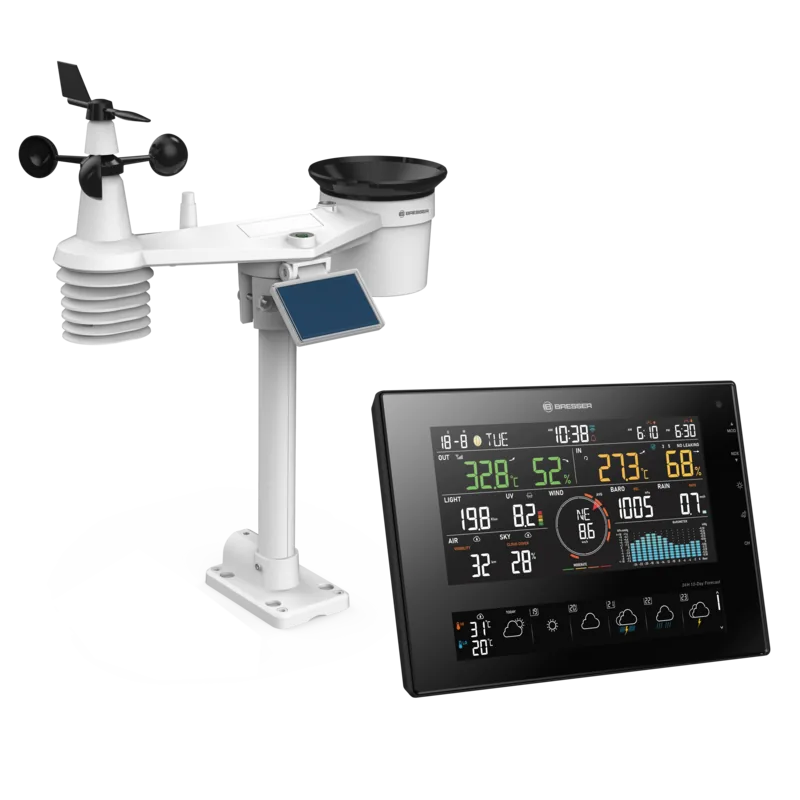
Taking control of your local climate monitoring has never been easier or more accurate. The Bresser MeteoChamp HD Wireless Weather Station Digital gray offers professional-grade data collection capabilities right from your home environment. This sophisticated device features a stunning high-definition color display that presents comprehensive real-time weather information at a glance. Whether you are a dedicated meteorology enthusiast or simply curious about daily atmospheric changes, this station delivers precise readings for a wide array of metrics including temperature, humidity, wind speed, direction, rainfall accumulation, UV index, and light intensity levels.
Seamless Connectivity and Advanced Data Sharing
One of the most impressive features is its integrated Wi-Fi capability allowing global data sharing. Users can easily connect their station to popular online weather servers such as Weather Underground, ProWeatherLive, and WeatherCloud seamlessly. This feature allows for remote access to historical data and current conditions via web browsers or mobile applications from anywhere in the world. The system supports automatic time synchronization via internet servers, ensuring your logs remain accurate without constant manual adjustments. You can also view sunrise, sunset, moon phases, and detailed trend indicators directly on the screen to help plan your day activities better. Alerts can be configured to notify you when thresholds for heat or cold are reached.
Comprehensive Sensor Array and Sustainable Power Options
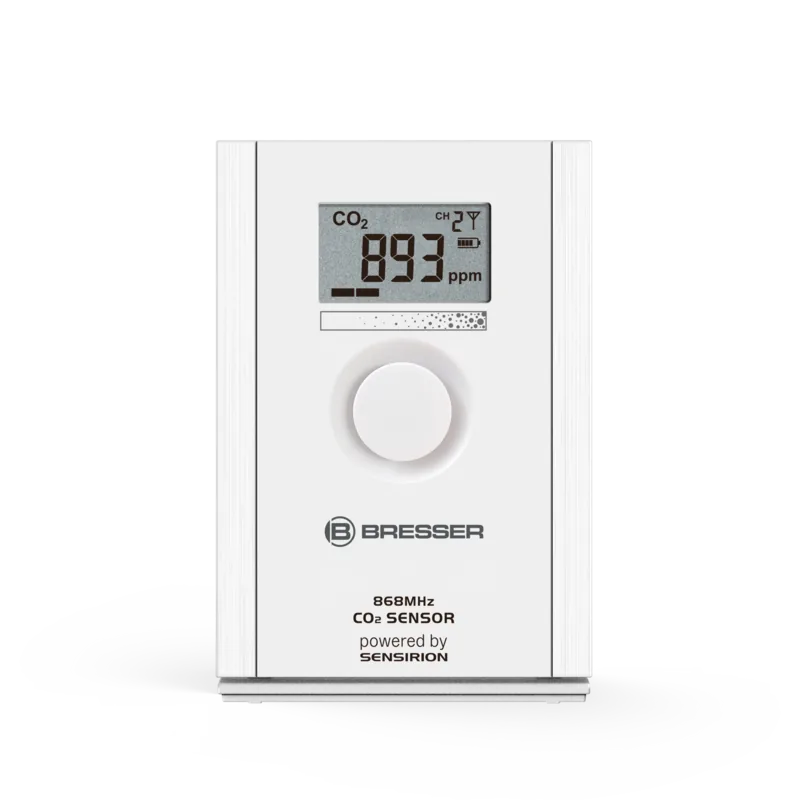
The standard package includes a robust wireless 7-in-1 outdoor sensor array powered by rechargeable Ni-MH batteries and an efficient solar panel. Properly adjustable solar panels optimize energy harvesting throughout the year based on your geographic latitude. A separate wireless thermo-hygrometer sensor provides accurate indoor room measurements for comfort monitoring. Installation is relatively straightforward provided there are clear line-of-sight conditions for optimal signal reception. Maximum transmission distance reaches approximately one hundred meters outdoors. For data enthusiasts, the console supports USB flash drives for local CSV data logging, preserving up to seven days of detailed records automatically.
Maintenance and Calibration Features
Maintaining accuracy requires occasional cleaning of the rain collector funnel to prevent debris buildup. The device allows for sensor calibration if readings drift over time compared to certified instruments. Wind speed levels are displayed using the international Beaufort Scale for easy interpretation of force strength. Finally, users can update system firmware through the web interface. With options to add up to seven additional channel sensors, the system scales with your needs. Stay fully informed with this versatile digital solution designed for modern connected homes seeking reliable environmental data.
Search for 67,706 Manuals online


Type-in Brand or Model