
Bresser Comfort Weather Center 5in1 Manual
PDF manual · 48 Pages
English



Quick check
Incorrect answer, please try again.
Chat with your Bresser Comfort Weather Center 5in1 manual using AI
Get instant AI answers from your Bresser Comfort Weather Center 5in1 manual
Ask anything about the Bresser Comfort Weather Center 5in1. Answers come from this manual, with the pages they are based on.
Comfort Weather Center 5in1 Maintenance Schedule
Remove plug or remove batteries before cleaning the device to avoid electric shock.
Rotate collector 30 degrees anticlockwise, remove debris and insects, then reinstall when fully dry.
Unscrew shield, remove dirt or insects carefully without wetting sensors, clean shield with water, and reinstall when dry.
Ask a Question
Do you recommend Comfort Weather Center 5in1?
Yes NoFrequently Asked Questions
It tracks indoor and outdoor temperature, humidity, rainfall, wind speed, wind direction, air pressure, and several derived weather values like dew point, heat index, and wind chill.
Is this answer helpful?
Yes. The backlight can be set to high, low, or auto mode, so the screen can adapt to the room or be kept brighter when needed.
Is this answer helpful?
The base station can use mains power for continuous operation, but battery backup is also supported. The outdoor sensor runs on batteries.
Is this answer helpful?
Yes. It includes HI/LO alerts for selected readings such as temperature, humidity, rainfall, and wind speed, making it useful for early warnings.
Is this answer helpful?
Accuracy depends heavily on correct sensor placement, height, alignment, and interference-free installation. Good mounting conditions help the readings stay reliable.
Is this answer helpful?
Yes, but it works best for users who are comfortable with basic setup steps like sensor mounting, battery installation, and time synchronization.
Is this answer helpful?
Advantages and Disadvantages
Advantages

- All-in-one monitoring for indoor and outdoor weather conditions.
- Measures wind, rain, pressure, humidity, temperature, and forecast trends.
- Adjustable display brightness and useful alarm functions.
- Flexible installation and support for different mounting locations.
Disadvantages

- Outdoor sensor setup requires careful positioning for accurate readings.
- Some functions depend on correct calibration and stable placement.
- Battery-only use limits backlight convenience on the base unit.
- Initial pairing and time sync may take a few minutes.
Product Specification
Design Type
digital
Temperature
indoor and outdoor
Humidity
indoor and outdoor
Weather Forecast
Symbols
Other Displays
Time (Radio Controlled Clock), Date, Sunrise and Sunset Time, Moon Phases, Rain Probability, Rainfall Amount, Wind Speed
Outdoor Temperature Measurement Range
-40°F to +158°F
Placement
Tabletop Device
Power Supply
6x AA Battery
Package Contents
Outdoor Sensor, Wind Sensor, Rain Sensor
Product Description
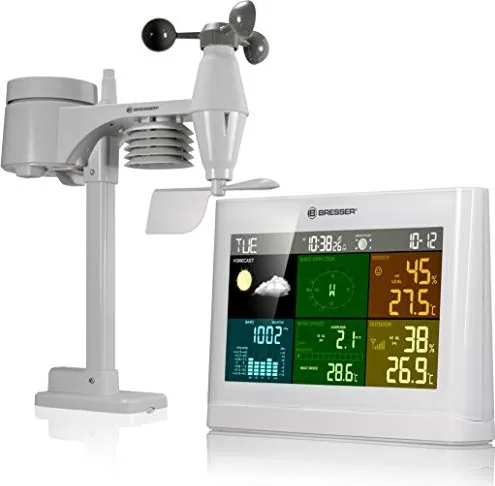
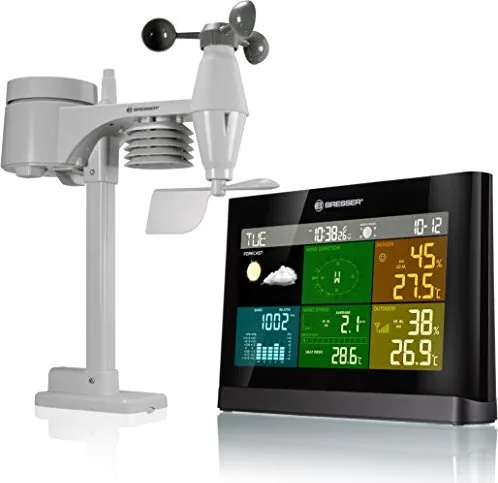
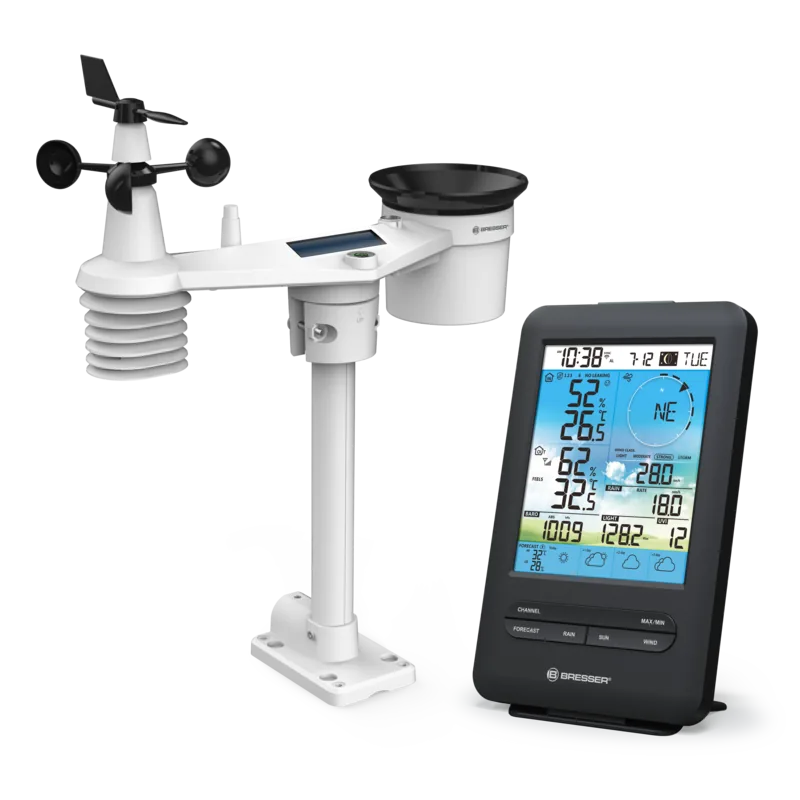
Bresser Comfort WeatherCenter 5in1 Digital Wireless Weather Station
The Bresser Comfort WeatherCenter 5in1 Digital Wireless Weather Station is designed for people who want a more complete view of their local weather without relying on guesswork. It combines a polished indoor display with a multifunction outdoor sensor, giving you useful readings for temperature, humidity, rainfall, wind speed, wind direction, and barometric pressure in one place.
What makes this weather station stand out is how much information it gathers from a single compact sensor. Instead of checking separate devices, you can monitor changing conditions at a glance and follow trends over time. The system also supports helpful weather-related values such as dew point, heat index, wind chill, moon phases, and a 12-hour weather forecast based on pressure changes.
Installation is practical for everyday use. The base station can run on mains power for continuous backlight performance, while battery backup adds flexibility. The outdoor sensor is built for mounting on poles or wooden surfaces, and the unit includes alignment aids so the wind measurements are positioned correctly. For users in different hemispheres, the sensor direction can also be adjusted.
The display is one of the most appealing parts of the experience. It organizes current readings, historical data, alerts, and weather icons in a readable format, while brightness can be adapted to the room environment. The station can also trigger alarms for selected high or low conditions, which is useful if you want early warnings about temperature drops, strong winds, or rainfall thresholds.
If you are searching for the Bresser Comfort WeatherCenter 5in1 Digital Wireless Weather Station Manual, you will likely appreciate how clearly the device is structured for setup, calibration, and day-to-day use. It is a solid choice for hobby meteorologists, gardeners, homeowners, and anyone who likes tracking weather patterns more closely.
Notes
- Best suited for users who want broader weather insight than a basic indoor/outdoor thermometer.
- Sensor placement matters for accurate wind and rainfall readings.
- Mains power is recommended for the base unit when constant backlighting is important.
Search for 67,706 Manuals online


Type-in Brand or Model