
Bresser Colour Weather Center 5in1 Manual
PDF manual · 40 Pages
English



Quick check
Incorrect answer, please try again.
Chat with your Bresser Colour Weather Center 5in1 manual using AI
Get instant AI answers from your Bresser Colour Weather Center 5in1 manual
Ask anything about the Bresser Colour Weather Center 5in1. Answers come from this manual, with the pages they are based on.
Colour Weather Center 5in1 Maintenance Schedule
Replace AA batteries in the outdoor sensor and CR2032 backup in the base station when indicated. Re-establish pairing by pressing SENSOR then RESET.
If the sensor was triggered during installation, press and hold the HISTORY button for 10 seconds to clear faulty rainfall and wind measurements.
Ask a Question
Do you recommend Colour Weather Center 5in1?
Yes NoFrequently Asked Questions
Locate the °C/°F button on the base station. Pressing this key toggles the temperature display between Celsius and Fahrenheit for both indoor and outdoor readings instantly.
Is this answer helpful?
First, check the battery levels in both the base station and the outdoor sensor. If batteries are fine, press the SENSOR button on the base station for two seconds to re-initiate the search. Ensure the devices are within range and not blocked by heavy metal objects.
Is this answer helpful?
Yes, but you must adjust the settings. After installing the sensor pointing south, hold the WIND button for eight seconds until the compass blinks, then use the UP or DOWN keys to switch to the Southern Hemisphere mode.
Is this answer helpful?
Yes, the alarm features a snooze function. When the alarm sounds, pressing the ALARM/SNOOZE button will silence it temporarily, and it will ring again after five minutes unless you stop it completely.
Is this answer helpful?
The forecast is generated by analyzing changes in atmospheric pressure over time. A rising pressure generally indicates improving weather, while falling pressure suggests deteriorating conditions. It predicts trends for the next 12 to 24 hours.
Is this answer helpful?
Theoretically, the range is up to 150 meters in open areas. However, actual range depends heavily on obstacles like walls, trees, and other electronic interference, which can reduce the effective distance significantly.
Is this answer helpful?
Advantages and Disadvantages
Advantages

- Comprehensive 5-in-1 measurement capabilities including wind, rain, and temperature
- Colour LCD display with intuitive icons and clear data visualization
- Automatic DCF radio clock synchronization for accurate timekeeping
- Advanced weather forecasting based on pressure trends with 12-24 hour outlook
- Customizable HI/LO alarms for critical weather events like frost
Disadvantages

- Outdoor sensor requires separate AA batteries not included in standard delivery
- Weather forecast accuracy is approximate and based on pressure rather than satellite data
- Initial setup requires careful alignment of the wind vane for correct direction readings
- Wireless range can be significantly reduced by thick building materials or interference
- No mobile app connectivity; all data viewing is limited to the physical display unit
Product Specification
Type
digital
Temperature
indoor and outdoor
Humidity
indoor and outdoor
Weather forecast
1-day symbols
Forecast method
barometer
Other displays
Time (radio clock), date, day of week, moon phases, rainfall, wind speed, wind direction, battery level, stored min/max temperature, stored min/max humidity, stored min/max values
Alarms
Weather warnings (temperature, humidity, frost), programmable temperature alarm, wake time, snooze function
Connectable outdoor sensors
up to 1 (range max. 492 ft)
Outdoor temperature range
-40°F to 140°F
Placement
desktop unit, wall mounting possible
Power supply
mains power, 3x AA batteries
Color
black
Package contents
1 multi-outdoor sensor, wind sensor
Product Description
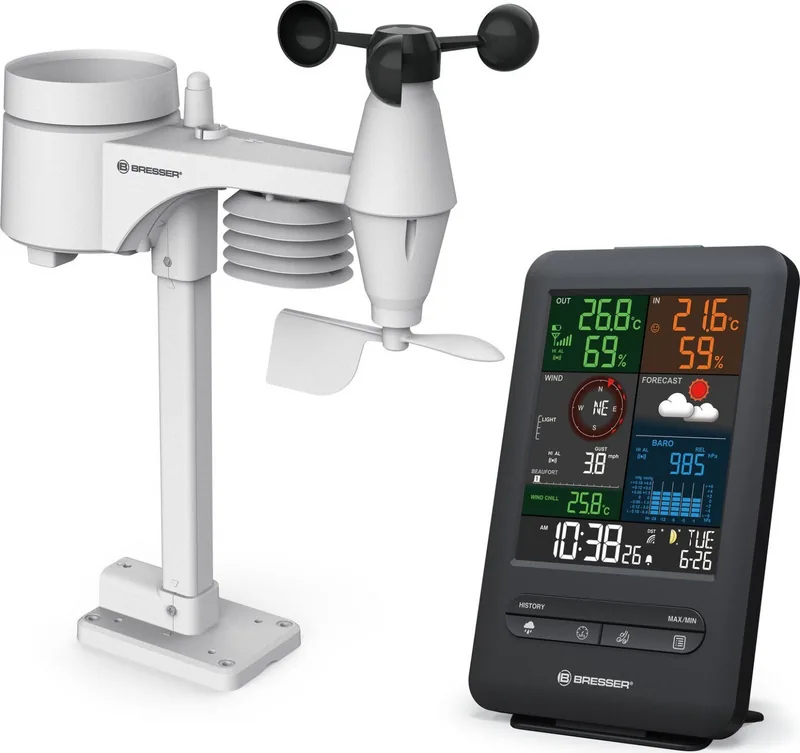
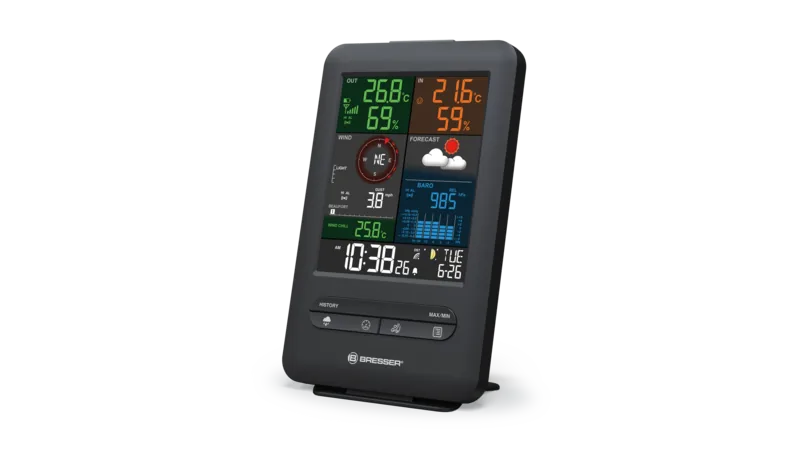
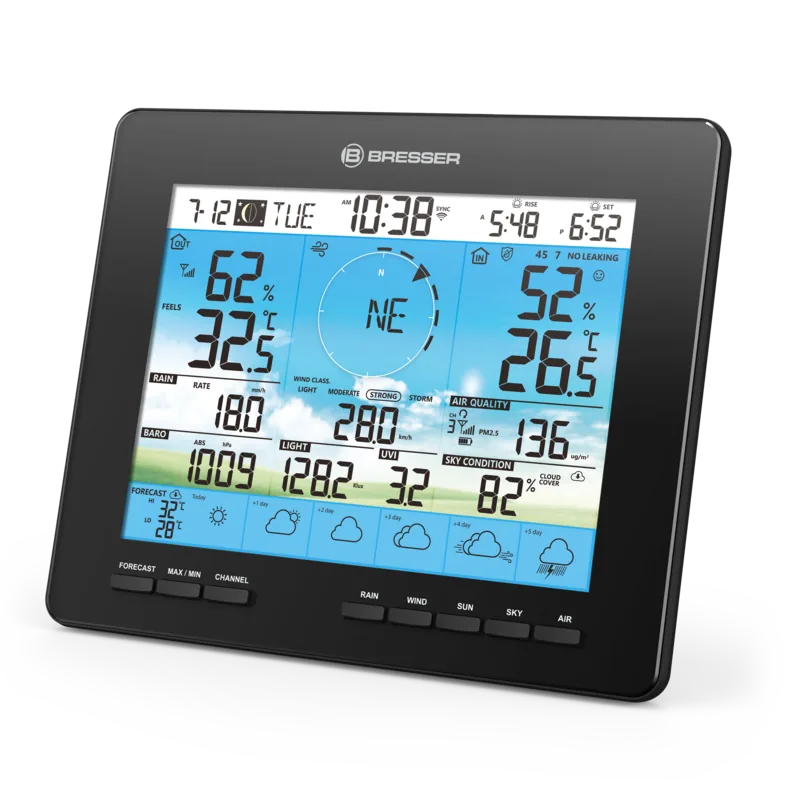
Discover the Bresser Colour Beaufort 5in1 Weather Forecast Center Digital Black
The Bresser Colour Beaufort 5in1 Weather Forecast Center Digital Black is a sophisticated home weather station designed to bring professional meteorological data directly into your living space. This sleek black unit features a vibrant colour display that provides real-time insights into both indoor and outdoor environmental conditions. Whether you are planning a garden party or simply curious about the local climate, this device offers comprehensive monitoring capabilities.
At the heart of the system is a multifunctional outdoor sensor that transmits data wirelessly up to 150 meters away. The base station captures measurements for temperature, humidity, wind speed, wind direction, and precipitation. It goes beyond basic readings by calculating advanced indices such as the heat index, wind chill factor, and dew point. The device also includes a DCF radio clock for automatic time synchronization and displays moon phases, adding an astronomical element to your daily weather check.
One of the standout features is the 12 to 24-hour weather forecast derived from barometric pressure trends. While not a replacement for professional meteorology, it provides a reliable indication of upcoming changes in weather patterns. The system allows users to set custom high and low alarms for temperature, humidity, and wind, ensuring you are alerted to extreme conditions like frost warnings. Additionally, the built-in history function records data from the past 24 hours, while max/min storage tracks the highest and lowest values recorded since the last reset.
Installation is straightforward with the included mounting rod and pipe clamp, allowing flexible placement on walls or poles. The unit supports both Celsius and Fahrenheit scales and offers adjustable backlight brightness for visibility in any lighting condition. With its robust design and extensive feature set, the Bresser Colour Beaufort 5in1 serves as an essential tool for weather enthusiasts and homeowners alike.
Key Notes
- The device requires specific batteries (AA for sensor, CR2032 for backup) which are not always included.
- Accurate weather forecasting relies heavily on stable barometric pressure readings.
- The wind vane must be aligned correctly based on your hemisphere (North or South).
- Regular data clearing may be needed after initial installation to remove erroneous readings.
Search for 67,706 Manuals online


Type-in Brand or Model