
Boya BOYAMIC Manual
PDF manual · 36 Pages
English



Quick check
Incorrect answer, please try again.
Chat with your Boya BOYAMIC manual using AI
Get instant AI answers from your Boya BOYAMIC manual
Ask anything about the Boya BOYAMIC. Answers come from this manual, with the pages they are based on.
BOYAMIC Maintenance Schedule
Wipe the charging contacts of the transmitter, receiver, or case with a clean cloth if they are dirty or not charging properly.
Place the transmitters and receiver back into the charging case after recording to charge them for next use.
Ask a Question
Do you recommend BOYAMIC?
Yes NoFrequently Asked Questions
Onboard recording captures WAV files at 48kHz/24-bit. Files are automatically split every 30 minutes and named using a DATE-TIME format for easy identification.
Is this answer helpful?
Each transmitter has 8GB memory for up to about 15 hours total across files. Battery life is around 6 hours when onboard recording is enabled and about 10 hours without recording; receiver lasts ~11 hours.
Is this answer helpful?
Yes. The receiver supports analog 3.5mm TRS output for cameras and offers a USB-C adapter and an MFi Lightning adapter for Android and iOS devices respectively for digital audio connections.
Is this answer helpful?
Use the receiver’s low-cut filter setting (options include 75Hz or 150Hz) and enable the transmitter’s noise cancellation feature to reduce unwanted low-frequency noise and improve speech clarity.
Is this answer helpful?
Turn off the paired transmitter, then make the unpaired transmitter enter pairing state (hold power button 5 seconds in shutdown mode until rapid blue blink) and initiate pairing from the receiver menu.
Is this answer helpful?
Connect the transmitter to a computer or smartphone via its USB-C port; the transmitter appears as a storage device so you can copy WAV files. Ensure onboard recording is disabled before attempting to read files.
Is this answer helpful?
Keep charging contacts clean and ensure magnetic alignment in the case. Wipe contacts with a soft cloth if charging fails and press components gently into the case to confirm contact.
Is this answer helpful?
Advantages and Disadvantages
Advantages

- Onboard 8GB recording at 48kHz/24-bit, up to ~15 hours of total capture with automatic 30-minute file splitting.
- Wide connectivity: 3.5mm TRS analog out plus USB-C and MFi Lightning digital adapters for cameras, phones, and computers.
- Compact twin-transmitter system with OLED receiver, headphone monitoring, selectable Mono/Stereo/Safety Track modes.
- Practical accessories: charging case with USB-C and wireless charging, magnetic belt clips, windshields, lavalier mics included.
- Low-cut filter and noise-cancellation option to reduce low-frequency rumble and improve recordings in noisy environments.
Disadvantages

- 2.4GHz operation can suffer interference in crowded RF environments, reducing range or causing intermittent audio.
- Onboard recording reduces transmitter battery life to about 6 hours vs. 10 hours without recording.
- Charging case supports only about 1.2 full recharge cycles (2 transmitters + 1 receiver) before needing its own recharge.
- Automatic file overwrite when 8GB fills could risk losing older recordings if not backed up promptly.
- Some advanced settings (format, pairing, reset) require careful menu navigation; accidental format erases transmitter files.
Product Specification
Type
Lavalier Microphone, Microphone Set
Construction
digital (24bit/48kHz)
Polar Pattern
Omnidirectional
Connection
Jack Plug (3.5mm Jack), Lightning, USB-C
Frequency Range
20Hz-20kHz
Max. SPL
120dB
Signal-to-Noise Ratio (SNR)
90dB
Power Supply
Battery, USB-C
Package Contents
2x Transmitter, 1x Receiver, Charging Case, Windscreen
Features
Headphone Connection (3.5mm), Wireless
Color
black
Dimensions
1.85x1.14x0.53in (Transmitter), 1.81x1.34x0.75in (Receiver)
Weight
0.85oz (Transmitter), 1.02oz (Receiver)
Product Description
Boya Boyamic Manual: Compact 3-in-1 Wireless Microphone
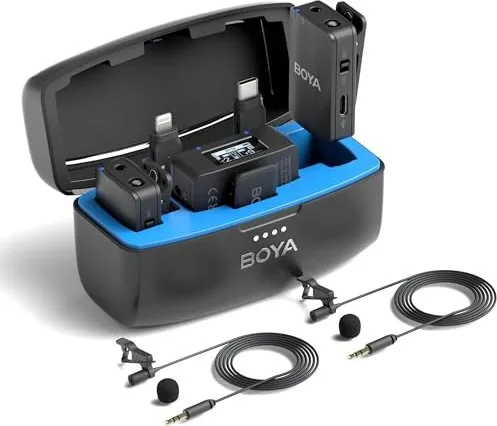
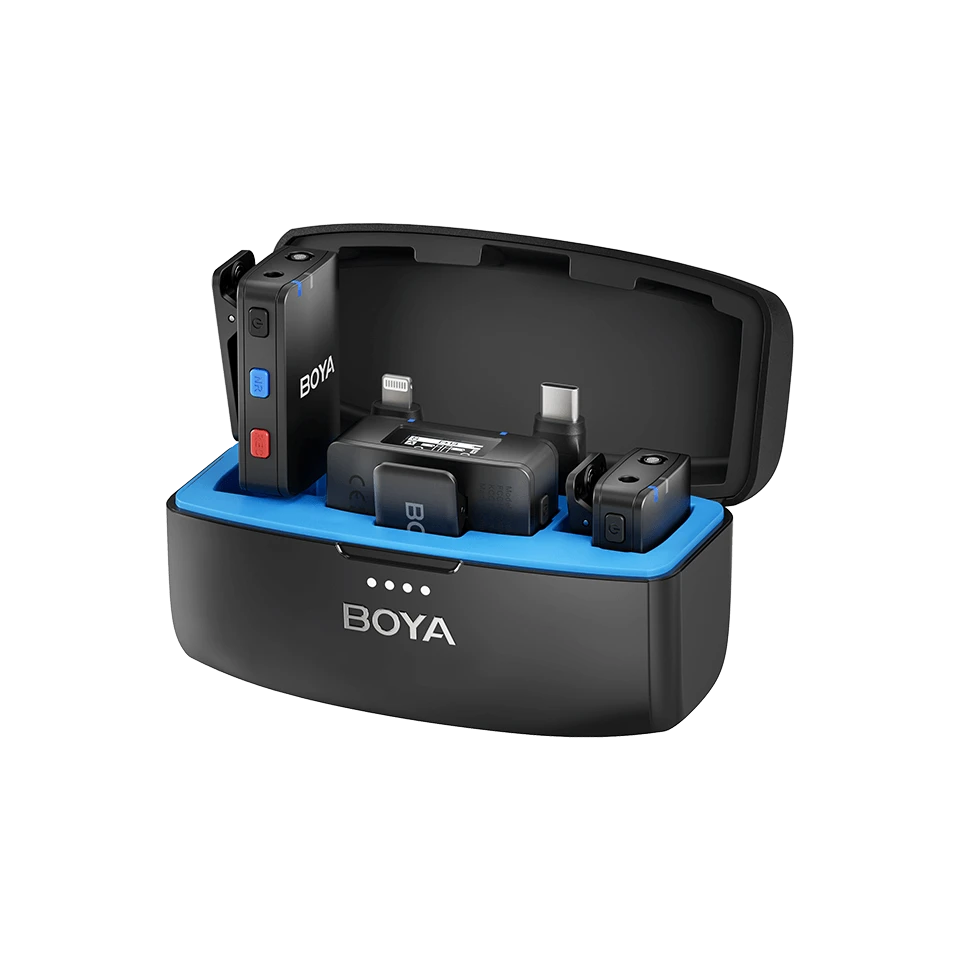
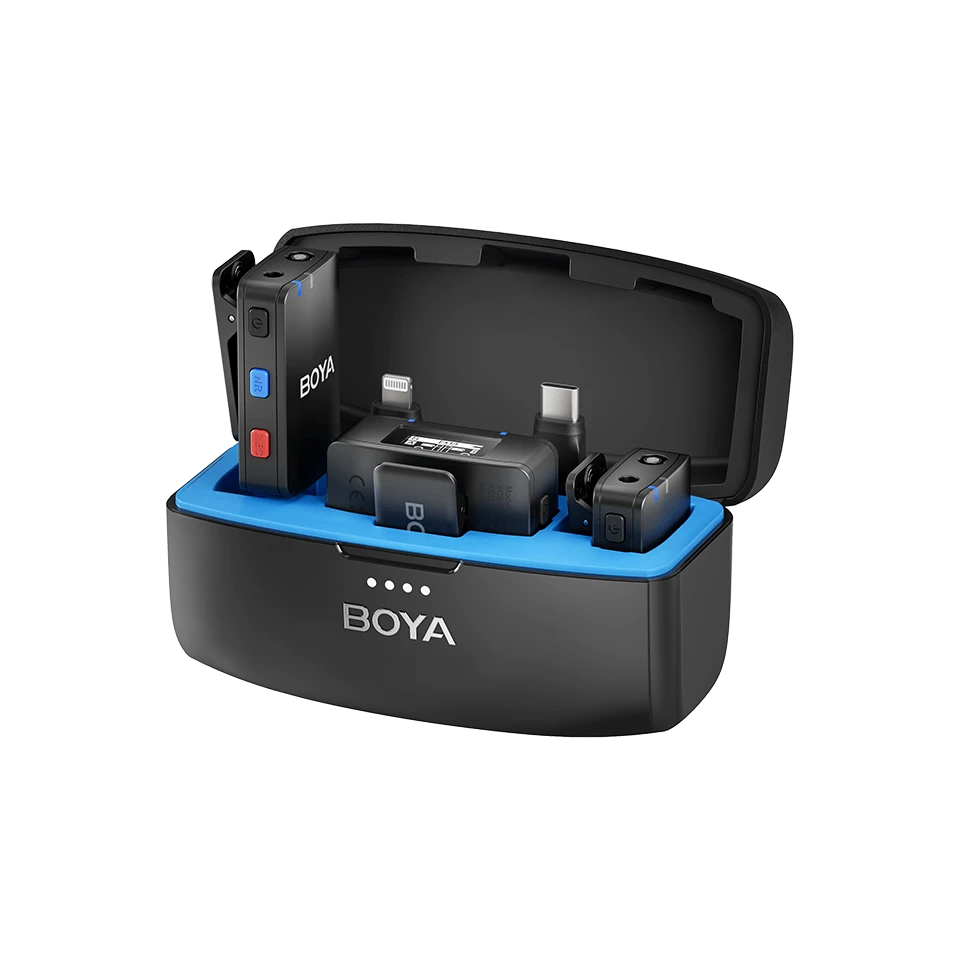
The Boya Boyamic is a versatile 3-in-1 wireless microphone system built for creators who need dependable audio for vlogging, live streaming, interviews, and mobile journalism. Operating on a 2.4GHz digital link, the kit includes two transmitters, one receiver, and a charging case, plus Lightning and USB-C adapters for wide device compatibility. Each transmitter offers a built-in omnidirectional capsule, a 3.5mm TRS input for external mics or line sources, onboard recording to internal 8GB memory, and a low-cut filter to reduce unwanted low-frequency rumble.
The receiver features an OLED display, selectable output modes (Mono, Stereo, Safety Track), a 3.5mm TRS analog out, headphone monitoring, and digital outputs via USB-C and MFi Lightning adapter. With up to 200 meters range in open environments and up to 11 hours receiver battery life (transmitters ~10 hours without onboard recording), Boyamic aims to balance portability and professional features. Onboard recording captures 48kHz/24-bit WAV files (up to ~15 hours total across transmitters) with automatic file-splitting and timestamp-capable filenames.
Setup is straightforward: attach the appropriate adapter, power on transmitter(s) and receiver, and confirm pairing (devices pair by default). The receiver menu controls gain, output volume, low-cut frequency (75Hz/150Hz), auto-recording, and backlight timeouts. Transmitters include dedicated buttons for power/mute, noise cancellation, and recording; the magnetic belt clip and rotating windshield add practical mounting and wind protection for outdoor use. Files can be accessed by connecting a transmitter to a computer or phone via USB-C.
Practical design notes include safety cautions (do not disassemble, avoid heat and moisture), charging behavior (transmitters auto-power off on low battery), and interference considerations—2.4GHz crowded environments may reduce range or introduce noise. The charging case (1800mAh) supports USB-C and wireless charging and provides limited recharge cycles for the included mics and receiver.
Boya Boyamic positions itself as an all-in-one, travel-friendly audio solution that blends flexible input options, onboard high-resolution recording, and multi-platform connectivity for creators seeking reliable, high-quality wireless audio.
Notes
- Onboard recording is independent of the transmitter mute state; it continues recording even when muted.
- Files are auto-split every 30 minutes and use DATE-TIME WAV naming; up to 999 files per transmitter.
- Auto-record can start recording immediately when a transmitter powers on; format/erase options exist in receiver menus—use with caution.
- Keep charging contacts and adapters clean; magnetic alignment affects charging reliability.
Search for 67,732 Manuals online


Type-in Brand or Model