
Bluetti EP500Pro Manual
PDF manual · 100 Pages
English



Quick check
Incorrect answer, please try again.
Chat with your Bluetti EP500Pro manual using AI
Get instant AI answers from your Bluetti EP500Pro manual
Ask anything about the Bluetti EP500Pro. Answers come from this manual, with the pages they are based on.
EP500Pro Maintenance Schedule
Discharge and fully charge the unit at least once every 6 months to preserve battery health.
Use dry, non-abrasive cloths to clean dust and debris from the exterior regularly.
Free maintenance reminders
Timed to your purchase date. Always free, unsubscribe anytime.
Ask a Question
Do you recommend EP500Pro?
Yes NoFrequently Asked Questions
Contact the vendor where you ordered the product following the warranty card instructions provided in the product package.
Is this answer helpful?
Yes, firmware including ARM, DSP, IoT, and BMS components can be upgraded over the air via OTA protocols.
Is this answer helpful?
Yes, it supports pass-through charging which allows you to power loads while charging from multiple sources.
Is this answer helpful?
There are four types: Standard UPS, Time Control UPS, PV Priority UPS, and Customized Mode.
Is this answer helpful?
It is 20ms from offline UPS mode activation during a power failure event.
Is this answer helpful?
Yes, bond two units with Fusion Box P030A for double power and voltage in split phase mode.
Is this answer helpful?
Yes, as long as voltage is between 12V to 150V with MC4 connectors and max input power is met.
Is this answer helpful?
Advantages and Disadvantages
Advantages

- High 5120Wh capacity with LiFePO4 battery for long cycle life and stability.
- Supports dual MPPT solar charging up to 2400W total input for flexibility.
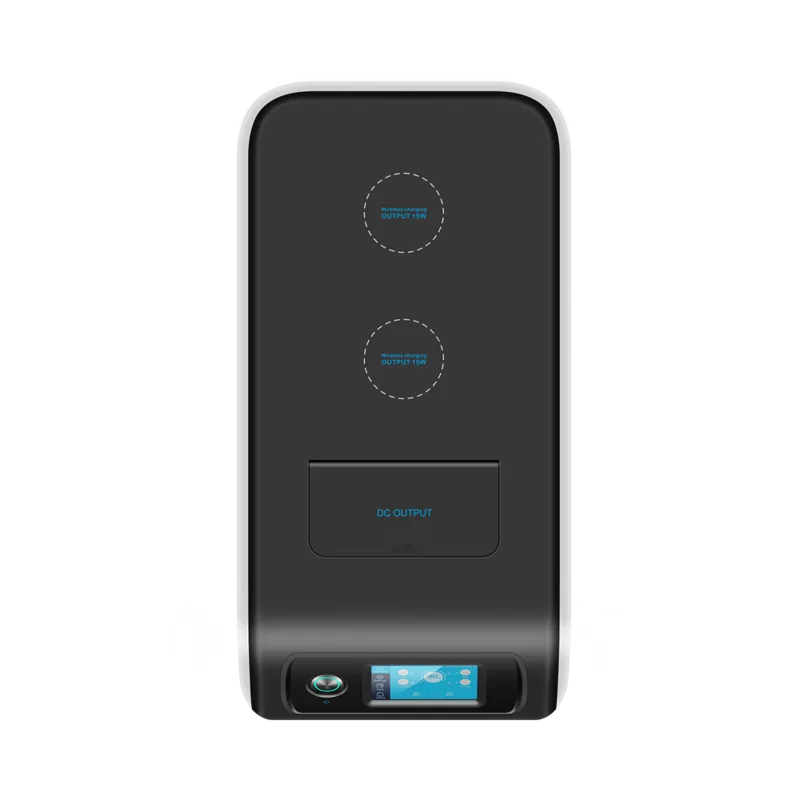
- Multiple output ports including 3000W AC, USB-C PD, and wireless charging pads.
- Smart app control allows remote monitoring and firmware updates over Wi-Fi.
- Four different working modes including Standard, Time Control, and PV Priority UPS.
Disadvantages

- Heavy weight of 83kg makes it difficult to move for some users despite wheels.
- Requires a licensed electrician for grid-tie installation to ensure safety compliance.
- Maximum solar input voltage limit of 150VDC restricts certain high-voltage panel setups.
- Does not support charging from grid without the Sub Panel option for critical loads.
- Touchscreen requires firm pressure with fingernail which might feel unresponsive initially.
Product Specification
Type
Solar Generator
Battery
LiFePO4, 5100Wh
Battery Cycles
>3500 to 80% remaining capacity
AC Output
2x Schuko Socket (Type-F)
AC Output Power
3000W
AC Peak Output Power
6000W
DC Output
1x Cigarette Lighter Socket (12V/10A/120W), 2x DC 5521 (12V/10A/120W)
USB Output
2x USB-A (15W), 2x USB-C (100W)
Wireless Charging
1x 10W
Charging Methods
Power Adapter, Solar, Car
Charging Inputs
1
Solar Charging Inputs
1
Power Adapter Quantity
1x
Battery Expansion Ports
1
Battery Expansion Compatibility
2x Bluetti B230
Operating Temperature
32°F to 104°F
Weight
167.55 lbs
Dimensions
29.92x11.81x19.69 in
Features
Carrying Handles, App Control, Touchscreen, UPS Function
Manufacturer Warranty
2 Years
Note
Prices include partial 0% VAT rates for Austria and Germany
Product Description
Reliable Power for Any Situation
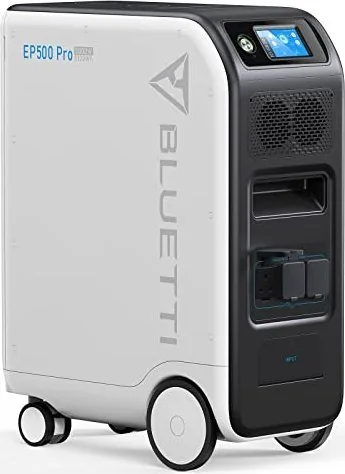
The BLUETTI EP500Pro Solargenerator is a powerful home energy storage system designed for those who need dependable backup power without complex installations. This mobile UPS unit features a massive 5120Wh capacity built with a long-lasting LiFePO4 battery. It supports up to 3000W of continuous output, ensuring your essential appliances like refrigerators and heaters stay running during outages. The system effectively converts clean solar energy and grid electricity into usable power for all your home devices. Users should read the Bluetti EP500Pro Solargenerator Manual before use to follow all guidance.
Versatile Charging Options
Flexibility is key to this device operation. You can charge via wall outlets, solar panels, generators, or even vehicles using specific adapters. The dual MPPT solar controllers allow for efficient sunlight harvesting up to 2400W. For solar users, this device integrates a solar charge controller into its design for maximum efficiency. Recharging times are manageable, with some methods taking under six hours using high-powered AC input. You can also charge and discharge simultaneously, a feature known as pass-through charging, which enhances versatility for off-grid living scenarios. Multiple output ports support laptops, phones, and power tools easily.
Smart Control and Monitoring
Manage your energy usage remotely. The compatible app allows you to adjust settings, update firmware, and monitor battery status in real-time. You can customize working modes to suit your needs, including Standard UPS, Time Control, PV Priority, or Customized modes. This flexibility helps optimize electricity costs during peak hours. The touchscreen interface provides detailed data on inverter status and BMS health. Users can set limits for grid input current to protect their home wiring. Bluetooth and Wi-Fi connectivity ensures smooth remote management capabilities.
Robust Safety and Design
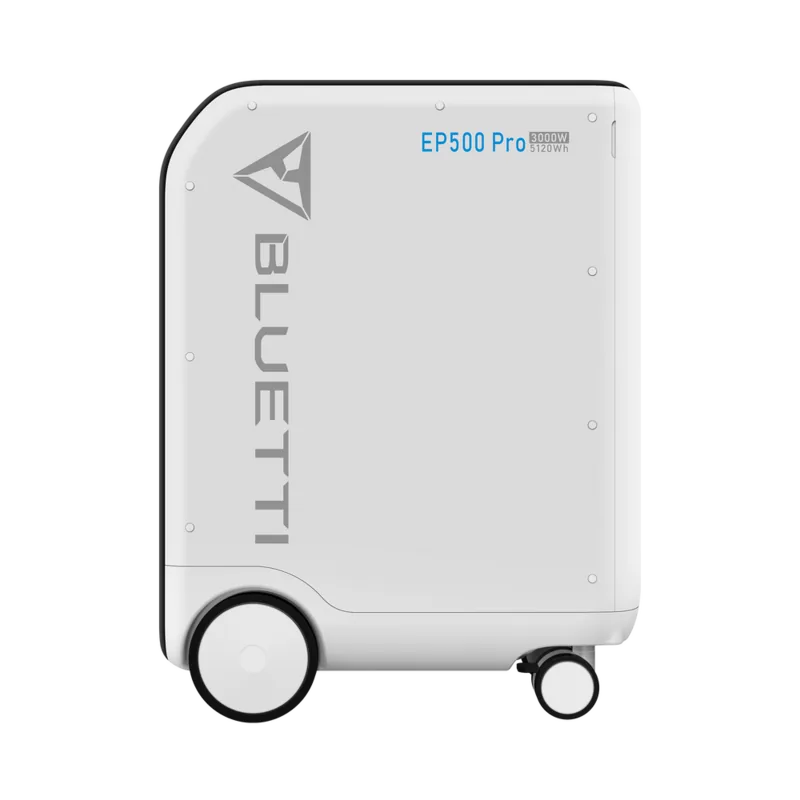
Safety is a top priority with over-temperature and short-circuit protections included. The unit includes four transport wheels for mobility. Ensure proper ventilation during operation to maintain performance and longevity. Proper maintenance involves charging to 50-70% before storage and avoiding extreme temperatures. Keep it dry and away from combustible materials. The device supports split-phase functions for even more power when two units are bonded together using a fusion box.
Technical Considerations and Maintenance
Before using the unit, ensure you understand the output voltage requirements for your region to avoid damage. The technical specifications list specific certifications like UL and CE for safety assurance. Regular inspections help maintain safety standards. It is highly recommended to avoid stacking items on top of the power station. Keep children away from the equipment during operation. This guide provides comprehensive information for safe usage and troubleshooting common issues you might encounter daily. Adhering to these protocols ensures maximum lifespan for the battery system.
Search for 67,732 Manuals online


Type-in Brand or Model