
Bluetti AC200P Manual
PDF manual · 33 Pages
English



Quick check
Incorrect answer, please try again.
Chat with your Bluetti AC200P manual using AI
Get instant AI answers from your Bluetti AC200P manual
Ask anything about the Bluetti AC200P. Answers come from this manual, with the pages they are based on.
AC200P Maintenance Schedule
If the device is used for simultaneous charging and discharging, fully charge it at least once per month to extend battery life.
Use and recharge the unit at least once every 6 months to maintain battery capacity and lifespan.
Check the product and all accessories prior to every use. Do not use if damaged or broken.
Wipe the unit clean with a slightly wet cloth in case of dirt accumulation.
Free maintenance reminders
Timed to your purchase date. Always free, unsubscribe anytime.
Ask a Question
Do you recommend AC200P?
Yes NoFrequently Asked Questions
The device has a DOD setting of 90%, meaning only 90% of the capacity is used to reserve 10% and prevent deep discharge damage.
Is this answer helpful?
Yes, the AC200P supports pass-through charging for both AC and DC loads, though monthly full charges are recommended.
Is this answer helpful?
It can run low-power models, but we recommend staying under 1400W because startup surges often trigger overload protection.
Is this answer helpful?
Yes, any panel with MC4 connectors works as long as the combined voltage stays between 35V and 150V and power does not exceed 700W.
Is this answer helpful?
Calculate the total wattage of your devices; the sum must be within the 2000W limit while accounting for peak startup currents.
Is this answer helpful?
No, this product is not designed to be connected directly to a home circuit breaker box.
Is this answer helpful?
Advantages and Disadvantages
Advantages

- Massive 2000Wh capacity handles large appliances and extended usage.
- Five distinct charging methods including solar, car, and wall outlet.
- Intuitive LCD touchscreen with real-time monitoring and settings.
- Super ECO mode saves over 30% energy by reducing idle loss.
- Supports pass-through charging for continuous power supply.
Disadvantages

- Heavy weight of 27.5kg makes it difficult to carry without a trolley.
- High startup current devices may trigger overload protection easily.
- Cannot connect directly to a home circuit breaker box.
- Does not support parallel connection with other units.
- Battery requires charging every six months during storage.
Product Specification
Battery
LiFePO4, 2000Wh
Charge cycles
>3500 to 80% remaining capacity
AC output
2x Schuko outlets (Type-F)
AC output power
2000W
AC peak power
4800W
DC output
1x cigarette lighter (12V/10A/120W), 1x DC (12V/25A/300W), 2x DC (12V/3A/36W)
USB output
4x USB-A (15W)
Wireless charging
2x 15W (Qi)
Charging methods
Power supply (500W), Solar (600W), Solar+power supply (1200W), Vehicle
Charging inputs
2
Solar charging inputs
2
Number of power supplies
1x 500W
Charging time with 1 power supply
4.5h
Charging time solar
5-6h (360W panel)
Charging time solar+power supply
2h (900W panel)
Charging time vehicle adapter
7h (24V), 14h (12V)
Operating temperature
32°F to 104°F
Weight
60.63 lbs
Dimensions
16.54x11.02x152.17 inches
Features
Carrying handles
Manufacturer warranty
2 years
Note
Prices may include 0% VAT rates for AT and DE
Product Description
Experience Ultimate Power Freedom with the Bluetti AC200P Solargenerator
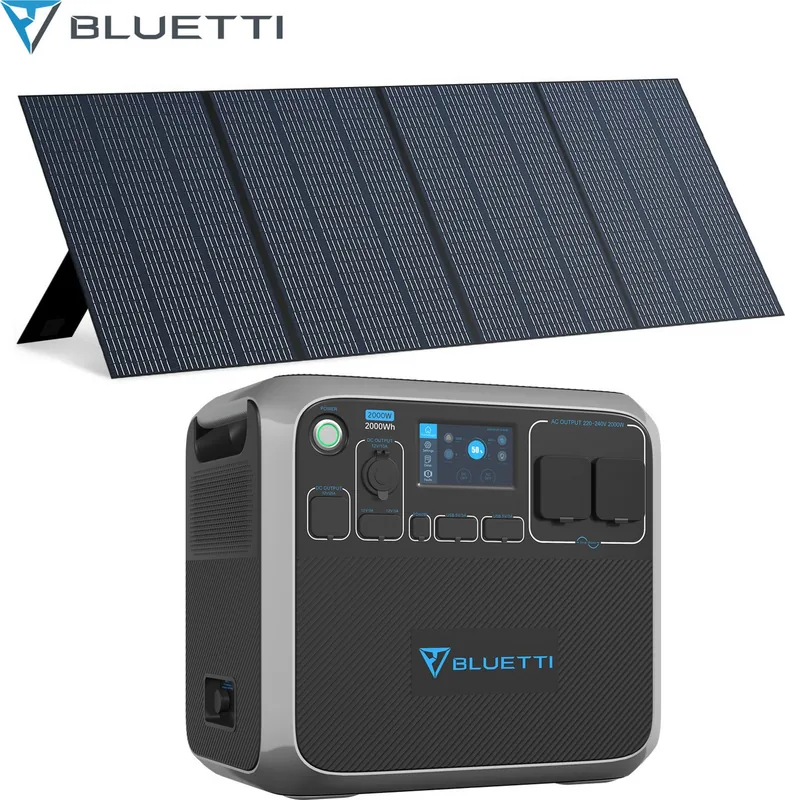
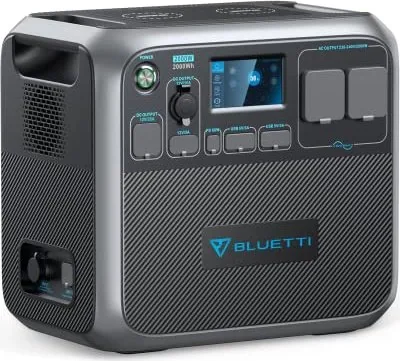
The Bluetti AC200P Solargenerator stands as a robust portable power station designed to keep your essential devices running during outdoor adventures or unexpected power outages. With a massive 2000Wh capacity and a continuous 2000W output, this unit is built to handle everything from small electronics to larger appliances like refrigerators and power tools. Whether you are camping in the wilderness or need backup power for your home, the AC200P offers reliable energy on demand.
This versatile generator features multiple charging options, ensuring you can recharge it using solar panels, a car cigarette lighter, a standard wall outlet, a generator, or even another lead-acid battery. The integrated smart LCD touch screen provides real-time data on voltage, current, and remaining battery life, allowing you to manage your power consumption efficiently. Users can also activate Super ECO mode to minimize energy loss by over 30 percent.
Equipped with a wide array of outputs including AC sockets, USB-A ports, a high-speed Type-C port supporting PD 60W, and wireless Qi charging pads, the AC200P connects seamlessly with modern technology. Its intelligent Battery Management System protects against overcharging, short circuits, and extreme temperatures, ensuring long-term durability. The unit supports simultaneous charging and discharging, making it an ideal solution for off-grid living where power needs fluctuate constantly.
Important Usage Notes
- Always ensure the battery level is above 5% before attempting to turn on the device.
- Avoid direct sunlight on the LCD screen to maximize its lifespan.
- Do not exceed 1400W continuously for sensitive appliances like air conditioners due to high startup currents.
- Store the unit in a cool, dry place and charge it fully every six months to maintain battery health.
Search for 67,732 Manuals online


Type-in Brand or Model