
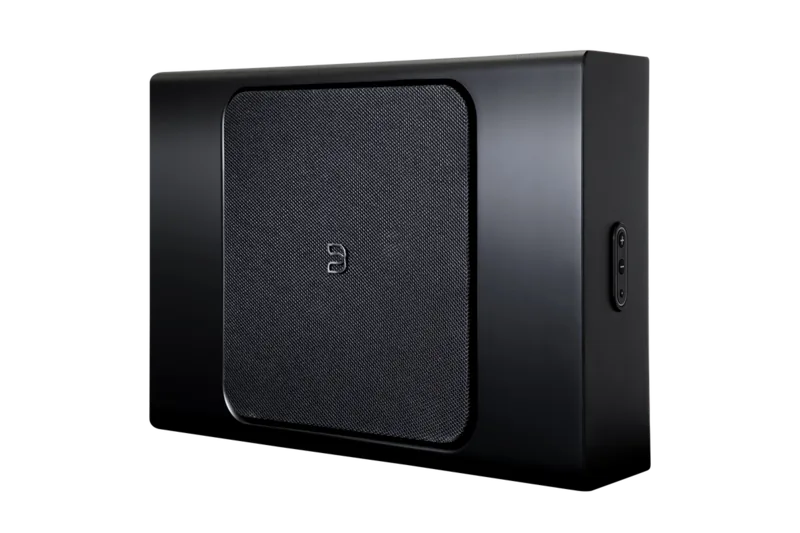
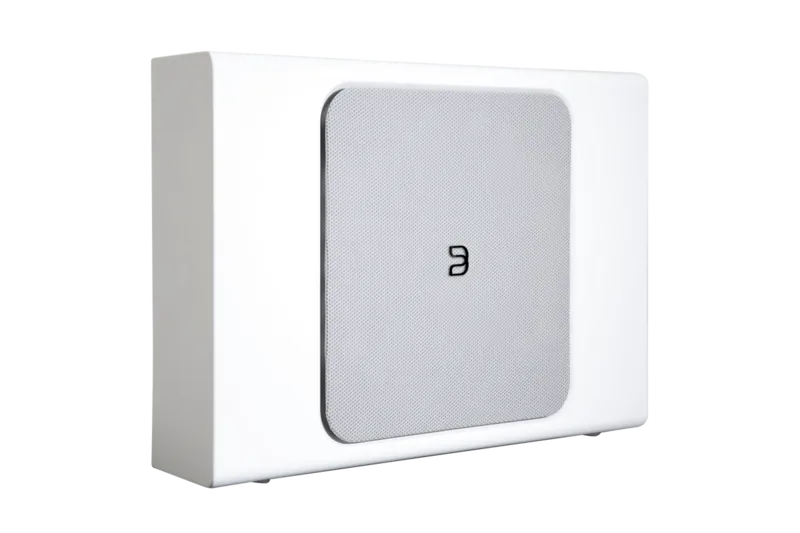
Bluesound Pulse Sub Manual
PDF manual · 20 Pages
English



Quick check
Incorrect answer, please try again.
Chat with your Bluesound Pulse Sub manual using AI
Get instant AI answers from your Bluesound Pulse Sub manual
Ask anything about the Bluesound Pulse Sub. Answers come from this manual, with the pages they are based on.
Ask a Question
Do you recommend Pulse Sub?
Yes NoFrequently Asked Questions
You can connect via wired Ethernet directly to your router or wirelessly. Both methods work after downloading the BluOS App.
Is this answer helpful?
Yes, it supports horizontal or vertical wall mounting using the supplied bracket for better cable management.
Is this answer helpful?
You must use the BluOS App downloaded from bluesound.com/downloads on your phone or tablet.
Is this answer helpful?
Yes, network connection is required to control the audio settings and management features effectively.
Is this answer helpful?
No, the mounting screws are not included with the wall bracket, you will need to purchase them separately based on your wall material.
Is this answer helpful?
Yes, you can use the wired analog RCA input if you do not want to use the local network for audio transmission.
Is this answer helpful?
Visit bluesound.com and go to the PULSE SUB+ product page to download the latest online owner manual.
Is this answer helpful?
Advantages and Disadvantages
Advantages

- Versatile placement options including upright, flat, and wall mounting for wire management.
- Easy setup process utilizing the BluOS App on smartphones and tablets.
- Supports both wired Ethernet and wireless network connections for stability.
- Includes magnetic rubber feet to prevent unwanted vibrations during operation.
- Network connectivity required for full control of audio settings and features.
Disadvantages

- Mounting screws are not included for wall mounting installation process.
- Network connection is mandatory to control the most audio settings available globally.
- Wall mounting requires careful selection of locations away from electrical wiring.
- Setup requires a smartphone or tablet with the BluOS application installed.
- Power adapter may be necessary in certain regions for safe AC connection.
Product Specification
Woofer
1x 8 inches (203.2 mm)
Amplification
Active
Design
Upfire
Frequency Range
22Hz-150Hz (+/-2dB)
Power
150W RMS
Max SPL
105dB
Features
Wi-Fi
Dimensions (W x H x D)
18.00 x 5.75 x 11.81 inches
Weight
18.25 lbs
Product Description
Welcome to Living HiFi with the Bluesound Pulse Sub+
Elevate your home audio experience significantly with the Bluesound Pulse Sub+. This powerful network subwoofer is designed specifically to pair seamlessly with any Bluesound Player currently on the market. Whether you have a reliable wired or wireless connection to your home network, the Pulse Sub+ integrates easily into your existing audio ecosystem. The Bluesound Pulse Sub Manual provides comprehensive guidance for new users, though this overview focuses on the core experience and physical installation.
The setup process is incredibly streamlined using the BluOS App available for both iPhone and Android phones. Before starting the pairing wizard, ensure you have the application downloaded directly from bluesound.com/downloads on your mobile device. The Pulse Sub+ is remarkably versatile regarding physical placement in your room. You can stand it upright and attach the supplied magnetic rubber feet to limit any unwanted vibrations. Alternatively, you can lay it flat even under a sofa or table, utilizing the four rubber feet on the rear of the product. For advanced wire management within your living space, the unit supports horizontal or vertical wall mounting using the supplied bracket.
Connecting to your network is essential for full functionality. Use wired Ethernet for maximum stability or connect wirelessly via your router. For those preferring not to use the network for audio transmission, the product includes a wired analog RCA input option. However, it is crucial to note that network connectivity is mandatory to control the audio settings on the Pulse Sub properly. Once connected, power is simple. Connect the AC power cord. Be aware that a 120V or 230V cord is provided depending on your region. Wait for the LED indicator to become solid green. Never force the cord into a wall outlet and use a regional adapter if necessary for safety.
Troubleshooting and detailed configuration are available in the online owners manual hosted on the Bluesound website. Visit bluesound.com and go to the PULSE SUB+ product page to download the latest online owner manual for your specific hardware revision. The support site at support.bluesound.com is also available for questions during setup. If you require assistance, customer support teams are listed for North America and the EU. This system ensures that bass control is effortless and high quality. Enjoy deep, resonant sound without cluttering your entertainment center.
The included accessories are vital for installation success. You receive two magnetic rubber feet and a wall mounting bracket suitable for many home environments. Power cords vary by region so please verify the voltage before connecting to your outlet to prevent damage. Follow the BluOS wizard prompts to finish setup and name your subwoofer on the network. This completes the basic steps to get your system on the network and ready for deep bass.
Search for 67,706 Manuals online


Type-in Brand or Model