
Bluesound Pulse M Manual
PDF manual · 2 Pages
English



Quick check
Incorrect answer, please try again.
Chat with your Bluesound Pulse M manual using AI
Get instant AI answers from your Bluesound Pulse M manual
Ask anything about the Bluesound Pulse M. Answers come from this manual, with the pages they are based on.
Ask a Question
Do you recommend Pulse M?
Yes NoFrequently Asked Questions
Download the BluOS App on your phone or tablet. Plug the player into power and wait for the green LED. Use the app to add the player to the network via the Add a Player wizard.
Is this answer helpful?
The package includes 120V or 230V power cords, an Ethernet cable, and a Mini Jack to Toslink adaptor depending on your region and requirements.
Is this answer helpful?
Yes. The Pulse M can be grouped with other Bluesound players to create a seamless listening experience across different rooms in your home.
Is this answer helpful?
You can access the Bluesound Pulse M Manual on the official website. It contains troubleshooting tips and advanced settings for your player.
Is this answer helpful?
Yes. Support teams are available in North America and the EU via phone or email. Visit support.bluesound.com for contact details.
Is this answer helpful?
It supports Optical, Analog, USB Type A, and LAN ports. There is also a headphone jack for private listening when needed.
Is this answer helpful?
Watch the status indicator LED. It turns solid green when the unit is in hotspot mode and ready for network setup.
Is this answer helpful?
Advantages and Disadvantages
Advantages

- Wireless streaming with high-resolution audio capabilities for everyday listening.
- Supports multi-room grouping with other Bluesound players for synchronized sound.
- Includes diverse connectivity options including Ethernet, Optical, USB, and Headphone inputs.
- Straightforward initial setup guided by the BluOS App on mobile devices.
- Dedicated support channels available for various regions and installation assistance.
Disadvantages

- Requires wired network connection or Wi-Fi for full streaming functionality.
- Setup process depends heavily on the stability of the mobile device connection.
- Some features require downloading and installing a specific third-party application first.
- Physical connectivity ports may require additional adapters for certain legacy equipment.
- Initial configuration LED indication limits troubleshooting if connection fails silently.
Product Specification
Power
80 W RMS
Tuner
Internet Radio
Streaming Clients
Amazon Music, Apple AirPlay 2, Deezer, Qobuz, Roon, Spotify, Tidal
Voice Assistants
No
Audio Connectors
AUX In (3.5mm Jack), Digital Audio In (optical 3.5mm), Headphones (3.5mm Jack)
Other Connectors
USB-A, RJ-45
Wireless
Bluetooth 5.0, aptX, aptX HD, Wi-Fi 5 (WLAN 802.11a/b/g/n/ac)
Power Supply
AC Power
Features
MQA
Dimensions
6.73 x 8.03 x 5.87 in (WxHxD)
Weight
5.40 lbs
Product Description
Elevate Your Home Audio with the Bluesound Pulse M
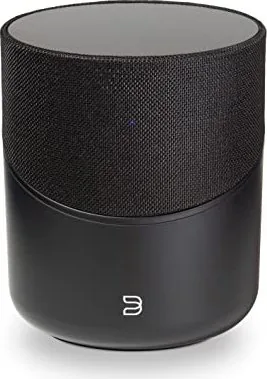
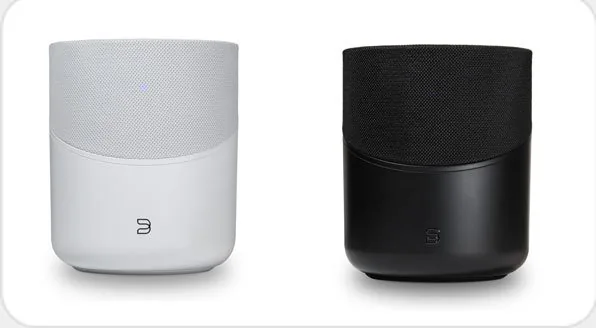
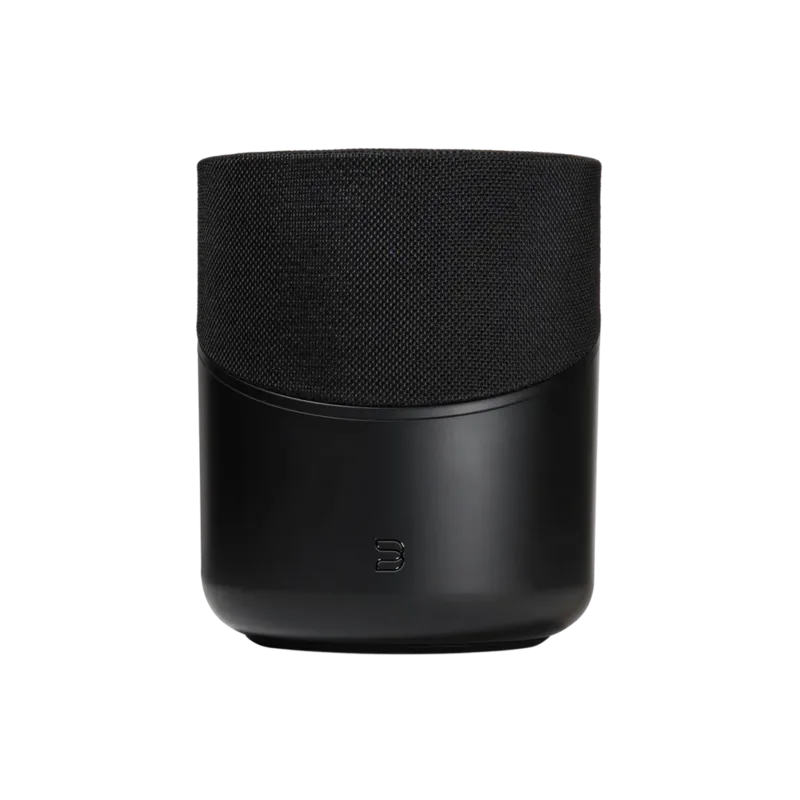
Welcome to the future of wireless sound. The Bluesound Pulse M brings the enjoyment of high-resolution music to everyday life effortlessly. This high-performance wireless streaming speaker is designed to fill your living space with superior audio quality. You can utilize this device as a standalone player or integrate it into a larger ecosystem.
Connecting to Your Network
The initial setup relies heavily on the BluOS App on your phone or tablet. First, download the software from the official website. Open the application and ensure your mobile device is nearby during installation. Next, plug in the power cord to the AC mains input. Wait patiently for the LED indicator to change to solid green. This light signifies hotspot mode and readiness for connection. Do not force the process; let the hardware initialize fully.
Hardware Features and Inputs
This player offers diverse connectivity options for various audio needs. There is a LAN port available for a stable wired network connection. An optical or analog input allows connection to external devices like TVs. The USB Type A port supports direct playback from storage media. Additionally, a dedicated headphone jack provides private listening capabilities. You will also find a status indicator to monitor system states easily.
Expanding Your Listening Area
Grouping capabilities make this unit exceptional for whole-home audio. You can group the Pulse M with other compatible speakers. This creates a multi-room listening experience where music flows seamlessly. The ADD A PLAYER wizard guides you through the necessary configuration steps. It ensures all devices are synchronized across your network infrastructure efficiently.
Accessories and Support
The package includes essential items for regional power compatibility. Options exist for 120V and 230V AC power cords depending on your region. An Ethernet cable is provided for network needs. A Mini Jack to Toslink adaptor is included for specific audio setups. If technical difficulties arise, support teams are ready to assist. For comprehensive details on maintenance and advanced settings, refer to the Bluesound Pulse M Manual. This resource offers in-depth troubleshooting tips and tricks for optimal operation.
Conclusion
Ultimately, the Pulse M delivers on its promise of HiFi for a wireless generation. It bridges the gap between convenience and high fidelity sound quality. Follow the setup instructions carefully to avoid connectivity issues. Enjoy the rich soundscapes that await in every room. Stay connected with the community by visiting the support portal whenever questions arise about your system configuration.
Search for 67,706 Manuals online


Type-in Brand or Model