
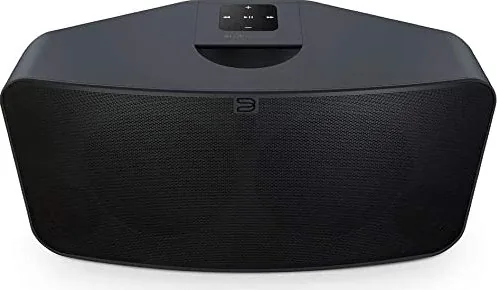
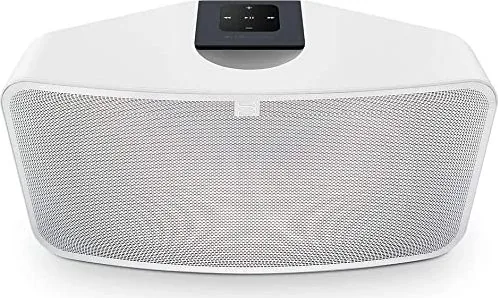

Bluesound Pulse 2i Manual
PDF manual · 4 Pages
English



Quick check
Incorrect answer, please try again.
Chat with your Bluesound Pulse 2i manual using AI
Get instant AI answers from your Bluesound Pulse 2i manual
Ask anything about the Bluesound Pulse 2i. Answers come from this manual, with the pages they are based on.
Ask a Question
Do you recommend Pulse 2i?
Yes NoFrequently Asked Questions
It is designed as a premium wireless speaker for streaming music, internet radio, and local digital audio in a connected home setup. It combines app control with multiple input options for flexible listening.
Is this answer helpful?
Yes, it can also connect through the LAN port using an Ethernet cable. That makes it a good option for users who prefer a wired network connection instead of Wi-Fi.
Is this answer helpful?
Yes. The Pulse 2i supports USB storage, optical input, and analog input. These connections allow you to play audio from compatible devices beyond streaming services.
Is this answer helpful?
The LED indicator shows different states such as network connection, hotspot mode, software updates, mute mode, indexing, and factory reset activity. It is a quick visual way to understand what the speaker is doing.
Is this answer helpful?
You can use the physical play/pause, volume, and track buttons on the speaker, or control it through the Bluesound app on a smartphone, tablet, or desktop device.
Is this answer helpful?
A factory reset should be used only if the player is not functioning correctly and other recovery options have failed. It removes custom settings, network configuration, playlists, and saved shares.
Is this answer helpful?
Advantages and Disadvantages
Advantages

- Supports Wi-Fi and wired Ethernet for flexible, reliable setup options.
- Works with the Bluesound app, making music control simple from mobile devices.
- Includes USB, optical, and analog inputs for broader audio source compatibility.
- LED status indicators help users quickly understand connection and playback state.
Disadvantages

- Streaming performance depends on a strong internet plan and adequate bandwidth.
- Factory reset removes Wi-Fi settings, playlists, and other saved customizations.
- Some advanced service functions are restricted to authorized personnel only.
- Best experience may require additional setup for network and source connections.
Product Specification
Power
150W Peak
Tuner
Internet Radio
Streaming Clients
Amazon Music, Apple AirPlay 2, Deezer, Qobuz, Roon, Spotify, Tidal
Voice Assistants
Amazon Alexa, Apple Siri, Google Assistant
Audio Connections
AUX In (0.14in Jack), Digital Audio In (optical 0.14in), Headphones (0.14in Jack)
Other Connections
USB-A, RJ-45
Wireless
Bluetooth 5.0, aptX, aptX HD, Wi-Fi 5 (WLAN 802.11a/b/g/n/ac)
Power Supply
Mains Operation
Features
MQA
Dimensions
16.54x7.80x7.56in (WxHxD)
Weight
11.13lbs
Product Description
Bluesound Pulse 2i: Smart Hi-Fi Streaming for Everyday Listening
The Bluesound Pulse 2i blends modern convenience with room-filling sound, making it a strong choice for listeners who want more than a basic wireless speaker. Designed for the “Hi-Fi for the Wi-Fi generation” lifestyle, it brings local digital music, internet radio, and streaming services together in one connected system. The Bluesound Pulse 2i Manual highlights how the speaker is built to work smoothly with the Bluesound app, turning a smartphone, tablet, or desktop into a powerful remote control.
What makes the Pulse 2i appealing is its flexibility. It supports Wi-Fi streaming for easy placement around the home, but it also includes an Ethernet LAN port for users who prefer a wired connection. That means you can choose the setup that best fits your network and stability needs. The speaker also works with USB storage, analog input, and optical input, giving it a wider range of playback options than many typical wireless speakers.
Daily use is designed to feel intuitive. The front controls handle play/pause, volume, and track navigation, while LED status codes provide quick feedback on what the speaker is doing. Whether it is booting up, connecting to the network, updating software, or entering mute mode, the light indicators help you understand the speaker’s state at a glance. This is especially useful in a multiroom setup where several players may be grouped together.
The Pulse 2i is also built with practical home listening in mind. A headphone jack adds private listening convenience, and support for internet-based music services opens the door to huge catalogs and live radio from around the world. Of course, the experience depends on a reliable internet connection and enough bandwidth for uninterrupted streaming, so the speaker performs best in a well-prepared network environment.
For users who want a premium wireless speaker that feels both simple and capable, the Bluesound Pulse 2i stands out as a versatile all-in-one solution. It is not just about playing music; it is about making streaming, local files, and connected audio feel unified and easy to enjoy.
Notes
- Best results come from a stable home network and strong internet service.
- Wired Ethernet can improve reliability for demanding streaming setups.
- Factory reset should be used only when necessary, since it removes saved settings and customizations.
Search for 67,706 Manuals online


Type-in Brand or Model