
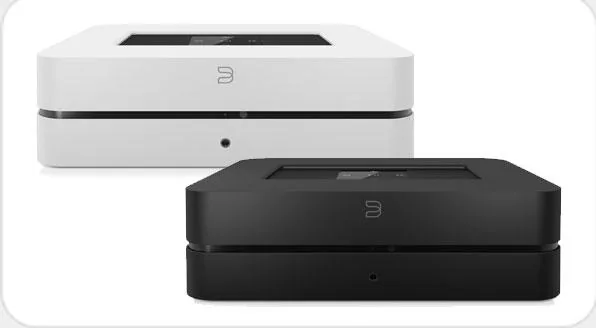
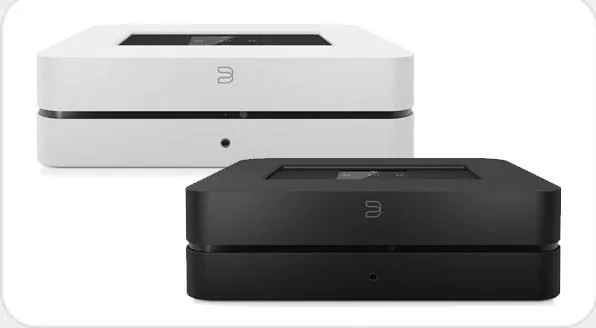
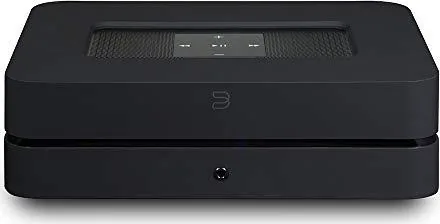
Bluesound Powernode 2i Manual
PDF manual · 4 Pages
English



Quick check
Incorrect answer, please try again.
Chat with your Bluesound Powernode 2i manual using AI
Get instant AI answers from your Bluesound Powernode 2i manual
Ask anything about the Bluesound Powernode 2i. Answers come from this manual, with the pages they are based on.
Ask a Question
Do you recommend Powernode 2i?
Yes NoFrequently Asked Questions
Disconnect the player from electrical power. Wait 10 seconds. Reconnect the power. Wait for the LED to flash Blue. When it turns Red, touch and hold the Play/Pause icon until it turns Green then Red. Continue holding for 30 seconds until the LED blinks red. This restores factory settings and removes all customization.
Is this answer helpful?
The package includes a 120V or 230V AC Power Cord, an Ethernet Cable, and two Mini Jack to Toslink Adaptors. These items ensure you can connect the player to your power source, network, and analog or digital audio devices immediately.
Is this answer helpful?
You need a robust wired or wireless home network and a reliable high speed Internet connection. This must be provided by a DSL or Cable modem installed by your local Internet Service Provider. Plan on enough speed to prevent buffering during real-time streaming.
Is this answer helpful?
Yes, a subwoofer can be connected directly to the POWERNODE 2i via the SUBW OUT port. Ensure you connect it to a powered active subwoofer for enhanced low-frequency performance in your home audio system.
Is this answer helpful?
Yes, a 3.5mm headphone jack is located on the front of the POWERNODE 2i. This allows for private listening sessions directly from the unit without needing speakers.
Is this answer helpful?
Connect a USB mass storage device like a portable flash memory device or external hard drive to the USB input. Ensure the device is FAT32 formatted for compatibility with the POWERNODE 2i.
Is this answer helpful?
Advantages and Disadvantages
Advantages

- Supports robust wired or wireless home networks for flexible audio streaming.
- Multiple input options including optical, analog, USB, and HDMI ARC connectivity.
- Intuitive app control via smartphone, desktop, or tablet devices.
- Includes region-specific AC power cords for compatibility.
- Front panel headphone jack available for private listening sessions.
Disadvantages

- Factory reset removes all customization including Wi-Fi network configuration.
- Internet access must be contracted and installed by a local Service Provider.
- Service port is restricted to Authorized Bluesound Service personnel only.
- Requires robust network and reliable high speed Internet connection.
- IR sensor limitations may affect programmable remote control if stored poorly.
Product Specification
Type
Streaming Amplifier
Power
2x 60W (8Ω)
D/A Converter
24bit/192kHz
Tuner
Internet Radio
Audio Formats
AAC, AIFF, ALAC, APE, FLAC, MP3, MQA, OGG/Vorbis, WAV, WMA
Audio Connections
2x Digital Audio In (optical 3.5mm), AUX In (3.5mm Jack), Sub Out (RCA), Headphones (3.5mm Jack)
Wireless
Bluetooth 5.0, aptX, aptX HD, Wi-Fi 5 (WLAN 802.11a/b/g/n/ac)
Dimensions
8.66x2.76x7.48in (WxHxD)
Weight
3.79 lbs
Product Description
Welcome to the Bluesound Powernode 2i
The Bluesound Powernode 2i redefines how audiophiles experience digital music in the modern era. This wireless speaker amplifier transforms your local library or internet streams into high-fidelity sound effortlessly. It brings music of your life to your fingertips without the clutter of physical media like CDs. You control every aspect of the listening experience using your smartphone, desktop, or tablet running the dedicated Bluesound App. This sophisticated Internet streaming device connects you to a wide range of providers and subscription services featuring millions of songs streamed in real time globally.
Connectivity and Input Options
Network speed and bandwidth requirements should be reviewed with your Internet Service Provider. Powering your system is straightforward with region-specific AC power cords included for compatibility. The device supports robust wired or wireless home networks to ensure stability. Connectivity options are extensive for versatile integration. You can input analog audio via stereo cables or digital optical inputs using included adaptors. There are two optical and two analog input sections to choose from for multiple sources. A USB port accepts mass storage devices like flash drives or external hard drives formatted in FAT32 for local playback. For home cinema enthusiasts, the HDMI ARC connection links directly to a compatible TV for audio return. This source appears in the app navigation drawer for easy switching between inputs.
Control and Customization
Managing volume, playback, and skipping tracks is handled via intuitive front panel buttons. The Play/Pause button also indicates network status with distinct LED blink codes for troubleshooting. Solid blue means connected while flashing red indicates factory reset progress. You can mute individual players in a grouped system without stopping the rest of the audio stream. A subwoofer connects directly to the SUBW OUT port for enhanced low-frequency performance. A front panel headphone jack provides private listening sessions nearby. Customizing your system involves using the navigation drawer in the app extensively. If issues arise, a specific factory reset procedure restores factory defaults completely.
Important System Notes
All customization including Wi-Fi configuration is removed during a complete reset process. This process is recommended only if firmware upgrades fail or persistent issues occur at the hardware level. Internet access must be contracted locally with a reliable service provider. Ensure you have enough bandwidth for uninterrupted streaming without buffering errors. Contact authorized personnel for service port access using the specific USB connection type. Always disconnect from the wall outlet before unplugging cables to prevent damage. Enjoy the era of Hi-Fi for the wireless generation with this premium device.
Search for 67,706 Manuals online


Type-in Brand or Model