
BlueParrott C400-XT Manual
PDF manual · 18 Pages
English



Quick check
Incorrect answer, please try again.
Chat with your BlueParrott C400-XT manual using AI
Get instant AI answers from your BlueParrott C400-XT manual
Ask anything about the BlueParrott C400-XT. Answers come from this manual, with the pages they are based on.
Ask a Question
Do you recommend C400-XT?
Yes NoFrequently Asked Questions
When fully charged, the headset provides more than 24 hours of talk time. Charging a fully depleted battery takes about 3.5 hours through the USB charging connection.
Is this answer helpful?
Yes. Multipoint mode allows the headset to maintain connections with two Bluetooth devices simultaneously. It can monitor both devices and lets you handle calls from either one.
Is this answer helpful?
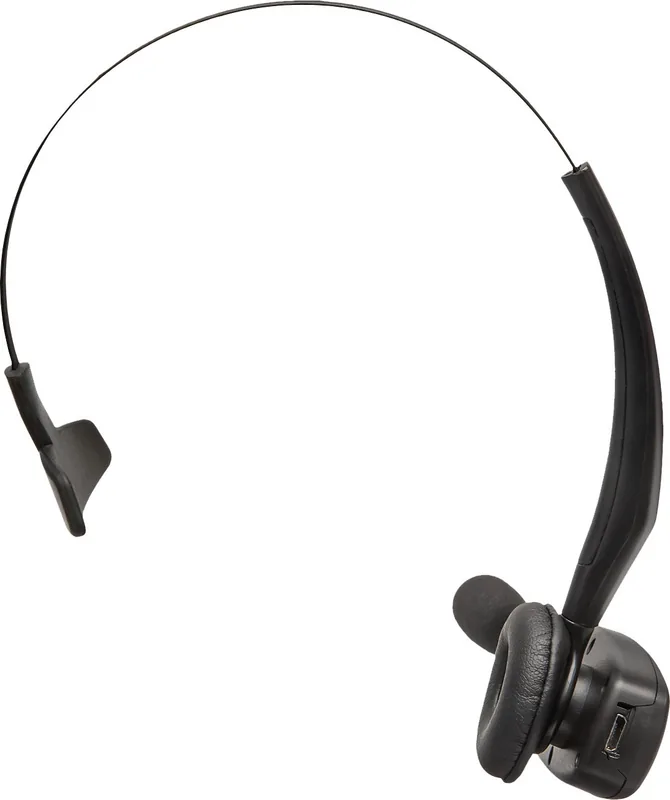
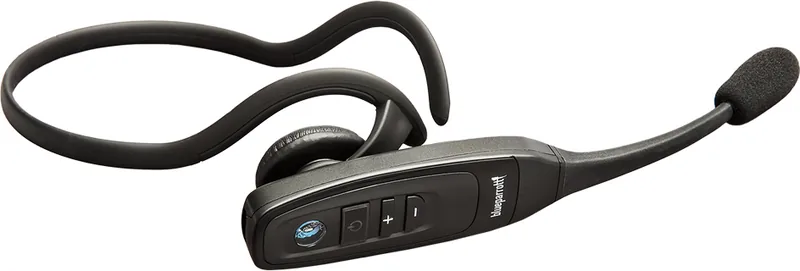
The C400-XT supports an over-the-head band and neckband options for the left or right side. Leatherette and foam ear cushions are also provided for personal comfort preferences.
Is this answer helpful?
For a new or reset headset, pairing mode starts automatically. You can also say "Pair Mode" after activating voice commands, or hold the multifunction button from power-off until the pairing prompt is heard.
Is this answer helpful?
By default, the Parrott Button mutes and unmutes a call. When not on a call, it activates voice commands. It can be reconfigured with a compatible app for actions such as speed dialing or opening an application.
Is this answer helpful?
Yes. The headset recognizes English voice commands. Say "Answer" to accept an incoming call or "Ignore" to reject it. Voice commands can also check battery status, redial, and start pairing.
Is this answer helpful?
Advantages and Disadvantages
Advantages

- More than 24 hours of talk time on a full charge supports long shifts and frequent calling.
- Flexible over-the-head and left or right neckband options improve fit for different users.
- Multipoint mode connects two Bluetooth devices simultaneously, while memory stores up to eight pairings.
- English voice commands allow hands-free answering, rejecting, redialing, battery checks, and pairing.
- The configurable Parrott Button can mute calls by default or be assigned to other functions.
Disadvantages

- Voice command recognition is limited to English commands.
- A full recharge from an empty battery takes about 3.5 hours.
- Connecting USB power during a call resets the headset and moves the call to the phone.
- NFC pairing availability and behavior depend on the connected smartphone.
- Advanced Parrott Button customization requires a compatible smartphone or PC app.
Product Specification
Type
Headphones (on-ear)
Design
Headband, neckband, monaural
Design Type
Closed-back
Microphone
Boom microphone
Wireless
Bluetooth 4.1, NFC, Multipoint
Cable
Single-sided, detachable
Controls
Voice control, 3-button remote
Battery Life
24 h (talk time), 500 h (standby)
Battery
Micro-USB charging port, 3.5 h charging time
Frequency Range
150 Hz-6.8 kHz (headphones), 150 Hz-6.8 kHz (microphone)
Impedance
32 ohms
Sensitivity
123 dB
Driver
0.43 in
Device Features
Water-resistant (IP54)
Software Features
Voice assistant (Apple Siri, Google Assistant)
Color
Black
Weight
1.94 oz
Product Description
BlueParrott C400-XT Manual: A Flexible Bluetooth Headset for Clear Calls
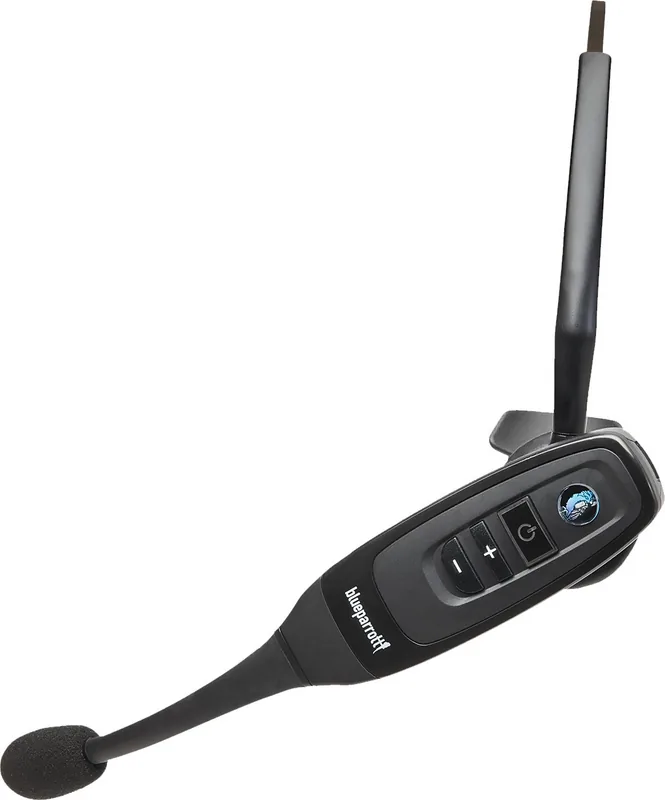
The BlueParrott C400-XT is a Bluetooth headset designed for people who need reliable hands-free calling in busy, demanding environments. Its adjustable boom microphone is positioned close to the corner of the mouth to support effective noise reduction, helping callers hear conversations more clearly when surrounding sound levels rise. The headset combines practical call controls, voice commands, and flexible wearing options in a focused, professional design.
A major strength of the C400-XT is its adaptable fit. It can be worn with an over-the-head band or with a left or right neckband, while the headband can be reversed for either side. Users can also choose between leatherette and foam ear cushions. Correct microphone placement is important: keeping it about one finger width from the mouth helps deliver the best voice quality.
The BlueParrott C400-XT Manual highlights a battery designed for extended workdays, with more than 24 hours of talk time when fully charged. A fully depleted battery takes approximately 3.5 hours to recharge through USB. The headset can also operate while connected to power, although connecting a USB cable during a call resets the headset and transfers the call back to the phone.
Bluetooth pairing is straightforward. NFC one-touch pairing is available with compatible phones, while standard Bluetooth pairing can be started by voice command or button controls. The headset stores up to eight paired devices and supports multipoint operation with two connected Bluetooth devices at once. This is useful for users who switch between a work and personal phone without repeatedly pairing equipment.
Call handling is built around the multifunction button, voice commands, and the configurable Parrott Button. Users can answer or reject calls with commands such as "Answer" and "Ignore," check connection status, check battery level, redial a number, or call back the latest caller. The Parrott Button is set to mute calls by default, but it can be customized through a compatible mobile or desktop app for functions such as speed dial or launching an application.
Additional controls include volume adjustment, call transfer between the headset and phone, smartphone voice assistant access, call waiting support, and an option to turn status LEDs on or off. With its long battery life, multiple wear styles, configurable controls, and two-device connectivity, the C400-XT is a practical choice for frequent mobile calls.
Notes
- Use only the supplied power cables and avoid temperatures above 60 C.
- Keep listening volume at a comfortable level to protect hearing.
- Voice commands are recognized in English.
Search for 67,706 Manuals online


Type-in Brand or Model